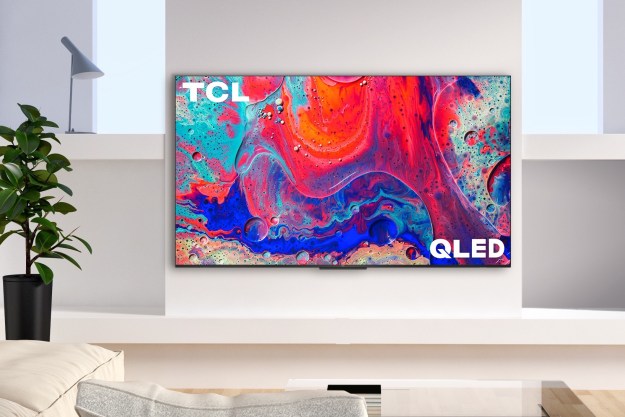
If you haven’t purchased a new TV at some point in the last decade, then you may or may not know how much has changed. Remember when HD broadcasting rolled out and 1080p flatscreens were the big thing? Nowadays, 1080p is more of an afterthought on larger displays, with a majority of TVs sized 40 inches or larger now supporting 4K and 8K resolution.
On top of increased pixel counts, today’s TVs also come in multiple lighting and screen styles, with QLEDs and OLEDs representing which TVs are the best you can get your hands on. Then, when you factor in things like what kind of HDMI ports you need, smart features, size, and overall price, the purchase of a new TV can become a never-ending cycle of research and second-guessing.
Don’t worry though: This TV buying guide will explain it all in easy-to-understand language. In the end, you’re going to know exactly which features to look for and which ones you can pass on to get the best deal on the best new TV for your home.
Size and setup

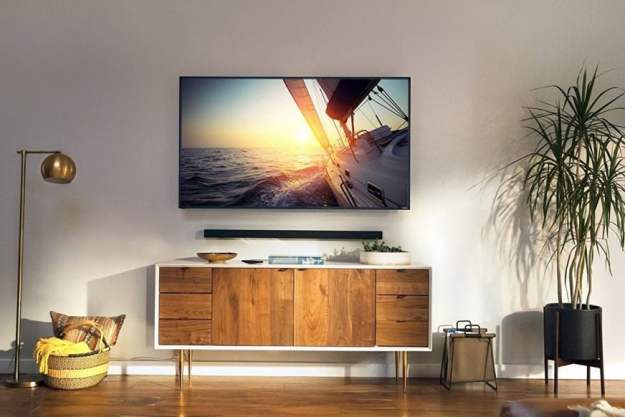
When you’re looking into a new TV, the first thing to check is how much space you’ve got in your entertainment room. Keep in mind that TV screens are measured diagonally, so when you see a TV listed as 65 inches, that’s the diagonal measurement, not the height or width. Those dimensions can be found on a TV’s product page and are often listed in reviews. Most living rooms will do well with a 50-inch or larger TV, though you can go as big as your entertainment center — and wallet — will allow.
There are some great resources online for calculating the best size-to-viewing-distance ratios so you can zero in on the best combination for you and your space.
If you’re going to be using a TV stand, make sure to factor the stand’s dimensions into your calculations to ensure a good fit. It’s also important to understand that more and more TVs are mounted on legs at their exterior rather than bases at the center, which begs for even more space.
Those who are wall-mounting will be happy to know that weight isn’t an issue here. There are mounts for every size and weight out there, and we have a wall-mount buying guide to help you choose the right one. If you need help going through the actual process of mounting your TV, we can help you with that, too.
Resolution
The “4K” in 4K TVs refers to their resolution. Even though 4K TVs don’t quite have 4,000 lines of horizontal resolution (it’s actually 3,840), the term is catchy and easier to remember than its other names, like “2160p,” “4K Ultra HD,” or simply “UHD.” Whatever you call it, it refers to a standard for the number of pixels used to create the on-screen image you see.
At four times the pixel resolution of the previous standard — 1080p HD — the difference is notable, especially when these TVs display native 4K content. Images are crisper, fine details are clear and visible, and you can sit closer to larger TVs without notable image degradation.

Of course, some manufacturers are still cranking out 1080p or 720p displays, but they are usually the lowest-quality TVs with the smallest screen sizes within a given manufacturer’s lineup. A few years ago, it made sense to consider one of these models if you were looking to save money, but today, you can buy a 50-inch 4K TV for $300 or less, which means that only those with the smallest of budgets need to consider TVs with less resolution. Indeed, we’re now starting to spot a variety of 6K and 8K displays as 4K prices continue to descend and the cycle slowly begins again.
While it’s true that broadcast content has been woefully slow to catch up to 4K, we expect this will start to change rapidly now that the latest broadcast standard — ATSC 3.0 — has been implemented, with compatibility now stretching across multiple TV brands and set-top devices. And while that upgrade continues to roll out, streaming services like Netflix, Amazon Prime Video, Disney+, and Vudu continue to add numerous 4K movies and TV shows to each platform’s respective libraries.
What about 8K?

Upgrades to TV resolution are as inevitable as the changing seasons it seems, and even though we’re still ramping up to full 4K support, 8K is already here — at least on store shelves. Though only a few models exist, you can buy 8K TVs from Samsung, LG, Sony, TCL, and Hisense.
8K TVs cram eight times as many pixels into the same space as 1080p HD — or four times as many as 4K. Though 8K TVs were initially very expensive, you can now buy a 65-inch 8K TV for as little as $999. But should you buy one?
Our advice at the moment is no, unless you have deep pockets and a strong desire to own bleeding-edge tech. Native 8K content is still very hard to come by. Both YouTube and Vimeo offer 8K videos — and they will no doubt look spectacular on an 8K TV — but it’s still more of a demo than a reliable source of 8K entertainment. 8K sources elsewhere are generally limited to very special events or promotions. While streamers like Netflix have shot some 8K content, they are releasing it in the 4K format. There are a couple of exceptions, such as Japan’s NHK BS8K channel specifically for 8K content, but nothing else so far.
That said, if you do decide to jump on the 8K bandwagon, we recommend going no smaller than 85 inches in screen size. These are big TVs, but that’s the point: 8K has a much more tangible benefit on larger screens than smaller ones.
HDR

HDR is short for high dynamic range, and as far as we’re concerned, when it’s done right, it’s a much more impressive change to overall picture quality than resolution alone. HDR makes images more vibrant and lifelike through higher brightness and contrast and a wider color gamut — that’s the total number of colors a TV can display. At its best, HDR is truly stunning; you won’t want to return to SDR (standard dynamic range) once you see it in action.
We’ve assembled an in-depth explainer on HDR TV, which we strongly recommend you read before buying a new TV, but the most important thing to know is this: Though almost all 4K TVs sold today are also HDR TVs, not all HDR TVs are created equal. There can be vast differences in quality, and some HDR TVs simply don’t possess the ingredients needed to get the most out of this new video format.
You should also be aware that HDR isn’t a single format, it’s a collection of formats: HDR10, HLG, Dolby Vision, and HDR10+ are the major flavors. As such, your TV must support the same HDR format that your HDR video uses, or you won’t get the best results.
Product reviews will help you see how the HDR features on any given TV stack up against others in its price tier, including brightness levels, contrast, and overall picture quality, and you should check them before making your purchase.
Finally, keep in mind that to enjoy the benefits of an HDR TV, you need a source of HDR video. Currently, that means streaming services (the big ones have all added HDR support to select 4K movies and shows) or using a 4K Ultra HD Blu-ray player with 4K Ultra HD Blu-ray discs that have been produced using an HDR format.
Smart TVs
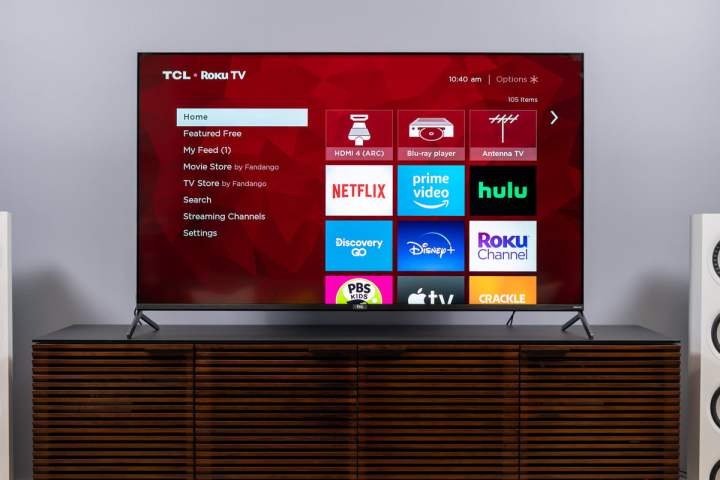
A smart TV connects directly to the internet, either via Wi-Fi or Ethernet cable (usually both), and it comes with built-in streaming apps such as Netflix, Hulu, HBO, and others. Much like 4K and HDR, almost all TVs these days are smart TVs.
However, there’s a big difference between smart TVs due to the software that each manufacturer uses. LG uses its own WebOS software, Samsung uses its Tizen OS, and Vizio calls its platform SmartCast. Each of these gives you access to popular streaming services, and Vizio’s system even has Chromecast’s casting feature, which lets you send content from your phone or tablet to the TV.
But there are three other smart TV platforms you should know about. Android TV is Google’s own smart TV platform based on its popular Android mobile operating system. It gives you all of the features of a Google Chromecast device, as well as access to hundreds of apps via Google’s Play Store.
While brands like Hisense and Philips still use Android TV, the smart TV platform has been upgraded to a new system dubbed Google TV that is already being built into a number of new Sony, Hisense, and TCL TVs, as well as the aforementioned Chromecast with Google TV.
Roku TVs made by TCL, Toshiba, Hisense, and others contain all of the features of a Roku streamer. In fact, these TVs use the super-simple Roku interface for all of the TV’s functions, including switching inputs and watching broadcast TV. Originally found on less expensive models, some Roku TVs are now as good or better than the leading smart TVs from other makers.
Finally, there are Fire TV Edition TVs: Smart TVs that use Amazon’s Fire TV streaming platform in the same way that Roku TVs use Roku’s software. These are currently made by Amazon, Insignia, and Toshiba and are typically aimed at the lower end of the market in terms of size, price, and features.
Newer TV models also come with Apple AirPlay 2 compatibility, which works similarly to Chromecast but can only be used with Apple’s devices.
Smart TV features are convenient, and the integration of streaming apps and other services directly into the TV frees up space and HDMI ports. That said, you can always upgrade any TV with a streaming device like the Amazon Fire TV Stick 4K Max or Roku Streaming Stick 4K, or use set-top boxes like the Nvidia Shield, to get all of these smart TV features in a convenient package. That’s important because many smart TV interfaces still leave a lot to be desired.
Refresh rate

A TV’s refresh rate refers to how many individual frames per second it can display, denoted in hertz (Hz). There are two different ways manufacturers refer to refresh rates: Native and effective.
How smoothly a TV displays motion is dependent on its native refresh rate. Generally, you want a 120Hz native refresh rate if you can get it, though we have seen some excellent 60Hz TVs out there.
One thing to keep in mind is that only some kinds of content benefit from higher refresh rates, with sports being the poster child for 120Hz TVs. The fast action of games like hockey or motorsports is all the more thrilling when you can see the details instead of a blur.
Regular filmed entertainment like movies and TV shows can actually be distorted by imposing higher refresh rates, leading to something known as the “soap opera” effect. But don’t worry: It’s easy enough to adjust these settings so that everything looks as it should.
A TV’s effective refresh rate refers to its digital picture processing. You’ll see this term show up on TVs touting a refresh rate above 120Hz. That may sound exciting, but we caution against relying on effective refresh rate as a meaningful indicator — in fact, it’s best to ignore anything higher than 120Hz. There is no such thing as truly native 240Hz TV — there are 60Hz and 120Hz and that’s it on TVs (for now).
Variable refresh rate
A relatively new feature to TVs is VRR (variable refresh rate). It was first added to models like LG’s 2019 and 2020 OLED TVs to make them more compatible with console and PC-based video games that actually change frame rates from one part of the game to another. Ordinarily, TVs are locked into a single refresh rate (60 or 120Hz), which means they can’t deal with changes to frame rates without causing tearing — a visible glitch when frame rates and refresh rates don’t mesh cleanly.
The bottom line here is that if you plan on using your TV for gaming, it’s a very good idea to make sure it supports VRR. And if you are using your TV with a PC that includes a dedicated Nvidia or AMD GPU (graphics processing unit), then you should look for TVs with syncing capability. G-Sync (for Nvidia) and FreeSync (for AMD) help displays coordinate with GPUs for an optimized frame rate that prevents tearing and other issues — plus, more advanced versions of G-Sync and FreeSync can help optimize visuals similar to how HDR works.
Currently, you can find G-Sync and FreeSync support on PS5 and Xbox Series X game consoles, as well as dedicated PC GPUs.
Inputs and HDMI 2.1
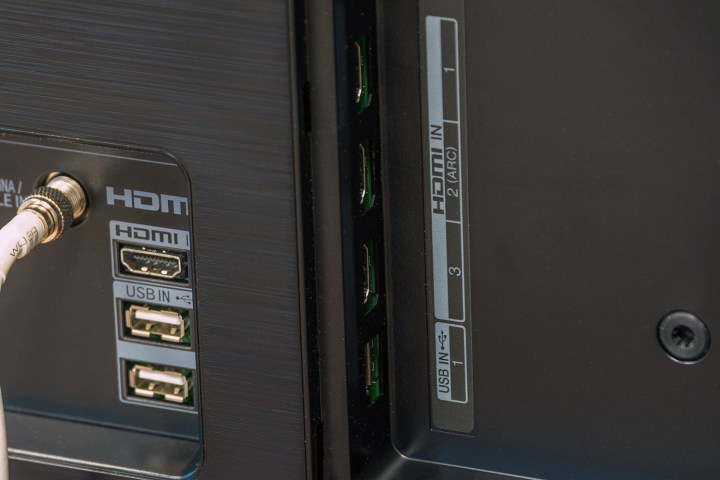
TVs can carry a range of different inputs and outputs, and you’ll often find TVs with a colorful array of different ports on their back or side panels. The only input that you really need to concern yourself with, though (unless you have a ton of legacy gear), is HDMI. HDMI (High Definition Multimedia Interface) is the standard way of connecting sources like streaming devices, Blu-ray players, gaming consoles, and even PCs to a TV.
To future-proof your TV, look for at least three HDMI ports (though getting four is safer and easily attainable). If you’re going to use a soundbar or an A/V receiver with your TV, make sure it supports HDMI ARC or preferably eARC, which is a simple way to pass audio back and forth from the TV and your speaker system while also offering other useful features.
HDMI doesn’t just describe what a port looks like, it also describes a set of features that these ports can support. That’s why you’ll see references to HDMI 1.4, 2.0b, 2.1, and soon enough, 2.1a.
And while features we discussed above, like VRR, are supported by HDMI 2.0b, for example, HDMI 2.1 will only continue to expand as a go-to protocol for peripherals like TVs, A/V receivers, and game systems. That being said, if you don’t want to buy another TV in five years or so, we recommend investing in one that supports the latest HDMI 2.1 standard.
LCD vs. LED vs. OLED vs. QLED vs. mini-LED vs. microLED

Wow, that’s a lot of letters! These acronyms can be confusing, so let’s whittle things down a bit.
The most important thing to know is that there are really only two types of TV displays. Transmissive displays depend on a backlight for their light source. That light source then passes through a matrix of pixels and color filters. LCD, LED, QLED, and mini-LED are all examples of transmissive displays. Emissive displays, by contrast, possess pixels that generate their own light. OLED and microLED are currently the only kinds of emissive displays.
OLED
The biggest benefit to an emissive display like OLED (organic light-emitting diode) is that when a pixel isn’t producing any light, it goes perfectly black. So not only do OLED displays offer the deepest, truest blacks — gorgeous when watching space scenes — but they don’t suffer from any light bleed. Light bleed happens when light from a bright area of the screen spills over into an area that is supposed to be dark or black.
Many companies sell OLED TVs but they all buy their OLED panels from one company: LG Display. The only exception to this rule is Samsung. Currently, Samsung Display, a sister company to Samsung proper, is producing its own quantum-dot powered OLED screens that it plans to sell off to different TV brands.
But the actual OLED panel is only one element of an OLED TV, as each brand uses its own picture-processing tech, so there are still observable differences despite their common panels.
MicroLED

As the other kind of emissive display, microLED deserves recognition for two very important reasons. First, it uses a modular design that lets you build a TV of enormous size — up to 17 feet tall — and with resolutions as high as 16 megapixels. Second, it’s the brightest display tech you can get. MicroLEDs are still out of reach for many consumers, but that’s starting to change. The latest versions from makers like Samsung are available in customizable sizes as large as 178 inches.
MicroLED TV versus OLED TV explainedLCD
The humble LCD (liquid crystal display) is the name of the matrix of pixels used to create all transmissive displays. Whether it’s an LCD TV, an LED TV, a mini-LED TV, or a QLED TV, they all use LCD panels to create the images you see. The difference between them comes down to the kind of backlight they use and whether or not a layer of quantum dots has been added (more on this in a moment).
LED TV
The first LCD TVs used CCFLs (cold cathode fluorescent light) as their backlights, but with the advent of LEDs as a viable alternative, the industry switched to LEDs. The “LED TV” was born. At this point, almost all LCD TVs are LED TVs. LED backlights are more energy-efficient than CCFLs, and, depending on how many individual LEDs are used, they can vastly increase the control over brightness and contrast.
LED TV versus LCD TV explainedMini-LED

If LEDs were a big step up from CCFLs, making those LEDs smaller — much smaller — is an even bigger improvement. Mini-LEDs are so small that a 75-inch TV can fit 25,000 of them. That brings the control over brightness and contrast closer than ever to what OLED’s emissive pixels can do.
There are currently several mini-LED TVs on the market for those interested. LG is a prime example of a manufacturer that has embraced this technology with its “QNED” (Quantum Dot + NanoCell + Mini-LED) TVs. Samsung is also getting in on the game with its mini-LED-driven Neo QLED 4K TVs.
MicroLED versus Mini-LED explainedQLED TV
A QLED TV is any LED or mini-LED TV that has an added layer of quantum dots embedded just behind the LCD matrix but in front of the backlight. Quantum dots are nanoparticles that have the unusual property of becoming emissive when light hits them.
When you add them to an LED display, they create increased brightness and can help create more natural colors by compensating for the naturally blue light that most LEDs emit. The brighter the backlight gets, the more pronounced the effect. This makes QLED TVs perfect for brightly-lit environments. They may not be able to get quite as perfectly black as OLED, but they make up for it by getting much brighter.
For a good current example of a QLED TV, look no further than Samsung’s Neo QLED QN90A model, available in a wide variety of sizes and at very reasonable prices.
QD-OLED
Alright, now that we’ve gone over QLED, OLED, and everything in between, it’s time to talk about one of the new kids on the block: QD-OLED. A hybrid of OLED and QLED (makes sense), QD-OLED uses OLED tech for its light source, but replaces OLED TV’s color filter with quantum dots instead — it’s the best of both worlds as it creates an amazingly bright, beautiful, colorful display with deep blacks. Check out our deep-dive explainer for more.
Do you need a soundbar?

A soundbar is a speaker that’s designed to sit in front of an HDTV (without blocking the view) and provide clearer, more powerful sound than the TV’s speakers are capable of. More advanced soundbars can be truly impressive, with a combination of drivers and tweeters that can offer the next best thing to a fuller surround-sound system. They’re also smart enough to act as Bluetooth speakers, work with voice commands, and more. You can check out our guide to the best current models to learn more.
Should you buy a soundbar along with your 4K TV? Look at two different factors. First, compare the price of the soundbar to your overall budget for a new TV. Soundbars can quickly become expensive, and it may not be worthwhile to raise your initial costs so high when you can always add one later if you want. Second, think about how you use a TV. If it’s an entertainment center that’s commonly enjoyed by multiple people at once (especially in somewhat smaller spaces where a soundbar’s audio can really shine), then a soundbar can be a great pick. If you are primarily using TVs with headphones, for example, you won’t get nearly as much use out of a soundbar.
Conclusion
Hopefully, we have demystified some of the newer terms and trends in today’s TVs. Now that you’re equipped with all the knowledge you need, might we recommend perusing our picks for the best TVs you can buy? Also, be sure to check out our latest TV reviews so you can arm yourself with knowledge about the latest and greatest 4K TVs on the market.
Editors' Recommendations
- Best Samsung TV deals: Save on 4K TVs, QLED TVs, OLED TVs, 8K TVs
- Best Walmart TV deals: 43-inch 4K TV for $195 and more
- Best Buy TV deals: Save on QLED TVs, OLED TVs, and 8K TVs
- Samsung’s new 98-inch DU9000 4K TV is just $4,000. Can it beat TCL and Hisense?
- What is Google TV? Here’s everything you need to know