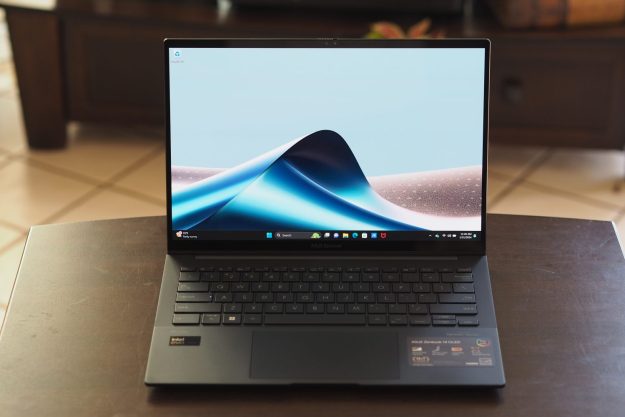
If you’ve read the introduction to “Life and Tiles of a Windows 8 Convert,” you already know I chose the Lenovo Yoga 13 as my main device for its versatility. The Yoga has mostly been a stellar device. I may even venture to say it has turned out to be the best laptop I have ever owned (or at least the most exciting). Lenovo has the right idea, but there is also a lot of room for improvement.
Join me while I recount the events of my first week with the Yoga, day-by-day, through pain and glory.
Day 1: Learning to DIY
 The first day had me installing updates, moving files, and organizing folders. I had just finished transferring the last batch of files from my MacBook Pro onto my Yoga. There was just one more hurdle left, the photos on the SD card from my digital camera. When I inserted the SD card into the Yoga’s right-side port, it wouldn’t stick. I could tell it was the kind of SD slot that was spring-loaded. You push the card in far enough and it clicks into place. It wasn’t working though, the SD card would just pop back out.
Frustrated, I put on my coat and headed to Best Buy. In hindsight, it seems absolutely absurd to think anyone there would be remotely helpful but desperation won over sensibility. As a saner person would have suspected, the Best Buy employees were complete dicks. They identified the problem as a “random bent piece of metal” in the slot but wouldn’t fix it because I was not a part of the Black Tie program or White Shirt initiative … I honestly can’t remember which. I left angry and went straight home, determined to fix the problem. I marched into my kitchen, red-faced and primal, grabbed an old knife and took it back to the Yoga. I sat down and took a deep breath then, carefully as I could, inserted the blade to correct the “random bent piece of metal.” The SD card popped into place and I spent the next few hours in photo editing hell.
Day 2: Is this supposed to leak?
 By the second day, I could finally start using the Yoga as my main device and retire my MacBook Pro. But as I began to use the Yoga as my daily device, I noticed that light bled from the corners of the display. I first discovered the issue during the multiple restarts I endured whilst installing my Windows 8 updates manually and one-at-a-time. At the time, I hoped it was just a fluke, maybe a display bug I was currently installing an update to fix. Basically, whenever the screen of my Yoga went dark, two or three corners would leak light onto the rest of the display. It isn’t the worst issue in the world but still shouldn’t be happening on a brand new ultrabook.
The bleeding isn’t visible at all times. It doesn’t affect the Start screen, even when I have chosen a dark background. It mostly rears its ugly head during start up and on the lockscreen. My MacBook Pro had a problem similar to this in the center of the screen that made watching movies quite bothersome. If anyone wants to guess what is wrong, I am all ears.
Day 3: Appreciating the hinge
The third day was actually pretty great. No new hardware issues and it was the first time I actually started experimenting with the Yoga. I looked online and tried a few odder uses for it like draping it over a chair and using it as a bedroom TV in tent mode. I also began to see the benefits of Windows 8, finding it to be quite intuitive when used with a touchscreen. This was also the day I installed every app that looked remotely interesting.
It was so enjoyable to have a touchscreen and tablet mode included with my main device that I don’t think I could ever go back to a normal laptop. The ability to move from production to consumption by flipping my screen back is joyous enough. But once you realize syncing your media files, music, and documents is a thing of the past, the world suddenly seems a little brighter.
Day 4: Sometimes bending sucks
 Continuing with the previous day’s experimental nature, I began to use my Yoga exclusively while at home and shunned my Lumia 920 whenever possible. That meant I spent a lot more time carrying the Yoga from room to room, either cradled in my arm as a tablet or held one-handed in laptop mode. The laptop mode is what alerted me to this particular issue. I was holding the Yoga with one hand to the right of the touch pad and when I attempted to click on something it didn’t work. After a quick inspection, I realized the keyboard section of the Yoga was flexing and that’s what rendered the touch pad unusable.
This flexing isn’t exclusive to the keyboard either. The display shows even more give and if I put the pressure on, I can make it look curved. Maybe this is typical of Windows-based ultrabooks (I admit my experience is limited) but I certainly didn’t experience that kind of flex in my MacBook Pro. I much prefer a stiffer build.
Day 5: Mind the gap
The fifth day brought with it some very scary revelations. For a device that basically forces you to manhandle the keyboard, the Yoga’s typer is already starting to degrade. It’s not super noticeable unless I point it out to people, but the keyboard has a plastic container or border surrounding it and there is a seam between that container and the rest of the body. Unfortunately, the gap between the keyboard and the Yoga’s body keeps growing, especially on the right side. It’s worrying to see this deteriorate so quickly and I am now extra careful when using it in tablet mode. The keyboard isn’t falling apart by any means, but it’s also not inspiring confidence.
I haven’t been able to figure out what is causing the issue. The only explanation I can think of is that it’s a side effect of the oddly flexible body? In any case, I hope it stops at a small fissure and doesn’t start popping right out from the body.
Day 6: Kill the desktop
Another good day. At this point in my Windows life, I am starting to really appreciate the multi-tasking in Windows 8. Being forced into full-screen apps makes the corner-to-corner apps feel natural. I prefer it to OSX’s optional full-screen view because the feature is an integral piece of Windows 8, not an afterthought. Maybe it’s just me, but the focus on full-screen app usage helps me focus on a task. The only drawback is the Windows desktop, which is still full of distractions. I am waiting with bated breath for Microsoft Word to become an app.
In my humble opinion, as the unofficial test subject of Windows 8, I desperately wish the desktop environment would be eradicated. The only function I find useful is snapping Word to one side of the screen and Internet Explorer to the other. However, this could easily be replaced by offering a half-and-half option for snapping apps in the “modern” environment. Such a feature is at the top of my wishlist for future updates.
Day 7: Disaster strikes
 I thought I was finally in the clear on day 7, but I was mistaken. While typing, my pinky finger accidentally slid from the “-“ key to the “+/=” key and the latter one popped right off. I was gob smacked, staring blankly at the rubber nipple now exposed at the top left of my keyboard. I picked up the broken key and moved it around in my hand, mind racing to figure out how I would fix this one.
Lucky for me, the key snapped right back into place. However, that didn’t stop it from happening twice more that day. Now I treat the keyboard like a fragile luxury item, which I guess it is, though I never asked for a fragile laptop. If I feel inclined to transition into tablet mode in a public space, I tend to hold off because I’m scared of losing that “+/=” key. This is incredibly problematic as the Yoga is intended to be used as a mobile device. It needs to be durable enough to handle that role.
All in all, it was a very dramatic first week with both positive and negative experiences. Unfortunately, the serious hardware flaws put a huge damper on the overall impression. I am in love with the concept, but Lenovo needs to place a much larger emphasis on build quality to match its design prowess.
Editors' Recommendations
- Why the latest ThinkPad X1 Yoga Gen 8 isn’t worth the upgrade
- HP Spectre x360 13.5 vs. Lenovo Yoga 9i Gen 7: premium 2-in-1 showdown
- Lenovo ThinkPad X13 Yoga is so cheap right now we’re in shock