The launch of Windows 7 draws near. Discs are being minted, glossy advertisements are filling magazines, and Microsoft is dispensing ludicrous advice on how to plan your own launch party. For existing Windows Vista users, we highly recommend upgrading to Windows 7, but the question remains: which version should you shell out for when it finally shows up on store shelves? Without a one-size-fits-all box, you’ll need to decide which features you need and which you don’t, to avoid shelling out your hard-earned cash for frivolities.
Your Options
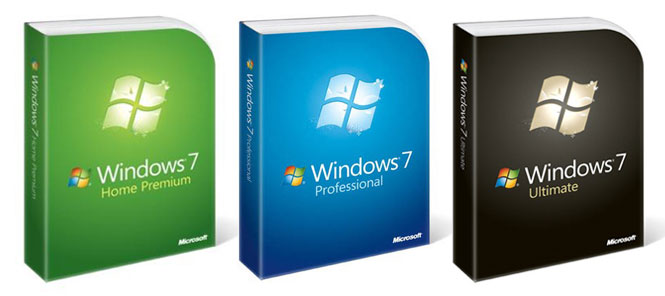
 Just as with Vista, Microsoft has endeavored to befuddle the common consumer with several different versions of the new OS. Casual users will be able to pick up the budget-oriented Home Premium package for $120, while Microsoft will charge $200 for its business-savvy Professional package, and $220 for the all-inclusive Ultimate box. Microsoft offers a helpful comparison chart of all three versions that can be useful to quickly see what each one offers.
But before you lay out any cash, make sure you don’t already have a free copy waiting for you.
Can You Upgrade to Windows 7 for Free?
As part of an effort to smooth out the transition from Windows Vista to Windows 7 – and to keep consumers from delaying their late-summer PC purchases to wait on the next version, Microsoft prepared a Windows 7 upgrade option. The much-advertised campaign offers consumers buying Vista-equipped PCs between June 26, 2009 and January 31st, 2010 the option to upgrade for free when Windows 7 launches, provided they bought from a list of participating PC manufacturers.
 If you just bought a PC, it’s a no brainer. But beware: Free isn’t always free. As ConsumerWorld recently discovered, some companies will charge anywhere between $11 and $17 to actually send out the disc. And a disc it is – you won’t get the flashy box and manual as you will with the retail version. But if you can swallow your consumer outrage over paying money for something you were promised for free, it’s still much cheaper than the least expensive retail version.
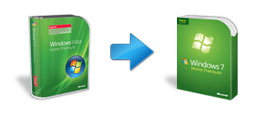
The rollover equivalents are pretty simple: Vista Home Premium users will get Windows 7 Home Premium, Vista Business users will get Windows 7 Pro, and Vista Ultimate users will get Windows 7 Ultimate.
Windows 7 Student Discount
Lucky enough to be attending a university, or more importantly, have an active email address ending with .edu? Take advantage of Microsoft’s student discount at its special ordering site to grab Windows 7 for $30. Yes, $30. And if you specify in the ordering process that you need Domain Join (most students do) you’ll get the Professional version.
 Right at Home
 Right at Home
Not surprisingly, the best bet for 90 percent of upgrading Vista users will be Home Premium, the most affordable option on the slate. At $120, it includes all the must-have essentials you’ve read about in Windows 7, including both 32- and 64-bit versions of the operating system, and visual niceties like the Aero theme that ended up left out the cheapest versions of Vista. If you’re the type of consumer just hearing about Windows 7 – and maybe not even that dissatisfied with Vista – this is the box you should reach for.
Enterprise Envy
A considerable $80 step up the price ladder, Microsoft has situated Windows 7 Professional as the version of choice for power users and the suit-and-tie set, unlocking three major features that casual users likely won’t miss.
First off, Windows XP mode allows your computer to run a virtual machine – basically a fully functional Windows XP desktop within a window in Windows 7. This can be helpful if you still rely on some older software that doesn’t play nice with Windows 7, but in our experience, it wasn’t really an issue. (And maybe if you’re still using a copy of Quicken 1999, the money is better spent on a software upgrade, anyway.)
 Second, Professional includes support for network domains, which are basically the backbone of major networks like the ones you might have at work or college. If you plan on using your PC in either of these scenarios, you’ll need Professional to link in and take full advantage of everything they offer. Keep in mind that the cheaper Home Premium package will still allow networking, it just uses the less powerful “workgroup” model, which is more suited to small home networks.
Third, Professional will allow users to back up and restore across a network – meaning you can take your photos of Muffin the cat playing with a string and push all 56GB to a network attached storage (NAS) or server, rather than using something like an external USB hard drive. Much like domains, it makes life easier in large enterprise environments, but casual users probably don’t posses the right hardware to take full advantage of it.
Feeling Insecure?
For $20 more, Microsoft only offers two more features to set Ultimate apart from Professional: BitLocker data encryption, and support for 35 different languages.
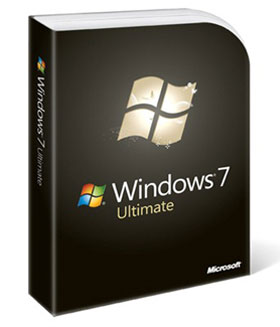 BitLocker seals up potential security holes by encrypting your hard drive with a powerful 128-bit key. That means when your laptop gets swiped from your briefcase at Starbucks, the thief ends up with a useless hard drive full of gobbledygook, rather than one full of confidential work documents, passwords and files. Most casual users find the loss of an entire laptop more disappointing than all 58,592 cat photos on the hard drive, making it a bit unnecessary for them, but paranoid types with potentially damaging files to hide and those who work with high-level documents will find this protection invaluable.
As for all those languages, keep in mind that the premium option you’re paying more for is really the ability to switch between them, which can be useful for multilingual folks and those who plan on sharing a computer. If you just need a copy of Windows 7 in a single language other than English, the Home Premium and Professional versions will do the job, just make sure you pick it up in your language of choice the first time or you’ll need to upgrade to Ultimate to switch it over.
Underestimate Your Needs
Still not sure which version you need? Don’t sweat it. Err on the side of your wallet and grab the cheaper one, because you can pay the difference and upgrade the better version at any time courtesy of Microsoft Anytime Upgrade.
Microsoft wisely included all the data for every version of Windows 7 on every disc, meaning that the same DVD you use to install Premium Home can be used to upgrade to Professional or Ultimate at a later point. No second disc, just pay the piper and unlock the features you need.
For more Windows 7 advice check out our article: Experts Review Windows 7, Recommend You Upgrade.
Editors' Recommendations
- Everything you need to know about buying a GPU in 2024
- What is YouTube Music? Everything you need to know
- Everything you need to know about buying a power supply for your PC
- AMD FSR 3: everything you need to know about Fluid Motion Frames
- What is Display Stream Compression? Everything you need to know about DSC