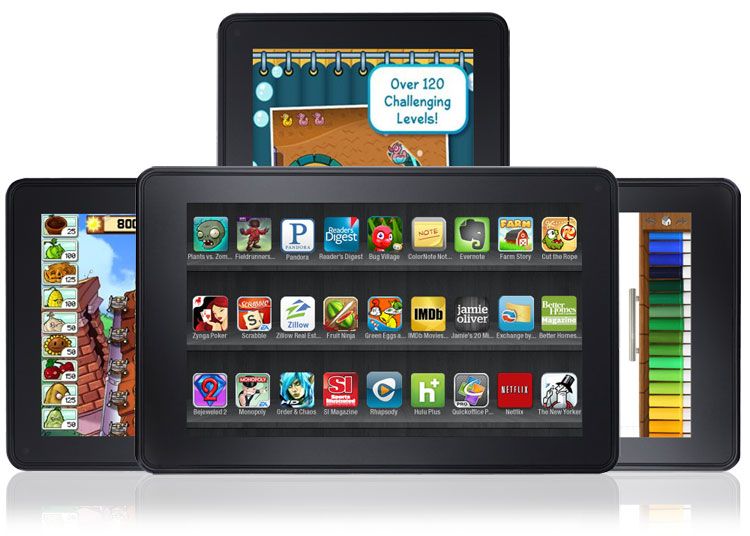
 Since late 2011, the Kindle Fire has been one of the hottest tablets outside of the iPad and at $200, it was the first one that almost anyone can afford. This is technically a guide to the best Kindle Fire apps, but really, it’s a guide to our favorite apps on Amazon’s Appstore for Android as well.
Below are our favorite apps and games for the Kindle Fire.
Many people try to lose weight and eat healthy, but it can be a real challenge. This app is designed to help. It has been around for a while, but that time has helped it amass a staggering list of more than 3 million foods, so you can accurately count your calories. You can scan barcodes, save specific foods or meals, and see their nutritional value at a glance. It can also track your weight. It outlines 350+ exercises, and it is updated frequently.
Calorie Counter and Diet Tracker by MyFitnessPal
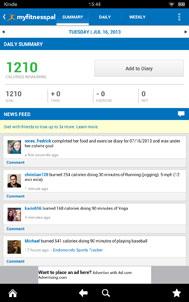 |
Publisher: MyFitnessPal, LLC Many people try to lose weight and eat healthy, but it can be a real challenge. This app is designed to help. It has been around for a while, but that time has helped it amass a staggering list of more than 3 million foods, so you can accurately count your calories. You can scan barcodes, save specific foods or meals, and see their nutritional value at a glance. It can also track your weight. It outlines 350+ exercises, and it is updated frequently. |
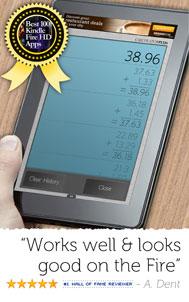 |
Publisher: Digitalchemy LLC This app transforms your Kindle Fire into a large calculator. It shows the workings of your calculations as you go, and it stores them in memory, so you can refer back to them later. Most people will be content with the basic functions, but there are advanced math functions as well (added in a recent update). It’s easy to use, easy to read, and the only downside is the presence of ads, which are inevitable in a free app (you can pay $1 for the full version and get rid of the ads if they annoy you). |
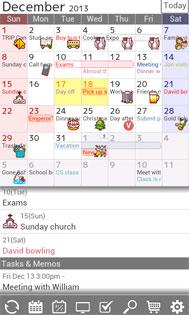 |
Publisher: Jorte Inc. If you need a feature-packed personal organizer then you’ve found it. You can sync it up with Google Calendar and there are various customization options to get the views you want. It will also store your schedules and events in the cloud, so you can sync across devices. You can use it for to-do lists and you can export your schedules and task lists as CSV files for use elsewhere. It’s not the most stylish calendar app around, but it has the functionality you need and it’s free. |
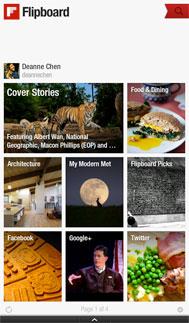 |
Publisher: Flipboard, Inc. If you do a lot of reading on your Kindle then Flipboard is a great app to install. You can set up your own personalized magazine that will draw in interesting articles from a wide variety of the best websites. It’s easy to share the content you like. You can also select curated lists in specific topics, see what’s popular with everyone else, and pull in content from all the major and minor social media networks. In short: it’s a polished app that makes it easy to find good content. |
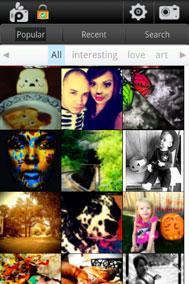 |
Publisher: Socialin LLC Free apps are rarely as comprehensive as this photo editor. It is packed with effects, drawing styles, frames, clipart, and standard editing tools for cropping, rotating, and adjusting colors. It’s accessible enough for kids, but there’s enough depth there to satisfy anyone with an artistic spirit. You can share your creations directly from the app through all the major social media sites. If you’re disappointed by the limited nature of the average photo editing app then you need to check this out. |
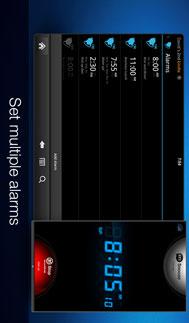 |
Publisher: Apalon Forget about having a bedside alarm clock, you can use your Kindle Fire. This app gives you a wide selection of clock styles, you can set multiple alarms, set a sleep timer to help you drift off, and access live weather updates. It will help you to remember to plug in your Kindle Fire at night, so it’s fully charged in the morning. Stick it on night stand mode and you’ll find it’s the only alarm clock you’ll ever need. |
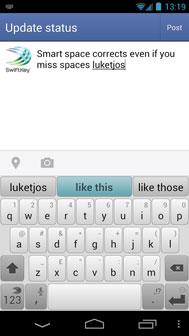 |
Publisher: TouchType Ltd. You don’t know how smooth and speedy typing can be until you’re tried SwiftKey. This alternative keyboard allows you to slide your finger from letter to letter instead of traditional tap typing (although this is still supported for those who prefer it). Its real strength is the uncanny predictive ability and its accurate autocorrect. It learns about your use of language and understands how you like to string words together. The more you use it, the more accurate it gets, and the faster your typing becomes. |
 |
Publisher: TripAdvisor When you have a vacation coming up the anticipation and planning is half the fun. Wherever you’re going, you won’t find a better app to assist you in your search for the best hotels, restaurants, attractions, and activities than this one. As the leading resource in this space, TripAdvisor can draw on a wealth of honest user reviews from people like you. The app distils the website experience to make it more palatable on your Kindle Fire. |
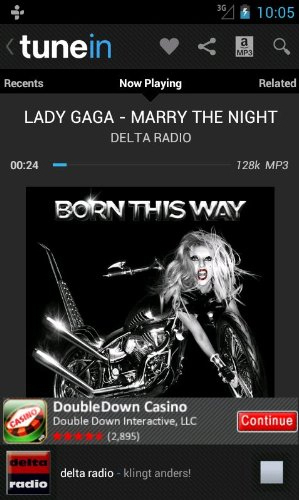 |
Publisher: TuneIn With access to over 70,000 radio stations there is simply no better radio app out there than TuneIn. It’s the ideal pick for sports fans who want to listen to the big game, but you’ll also find talk radio, news, podcasts, and all the music you can handle. The app has an intuitive interface, it works smoothly, and it’s completely free, which makes it an essential download for your Kindle Fire. You can also save your favorites and search for specific content with ease. If you want to be able to record content then the pro version only costs a buck. |
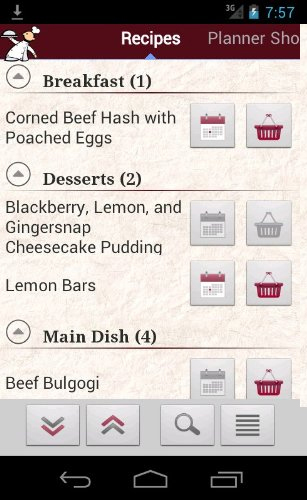 |
Publisher: Snazzy Software If you need a little help in the kitchen then download this app onto your Kindle Fire and you’ll have access to thousands of recipes. The app basically aggregates recipes from top food websites so you can compare notes to find the right blend for you. You can also use it to store your own favorite recipes, generate shopping lists, and stay organized in the kitchen. Transform your Kindle Fire into a kitchen helper and you’ll always know what’s for dinner. |
 |
Publisher: Netflix, Inc. Most people are familiar with what Netflix offers, but it’s easy to overlook some of the best content, which is why we have a guide to the best Netflix movies and the best Netflix TV shows. The app brings you a world of entertainment that can be streamed directly to your Kindle Fire in glorious HD. Find out how things play out for Walt in Breaking Bad, laugh at the hapless hillbillies in Tucker and Dale vs Evil, or take a trip with Craigslist Joe; there’s plenty to choose from.” |
 |
Publisher: ES Mobile The Kindle Fire lacks a good file management app so if you want to be able to explore your device and find all of your files then this app is a great choice. It’s very easy to use, but always exercise caution because you can delete any file you like with this app – if in doubt leave it alone. You can also use this app to sideload other apps and games from outside the Amazon App Store, but again, be careful about what you install. |
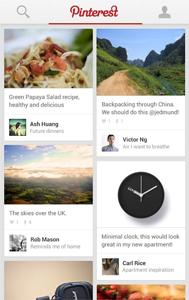 |
Publisher: Pinterest, Inc. Whenever you come across something that you want to remember later, you mentally put a pin in it. Thanks to the social media site Pinterest, you can do your pin-placing digitally with your web browsing experience. Dive through the depths of the world wide web, grabbing recipes, interests, and inspiration for later. This app is full of vibrant images that you’ll want to see in all their splendor. Whether you’re browsing your latest finds or taking a look at a friend’s board for mutually appealing ideas, make sure to pin it up in Pinterest. |
 |
Publisher: HBO Few channels have the collection of content that HBO has. With great original shows, excellent in-house films, and tons of talent, why mess with it? Put it all together in a package and let people enjoy it. That’s exactly what HBO Go does. By allowing cable subscribers to log in to their account and access HBO’s stream of content. As long as you have an HBO subscription, you can watch all of your favorite HBO shows and movies on your Kindle Fire tablet. |
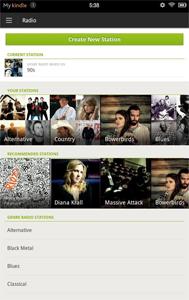 |
Publisher: Spotify What’s life without a soundtrack? Technically still life, but a far less interesting one. Whether you need a little background music or you want to totally jam out with total disregard for what any onlooker might think, Spotify has you covered. This completely ad-free music service has millions of songs housed within its massive database of music that you can access anytime, anywhere with a Spotify account. The Kindle Fire is a treat to your eyes–why not let your ears share in that joy? |
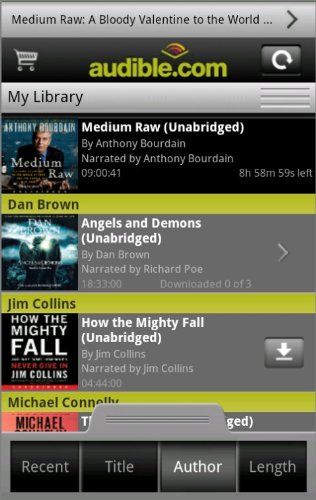 |
Publisher: Alphonso Labs, Inc. If the one thing keeping you from reading the newspaper is that the black text on gray paper just doesn’t draw your attention, then download Pulse News and get yourself up-to-date. Pulse scours your favorite websites and social networks for articles that interest you, then delivers it in a streamlined interface that makes even the most mundane local interest piece look sexy. With new stories popping up as they go live and links filtered in from your informed friends, Pulse News is the best way to stay in the know. |
 |
Publisher: AccuWeather While the Kindle Fire is a great little device, occasionally you have to set it down to go outside. But before you set it down to venture into the great outdoors, you might want to make sure a sudden rain storm isn’t going to ruin your day. Check in with AccuWeather for Android and get all the weather-related information you could want. Radar overlays on Google Maps, hour-by-hour forecasts, and severe weather notices make this app as good for amateur meteorologists as it is for simply checking the weather.. |
Pocket (Formerly Read It Later)
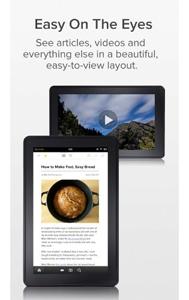 |
Publisher: Read It Later, Inc. Pocket allows you to save websites, articles, and any other online material you may be browsing so that you can read it later when you’re offline. It’s the perfect tool if you’re pressed for time, or if you want to store up some good reading material for your commute. It’s the Kindle Fire’s equivalent of what the DVR is for television. Even better, you can mark a site on your desktop while logged into Pocket and read it later on your tablet. This handy app will even mark your scroll location, so you can pick up exactly where you left off.” |
Fandango Movies, Times & Tickets
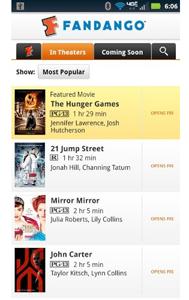 |
Publisher: Fandango, Inc. Fandango Movies – Times & Tickets app proves its worth. The app gives instant access to film details and show times so you can find what sounds like it’s worth a watch and make sure you won’t miss a minute of it. You can even buy your tickets in advance, a feature available for over 16,000 movie screens. It’s the next best thing to the app ordering you a projector screen and theater quality surround sound–and far cheaper, too. |
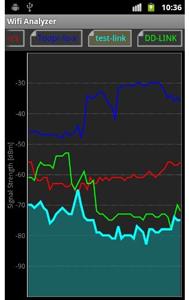 |
Publisher: farproc Sometimes it’s difficult to find the best available wireless connection, especially when out in public. WiFi Analyzer is the only tool you’ll need to decide where to connect. This app analyzes WiFi signals–as you’d expect–that are available within your vicinity. It then spits out detailed information and graphical views, directing you as to which will provide you the best network connection. It’s great for those who use their tablets in public places, or even for deciphering any issues with home networks. |
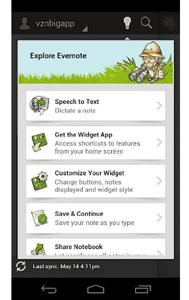 |
Publisher: EverNote Corp. Some of the best ideas are ones that got away because they popped up at times when writing them down wasn’t an option. That problem is non-existent for Evernote users. This powerful tool serves as the ultimate thoughts and ideas journal, allowing users to save everything from notes to snapshots to web pages–anything that may hold inspiration for later. Organize it all with keywords and tagging and it’ll be easy to access later from any device that has Evernote installed. Even if you get home and realize the idea you have is terrible, at least you’ll have a chance to remember it. |
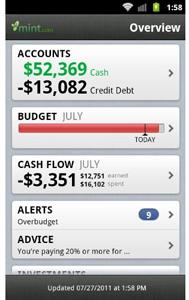 |
Publisher: Intuit Mint.com Personal Finance is a free app that will actually end up making you money. The app comes with an intricate budgetary planning and monitoring tool, breakdowns of spending habits, bank account management options, and payment and balance alerts. All of this assures you’ll never be worried about over-spending, over-drafting, or missing bill deadlines again. It’ll get your finances in order, and you’ll be amazed at how much you’ll find you can save with the help of Mint.com. It won’t organize your wallet for you, though. That will probably still be a mess. |
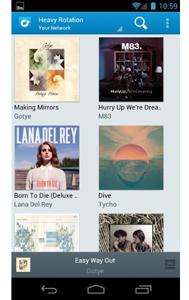 |
Publisher: Rdio Rdio is the perfect app for those days when life requires a soundtrack. Search though the service’s over 12 million songs and play to your heart’s content. You can even favorite tracks and come back to them later. Rdio also offers a social aspect, allowing users to create and publish playlists which can then be shared among friends, followers, and influencers. If you’d like to see what’s getting the most spins among your network, there is Rdio’s Heavy Rotation feature. Do be aware, it requires a subscription fee of $9.99 a month, but can be well worth it if you don’t want to load up your Kindle Fire’s hard drive with music files. |
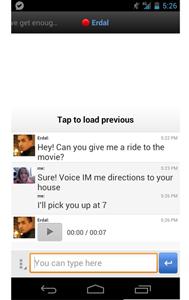 |
Publisher: imo.im Whether you see something you just have to share while browsing the Web, or you hit a moment in a book that you can’t wait to talk about, it’s always nice to have the ability to chat. Now you can on your Kindle Fire with imo Instant Messenger. You can sign into imo with your existing accounts for chat services like Skype, Facebook, MSN, Google Talk, AIM, Yahoo, ICQ, and others and immediately start talking with your friends over multiple platforms. The ability to pass along text messages, voice chats, and multimedia attachments, makes it the ideal all-in-one app for communication. |
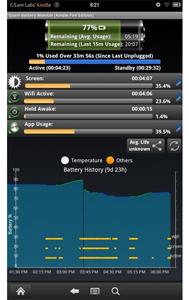 |
Publisher: GSam Labs It’s easy to get lost in a good read, addicting game, or fascinating film, but if you get too lost, you might end up killing off your Kindle Fire by draining its battery. Watch your usage and get an estimate of how much juice you have left with GSAM Battery Monitor. The app puts a battery meter right on the status bar, so you can take a quick glance to see how much power is remaining. If you notice that your battery seems to be draining far too fast, this app will tell you exactly what is responsible, so you can do something about it |
 |
Publisher: Splashtop, Inc. The Kindle Fire is undoubtedly packs a lot into a nice, portable package. Sometimes it doesn’t have everything you need, though–especially if you operate on multiple devices. That’s where Splashtop Remote Desktop steps in. Forget a file on your desktop? Want to tap into some of the tunes you keep stashed on the home hard drive? This app has you covered. By allowing you to tap into your other computers remotely, you can easily access anything that you couldn’t bring with you. |
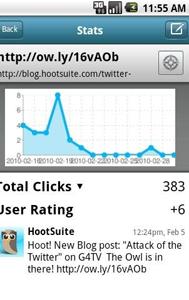 |
Publisher: HootSuite Media, Inc. Social networking has become a full time job. With tons of networks for different purposes and unique friends spread across all of those networks, it can be difficult keeping up to date with everyone. HootSuite brings back that “it’s a small world” feeling to the ever-expanding web of connectivity by putting all your social accounts in one place. With support for Twitter, Facebook, FourSquare, and LinkedIn, there won’t be a status update or comment missed. Plus, you can share across all the platforms, so none of your friends or followers will miss out on that hilarious cat video you found. |