The tablet market has gotten so much more interesting, as of late. The market-leading iPad finally has some competition that’s worthy of the name, and both Google and Microsoft have launched large, eye-catching tablets with their sights set on Apple. If you’re shopping for a tablet now, the choice is no longer so obvious. Join us as we run through the highs and lows of the fourth-generation Apple iPad, the Google Nexus 10, and the Microsoft Surface RT.
(For in-depth info on each of these devices, read our review of the Apple iPad, Microsoft Surface RT, and Google Nexus 10.)
Display
Whether you’re reading, watching movies, surfing the web, or gaming, you’ll be staring at that touchscreen for hours.
The fourth-generation iPad has a 9.7-inch screen with a 2048 x 1536 pixel resolution, which translates to 264ppi (pixels per inch). It looks amazing. While Apple’s “Retina Display” used to be streets ahead of its rivals, that’s no longer the case. The Nexus 10 boasts a 10-inch screen with a resolution of 2560 x 1600 pixels, which is a whopping 300ppi. Microsoft obviously missed the memo on better screens because the Surface lags way behind with a 10.6-inch screen that has a 1366 x 768 pixel resolution, which is a disappointing 148ppi. Still, compare its screen to anything but an iPad or Nexus 10 and it looks pretty good. You’ll just notice a few pixels here and there.
Both the Nexus 10 and the iPad displays look sharp, colorful, vibrant and generally awesome. The Surface is clearly the weak link. The Nexus 10 edges the win over the iPad in sheer numbers, but we’re calling it a draw between Apple and Google in this category.
Design
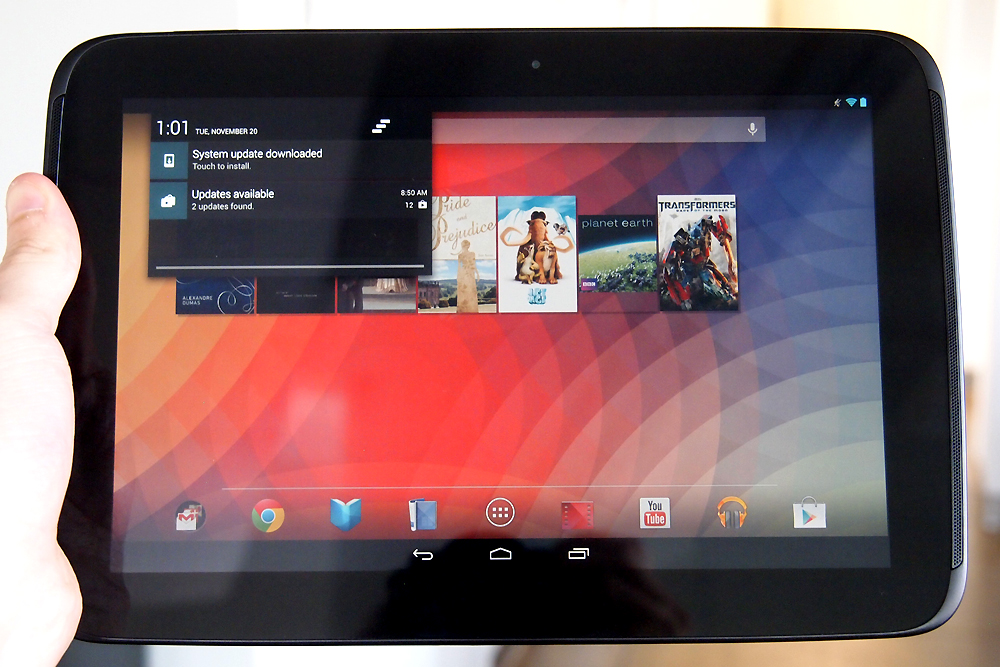
Surprisingly, the Nexus 10, which is 10.4 x 7 inches, is also a relatively light and thin tablet. It weighs 1.33 pounds and is only 0.35 inches thick, comparable weight and thickness to any tablet, including Samsung’s Galaxy devices. The Nexus is plastic and it has the most rounded curves of the three. It’s probably the most comfortable to hold, but it’s also the least durable and only comes in black.
 The iPad is 9.5 x 7.31 x 0.37 inches and it weighs 1.44 pounds. It has that solid aluminum unibody and it feels reassuringly expensive. You can get the iPad in white and silver or black and silver. One of Apple’s greatest strengths is design and fabrication. The iPad still feels like the best-built tablet on the market, just not by as big a margin as it did before.
Tall and slim, the Surface measures 10.81 x 6.77 x 0.37 inches and weighs in at 1.5 pounds, making it the heavyweight of the group. It has straight edges and a more industrial design. The magnesium chassis and built-in kickstand give it a different, more precise feel. The covers slot on easily thanks to the magnetic connector. The Surface only comes in black, but the covers add a splash of color.
Ecosystem and content
The chances are good that you’re buying a tablet for entertainment purposes, so you want to know what kind of content you can access and how easy it is to use. We’ll take a look at the three key areas for this.
Apps and games
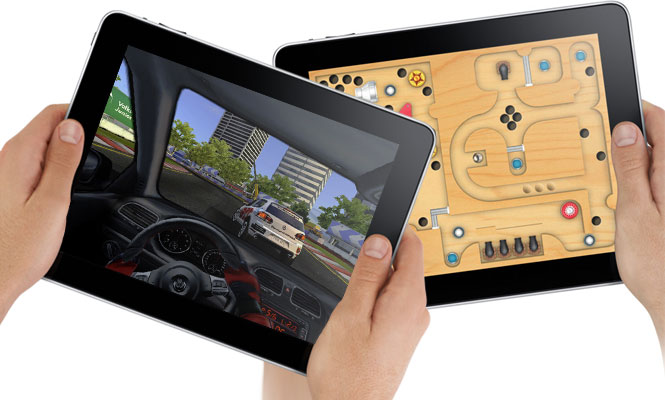
The iPad wins this category not only for sheer variety, but also because it has more polished games and apps that were specifically designed for its 9.7-inch screen. Android tablets have access to a lot of apps, but most of them are only designed for smaller phone interfaces. Apple was wise to require custom apps for the iPad. If you’re into gaming, particularly, then the iPad is the way to go.
Google’s Nexus 10 can run a huge variety of apps and games accessible via Google Play. Google’s content offering has improved a great deal in the last year and you will find more free apps there than in the App Store. There are some high-quality options too, but as a general rule the premium apps and games still come to iOS first and get ported to Android later. Android is still catching up when it comes to tablet apps.
Microsoft has a real challenge on its hands to convince developers to create apps and games for Windows RT. This version of the OS will only run apps from the new Windows Store, which only launched in October 2011. Whatever way you slice it there are far, far fewer apps and games for the Surface.
Movies, TV, and music
Google Play and iTunes offer a good selection of content. There are more movies and TV shows on Google Play and more music on iTunes, but most people will look beyond these destinations for their content. You can get apps for Netflix, HBO Go, Hulu Plus, and Amazon to access more movies. You can also use services like Pandora and Spotify, or find music through an app like TuneIn Radio. The Nexus 10 and iPad both offer a wide variety of popular services for watching TV, movies, and listening to music. Microsoft lags behind.
There are versions of some, but not all, of these apps and services for Windows RT. The ones that have been ported are not generally as polished as their iOS or Android counterparts. One advantage that the Surface could have here is its tie-in with the Xbox 360. If you use your Xbox as an entertainment hub in the living room, the SmartGlass app allows you to enjoy a true second-screen experience on your tablet and remotely control the console. However, you can get the app for Android and iOS as well.
Books and magazines
There is no shortage of books and magazines on offer for all three tablets. The iPad has iBooks, but it can also access Google Play Books, whereas the Nexus 10 can’t access iBooks. You can also get the Kindle or the Nook app for each one and they are your best bet for choice.
Magazines are best on the iPad as the layout tends to be perfect. Both the iPad and Nexus 10 have good magazine options, but the Surface lags behind and tends to have more wasted space on screen. Readability is noticeably better on the sharper Nexus 10 and iPad.
Productivity
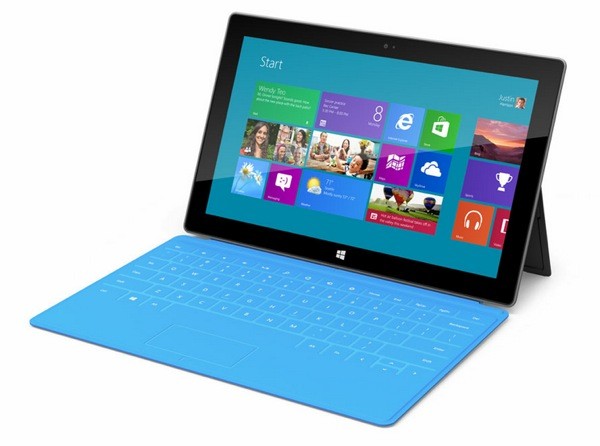 If you intend to use your tablet for work, you’ll find all three are suitable for checking email, organizing calendars and notes, and editing documents (with the right apps). But the Surface does gain an edge here. Even ignoring the keyboard covers, (it’s worth remembering you can get similar accessories for the iPad or Nexus 10, although they won’t be as well integrated), the Surface has a few extras up its sleeve. You can map network drives and access your HomeGroup computers, you can plug in a second screen, and Remote Desktop comes as standard. All Windows RT devices also come with a version of Microsoft Office with basics like Word, Excel, PowerPoint, and One Note. iPad would earn a second place in this category, but its apps aren’t built in and its keyboard solutions aren’t as elegant.
Performance
With Nvidia’s 1.3Ghz Tegra 3 quad-core processor and 2GB of RAM, the Surface is no slouch. The Nexus 10 offers a dual-core, 1.7Ghz Exynos 5 processor also backed by 2GB of RAM. The iPad has Apple’s A6X processor clocked at 1.4 GHz and just 1GB of RAM.
In benchmark tests, the Nexus 10 is the clear winner, although the iPad is best at processing graphics. The iPad and the Nexus 10 are very responsive. In hands-on comparisons here at DT though, we’ve found that the iPad still feels most responsive and works the best for users.
Storage
The Surface comes with either 32GB or 64GB of storage, and it is the only device to have a microSD card slot so you can boost that by another 64GB. However, it comes with a catch: 13GBof its onboard memory is hogged up by the operating system, making its claims of 32GB of storage a little disingenuous. The Nexus 10 comes in 16GB or 32GB varieties. The iPad comes in 16GB, 32GB, and 64GB varieties.
You also get 7GB of cloud storage for free thanks to Microsoft’s SkyDrive with the Surface. With the iPad you’ll get 5GB via iCloud. Google Drive will also give you 5GB for the Nexus 10, but Google Music also allows you to store up to 40,000 songs, Gmail offers 10GB, and you can store as many photos as you like in Google+. Interestingly, you can also get SkyDrive for Android or iOS, and all of Google’s services are available on iOS or Windows RT.

With all that said, no matter which tablet you choose, if you want to store media or files on your tablet, you’re going to be extremely limited. We’ve repeatedly ran out of space on our iPads and other devices when we try to load up content for, say, a long flight. Put a few Amazon videos on a 16GB tablet or some songs, and space gets sparse fast.
Cameras
The iPad and the Nexus 10 both have 5-megapixel rear-facing cameras that can record 1080p video. The Nexus 10 also has a 1.9-megapixel front-facing camera for video calls while the iPad’s is 1.2-megapixel.
The clear loser again is the Surface, which has front and rear 1-megapixel cameras that can record in 720p. However, we must note that both the front and rear camera are angled – they only point straight when you have the Surface kickstand out. If you are holding the tablet, you’ll have to angle it in your hands to get a straight shot. The Surface camera is obviously only really intended for video calls. It does feel odd using a tablet to take photos, so this probably won’t be a big deal for most people.
Connectivity
The Lightning connector in the iPad 4 renders old accessories useless without an expensive adapter. The Nexus 10 is more standard with Micro USB and Micro HDMI ports. The Surface uses a proprietary AC adapter for charging and a proprietary HD video out adapter, but it does have a USB port which can be used to charge mobile devices.
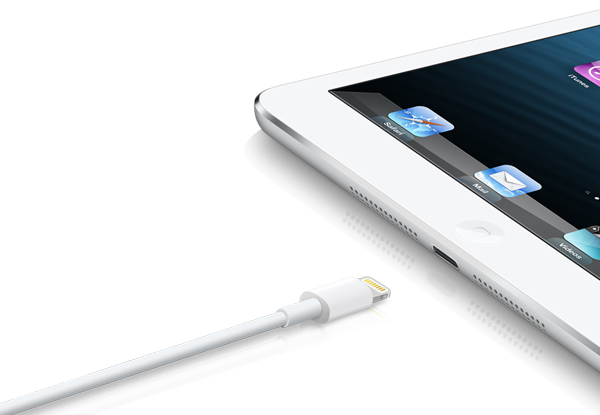 All three have Wi-Fi and Bluetooth. Only the Nexus 10 has NFC. Only the iPad offers cellular network support for 3G or 4G LTE, but it will cost you. Overall, when it comes to connectivity, Microsoft’s full-size USB port takes the cake, and Windows is still better equipped to connect up to smaller devices like cameras and MP3 players. However, Google’s use of Micro USB makes it easy to charge the Nexus no matter where you are. With the iPad, be prepared to pay extra for fancy dongles.
Battery life
There isn’t a huge difference when it comes to battery life. The iPad wins with 10 hours to the Nexus 10’s 9 hours and the Surface is last with 8 hours. Actual battery life depends on how you use the device.
Price
The prices get quite complicated when you add in all the various possible permutations. What we can say is that the Nexus 10 is the cheapest at $400 for the 16GB, or $500 for the 32GB. The iPad starts at $500 for the 16GB model and goes up to $830 for the 64GB version with cellular network support. The Surface RT starts at $500 for the 32GB model, and you’ll pay $700 for a 64GB version with a Touch Cover. Touch Covers cost around $100, which is steep.
The competition is so fierce that price drops are very likely to be on the horizon. We hope.
Your choice
For a solid tablet at a reasonable price, the Nexus 10 makes the most sense. If you want the best content, you like to play games, and price is no object then it has to be the iPad (or check out the iPad Mini). If you’re looking for a laptop replacement that can go to work with you and act as a second screen at night then you might consider the Surface. Still, we’ve found Microsoft’s first tablet entry to have some growing pains. The hardware is good, but Windows RT is currently limited and the software selection is similarly stunted. Apple is still king of the hill. At least, for now.
What are your thoughts? Let us know which one you picked up and whether you were pleased with your purchase or not.
Editors' Recommendations
- Apple is about to do the unthinkable to its iPads
- We finally know when Apple will announce its 2024 iPads
- This iPad just got a rare discount — save $100 at Best Buy
- Apple accidentally revealed a big iPad Pro display upgrade
- Two popular iPad models just got pretty steep price cuts — from $250