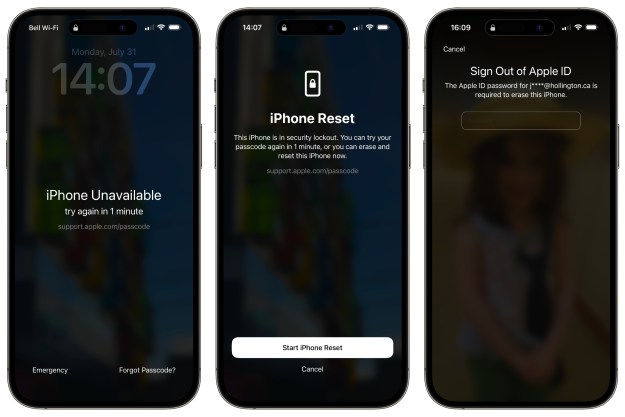
Excited for the new iOS 5 update? Yeah, me too. Or at least I was, four hours ago, when I started the whole hellacious process. First came the massively slow download speed, which I fixed by restarting the process from the beginning, after my connection timed out. Once the download was complete, however, that’s when the real problems began: error messages.
I have so far tried to update to iOS 5 nine times. Maybe more. I can’t tell at this point, as I’ve begun to lose my marbles due to lack of oxygen from screaming at my computer. Each time, after the 15 minute process of backing up the phone, extracting the software and trying to verify the update with Apple, I’d receive an error message, which read, “The iPhone ‘iPhone’ could not be restored. An unknown error has occurred.” Thanks, Apple. I hate you.
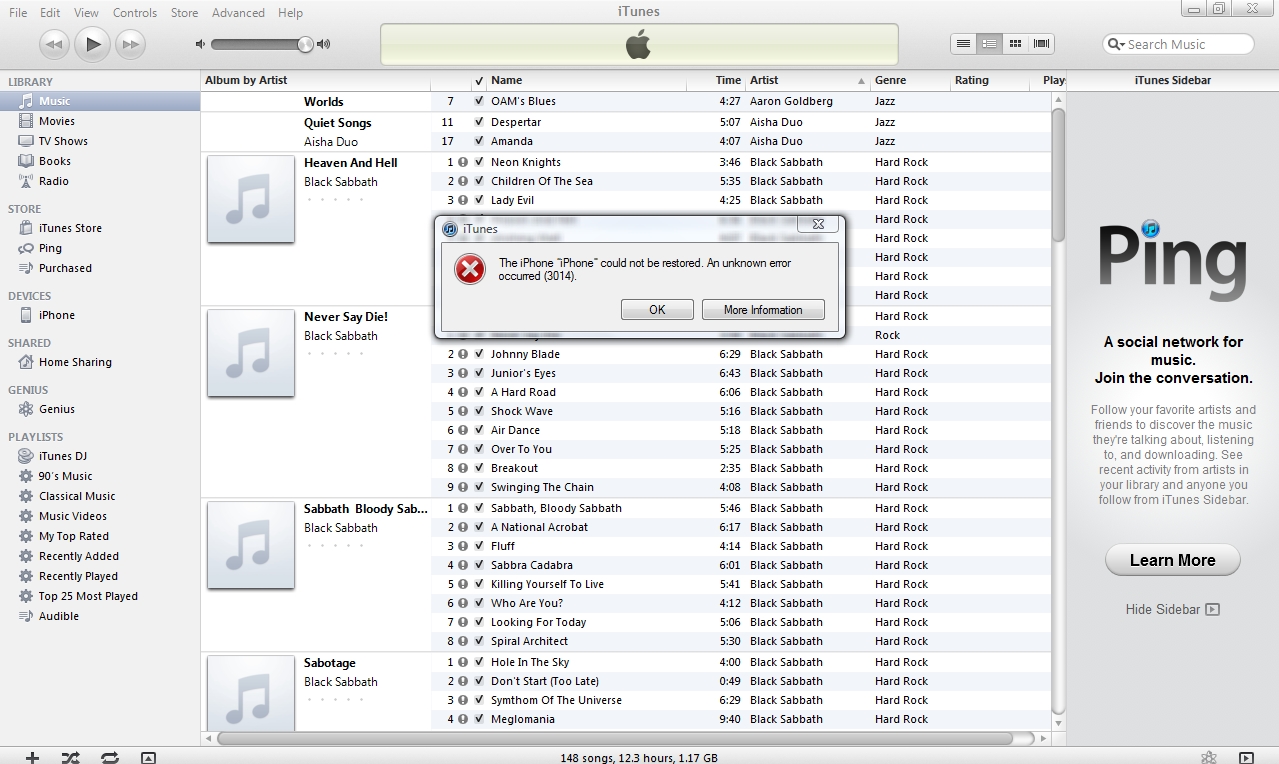
That cheery bit of text was always followed by a number. The first five times it was 3002, then 3200, then 3014, then 3004. Each time this happened, I’d frantically scour blog posts, forums and all colors of Internet resources in an attempt to figure out what to do. At the time of this writing, nothing has worked so far.
The primary problem seems to be due to an overload of Apple’s servers. When iTunes attempts to verify the update with Apple – something that happens so close to the end of the process that you can almost taste victory – everything goes to hell. So the only surefire way to fix the issue is to wait until everyone else has had their fun, then swoop in an snag the update while nobody’s looking. I’d suggest holding off for a few hours, at least.
If, however, you’re as impatient as I am, here are a few things you can try, for better or worse.
Option 1: Download firmware directly from Apple’s servers (not through iTunes)
Rather than hit the “Update” button under “Summary” in iTunes, instead download the firmware for your device directly from Apple. Here are the links:
iPhone 3GS
iPhone 4 (CDMA)
iPhone 4 (GSM)
iPad
iPad 2 (CDMA)
iPad 2 (GSM)
iPad 2 (Wi-Fi)
iPod touch (third generation)
iPod touch (fourth Generation)
Make sure to download the software to a place that you’ll remember. Once download is complete, hold down Alt (Windows) or Option (Mac) and click “Restore”in iTunes. You’ll then be asked to point iTunes to the correct software, which you just downloaded. Your update will then begin. NOTE: This method will delete all your apps, music, contacts, etc, as it is a complete restore to factory settings, so make sure your device is backed up before proceeding.
Option 2: Put your phone in DFU mode (a.k.a. “restore mode”)
This is one of the first suggestions I found, but it is NOT one I’d recommend. Right now, my iPhone 4 is completely useless. It won’t even connect to iTunes (error 0xE8000065). But if you want to take a chance, here’s the simplest way to do it:
-
Plug your phone into your computer (as if it isn’t already).
-
Shut off your phone.
-
Once off, hold down both the power button and home button, as if you’re doing a soft restore.
-
When you see the Apple logo, let go of the power button, but continue to hold down the home button.
-
Open iTunes.
-
Once your device is connected, you will be in DFU mode.
-
Click “Restore” in iTunes, and go through all the subsequent prompts.
-
Cross your fingers.
Please note, this method can be just as tedious and frustrating as the original updating process, so only use it if you’re desperate.
Option 3: Wait
Grab some food, go see a movie, crack a beer, hang out with your dog, do ANYTHING other than try to update your iPhone. Once you’re good and relaxed, Apple’s servers should be better equipped to handle your need for the latest and greatest iOS in the land. Start from the top, and hope I’m right.
UPDATE: My phone is now working (6:40pm ET) after using option 1. To the rest of you who haven’t yet had any luck, godspeed.

That’s why I did mine on Saturday :)
Keep trying.. =.=
ANDROID FTW
i have iphone 4 factory unlock
i tried to restore but 37 error 0ccure during restore
i restore again n again
i dont know y but my display suddenly off
nw i cnt see a dislay
so is my display is gone or there r another reason ??????????????
plz help me ……………
I manage to download iOS5.1 using my iPhone but i cant install it . it keep says erroe.. any idea how??
which error u face ???????????
use tinyumbrella
I finally got it to work. I downloaded the CDMA software and did the restore. It came back to the restore window for me to restore from a back-up. Instead i unplugged it and set it up as new. then plugged it back in and it synched with my apps. I then had to re select my apps and photos etc. and it is currently synching.
I think when it went back to the restore window and I restored it from a previous backup it went to the previous IOS version and then when it restarted it went into a conflict and froze.
Thank you for your post! I too was struggling with the IOS5 update on my iPap 2 WiFi device. I jumped on the update process as soon as it was available. Once it finally downloaded, then made it to the auto backup part, it would fail with the error code -37. I too scoured the Apple forms, pleaded with Twitter, and Google searched frantically for an answer. I guess the -37 code had something to do with security software (Kaspersky) blocking the install somehow. It had never caused a problem like this before with an IOS update. I tried disabling it, removing all my Apps and pictures from the device yet I could not get it past the error. That is until I found this post. I used method #1 and it worked like a charm! Thank you again! So far I am very impressed with the IOS5 update :)
still i get 37 error plz help………..
I am not sure what else causes this error but I know that when I followed Method #1 in this article, it works fine for me. You may want to try the other methods listed here as well read through all the comments which might help as well. Either way you end up doing it make sure you back up first. Good luck :)
thanx andrew i recovered everything i didnt even lose any apps nd also non eof my contacts thanx to u option 1 worked perfectly fine for me
Awesome! Glad it worked.
i have been struggling with all of this for over 14 hours now, initially the first 5 or 6 times i kept encountering the 3200 error warning that others have mentioned, then eventually my IPOD touch 4th gen allowed the IOS 5.0 update but didnt copy over all my apps, videos & music songs (more than 5000). i have re-synced and tried to recover from my saved database but sadly i still cannot recover my music or videos, i managed to copy my books and apps but not the more important stuff…………..please help
I “lost” all my apps, too. What if I download them again? Do I have to pay again for those which are not free?
Nope, you don’t have to pay for them again. Also, check in the App Store app on your device under “update” — you should have access to all of the apps you’ve purchased there as part of iCloud. You have to download them one at a time, which is both time consuming and dumb on Apple’s part, but it’s the easiest way. Also, you can always access those apps easily later on if you only want to download some. Hope that helps!
Thank you, Andrew! I managed to download all the apps again. thanks a lot for your help!
Malware? China? Are you shhep soo blinded that you Actually believe that trash? Is that why you blindly settle for a inferior product? Be safe with your iphail4s I guess, while I will enjoy all the pleasures of my far superior Motorola Droid Bionic on a grandfathered unlimited data plan that let me not forget to mention is 4g, yeah yet just another thing you’ll phail to enjoy, but no need to fret, siri will talk you into believing you won’t need that because you have a iphail4s!!!! Haha I love trolling you sheep.
I did option 2 and suceeded. I tried 3 times. Nothing special about IOS 5.
What was the big change supposed to be with this new OS? I am going to wait a while and then upgrade.
iCloud, but mainly Siri (the voice recognition software)
I believe Siri is only for the iPhone 4S so those updating other idevices don’t get to enjoy Siri
That’s why I did mine on Saturday :)
Android for the malware! China wants your contacts file!
ANDROID FTW
Get an Android!
Does this happen for Mac or Windows users?
I was using Windows, and that seems to be where most of the problems have been. (Though, to be fair, more people have Windows systems than Mac systems.) But from what I understand, this was something more to do with Apple servers overloading, not local OS.
Good to know. I will wait until tomorrow night and try the new OS.
Get a real phone that you actually put some thought and research into.
Don’t even joke about that!!
Get an android phone.
Follow this page of instructions from Apple: http://support.apple.com/kb/TS1275. The two keys for me were (1) disconnect all USB devices (save the iPhone connected via original cable direct to Mac/PC) and (2) Make sure Mac OS was completely updated (I checked software updates and restarted a few times before I was clean and up to date), Restart one final time and you should be good to go.
Good advice – I tried that earlier, but the page wouldn’t load for me.
keep trying …
Keep trying.. =.=
Andrew, should people just wait until Apple fixes this? I assume it will only take them a day or two.
I finally got my phone updated…… i tried the “bash my head against a wall and keep clicking the restore button until it worked approach.” It seemed to have worked, except for in the restore process all of my apps were “lost” I just have to go and download them again, but htat’s still a pain.
Yeah, I “lost” all my apps too, after the restore. Definitely a pain, but not as much of a pain as the trying over and over again to update and failing.
They could — it doesn’t do any harm by trying, other than growing frustration. It took me a long time, but it finally worked for me. That’s probably simply because fewer people were trying to update by the time mine went through. Either way, trying the options listed above won’t do any real harm, other than being mildly annoying.