“Apple strips features from the iPod Nano in favor of a smaller size for its sixth generation, but a slick touch interface helps negate the lost frills.”
- Almost impossibly tiny
- Ultra-intuitive touch interface
- FM radio, photo browsing and pedometer
- Sleek, solid design
- Long battery life
- Missing camera, video playback, notes, games, etc.
- Touch controls limit ‘blind’ operation
- Expensive
 Introduction
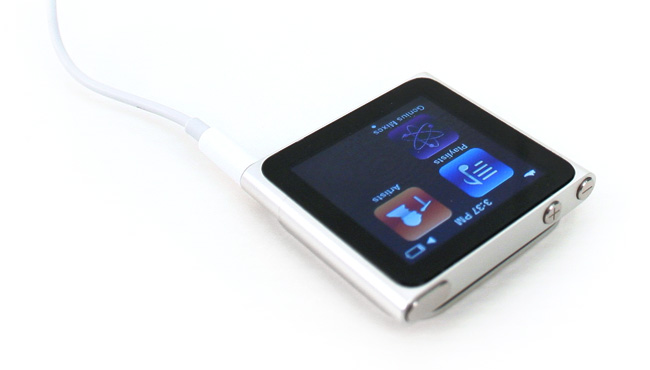
Grey is the new black, and Apple’s refreshed iPod Nano is… the new iPod Shuffle. OK, maybe that’s oversimplifying a bit, but there’s no denying the overwhelming resemblance of the new Nano to its much cheaper sibling, the Shuffle. A dramatic revamp of the iPod Nano leaves it without video playback, a larger screen and becomes pretty much an iPod Shuffle with a touch screen, and more storage. Has Apple watered down its own Kool-Aid too much this time around?
Features
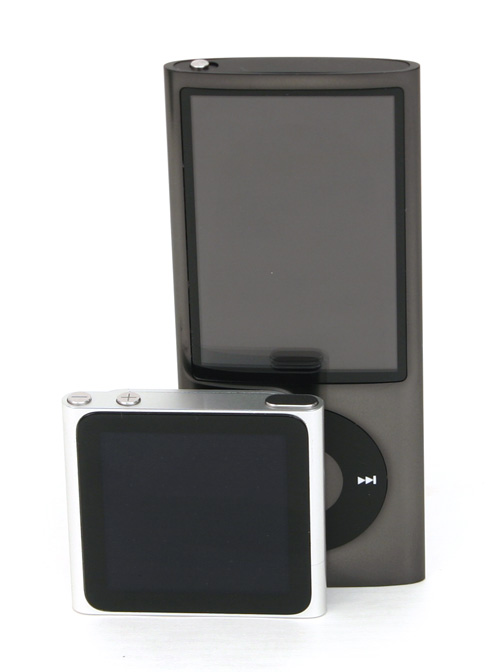
While last year’s update to the Nano saw Apple challenging the likes of Flip video recorders by recasting the Nano as an impromptu camcorder, Apple has pulled a complete u-turn for 2010. In the interest of shrinking the Nano to proportions fitting of its name (roughly an inch and half square and a third of an inch thick), the Nano shed both its video playback, notes, games, calendars and contacts, picking up a 1.54-inch LCD touch screen along the way. Other vitals remained the same: the Nano comes in either 8GB or 16GB capacities, and it still includes an FM radio, photo browsing, and a pedometer.
Size and Portability
The Nano has now reached the same clip-me-on-a-shirt size as the Shuffle, which, in case you’re keeping notes, has a few fractions of an inch on the Shuffle in terms of footprint, and 8.6 grams on the scale (21.1 on the Nano vs. 12.5 for the Shuffle). But Kate Moss and Paris Hilton might as well be scrapping it out: They’re both small to the point of absurdity and the difference is moot.
Design
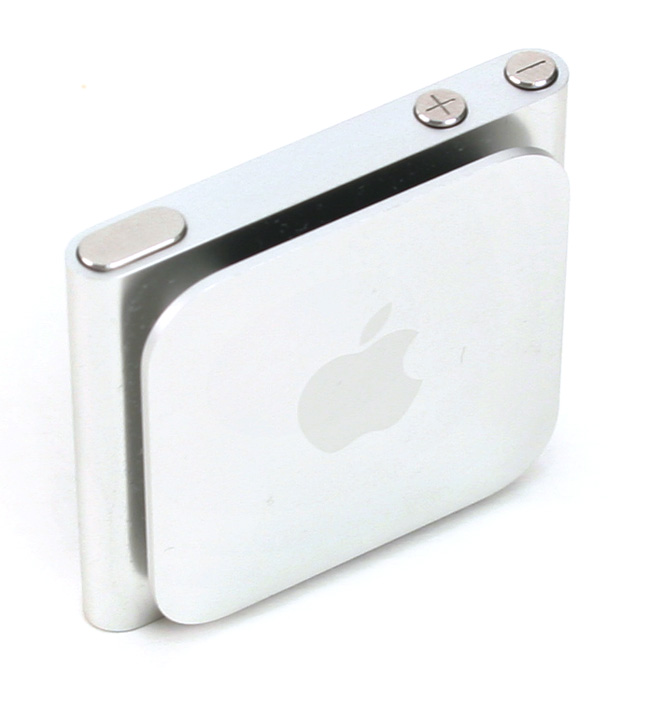
Quite unlike their emaciated celebrity doppelgangers, neither iPod really suffers in the looks department at the expense of its ethereal dimensions. In fact, the Nano is gorgeous. Apple has spared no expense on the solid aluminum body, precisely milled buttons, or sturdy clip, which never made us think twice before snapping the $150 player on a jacket and going for a run. A power button and two volume buttons sit up top, while a standard Apple dock connector and 3.5mm headphone jack all but fill the bottom. The truth is, if Apple built this thing any smaller… well, you would have the gimped Shuffle of last year, which sacrificed so much functionality for style that Apple had to puff it back out to fill size for this year.
Controls
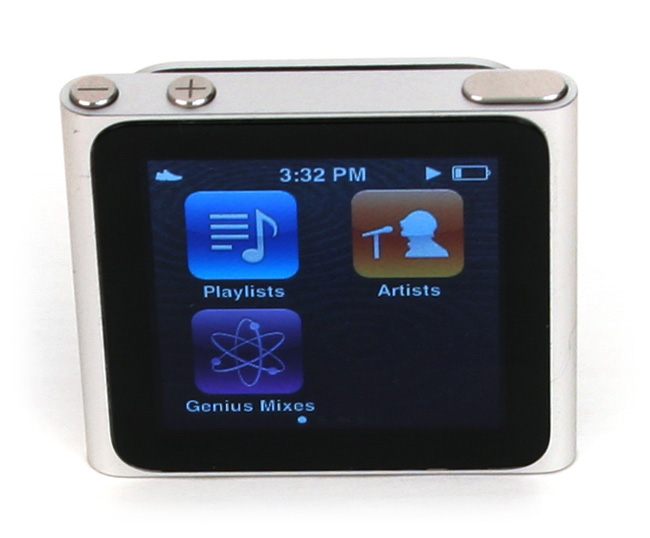
Anyone who has ever used an iPod Touch or iPhone – which should be pretty much be everyone at this point – will immediately feel familiar with the touch interface on the iPod Nano. It’s as if Apple chipped a corner off an iPod Touch and built a player around it, complete with app-style icons for every function, grids of four to a page, and the ability to rearrange them as you see fit. Without the “home button” found on the iPod Touch and iPhone, users simply swipe left from any screen to go back, or press and hold. You can even twist two fingers on the screen to rotate the view 90 degrees.
Apple has distilled the touch screen experience down to a sugary sweet, intuitive perfection, but like all of today’s button-less wonders, you can’t operate it from a pocket or without looking. That will diminish a lot of the Nano’s utility for runners, bikers and other active users, who will suddenly find that reaching down to click a button when a dud of a song comes on suddenly involves looking down, turning the screen on and carefully tapping next, or worse, unclipping the player to even see it. The tradeoff, perhaps, comes from the fact that it has a clip at all, eliminating all the goofy elastic contraptions that you formerly needed to take a Nano out on a workout.
Display
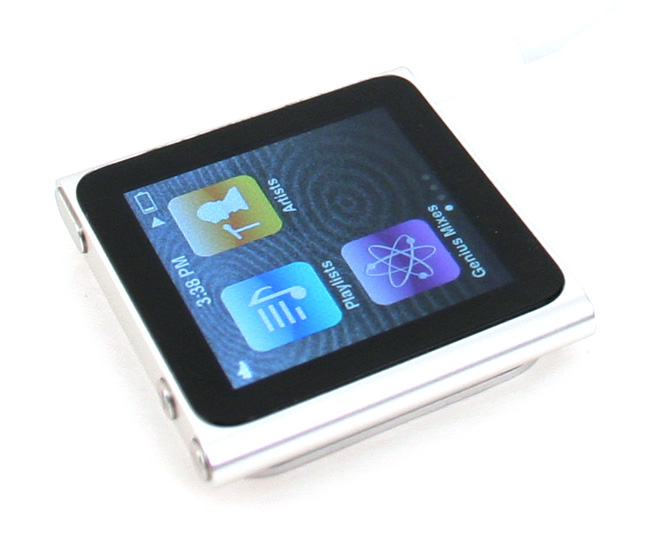
Apple has never been known to skimp on displays, and the 1.54-inch screen on the new Nano makes no exception. It rivals the iPhone 4 in brightness, clarity, and with 240 by 240 pixels packed into such a tiny space, even comes surprisingly close to the fabled Retina display on resolution. It’s also just as responsive to fingertips, picking up even the lightest jabs and swipes with zero delay and total accuracy.
But there’s no escaping the fact that it is, at the end of the day, a little bigger than a postage stamp. If you’ve been on this planet over half a century, trying to read text or closely examine photos on the Nano will probably make it feel like the harbinger of some technological dystopia. Text is, even to our relatively young eyes, tiny, and while a zoom function makes photos viewable, we can’t imagine showing off anything we really care about on a screen this size. The square aspect ratio does lend itself nicely to showing album covers, though.
Accessories
Apple bundles the Nano with standard-issue iPod headphones and a cable for syncing and charging. Like most devices this size, there’s no AC-power-to-USB adapter, so you’ll need to buy your own or simply use a computer for charging.
Other features
While video playback is conspicuously absent from the new Nano, it does carry over a number of other important features from the last Nano, including the aforementioned photo viewer, an FM radio, and even a pedometer. The FM radio benefits most from touch capability, making it easy to zoom through the dial with the swipe of a finger, but panning through photos and dialing in your weight for calorie counting on the pedometer are also a breeze. Unfortunately, while the pedometer will spit out calories burned based on that input, it offers no step calibration to translate steps to miles, which means you’ll need to break out a calculator if you care.
Battery Life
Apple advertises up to 24 hours of music playback for the iPod Nano, and anecdotally, that holds true. Even running well short of a full charge out of the package, we never had to charge it in all our testing, and the battery meter dipped almost imperceptibly, making the Nano a true MP3 player for the long haul.
Conclusion
After 10 years of iPod domination, Apple appears incapable of building a bad MP3 player. But it’s not above stumbling over its own feet now and then. Trimming the Nano’s features while keeping its price locked in at $150 has left it as the awkward middle child of the iPod line. If you’re looking for a sporty, go-anywhere MP3 player to keep your heart pumping on a 60-minute run or hit the gym, the $50 iPod Shuffle with physical controls makes a far cheaper, more practical choice. If you’re looking for a robust player that can keep you entertained wherever you go, the cheapest iPod Touch buys you more extra features (superb video playback, HD video recording, Web browsing, apps) than you can dream of for an extra $80.
Imagine walking on a car lot and spotting a Fiesta for $13,000, a Focus for $32,000, and a Mustang GT for $38,000. Whether you cheap out or go all in, there’s no way in hell you’re driving out in that Focus. So it goes for the Nano, which, despite a touch interface perfectly adapted from larger Apple devices, falls short on the value scale.
If price isn’t an issue, the Nano makes one of the most user-friendly and downright fun-to-use players this size. Just be aware that its touch screen, while novel, limits its on-the-go usability at times.
Highs:
- Almost impossibly tiny
- Ultra-intuitive touch interface
- FM radio, photo browsing and pedometer
- Sleek, solid design
- Long battery life
Lows:
- Missing camera, video playback, notes, games, etc.
- Touch controls limit ‘blind’ operation
- Expensive
Editors' Recommendations
- Apple’s iOS 15.3 update fixes critical Safari security bug
- Apple iPhone SE 3 release postponed to 2024 with rumor of a iPhone SE Plus model
- Apple AirPods 3 to launch alongside iPhone 13 at ‘California Streaming’ event
- iPod hack puts 50 million Spotify songs in your pocket
- Apple offers free repairs for 3rd-gen iPad Air with blank screen issue