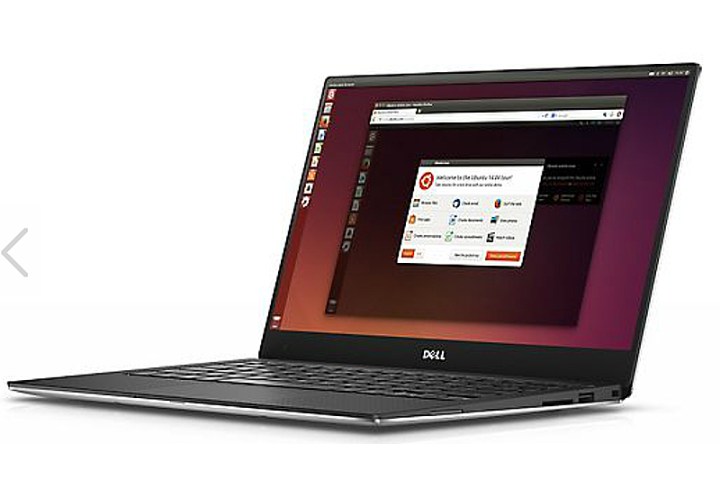
“From the very beginning, the effort was designed to solicit and incorporate input from the developer community as to what they wanted in a laptop,” he said. “With the community’s input, Project Sputnik became an official product and continues to evolve.”
Without getting into the details, George provided a brief rundown of what the four new XPS 13 Developer Edition models sold in the United States are now offering. Note that all four comes packed with the Ubuntu 16.04 LTS operating system:
| Model 1 | Model 2 | Model 3 | Model 4 | |
| Intel processor | Core i5-7200U | Core i5-7200U | Core i7-7500U | Core i7500U |
| Memory | 8GB | 8GB | 8GB | 16GB |
| Storage | 128GB SSD | 256GB SSD | 256GB SSD | 512GB SSD |
| Resolution | 1,920 x 1,080 | 1,920 x 1,080 | 3,200 x 1,800 | 3,200 x 1,800 |
| Touch | No | No | Yes | Yes |
| Rose Gold Version | Silver only | Yes | Silver only | Silver only |
| Price | $950 | $1,350 | $1,600 | $1,800 |
As the table shows above, we could only find two of the mentioned four Ubuntu-based laptops on Dell’s website. However, all models have two USB 3.0 ports (one with PowerShare), one SD card reader, one headset jack, one Noble lock slot, and one Thunderbolt 3 port that adds VGA, HDMI, Ethernet, and USB 3.1 connectivity through a special adapter sold separately.
Based on Dell’s portfolio of XPS 13 laptops, all models rely on two LPDDR3 system memory sticks clocked at 1,866MHz and integrated Intel HD Graphics. They also include a 720p webcam, a backlit chiclet keyboard with 1.3mm of travel (full sized), a 60WHr battery, Bluetooth 4.1, and dual-band Wireless AC connectivity. The screens are 13.3 inches across all models.
Of course, if you are not in the Ubuntu mood, Dell offers vanilla non-Developer Edition models with Windows 10 Home and Windows 10 Pro. There are nine models in all with starting prices ranging from $800 to $1,700. Like the Ubuntu units, these laptops rely on Intel’s new Kaby Lake Core i5-7200U and Core i7-7500U processors, 8GB to 16GB of system memory, and solid-state drives.
Just weeks ago, Linux creator Linus Torvalds said the Dell XPS 13 Developer Edition was his mobile platform of choice given that it provides everything he needs in a laptop. He actually bought two units within the last month, one of which he handed over to his daughter Daniela to use in college. One of the biggest selling points was the laptop’s thin bezel, he said.
“That was really what made me pick it for Daniela in the first place,” he said. “It just ends up hitting my two primary goals very well: small and portable, but with the biggest screen you can cram into that size.”
Linux, of course, is the foundation of Ubuntu, which is the operating system installed on Dell’s XPS 13 Developer Edition laptops. That should be good news for Dell to hear, and should help customers decide if Dell’s Ubuntu-powered laptop is the best choice for their developer needs.
Editors' Recommendations
- Why the Dell XPS 13 Plus still beats the latest competition in little laptops
- How the new Dell XPS 13 spectacularly undercuts the MacBook Air
- Dell XPS 13 Plus buying guide: How to configure before you buy
- Dell’s new XPS 13 2-in-1 rivals the Surface Pro, minus the headphone jack
- Dell XPS 13 2-in-1 vs. Surface Pro 8: New competition