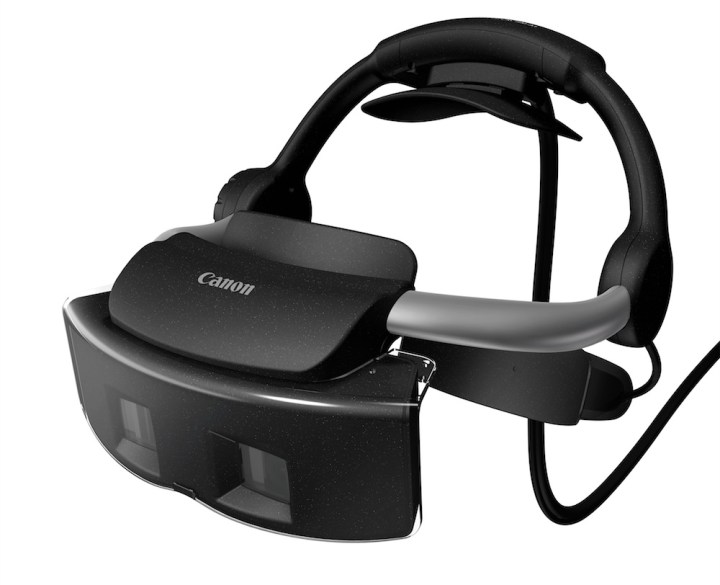
Imagine a world where instead of heading over to your local Best Buy to look at a potential new refrigerator, you could just put on a headset and see the fridge as if it were right in front of you – open it, walk around it, see what it looks like in different colors. No, we don’t mean just hopping on the Best Buy website and looking at photos, we want you to imagine a technology that combines the virtual world of computer-generated imagery with the real-world environment. Well, although you may not have your own personal shopping headset for some time – the product being sold is targeted toward enterprise – Canon’s new Mixed Reality System is a step in that direction, and we got to test it out last night.
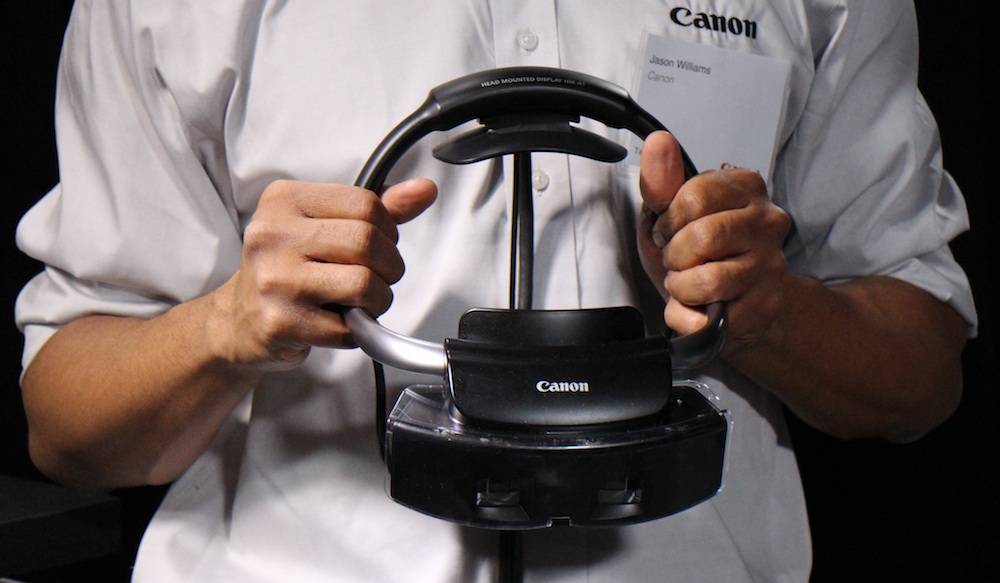
Canon’s Mixed Reality system was originally demoed in 2010 as a prototype; better known for its cameras, MREAL was one of several new tech the company was exploring as possible new business. The system simultaneously merges virtual objects with the real world at full scale and in 3D, making it different from previous virtual reality systems. The three-part system includes a head-mounted display (HMD), MR Platform software, and third-party markers and sensors, all of which combine to, according to Canon, give the user “an almost life-like experience of ‘being there.’”
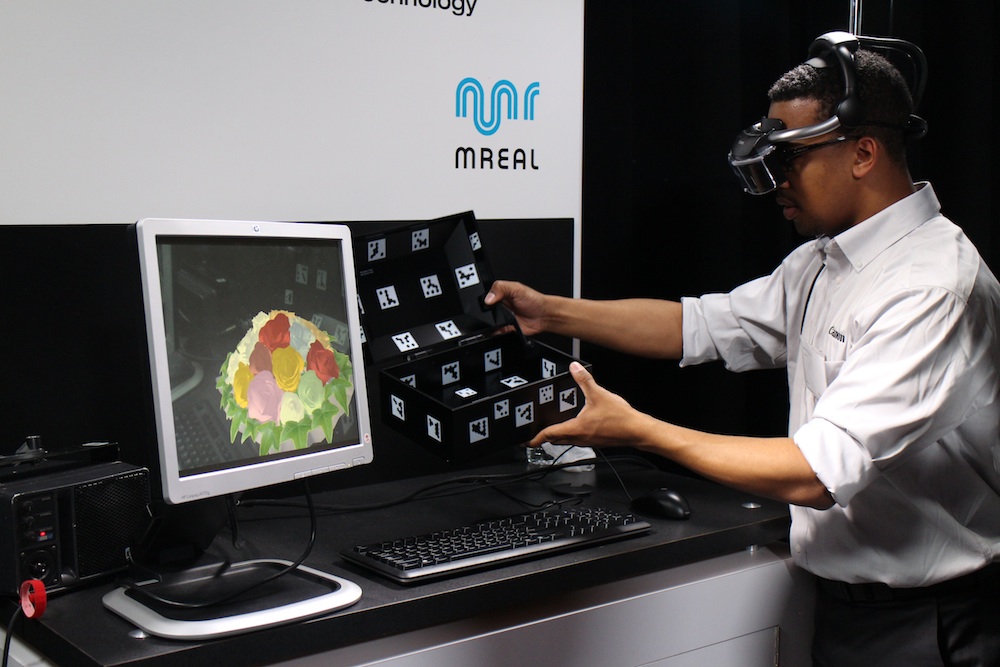
As for the markers, we’ve seen similar ones in other augmented reality tech (most recently with the MultiTouch MultiTaction display at CES), so that part is nothing entirely new. Still, they’re crucial for rendering images in real space. For example, during our hands-on time with the head-mounted display, we were able to open a physical box covered in markers on the inside and outside. Through the HMD, we were able to see a bouquet of flowers pop up in the box when we opened it in real life. Then, we were able to “tap” each flower to make them change colors. (Check out the video below for a demo.)
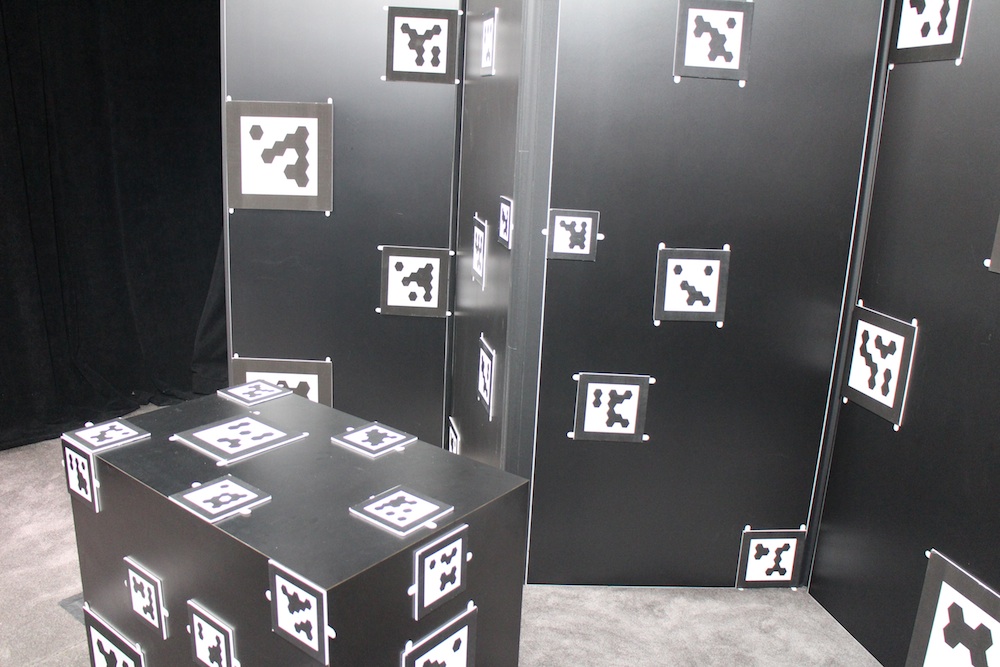
Similar markers were used in another demo that exemplified an alternative possibility for the MR System. The education sector can benefit greatly from MREAL technology, and museums are the perfect example. During our hands-on with the HMD, we were able to interact with a small dinosaur. As we moved around the “exhibit,” which was just a large box surrounded by markers, the dinosaur moved with us. Through the HMD, we no longer saw the room of journalists we were actually in, but, instead, saw a Jurassic Park-like setting. We thought that was pretty neat on its own, but the MR system can be used to enhance learning, serving as an interactive teaching tool that expresses information you wouldn’t normally be able to communicate through just text or a teacher’s voice.

Curious about how the MR System works exactly? It’s actually pretty simple. The real world is captured with linked video cameras that are located on the right and left of the HMD worn by the user. A video is sent to a computer via the connected cable (the HMD isn’t wireless yet, but we have a feeling it will be in the not-too-distant future). The virtual CG video is combined with the video from the real world, and then the combined video is sent back to the user.

During another hands-on demo, we sat in a car seat while wearing the HMD. Above us were multiple sensors that recorded our movement and worked with the extra antenna-like protrusions attached to the HMD. This demo was the most realistic-looking of the ones we experienced. The details of the car seemed extremely life-like. In fact, thanks to a built-in gyroscope, we were able to see minute details of the car – such as the texture of the interior leather – when we moved our head farther or closer away from the virtual vehicle.
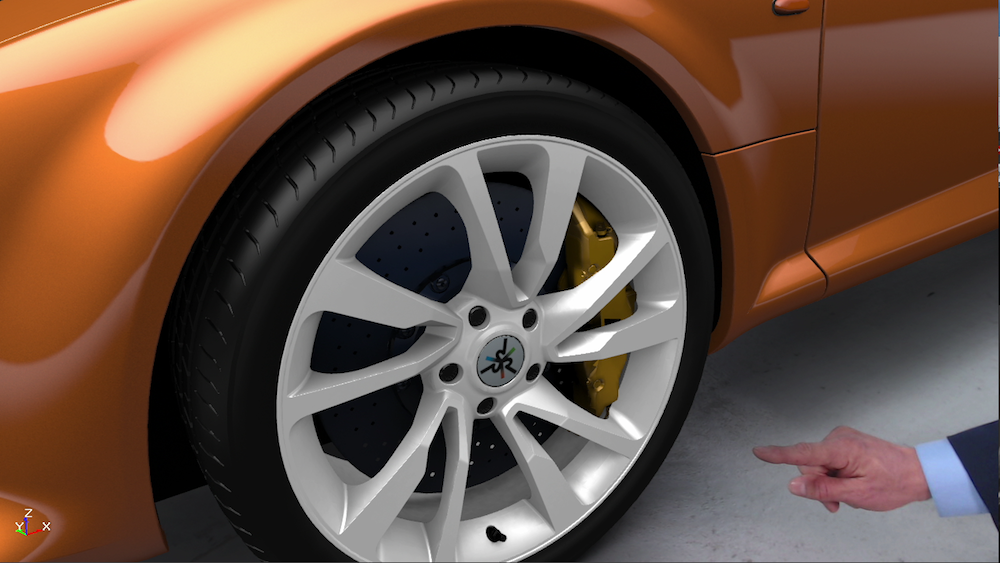
We were even able to physically bend down and check out the car’s rims, just like you would if you were looking at a real car in real life. We were able to walk around the entire vehicle while the person leading the demo changed details like the color and the placement of the included iPad accessory right before our eyes. You could literally be at a car dealership and say, “I want a red Lamborghini … no, make that purple … no, make that green,” and the salesperson would be able to instantly change what you’re seeing.
So besides being able to see cool museum exhibits and buy cars in a different way, what else can the MREAL System do for us? Although it doesn’t directly affect the Average Joe, we will reap the benefits of a new kind of efficiency in product creation. Mixed Reality will help speed up the process of bringing products to market, since manufacturers no longer have to travel from one continent to the other to view models, samples, and mockups. With Canon’s MR platform, a car manufacturer in Japan, for example, could view the models designed in the U.S. without ever having to get on a plane. Saving time and money, it’s likely that companies would be able to complete the research and development stages faster and get products out to consumers quicker than normal.
There’s a seemingly infinite amount of possible uses for the MREAL System. Imagine how much easier it would be to rent or buy a house. You’d no longer have to drive all over town looking at dozens of houses before you find one you like. Real estate agencies could literally “walk” you through houses without you ever leaving their office. This would make moving out of the state or country far less of a hassle.
Though it all sounds very exciting, the technology doesn’t come cheap. Available March 1, the starting price is $125,000, which will include the head-mount display and the platform software; annual maintenance will cost another $25,000.
How would you like to see the MREAL System used? We can only imagine what the adult video industry could do with this type of technology, but what do you think?
Editors' Recommendations
- Vision Pro 2: everything we expect from the future of Apple’s headsets
- Apple’s Vision Pro may help your eyesight in this genius way
- Apple’s next Vision Pro may send you on a mood-altering trip
- This $40K Vision Pro mod adds 18K gold to Apple’s headset
- Apple may be forced to change the Vision Pro headset’s name