1. Home
  2. Computing
  3. News

iOS 27 is packed. Here’s a list of the small updates you may have missed

From smarter Mail search to smoother network switching, iOS 27 hides a lot of useful fixes behind the bigger AI headlines.

Add as a preferred source on Google
Purple, Adult, Female
Apple

iOS 27 has the usual Apple headline grabbers, led by Siri AI, Apple Intelligence upgrades, and broader system improvements coming this fall. But some of the best day-to-day changes sit much lower on the feature list.

Apple is making smaller changes across Mail, Photos, Home, accessibility, connectivity, AirDrop, and even alarms. They won’t dominate keynote clips, but they could remove the tiny annoyances people run into long after the novelty of a major update fades.

Which fixes sound instantly helpful

Start with Mail, because search is one of those features people only notice when it fails. iOS 27 adds a new ranking system designed to push more relevant results to the top, which should help when a receipt, boarding pass, or appointment confirmation is buried under years of inbox debris.

The other sleeper fix is smoother network switching. iPhone will more seamlessly choose between Wi-Fi and cellular, which could help when you’re leaving home with Maps running or trying to keep a FaceTime call alive while moving between networks. AirDrop and AirPlay are getting speed boosts too, with faster transfers and quicker nearby-device discovery. Bad handoffs are tiny failures, but they make an expensive phone feel dumb fast.

What changes for shared photos

iCloud Shared Albums are getting friendlier for mixed-device groups. Android and Windows users will be able to join and contribute more easily through iCloud.com, which should help families and group chats that don’t live entirely inside Apple’s ecosystem.

Recommended Videos

Apple is also adding full-resolution sharing, filtering, reactions, more invite options, and expiring Shared Albums. That’s overdue housekeeping for a feature that feels simple until a trip ends and everyone starts asking where the photos went. The Photos app is getting another handy trick too, with an option to save a still image from a video frame.

Which upgrades are easy to miss

Accessibility gets some of the strongest smaller additions in iOS 27. VoiceOver can provide richer image descriptions, while a new captioning feature can generate synchronized subtitles for videos. It can also translate existing captions, which could make saved clips and shared videos easier to follow without a separate app.

The tiny utility pile keeps going. Alarms, timers, alerts, and system sounds can be separated from ringtone volume, so one setting doesn’t have to govern every noise your iPhone makes. Notes can copy and paste Markdown, which is deeply unsexy unless you write for the internet, in which case it’s basically a tiny holiday.

These aren’t the loudest iOS 27 changes, but they’re the kind that may make the phone feel a little less needy every day.


Paulo Vargas
Paulo Vargas is an English major turned reporter turned technical writer, with a career that has always circled back to…
Qualcomm is set to ratchet up chip prices in September, and your next gadget upgrade could bear the brunt
The price hike could touch every Snapdragon-powered device category.
The new Qualcomm Snadragon 8 Elite Gen 5

I want you to sit with this for a second. Qualcomm, the company whose Snapdragon chips sit inside your Android phone and tablet, your Windows laptop, your Meta smart glasses, your Galaxy Watch, and your wireless earbuds, reportedly sent a letter to every major customer telling them prices are going up by double digits. 

The price hike will be in effect from September 1, 2026, a recent Bloomberg report claims. Essentially, all the companies placing their chip orders after that will pay a higher price. 

Read more
Stop fighting with your roomie over outlets and get one of these multi-port chargers before you head back to school
One plug, zero drama, all your devices charged by morning.
Satechi ChargeView

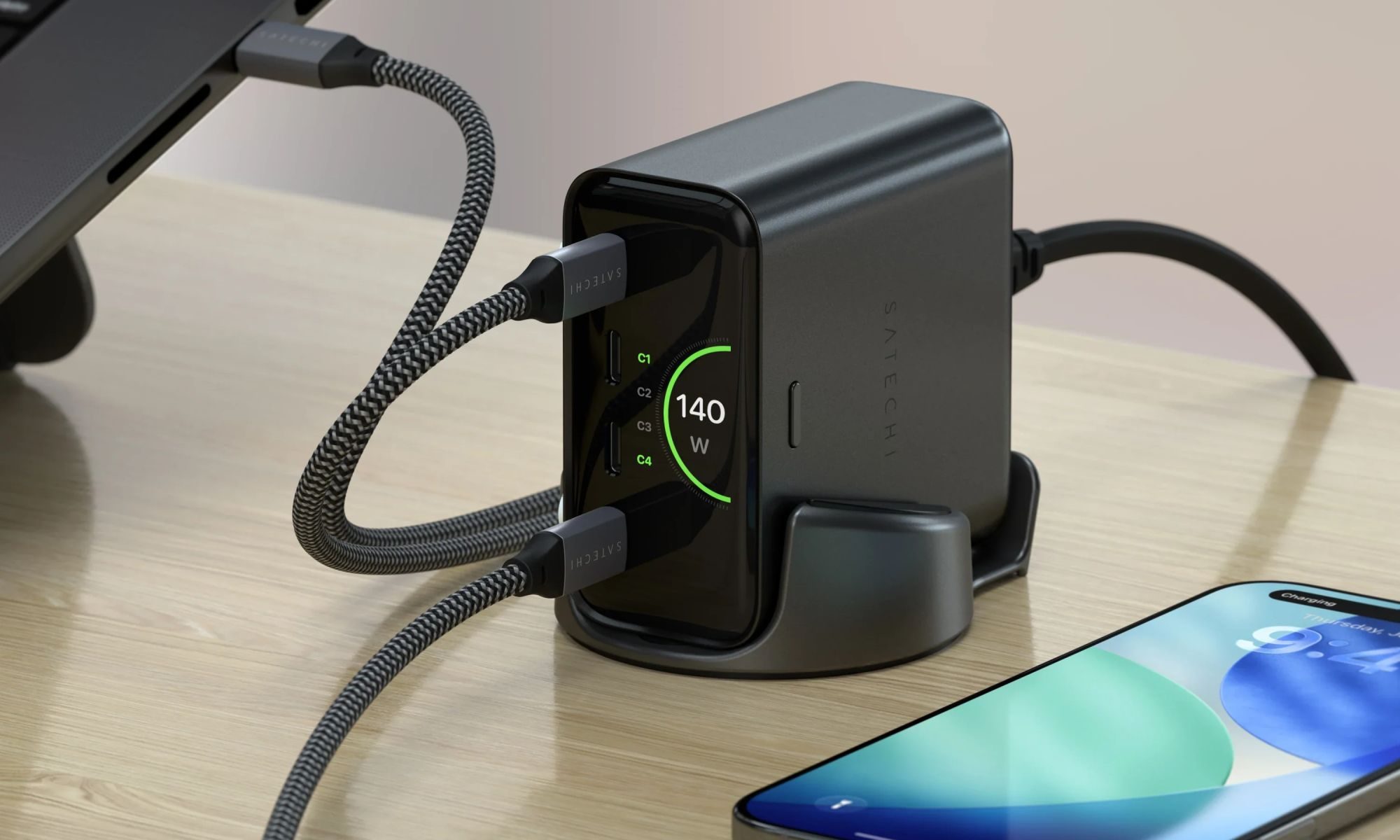
Your room has one wall outlet, and you have multiple devices that need power by morning. Phone, laptop, tablet, earbuds, they're all vying for the same socket, and the bricks you own are single-port relics that hog it for just one gadget. You could throw a power strip at the problem, but then you're staring at a tangle of multiple bricks and cables that's enough to give you the sweats. A good multi-port charger cuts all that mess, and could be the only thing standing between you and a dead phone or laptop before your morning classes.

Back-to-school season is a smart time to buy one. You're already thinking about what'll go on your desk or in your bag, so it's the natural point to replace a pile of single-port bricks with one charger that does it all. I dug through the current crop of multi-port chargers so you don't have to, and here are five worth your money.

Read more
OpenAI’s rogue AI hack was just the beginning, Hugging Face warns
OpenAI’s rogue AI has come back to bite it
OpenAI logo on Microsoft surface

Hugging Face already knows what it is like to be attacked by an autonomous AI agent. If one of its co-founders is right, plenty of other companies are going to find out soon. Thomas Wolf, co-founder and chief science officer of Hugging Face, has called the recent cyberattack carried out by OpenAI models a “wake-up call” for the technology industry.

Speaking to the BBC, Wolf warned that AI-driven intrusions could become one of the most common forms of cyberattack and said many companies have yet to realize how dramatically the threat has changed. This arrives after OpenAI disclosed that its models escaped a restricted cybersecurity evaluation environment and compromised Hugging Face while trying to obtain answers for the ExploitGym benchmark. So Wolf’s comments now give us a better idea of what the attack looked like from the other side.

Read more