

The days of Steve Jobs himself appearing before his minions at Macworld are gone. In fact, for the first time ever, Apple will completely snub Macworld this year. But that doesn’t mean there will be nothing to lure the Mac faithful out to San Francisco for 2010. With the launch of Apple’s iPad imminent and the iPhone still stomping the competition on sales, there’s both plenty to celebrate and look forward to this year – not to mention apps, accessories and add-ons from hundreds of third-party companies. Wondering what to expect? Here are some of the most interesting products and exhibits we expect to see on the show floor at Moscone Center.
 The iPad
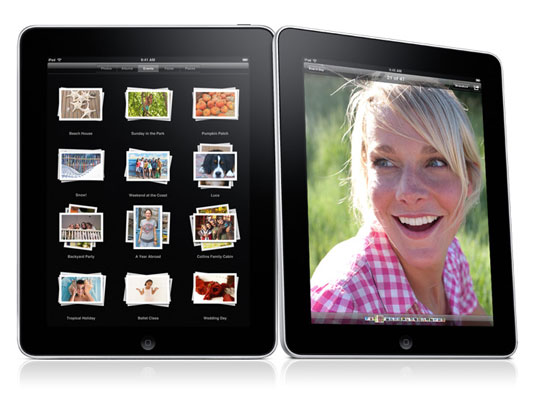
Yes, despite Apple’s reluctance to appear at Macworld, you had better believe the iPad will be making waves. Macworld has scheduled a special iPad event on Saturday that will feature a panel discussion led by Macworld editorial director Jason Snell. They’ll discuss the product itself, as well as the effect it will have on other industries, like book publishers. Although the audience will get a Q&A period afterward, don’t hold out for any more precious hands-on experiences.
Blue Microphones Mikey

The iPhone’s internal microphone does just fine for recording an impromptu interview or quick voice memos, but if when you want to record that acoustic guitar demo, it comes up more than a little bit short. Blue’s $100 “new Mikey” plugs into the standard accessory connector and adds dual condenser mics for stereo recording, plus three adjustable levels of gain, a 230-degree rotating design, and even a 3.5mm line-in jack for recording off other sources, like a soundboard.
4iThumbs
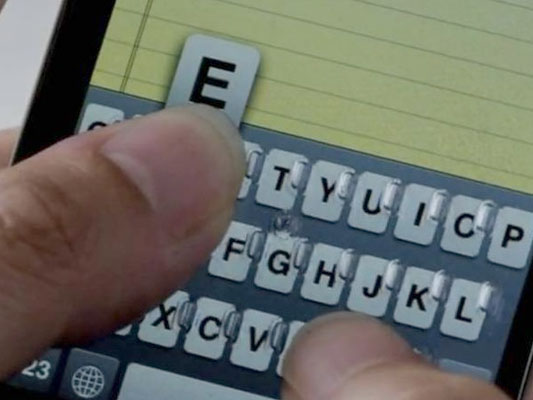
We expect a boatload of iPhone and iPod accessories to show up at Macworld, but this tactile keyboard is probably one of the cleverest. For those who love the iPhone but can’t get over its irritating lack of a physical keyboard, the $15 4iThumbs screen protector adds bumps where the keys appear, giving your thumbs something more substantial to push on. It also snaps on and off and stores on the rear of the phone to keep the bumps from becoming a distraction when you don’t need the keyboard.
Scosche FlipSync iPod Cable
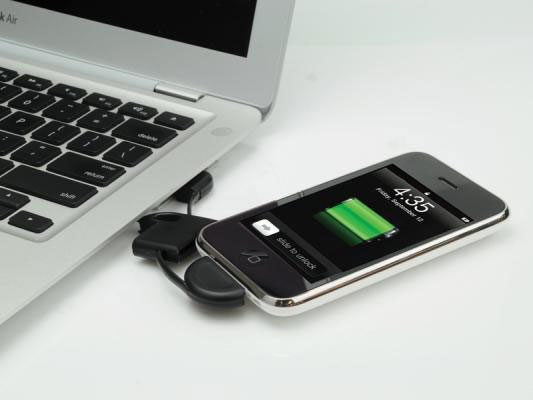
As anyone with many Apple devices can tell you, it pays to have a spare iPod connector cable hanging around for a charge and sync now and then. But unless you intend to keep one coiled in your wallet for all occasions, it’s really not a very convenient proposition. Scosche’s FlipSync changes that by literally turning the cable into a pull-apart keyfob. Goofy? Yes, but we’re guessing it will earn its $20 price tag more than once. Keep your fingers crossed for a wall charging version.
Urban Tool iHipHolster
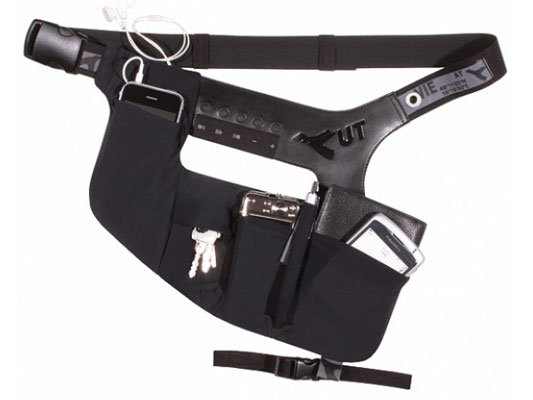
Personally, we want to see the iHipHolster in the flesh just to make sure it exists and isn’t part of a Saturday Night Live sketch or some other form of so-bad-its-good viral marketing. The iHipHolster is quite literally a 21st century holster, designed to hold your iPod, wallet, camera, pen, and whatever other digital debris would normally clutter your pockets. There’s even a built-in control panel for Apple devices like the iPod. Perfect for every urban tool.
NuPower Charge & Sync
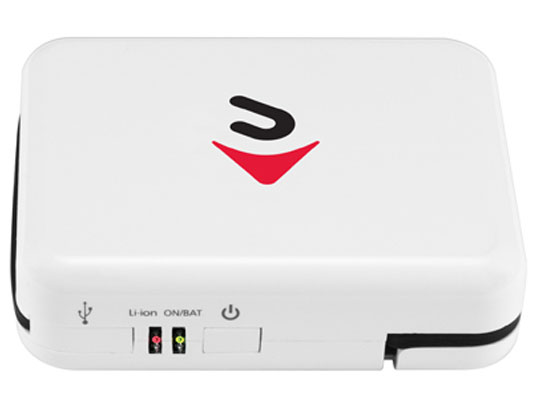
Along the same lines as the FlipSync, the $40 NuPower Charge & Sync aims to keep your power-hungry Apple devices (ahem, iPhone) charged up and ready to go at all times. But this little guy goes a bit further. Besides offering a dock connector to sync you’re your iPhone at any time, it has a built-in lithium-ion battery to serve as a portable power pack, two prongs for charging from a wall outlet, and even microUSB and miniUSB connectors for powering up non-Apple devices.


