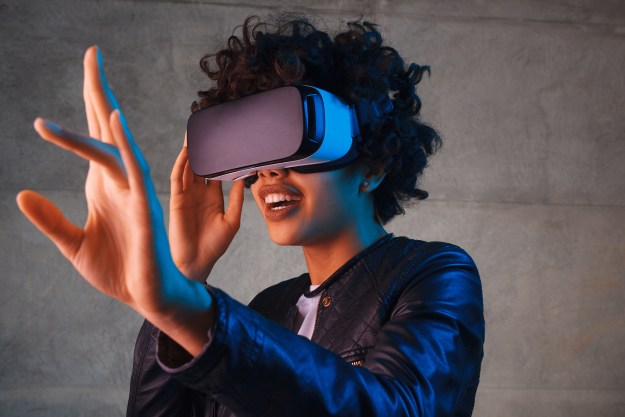
If the Oculus Rift and HTC Vive have taught us anything about playing around in alternative realities, it’s that having some form of hand-based interaction with the world is a must for immersive VR. That’s something that Microsoft and its fellow developers will need to nail down if they want the new Windows Mixed Reality to take off in a similar manner to its VR counterparts.
Early impressions of the Microsoft motion controllers appear to be favorable. Ong praised the easy set-up, and their accuracy and interactive capabilities within mixed reality settings, especially when using two controllers at once. Dual controller actions allow for familiar gesture commands such as resizing and rotation of virtual objects.
One downside to the use of on-headset cameras for tracking though is that the controllers must be in front of the user in order to be visible and usable in the virtual world. Rotational tracking is still possible because that’s handled by sensors within the controller itself, but positional tracking is lost once you put the controller behind you or hide the LEDs from the headset’s cameras.
That sort of issue isn’t as much of a problem for systems like the Oculus Rift or HTC Vive, as their exterior trackers have a much greater field of view.
Also, build quality is a little lacking, with Ong suggesting that the controllers are flexible at points and lack a “premium feel.” That suggests that you’ll want to be careful with them, especially when near objects or at the edge of your mixed reality play space.
Button placement is described as solid, but not as intuitively ergonomic as something like a console gamepad. While Ong does say that he got used to the layout eventually, he says it’s something that could still use some work. It’s possible though, that the purpose of these early controllers is to figure out what developers and gamers want and need. There are a large number of buttons on them, making it possible for a wide variety of interactions.
We’re told that all of Microsoft’s mixed reality partners will support these controllers with their headsets, though it seems likely we’ll see iterations of this design in the future.
Editors' Recommendations
- Apple delays unveiling of mixed-reality headset, report claims
- Apple’s mixed reality headset may be delayed yet again
- Apple mixed reality headset may launch in 2022 after all
- Apple’s mixed-reality headset could be delayed yet again
- Apple’s mixed reality headset could be as powerful as the MacBook Pro