  1. Home
  2. Smart Home
  3. How tos

How to clear tall thresholds with the Roborock Qrevo Curv

Add as a preferred source on Google
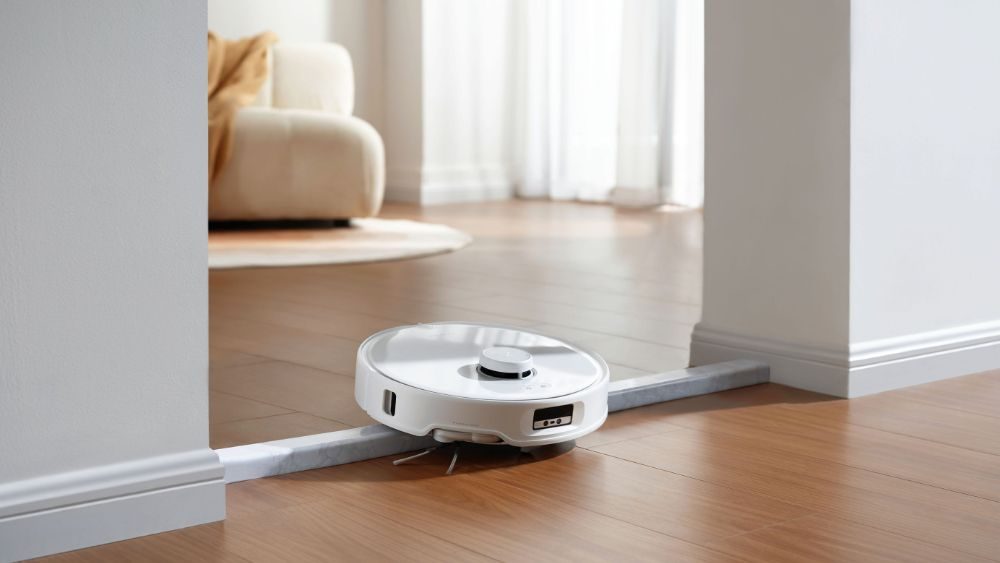
Qrevo Curv climbing a threshold.
Roborock

The Roborock Qrevo Curv is a powerful robot vacuum that’s capable of climbing over thresholds up to 4 centimeters tall. However, some users are experiences issues with the feature — instead of climbing over the obstacle, their robot is simply turning around or getting stuck. Thankfully, Roborock offers a way to help overcome this problem. Here’s how to quickly improve the threshold-clearing ability of your Roborock Qrevo Curv

Recommended Videos

Difficulty

Easy

Duration

5 minutes

What You Need

  • Roborock mobile app

How to clear tall thresholds with the Qrevo Curv

While the Roborock Qrevo Curv should climb over tall thresholds automatically, some thresholds may not register properly. This causes the robot vacuum to either struggle to climb over them into the next room or avoid them entirely. If either is happening to you, here’s how you can solve the problem.

Step 1: Load the Roborock mobile app.

Step 2: Select your Qrevo Curv and press Enter.

Step 3: Select the menu button at the top of the screen. This is the icon with three small dots.

Step 4: Select Floor Cleaning Setting.

Step 5: Select Edit Surface.

Step 6: You’ll now see a map of your home. Below the map are three buttons — Floor Type, Carpet, Threshold.

Step 7: Select Threshold, then press the Plus button to create a new threshold.

Creating a threshold in the Roborock app.
Jon Bitner / Digital Trends

Step 8: Resize and move the new threshold to the location on the map that corresponds to the spot in your home that's giving the robot trouble. Note that the threshold can be resized and rotated, allowing you to get a perfect fit for all layouts. You can also pinch and zoom on the map to place it in areas that are cramped.

Step 9: Once you’ve placed the threshold, select the checkmark button to save your settings.

That’s it! Your Roborock Qrevo Curv should now recognize the threshold properly and attempt to climb over it with more gusto. If this doesn’t work, you can also try changing your Reactive Obstacle Avoidance Settings, which can be found in the same menu as the Floor Cleaning Settings. If none of this works, you may need to contact Roborock support or remeasure the height of your thresholds. If it’s over 3cm (4cm for double-layer thresholds), then the height is not supported.
Jon Bitner
Former Digital Trends Contributor
Jon Bitner is a writer covering consumer electronics, technology, and gaming. His work has been published on various websites…
I tried to parody the most absurd AI products, but the tech industry beat me to it
The joke was supposed to be that every household object gets cameras, AI insights, and a premium tier. Apparently, that’s now a business plan
Imaginary AI products

I wanted to invent an AI product so silly that no founder could turn it into a seed round.

It had to solve a problem nobody had, collect far more data than the problem deserved, and turn normal behavior into an insight that sounded vaguely disappointed in its owner. Somewhere around the third feature, it would ask for a subscription.

Read more
LG SIGNATURE DLEX9900S dryer review: A massive, gorgeous dryer with one AI-sized asterisk
The LG SIGNATURE DLEX8900B is a beautiful dryer with a AI brain and plenty of capacity. Just be ready to pay a premium and take over from time-to-time.
LG SIGNATURE DLEX9900S dryer

View at LG

Quick Review

Read more
Fraimic’s E Ink art frame generates art from your voice and looks incredible doing it
Fraimic's AI art canvas is one of the most thoughtfully designed smart frames I've come across.
Indoors, Interior Design, Person

We’ve seen a lot of "smart art frames" at CES over the years. Most of them feel like glorified digital photo frames in turtlenecks. However, there’s one that feels genuinely different: Fraimic, and I say that as someone deeply skeptical of this category.

The pitch appears quite compelling at first. Speak a prompt into the device, and its built-in mic sends the command to OpenAI's GPT Image 2.0, which then generates full-color artwork that lands on a Spectra 6 E Ink display. 

Read more