

“Philips’ Wake-Up Light replaces the classic screeching buzzer with simulated sunrise and natural sounds to peacefully wake you from slumber.”
- Quality alarm sounds
- Display looks nice and modern
- Works great with your Apple iPod/iPhone
- Light feature is a welcome change from the norm
- Build quality could be a tad better
- Controversial design
- Limited to one color – white
- Lacks a remote control
“Why you can trust Digital Trends – We have a 20-year history of testing, reviewing, and rating products, services and apps to help you make a sound buying decision. Find out more about how we test and score products.“
Introduction
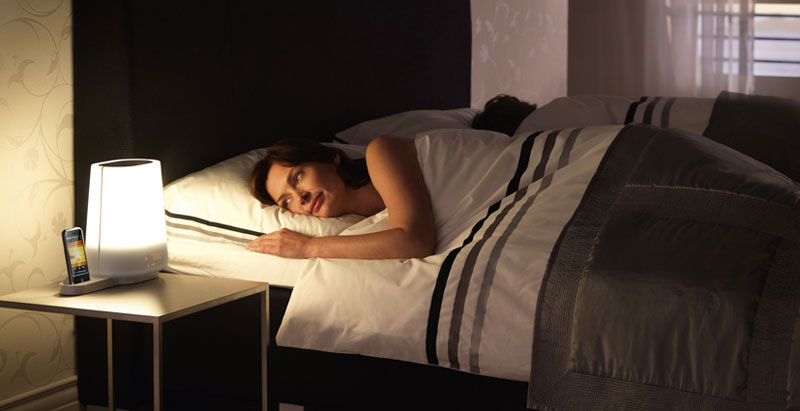
Philips has always been known for creating products that are considered either innovative or just down-right wacky. So we weren’t surprised when we received the oddly shaped Philips Wake-Up Light for review. Marketed as an iPod dock that doubles as an alarm clock, the Philips Wake-Up Light’s claim to fame is the attached lamp, which brightens when the alarm goes off so you can gradually wake up to soothing sounds and a nice calm light, rather than the abrupt interruption of a repeating buzzer. Priced at $199, this is one alarm clock that stands out from the rest. If you do not need the dock, you can buy the Philips Wake-Up Light as a standalone unit for $30 less.
 Design
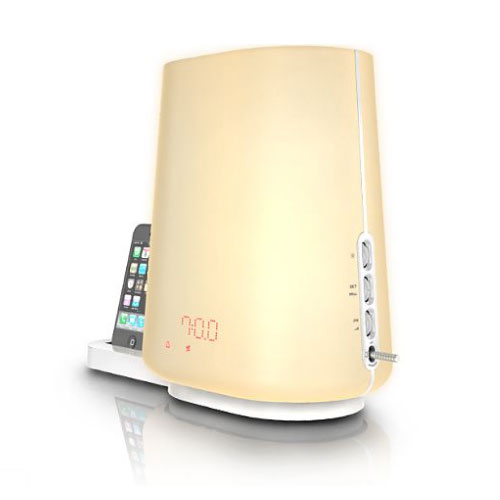
The design of the Philips Wake-Up Light is hit or miss. People we interviewed either really liked it, or instantly wanted to throw it away. Some people thought it was too large, or looked like it belonged in a hospital due to the sterile white color. Build quality is OK, consisting of thick plastic on the base and thinner plastic around the globe. The clock display shows up on the globe, projecting through the plastic, giving the unit a very modern look.
Testing and Usage
Setting up the Philips Wake-Up Light is pretty straight forward, plug it in, turn it on and configure the settings to your liking. All of the controls are located on the right hand side of the light, and are easy to use. Push in the dial to switch between settings, then turn it to make your selection. The Light can play one of four natural sounds to stir you awake, including morning birds in the forest, a relaxing beep, the sounds of an African jungle, or soft wind chimes. You can also configure the alarm to use your iPod or an FM radio preset.
 Using the sleep timer, you can have the light gradually dim over a set period of time to simulate a sunset, while the opposite occurs in the morning as the light gradually brightens, thus simulating dawn. Philips uses a 300-Lux lamp with 20 brightness settings, which is rated to last 6,000 hours. We found the Philips Wake-Up Light worked as designed, and woke us up in the morning without a hitch. At times it was almost too soothing, coaxing us back to sleep to the relaxing sounds of playful birds or wind chimes.
Conclusion
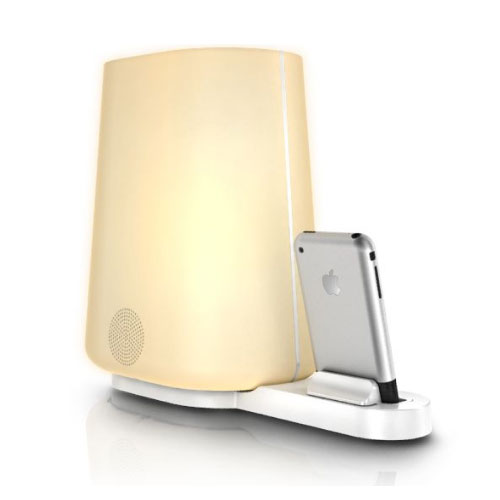
As an iPod dock, the Wake-Up Light works as designed. Simply plug in your iPhone or iPod using one of the adapters, and you are good to go. The Philips Wake-Up Light does not come with a remote control, so you will need to manually change the songs, and other settings using your iPod, and the volume using the Philips Wake-Up Light. The internal speaker sounds good, and only distorts at high volumes. Bass is adequate for an alarm clock but as always, could be better.
Overall, the Philips Wake-Up Light is a nice addition to any bedroom as long as it fits in with the décor. The alarm presets use high-quality recordings and sound great, while the dimming light works as designed. A remote control for your iPod or iPhone would make a nice addition.
Highs:
- Quality alarm sounds
- Display looks nice and modern
- Works great with your Apple iPod/iPhone
- Light feature is a welcome change from the norm
Lows:
- Build quality could be a tad better
- Controversial design
- Limited to one color – white
- Lacks a remote control


