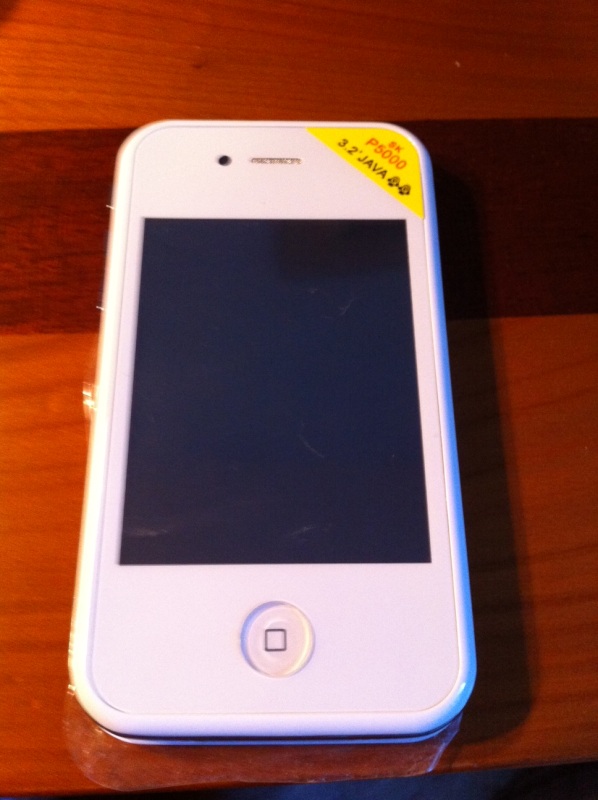
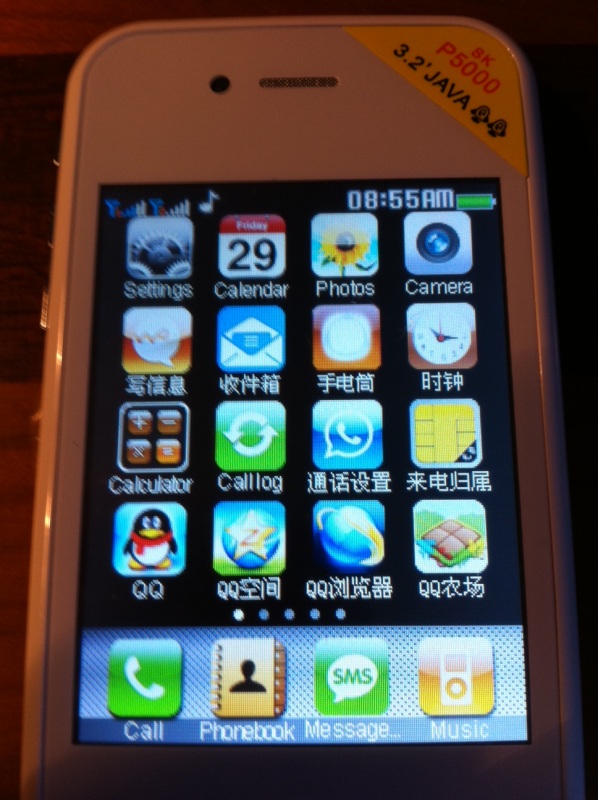
 With iPhone 5 rumors running amok, we are seeing an increasing number of Chinese-made products making their way onto tech blogs as possible clues as to what Apple has up its sleeve. These include cases that claim to be for the iPhone 5, and even devices themselves. But this bogus handset, photos of which were posted to Reddit.com by user Tizod, should serve as a reminder why we shouldn’t take these knockoffs as evidence of anything.
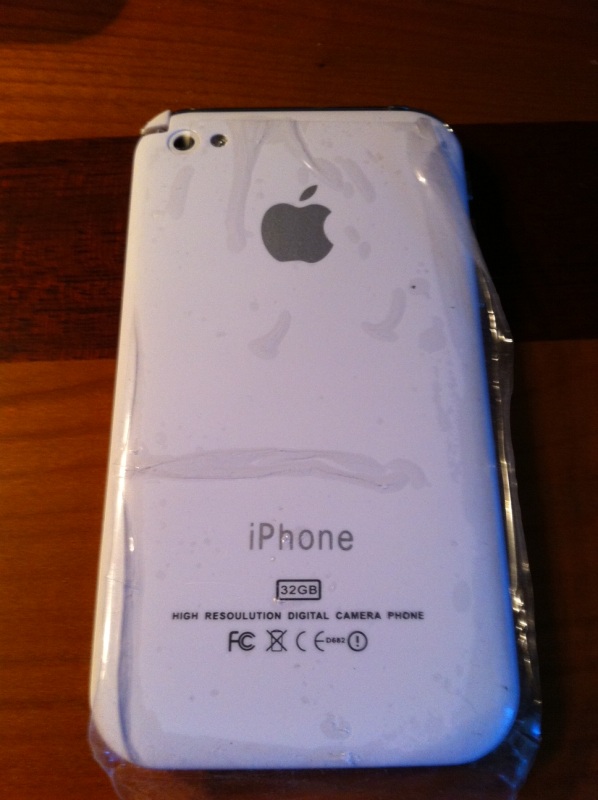
As Tizod explains in his post, his sister-in-law returned from a trip to China with what she swore was an iPhone 5. Thing is, this device couldn’t be further from something Apple would release, unless their quality control has gone completely to hell.
While this device looks strikingly similar to other counterfeit iPhone 5s we’ve seen in the past, it includes a wide variety of hilariously bad details that scream “FAKE!” First off, the font used for the word “iPhone” isn’t at all similar to the official font Apple uses on its devices. And never would Apple write “high resolution digital camera phone” anywhere on an iPhone.
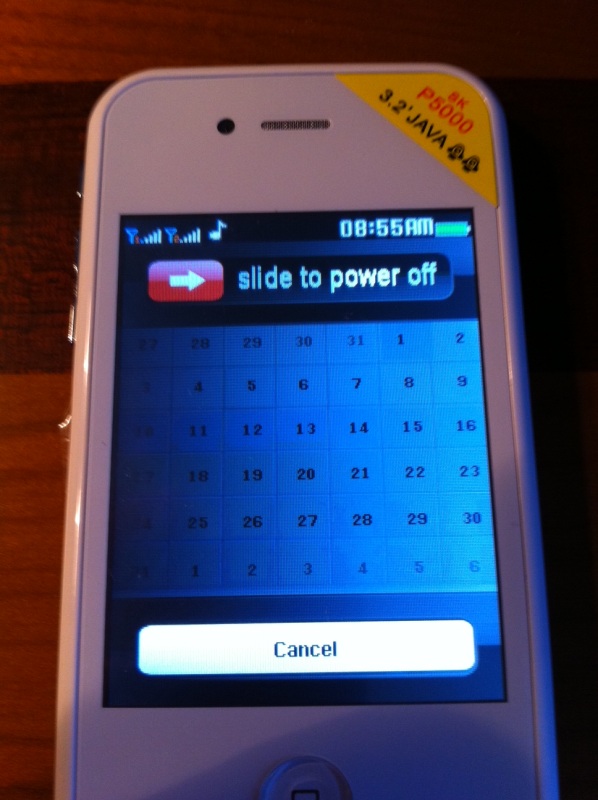
On the front is a sticker that reads “3.2′ Java,” which we’re guessing means the phone comes with 3.2 feet of nonsense. The screen couldn’t be less Retina-like, with a resolution more fitting for a 1993 Casio calculator watch than a next-generation Apple smartphone.
I could go on, but you get the message: This is a terrible product, even by knockoff standards.
Of course, just because this fake is so obviously a phony, it doesn’t mean it isn’t modeled after Apple’s still-unconfirmed upcoming handset. Perhaps this really is what the next iPhone will look like. But I highly doubt it.
If you can’t wait to find out what the next iPhone really will look like, the best evidence we have so far is a tiny icon that appeared in the beta software for Apple’s upcoming iOS 5 Photo Stream service. The illustrated picture of the device looks strikingly similar to a mock-up provided by This Is My Next back in April, which strengthens the argument that that is close to the true design of the iPhone 5.
Yes, many rumors have indicated that the next iPhone will look nearly identical to the iPhone 4, save a curved back and a few other minor changes — basically, what this fake iPhone 5 looks like, but with a bigger, better screen. And what do I know? Maybe that’s exactly what we’ll get.
Regardless, we will all just have to wait until Apple graciously brings our anxious wait to an end, and finally tells us when we can catch a glimpse of what it has in store (hopefully this fall). Unless, of course, you happen to find an iPhone 5 in a bar, which is entirely possible these days.
See more pictures below:



[Images via Tizod/Imgur]
Editors' Recommendations
- This one Apple Fitness feature completely changed how I exercise
- Best refurbished iPhone deals: Get an iPhone 14 for $513
- Best Verizon new customer deals: Galaxy S24, iPhone and more
- An Apple insider just revealed how iOS 18’s AI features will work
- Best iPhone deals: Save on iPhone 15, iPhone 15 Pro Max and more