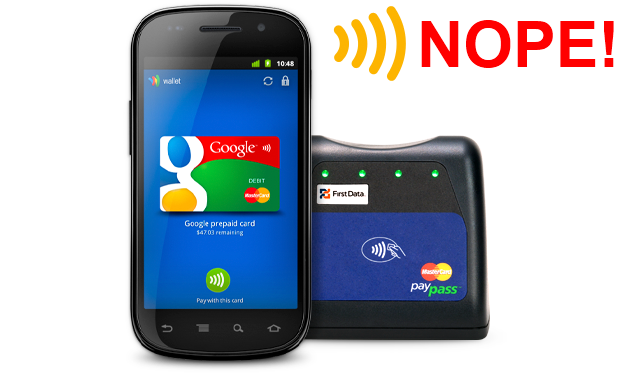
If you were excited to try out Google Wallet on the Galaxy Nexus, you’ll have to look elsewhere. Verizon has decided to block Google’s mobile payments solution from the phone. Google representatives have confirmed with multiple sources that it was Verizon’s decision to block the product.
“Verizon asked us not to include this functionality in the product,” a Google representative told CNET.
No official reason has been given, but it’s known that Verizon, AT&T, and T-Mobile are working with ISIS to concoct another mobile payment system. The three carriers have invested at least $100 million in the company this year. It’s likely that AT&T and T-Mobile will block the app as well. You may wonder why there can’t be two or more competing systems, since the US is a country built on the idea of competition, but wireless carriers have been known to repeatedly restrict functionality on phones and devices for their own gain. Mobile hotspots and tethering are two recent examples, but even running app stores used to be a carrier-led function. Luckily, smartphones have changed that. It’s likely that whatever system ISIS develops will give carriers some form of monetary return. Google’s service does not give a kickback to carriers, as far as we know.
Sprint is currently the only US carrier that supports Google Wallet. Community hacks to allow NFC-enabled phones to run Google Wallet will likely pour out, though with data as sensitive as our credit card numbers, we really wish a hack wouldn’t be necessary to try out Google’s service. For now, the Galaxy Nexus
Launching the Galaxy Nexus–which is supposed to be an open Google phone–on Verizon continues to be a challenge for Google and Samsung. Though its Droid brand helped catapult Android into the mainstream, Verizon is used to highly restricting and modifying the phones on its network. Earlier this year, Verizon went so far as to remove vital Google apps like Maps and put Bing on the LG Revolution, almost entirely removing the main reasons people buy an Android handset. The carrier, like others, also controls the entire launch process for devices. Just yesterday, Samsung employees at a showcase shop in New York were forced to pull the Galaxy Nexus from shelves. We cataloged that whole debacle here.
We have heard rumors that the Galaxy Nexus may finally hit shelves on Friday, but Verizon has yet to give an actual release date.
Update: Bloomberg has obtained a quote from a Verizon representative, claiming that the app has been removed due to security concerns. Jeffrey Nelson, a Verizon spokesperson said that Verizon wants to have “the best security and user experience” and that it will unblock Google Wallet “when those goals are achieved.” What, exactly, that means is unclear. Will Google have to somehow integrate ISIS’s system to be approved?
Editors' Recommendations
- Google Pixel 7 Pro vs. Samsung Galaxy S22 Ultra: Who wins Android smartphone battle?
- Verizon’s 5G is blazing fast on the Galaxy S10 5G, if you’re on the right block