Double Tap is one of the coolest features I’ve used on the Apple Watch in a long time. It’s not the most useful, and I don’t find myself using it that often, but when I do have a need to tap my fingers together to activate a function, I’m still at the stage where I think, “Wow, this is a really impressive thing.”
Here’s why it’s an example of what Apple does best — and why there’s so much potential for the future in it.
I was worried about Double Tap

Double Tap arrived with the official release of watchOS 10.1, not with the initial release of the Apple Watch Series 9 and the Apple Watch Ultra 2. This put me off a bit at the time, along with the rather limited amount of functionality, and I was concerned it was going to be either a gimmick or still a work in progress. It was enough for me not to bother using the public beta version of the operating system and just to wait for the final full release before trying it out.
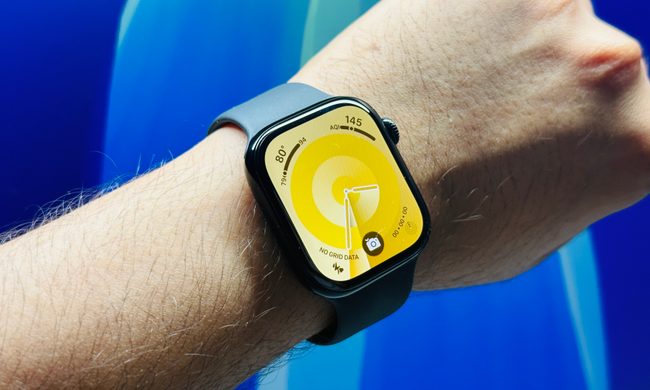
I really need not have worried. While it’s sometimes a little slow to react, Double Tap has so far, for me, had a faultless reliability record. When I double tap my fingers together, the little symbol appears at the top of the Apple Watch Series 9’s screen and does what I expect. This isn’t what makes me think it’s cool, though. It’s cool because of how it works in the first place. It’s incredible that a combination of hardware sensors and software algorithms know when I tap my fingers together at all, let alone consistently recognize this subtle, simple gesture and translate it into action.
This is what I mean about Double Tap showcasing something Apple does really well. Apple has a special ability to take a seemingly simple enough thing — tapping two fingers together to prompt an action — and then use really technically interesting methods to turn it into something that works reliably for almost everyone on a device without any method of “seeing” what you’re doing, and without any need to configure or train it to do so. This frictionless, effortless, easy-to-live-with approach defines the Apple Watch for me in general, from the way it tracks your health and exercise to the way it deals with notifications.
Why the feature is so cool (and a bit odd)

I’m still at the stage where Double Tap gives me a smile when I use it, but unfortunately, this smile is pretty rare unless I force myself to use it, as functionality is quite limited. It can answer calls, activate a reply to a message, dismiss notifications, play and pause music, or scroll through the widgets in watchOS 10’s new Smart Stack. It can also be configured to skip a music track or select a widget for a more detailed look. There may be a few more things it can do, but it’s still only a small, one-action skill set.
It is also not something I need to use all the time. Double Tap is supposed to be for when you don’t have the ability to tap the Apple Watch’s screen, not just for general duties. The slight lag that’s sometimes encountered means it’s usually quicker (and arguably more natural) to tap the screen if you have the ability to do it anyway.

Plus, when I’ve been messing around with Double Tap, I have been given some weird looks using it. It needs a proper, full gesture to make it work and not one that can be surreptitiously performed on the sly. Not everyone will understand you’re making this movement to interact with your Apple Watch, so be prepared for a sideways glance or two.
Another odd effect is how I’ve wanted to use a second gesture after Double Tap. For example, when I Double Tap through my Smart Stack widgets, I almost want to clench my fist to select one, effectively giving myself complete hands-free control of the Apple Watch in all situations. This is part of Apple’s AssistiveTouch accessibility feature, which I’ve tried in the past, and is possibly even a prelude to what Apple may do with Double Tap in the future.
What’s the future for Double Tap?

Whether Double Tap evolves into a more varied gesture control system available for use on the Apple Watch at all times is only one of the reasons it makes me excited about the future. It’s also knowing gestures similar to Double Tap will be used to control the Vision Pro headset. While it seems the Apple Watch won’t be required to use them with the Vision Pro (it’s the camera system that will recognize gestures), it’s possible that should it be paired with an Apple Watch in some way, the system may be able to do more.
The Vision Pro won’t come with controllers, and apparently, Apple won’t even make a physical controller of its own available as an accessory. It means that many people will (at first, at least) only control the headset through eye tracking and gesture recognition. Double Tap’s simplicity and reliability on the Apple Watch gives me confidence in this future system, as it needs to be equally as seamless for people to immediately gel with the Vision Pro’s inevitably unique experience.
What started out as a feature I feared may be forgettable (or not even work very well) has made me even more intrigued by the Vision Pro — and also reminded me why Apple and the Apple Watch are peerless in the world of smartwatches. It has neatly incorporated a simple yet technically complex feature and made it usable, reliable, and accessible to everyone. Meanwhile, other smartwatches are still struggling to get notifications right.