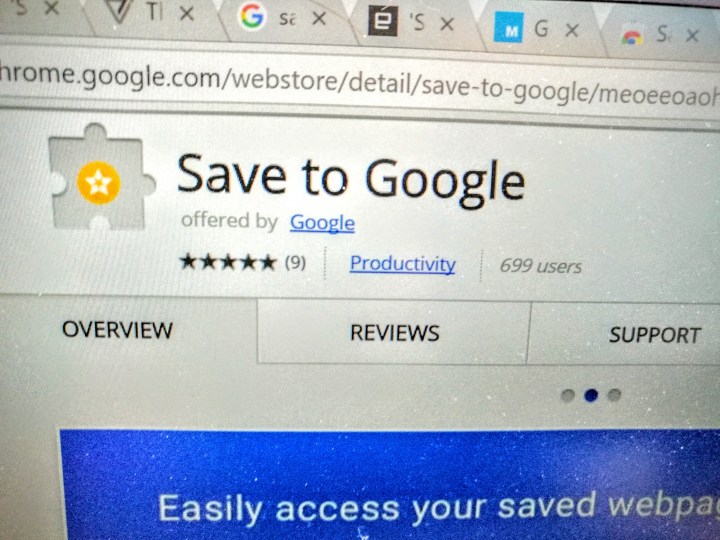
The Save to Google extension, which debuted unceremoniously in the Chrome Web Store on Thursday, is about as no-frills as bookmarking apps come. Install it to Chrome and a bright yellow, star-shaped button joins the family of other icons in your extension collection. Clicking on it summons a drop-down menu that allows you to either bookmark 1) the entire Web page on view, or 2) individual images that Save to Google’s parsed. Once you’ve made your selection and (optionally) added a few descriptive tags and notes to your bookmark save, you can view and search what you’ve stored on the centralized, Save to Google repository.
Bookmarks are a bit frustrating in their simplicity, unfortunately. Unlike apps such as Pocket, Save to Google provides no means to favorite or share the content you’ve stored. Web pages aren’t reformatted — clicking on a bookmarked page simply directs you to the URL in question. And there isn’t a list view for the service’s pin-like bookmarks, which could become annoying when the saves begin to accumulate.

The no-frills presentation is a philosophical departure from Google’s previous bookmarking effort, Google Stars (now Bookmark Manager). Stars, an attempt by the company at a cloud-powered bookmarking solution for the Web and mobile, let users star emails, Web pages, YouTube videos, contacts, and even Google search results. It categorizes content you’ve saved too, and detects spam and dead pages. By contrast, Save to Googles takes a narrower, perhaps less overwhelming approach to bookmarking — images and Web pages are all you can save — but at the cost of usefulness.
There’s another problem with Save to Google too: redundancy. It joins not only Google Stars, but several other bookmarking solutions that Google’s rolled out over the past few years. Save to Google Drive, much like Save to Google, lets you save websites and page elements to your Drive cloud storage account for safekeeping. And a “Save” option on the mobile version of Google Image Search lets you bookmark images to google.com/save.
Perhaps Save to Google’s an attempt at unifying the company’s disparate bookmarking apps in a single, unified interface, or perhaps it’s aimed at folks who’d couldn’t care less about Google Stars’ bells and whistles. Whatever the case, though, it’s yet another way to save Web pages and pics you’d like not to forget. Maybe that’s enough.
Editors' Recommendations
- I found a Chrome extension that makes web browsing bearable again
- These Chrome extensions will put cash-saving coupons right in your browser
- This Chrome extension lets hackers remotely seize your PC
- Chrome extensions with 1.4M users may have stolen your data
- Google Chrome extensions are failing, and $8,000 is on the table for a fix