
The convertible 2-in-1 laptop, which has a display that can swivel from normal clamshell mode to tablet mode with tent and media modes in between, has come into its own. No longer are they too large to be used as tablets or too underpowered to be used as clamshells. The form factor is epitomized by the HP Spectre x360 13 and the Dell XPS 13 2-in-1.
But these aren’t identical machines, despite their sharing some important components inside. HP and Dell have gone to great lengths to create their own take on the convertible 2-in-1 — but which is the better option?
Design

These are both attractive laptops, but they couldn’t be more different. The XPS 13 2-in-1 is far more conservative, with silver aluminum on the outside of the chassis and a choice of Arctic White or black interior. It’s a more traditional wedge shape with the same swept-back rear chassis that’s adorned a number of Dell laptops lately.
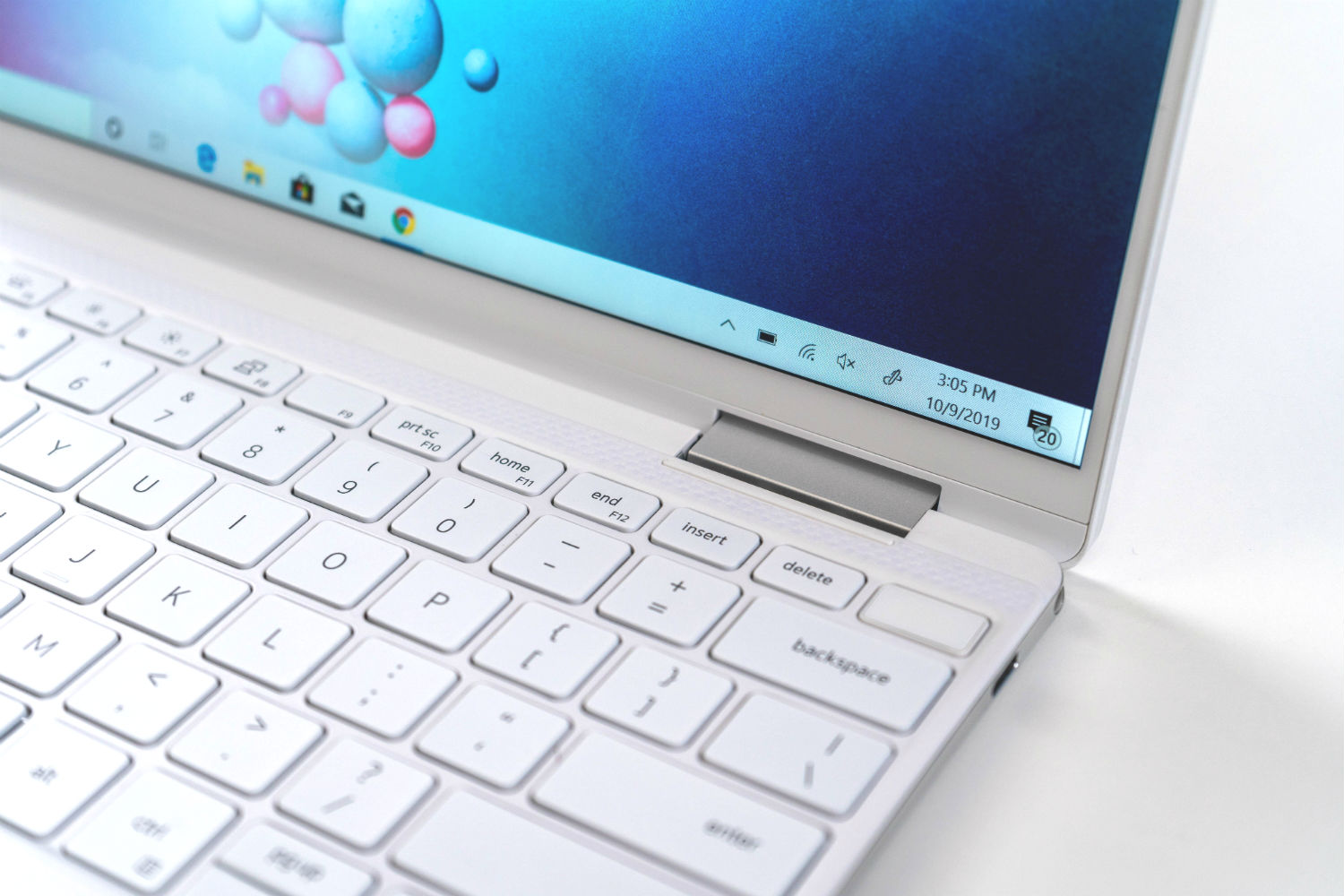
The Spectre x360 13 is far more extravagantly designed, with its gem-cut angles apparent along the edges and most prominently at each rear corner — which are cut away at convenient angles to provide easy access to the power button and one of the Thunderbolt 3 ports. You can get the HP in Nightfall Black, Poseidon Blue, and Natural Silver colors.
Both laptops are also well-built, with little flexing in the lid, keyboard deck, and chassis bottom. The hinges convey confidence as they swivel through their 360-degree arcs, and they hold their displays where you want them. In terms of size, the XPS 13 2-in-1 is a little less wide while the Spectre x360 13 is shallower — but both are tiny thanks to slim bezels that save space and look modern.
The HP touts a 90% screen-to-body ratio that leads the convertible 2-in-1 class. The XPS 13 2-in-1 is quite a bit thinner, though, at 0.51 inches versus 0.67 inches, and the laptops are almost identically light at just about 2.9 pounds.

Things start to differentiate when you look at input options. Both laptops have touch displays (natch) with active pens, and both support Windows 10 inking and handwriting. The XPS 13 2-in-1, though, uses a second-generation magnetic levitation (maglev) keyboard that’s very shallow, and it’s a vastly different feel that users will either love or hate.
The Spectre x360 13’s keyboard, on the other hand, is the same deep, well-spaced, and clicky version that we’ve loved on the last several versions. Touch typists are much likely to prefer HP’s keyboard. Both laptops have spacious touchpads with Microsoft Precision touchpad support, meaning they’re equally precise and support the full range of Windows 10 multitouch gestures.
Finally, connectivity is also an area of differentiation. The XPS 13 2-in-1 has two USB-C ports with Thunderbolt 3 support and a Micro SD card reader. That’s it. The Spectre x360 13 also provides two USB-C with Thunderbolt 3 ports, but it also enjoys a USB-A 3.1 port for older peripherals (with a drop jaw mechanism to fit into the tight space). It also offers a Micro SD card reader.
Both laptops support Wi-Fi 6 for faster internet speeds along with Bluetooth 5, while the Spectre x360 13 adds in LTE cellular data support that can now be used alongside Wi-Fi. Finally, HP builds in two privacy features — an electronic switch that shuts off the webcam and removes an attack vector, and a dedicated button for turning off the microphone.
Performance
The XPS 13 2-in-1 and Spectre x360 13 are both built around Intel’s 10th-gen Ice Lake CPUs. Accordingly, they provide similar performance that can be tuned by utilities that allow turning up the speed with more fan noise or keeping things quiet.
They both also offer Intel’s enhanced Iris Plus graphics that provide for better entry-level gaming the Intel’s usual integrated graphics and better support for creative apps that can use the GPU to speed up certain operations.
In short, both 2-in-1s offer outstanding productivity performance that’s competitive with most 13-inch laptops. There’s little the typical productivity user will want to do that these laptops can’t accommodate.
Both Dell and HP offer a few display options. The XPS 13 2-in-1 has the more productivity-friendly 16:10 aspect ratio with either Full HD or 4K IPS panels, and the latter will provide you with very wide and accurate colors and good contrast for an LED display. The Spectre x360 13, on the other hand, has three displays that exist on extreme ends of the spectrum.
The low-power Full HD display is very good with solid colors and excellent brightness, but its claim to fame is low-power technology that provides some of the best battery life you’ll find in a 13-inch laptop. Users can also opt for HP’s Sure View privacy screen that blocks out the view from the sides. Finally, HP also offers an AMOLED panel that provides superior brightness, colors, and contrast and is simply the best display you’ll find in this class of machine.
The XPS 13 2-in-1 benefits from its 16:10 aspect ratio, but the HP’s AMOLED display is simply gorgeous. And if battery life is your main concern, then HP’s low-power panel will provide more than all-day longevity.
Portability

These are small and light laptops that you’re unlikely to feel weighing down your backpack. They both pack a lot of power into thin, small, and light chassis.
Battery life matters, though, and HP has the advantage here. Choose the low-power Full HD display and we’re talking about hours of additional battery life when performing most productivity tasks. It’s simply phenomenal. On the other hand, if you want a 4K display, then you’re likely to get better battery life out of Dell’s 4K IPS display than the HP’s AMOLED display. So, in the end, it comes down to what matters most to you — display quality or battery life.
Ultimately, the HP offers the best battery life thanks to its low-power display.
Two excellent 2-in-1s, but the Spectre x360 13 wins out

The Buy at Newegg is a premium laptop, starting at $1,100 for a Core i5-1035G4 CPU, 8GB of RAM, a 256GB SSD, and a low-power Full HD display. You can spend as much as $1,879 ($1,770 on sale) maxed out with a Core i7-1065G7U, 16GB of RAM, a 2TB SSD, and a 4K AMOLED display.
The Buy at Amazon is a bit pricier, starting at $1,310 with a Core i5-1035G1, 8GB of RAM, a 256GB SSD, and a Full HD display. The most expensive configuration costs $2,360 for a Core i7-1065G7, 32GB of RAM, a 1TB SSD, and a 4K IPS display.
Dell’s XPS 13 2-in-1 is an excellent convertible 2-in-1 that looks great, runs fast, and has excellent display options. But HP’s newest Spectre x360 13 is simply more cohesively designed and offers a difficult choice between awesome battery life and the best display you can buy on a 13-inch laptop. The HP wins a difficult battle and does it for less money.


