Public transit. Airplanes. Parks. Cars. There’s a whole world of situations where you might want to kill time in your favorite game, but can’t bring a console or gaming PC. That’s why gamers love the Nintendo Switch. You can play Breath of the Wild on your television one moment, and continue that same game on the bus moments later.
PC gamers can’t enjoy that portability, as gaming laptops are massive compared to a Switch. But perhaps there’s hope. At CES, Alienware unveiled a new portable gaming PC called the UFO, and it wants to be the Switch of PCs.
Yup, it’s a Switch competitor
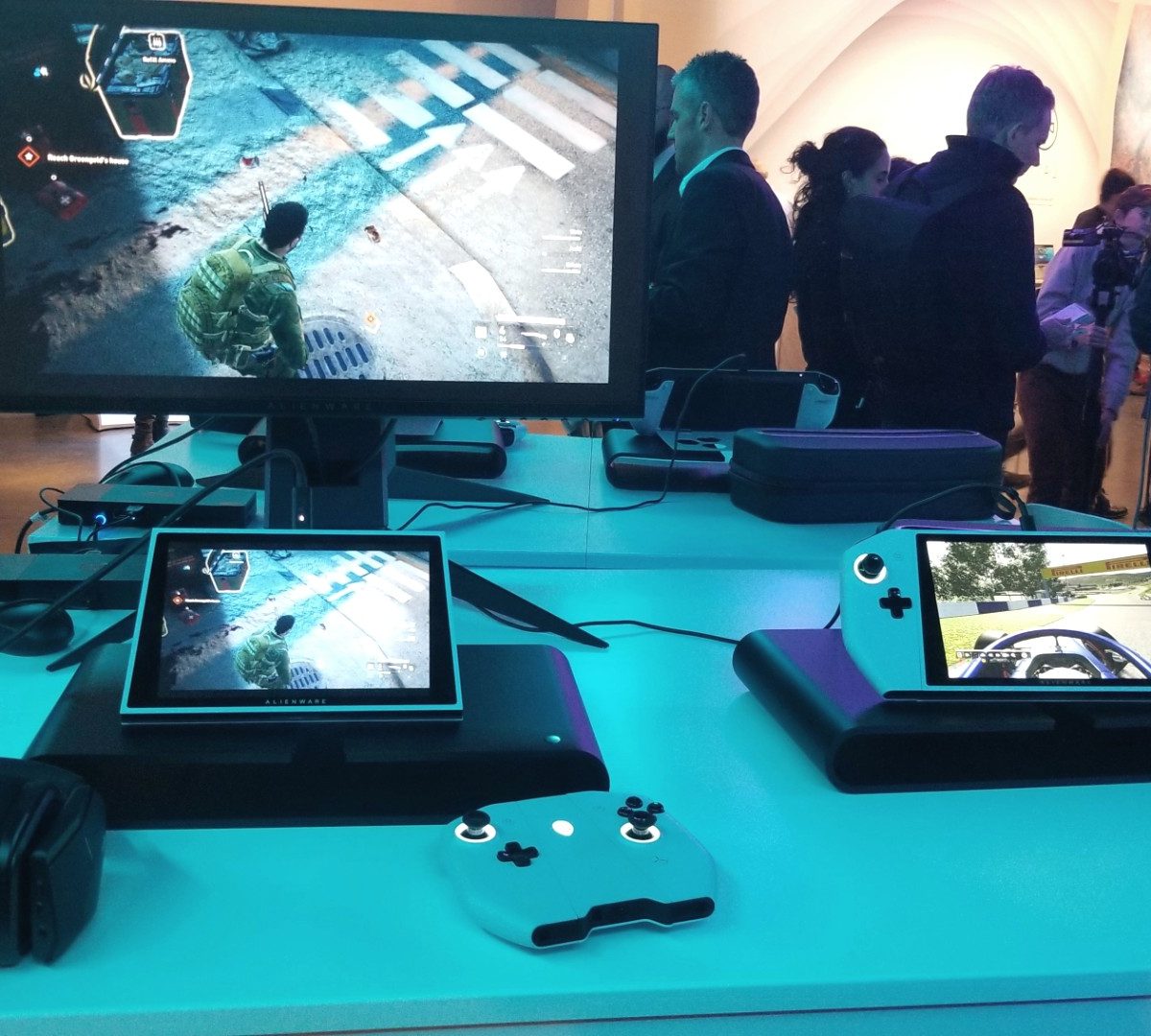
The UFO wears its inspiration on its sleeve. Like the Switch, the UFO is a tablet screen with a number of important built-in features. On the back is a pull-out kickstand, and the sides accommodate two detachable controllers.
This, of course, allows the UFO to be played either as handheld system or docked as a full-on gaming PC in your home. All that should sound familiar, though you’d never mistake the UFO for a Switch. It’s adorned in Alienware’s iconic dual-tone color scheme, emphasizing its pure white finish and RGB lighting. The screen is much larger, as well, stretching out to eight inches diagonally.
The tablet portion isn’t square, giving it just enough character to be a device you’re still meant to take out in public with you. It’s a gaming PC through and through.
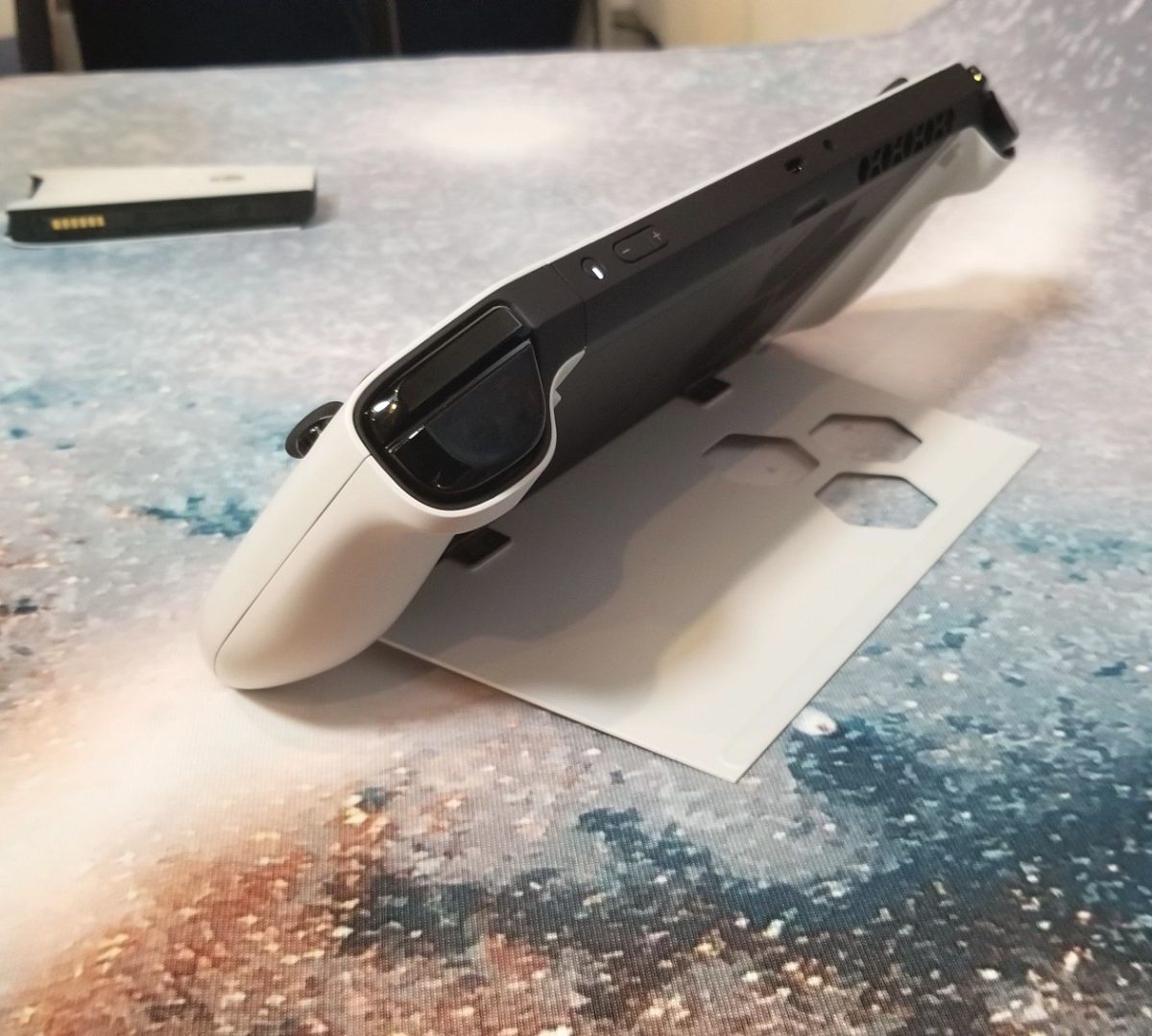
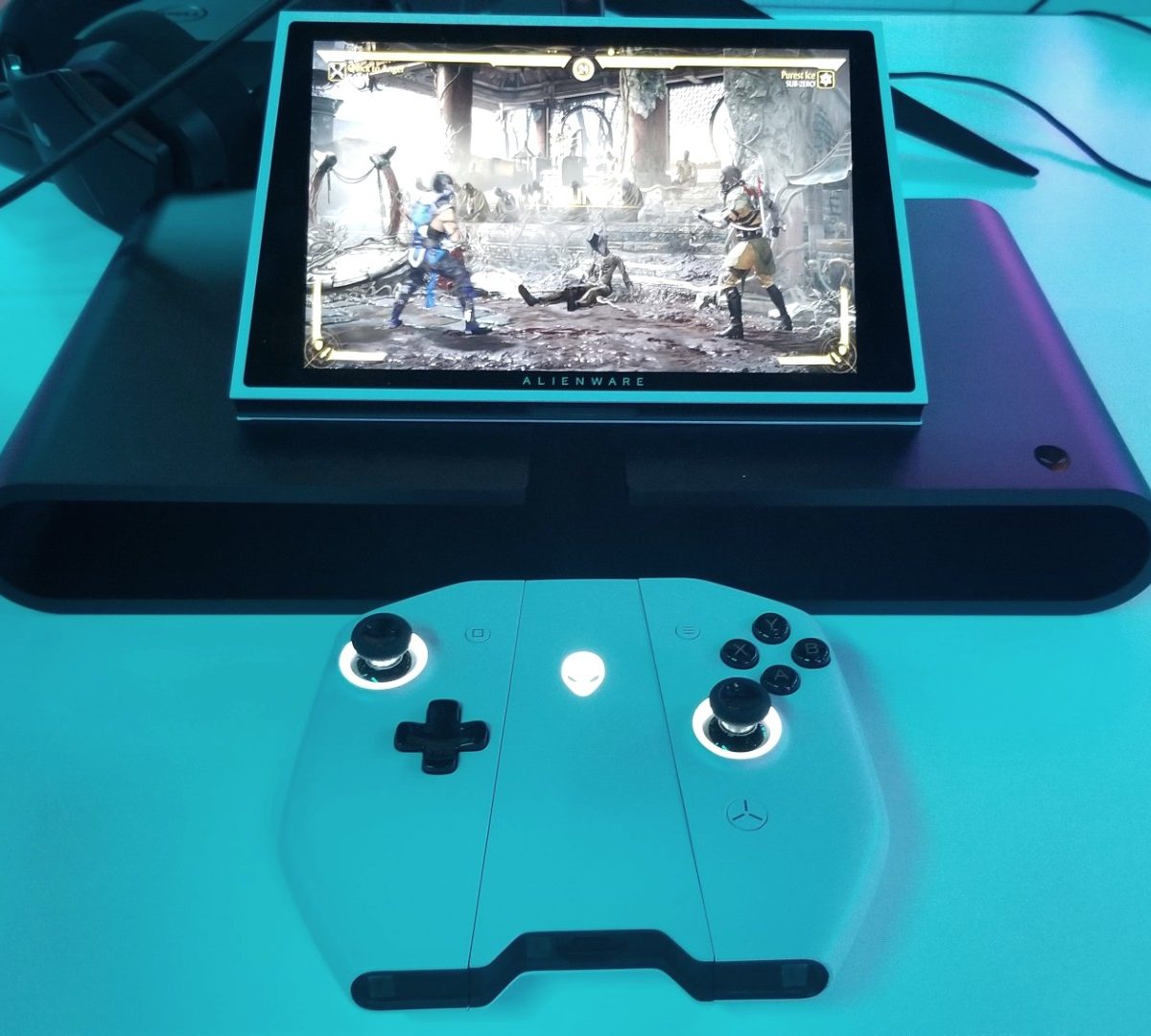
If you have it standing up on its kickstand or docked to a larger screen, you’ll want to remove the two side controllers and attach them to the center puck.
Once attached, you end up with a controller that feels a lot like an Xbox gamepad. Gamer who don’t like the feel of Nintendo’s Joy-Cons (in other words, most of us) will love it. The controllers can’t be used separately, though, to provide an extra gamepad in a pinch. If you want to play multiplayer, you’ll need to bring along another full-sized gamepad.
What it lacks is a dock. The Switch’s easy docking system meant less fiddling with cables when plugging into an external video source. Along the top are is your one and only option for connectivity: A USB-C port. It’s an elegant solution — that is, if you have a newer PC monitor. TVs and older monitors will require an HDMI adapter, which is no fun.
What’s this for?
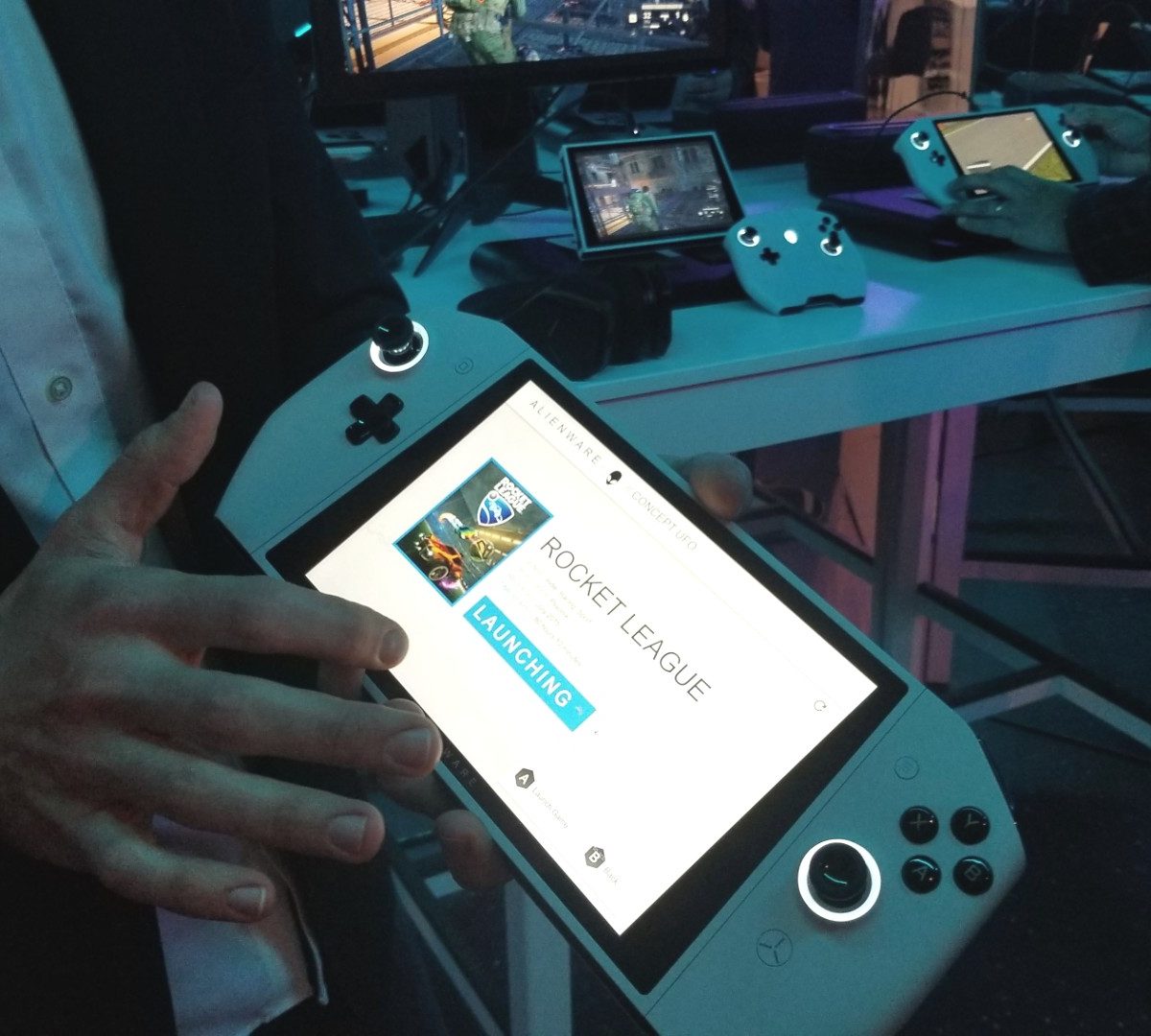
The UFO is a full-fledged Windows PC. If you wanted to, you could hook up a monitor, mouse, and keyboard, and get some work done on it. But that’s not why you buy the UFO.
It exists to bring your PC gaming library wherever you go. That is, after all, a large reason why the Switch was so successful. There’s no discernible difference between gaming on the bus and gaming at home.
Portable gaming is the focus, and the prospect is enticing. The UFO isn’t as small and light as the Switch, but it’s portable enough to play on your lap, and it’ll slide into a backpack or bag without much notice.
The UFO has big implications for gaming on a PC in the living room. That’s still not a common setup. The UFO could change that. It’s every bit as adaptable as the Switch in that realm for gaming. Windows becomes the obstacle here, as it remains far more complex than any console interface, but Steam’s Big Picture mode can help take the edge off.
Performance remains a mystery
PC gamers care about performance, and small devices often have to sacrifice that to keep themselves thin and light. Unfortunately, the UFO’s specifications remain a mystery. Dell hasn’t provided any information about the processor and graphics card included, or what performance you can expect in your favorite titles.
I did play some games on the system. The company showed off Mortal Kombat and F1 2019. Both games played smoothly, though representatives wouldn’t say what the settings were. When hooked up to an external monitor playing Mortal Kombat, the system’s fans made their presence known.
Alienware says it’s trying to nail a performance balance. You will be able to customize the experience towards performance or graphical fidelity, but Alienware says the system may reduce resolution or graphics settings automatically to help provide a smooth experience. If that does happen, the UFO will behave like all modern game consoles, which dynamically change resolution to maintain a performance target.
Still just a concept
Like Dell’s other concepts from CES 2020, there’s a lot of unknowns with the UFO. Although it feels polished, we don’t know for sure that the UFO will even launch this year, or that it’ll look like this. Dell even mentioned the system could be used for cloud gaming in the future, once that technology takes off.
Despite being a concept, the UFO is already leagues ahead of other attempts to make a Windows gaming tablet. You may remember attempts like the Razer Edge Pro or Linx Vision, both of which failed to earn many fans. Alienware knows that gamers love the portability of this form factor, and the UFO concept does a better job of providing that without serious sacrifices elsewhere.
The price, which is currently unknown, will be a deal-maker or breaker. Dell says it wants to be competitive, but with the Switch at $300 and the Switch Lite at just $200, it’s going to have an uphill battle.
Still, whatever its price, the Alienware UFO is the most surprising and intriguing gaming PC we’ve seen in years. Alienware’s attempt at handheld PC gaming is far more convincing than its predecessors.
Follow our live blog for more CES news and announcements.