Smartphone cameras, across the board, have reached incredible quality levels. Even a relatively affordable smartphone today has a camera that can destroy the ones used on a flagship phone from a few years ago. But one thing hasn’t changed: The best and most versatile camera systems are still reserved for the biggest phones — literally.
Yes the Pixel 5’s camera is great. So is the iPhone 12 Pro’s. But they aren’t the best out there. That crown is a toss-up between the Galaxy S21 Ultra and the iPhone 12 Pro Max. Unsurprisingly, these are two of the biggest smartphones you can buy today. Even though “small” phones aren’t really small anymore, you’re still required to get an even bigger phone in order to get the best camera.
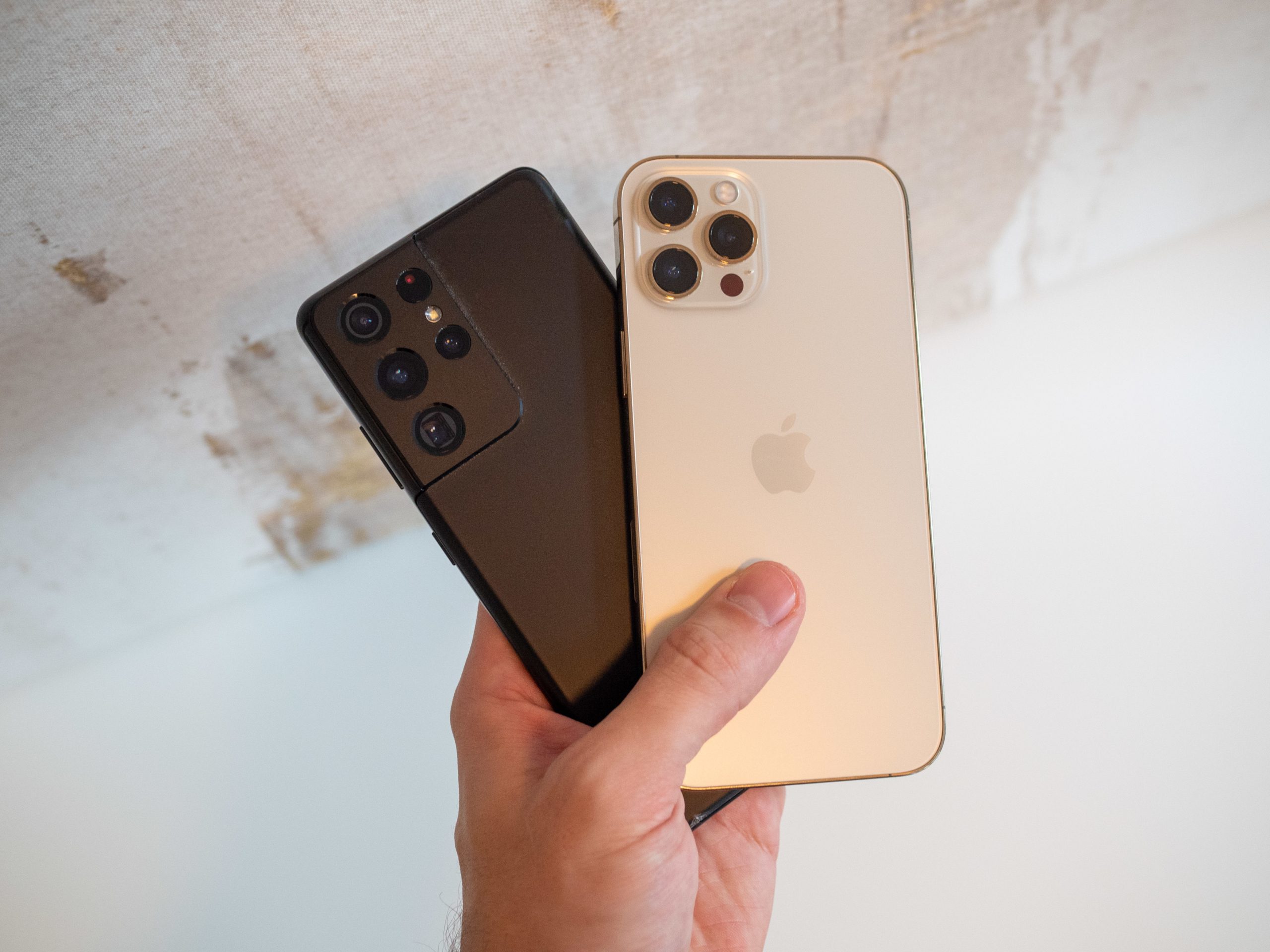
This isn’t just companies being greedy, withholding camera capabilities from the smaller phones in order to upsell to the higher-end model. Part of this situation is just a reality of how much space these advanced sensors and multicamera arrays take up in a phone. The Galaxy S21 Ultra’s main camera sensor is roughly 33% larger than the S21’s. The iPhone 12 Pro Mx’s main sensor is a whopping 47% larger than the 12 Pro’s. And we’re talking physically larger here, not megapixel counts.
This isn’t just companies being greedy — big sensors and extra cameras take up more room.
And while some phones do incredible things with a ho-hum main camera sensor, like the Google Pixel 5, in order to be considered the best, you need to offer a combination of three (or more) cameras for specific scenarios.
That’s where we can see the difficulties of packing in the Galaxy S21 Ultra’s cameras, because it has four, one of which has a periscope zoom lens that’s much larger — and most importantly, thicker — than a standard camera lens. These sensors and lenses are still nowhere near the size of dedicated cameras, but when you’re talking about phones that are only about 8 mm thick and have myriad complex technologies all snuggld together inside, every fraction of a millimeter matters.
To be clear, I’m not immediately equating “bigger and more cameras” with “better photos!” — these two phones leverage their multiple cameras well and legitimately have the best overall camera experiences available today. Larger camera sensors let in more light, letting you capture photos in a wide variety of conditions without overprocessing or adding tons of grain. The larger sensors also add exceptional natural depth of field blur, removing the need for portrait modes. Having dedicated zoom lenses gives you opportunities to shoot with different fields of view that can’t be achieved by digital zoom, no matter how many megapixels you have. The results are fantastic.


You can take amazing photos with most modern smartphones, even inexpensive ones. But there are clear advantages that can only be found in the biggest ones. And that’s really unfortunate.
That’s not to say that phone makers couldn’t put the best cameras into smaller phones — of course they could, but it would lead to unsavory trade-offs. We’d all love an iPhone 12 Mini with the 12 Pro Max’s main camera sensor. But even these huge phones have to make compromises in components to fit everything in a single package — those constraints are even more aggressive the smaller a phone gets. Companies have found people are more willing to put up with a huge phone to get a great camera than, for example, to give up a large percentage of their battery capacity to make room for one in a smaller phone.
Putting a great camera in a small phone is possible — it’s just not the trade-off companies want to make.
Even though we know there are legitimate reasons for the restriction, it really sucks. Because the and iPhone 12 Pro Max are also just too big to comfortably use — at least, for many people. While my larger-than-average hands can manage these phones, that doesn’t mean I want to. I can wrap my hand around the S21 Ultra, but it’s still awkward as hell to perform many daily tasks without using both hands, and it overflows my pants pocket as well. I just wish there was a better way — until then, I’ll be dealing with this huge phone so I can keep showing off the amazing photos it takes.