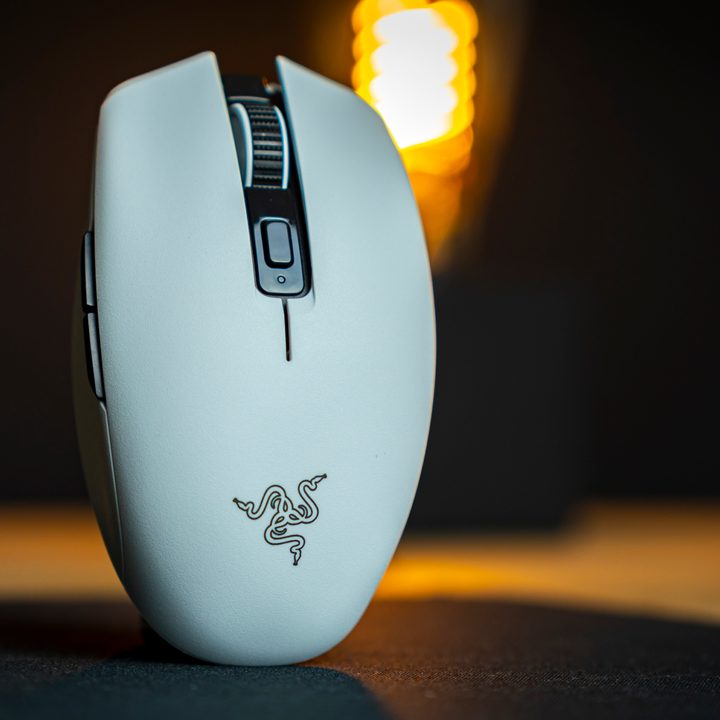
Generally, when Razer updates its mice, very few changes are visible to the naked eye, in part due to the original designs already being so great. Just look at the DeathAdder. But when Razer revealed the new Orochi V2 to me, I noticed something striking about the design: It looks nothing like the original.
The original Orochi is Razer’s mobile wireless gaming mouse that offers a compact design with light weight and a pretty good sensor. This new V2 version of the mouse sticks to that basic recipe, but it massively changes the shape, cuts out the RGB, upgrades the sensor to a mighty 18,000 DPI eye, and throws in a HyperSpeed wireless connection. Will this make it one of the best gaming mice you can buy? Let’s find out.
What have we got under the hood?

Technically, the Orochi V2 is quite an impressive bit of kit. It features Razer’s 5G Optical sensor, 2nd-Generation Razer optical mouse switches, and a weight of less than 60 grams. To put that into perspective, I generally play games at a DPI setting of about 650, making 18,000 DPI blisteringly fast, and it’s generally said that if a gaming mouse weighs under 100 grams, it’s very, very light. And I can confirm, at 60 grams, the Orochi V2 is very light and almost effortless in terms of handling.
Drop in a AA battery, and the weight jumps to about 74 grams, but then the mouse is good for up to 950 hours of playtime. But that’s a best-case scenario using the Bluetooth connection mode. If you’re gaming, you’re going to want to use the included USB adapter to take advantage of the Razer HyperSpeed wireless connection, which will double energy consumption, bringing the total playtime down to 425 hours while offering much lower latency than wired gaming mice.
But what if you want to get closer to that 60 grams? If you’re good with sacrificing a little more playtime, the mouse also has a slot to drop a AAA battery in instead of the larger AA battery, shaving a further 4 to 5 grams off the total weight, bringing it down to just 69 grams with a power source.
Let’s talk about how it feels
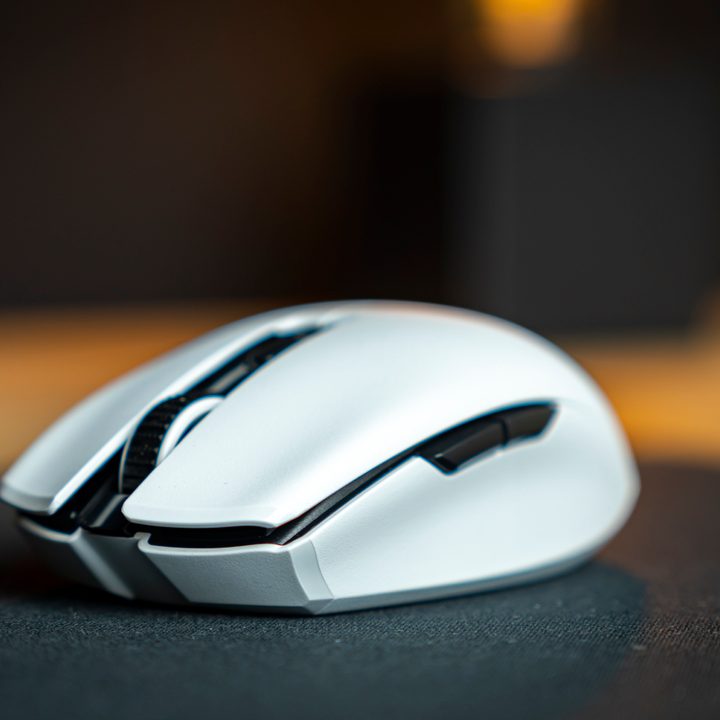
When I first laid hands on the Orochi V2, I was pleasantly surprised by its shape. I’m someone that has tired hands from spending too much time on the computer, and while the Orochi V2 is absolutely no miracle cure for that, it’s got a surprisingly good palm fill for its size, and the light weight is just a little less of a burden on my joints.
I also really appreciate the clicky optical switches Razer installed under the left and right buttons of the mouse, as they have a lot of tactile feel, offering a very crisp and satisfying click – none of that cheap mushy stuff you get in budget or worn-out mice.
The plastic make the mouse feel a bit cheap.
What I appreciate less is the feel of the plastic itself. It’s very thin and Razer made no effort to create any rubbery texture on the sides to give a little more quality feel – it’s all thin plastic. Of course, this is necessary to be able to hit the 60-gram weight, but personally, I wouldn’t have minded a few more grams in exchange for a higher-quality mouse. Thankfully, Razer also came out with universal grip tape last week, so you can do something about it if you want.
Gaming performance
At heart, Razer is a gaming company, and as soon as I fired up Insurgency: Sandstorm, this gaming pedigree showed. The sensor was very responsive, offered just the right liftoff distance straight out of the box, and thanks to the light weight, the Orochi V2 made for a great companion to help me dominate on the battlefield.
At its MSRP of $70, the Orochi V2 comes in at a $10 bump over the last version, as well as Logitech’s G305, the latter of which offers much of the same features. The Orochi does have a higher-DPI sensor and a little more customizability in its weight by giving you the choice of AA or AAA batteries. It also lasts significantly longer on a full battery. It’s not a bad price.
I don’t reckon the market for it will be huge, but if you absolutely need the light weight and gaming performance on the go, or you just have small hands, the Orochi V2 offers a solid lightweight companion.