Your next live stream doesn’t have to be so plain. The next time you go live you can adorn your video with all kinds of fun effects and web camera filters. All you need is a webcam filter app to do so. Need help finding one? These are our favorite picks for the best desktop webcam apps that offer filters and other video effects.
Snap Camera
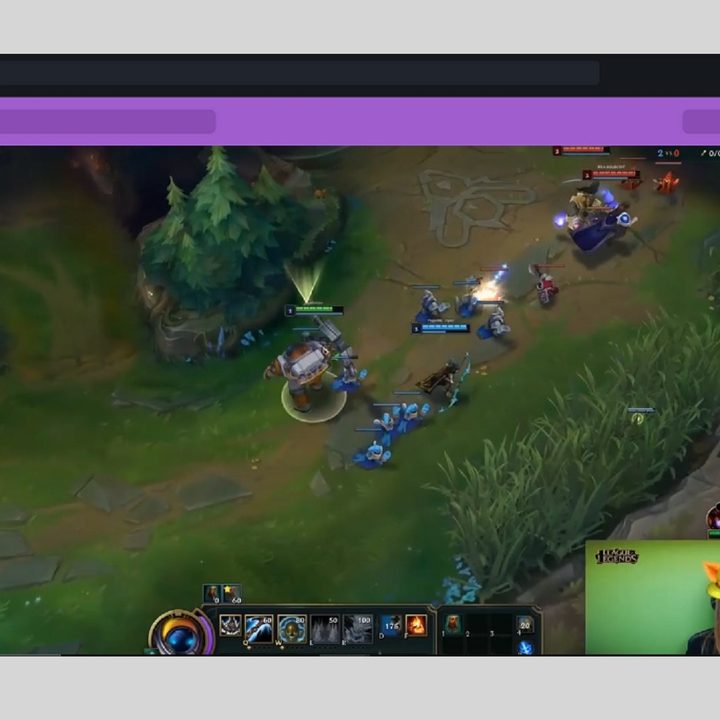
Snap Camera, as its name suggests, is a desktop app from the same developer that makes Snapchat. Like Snapchat, Snap Camera lets you add fun and interesting effects called Lenses to your videos. Lenses are an AR effect that allows you to change your appearance in a video. Snap Camera is particularly good at providing a variety of Face Lenses, which are specific lenses that add fun images and effects to change the appearance of your face in a video. And since Snap Camera is designed for Windows 10 and MacOS, you can use this webcam desktop app to add a Face Lens (a face filter-like effect) to your video calls and your live streams. There are thousands of Lenses: Some are created by Snapchat and others are made by Lens Creators. Not all lenses are just image overlays — some lenses also feature cool animation effects.
Snap Camera is free to download and use and doesn’t require a Snapchat account.
ManyCam

ManyCam is a webcam and live streaming software. It’s free to download and use, but the free version (without a paid subscription) can be a bit limited. That said, the main selling point of ManyCam, for our purposes, is its 3D Masks and Effects features. There are over 12,000 of them to choose from and they’re all accessible for free (although it’s worth mentioning that one of the listed benefits of a subscription is “an unlimited number of effects”).
You can add 3D masks to change your face’s appearance, or add other effects and objects to your stream too. You can also add things like animated GIFs and images to your video, during your live stream. You can also add emoticons, face accessories, borders, filters, distortions, and speech bubbles.
ManyCam is available for Windows, MacOS, iOS, and Android devices.
Logitech Capture

If you have a Logitech webcam, you may want to consider downloading the webcam manufacturer’s webcam and streaming app, Logitech Capture . And while it doesn’t have all of the AR face filters and animated bells and whistles that some of the other webcam filter apps on this list have, you’ll still get customizable live text overlays, a limited collection of color filters, the ability to add colorful borders of varying thicknesses to your video, and the ability to remove your background. All of which can be helpful in creating eye-catching, yet professional-looking live streams. Logitech Capture also has streaming support (Windows only) for streaming platforms such as Twitch, OBS, YouTube, and Facebook Live.
This free app is available for Windows 10 and MacOS.
AlterCam

AlterCam is a free webcam app for Windows that has a dated-looking interface but offers over 50 effects, filters, and graphics that can be added during a live video. There are a number of color filters that will change the color of your skin in your video. There are also various blurring effects and you can use the overlays feature to add drawings, text, animated GIFs, and logos just to name a few.
Yes, the AlterCam software is free to use, but if you want more features or just the ability to remove that AlterCam.com logo from your video, you’ll need to purchase a license. A Single license (only for home use and covers up to two computers) costs a one-time fee of $40.
YouCam 9 Deluxe

YouCam 9 Deluxe is a paid webcam software for Windows. This app comes with a collection of 200 fun add-ons for your videos, including effects, filters, particles, animojis, and distortions. And if you want even more effects and filters etc. you can download more from a free collection of thousands of webcam and photo effects in DirectorZone . You can also add AR features such as animojis and face-tracking accessories.
YouCam 9 Deluxe is free to download, but it is still a paid service and a number of the fun effects features are only included in the paid version. There is a free version called YouCam 9 Essential and it allows you to use some of the premium features within a 30-day trial. After that, to keep using those premium features, you’ll need to buy YouCam 9 Deluxe. But if you choose not to purchase the Deluxe version you’ll still have access to the Essential free version and any non-premium features.
YouCam 9 Deluxe costs $50.