I’m not a hard person to sell on VR. I owned an Oculus Rift and had a room-scale base station setup before it was cool (it was never cool), I own an Oculus Quest, and I have as many hours in Skyrim VR as regular Skyrim. Despite all this, the HTC Vive Flow still required quite a bit of selling on my part, and I’m still not wholly sure who it’s for nor why.
HTC, for its part, did its best to convince me of various use cases ranging from mediation and wellness to use in care homes and hospices, as well as helping relieve some of the loneliness and stress caused by COVID. Admirable aspirations in principle, but the $499 price was the sticking point for me, as I suspect it’ll be for most people who compare its sparse hardware to the $299 Oculus Quest 2, which is capable of doing much more in terms of multimedia and gaming.
Comfort and fit are the biggest selling point
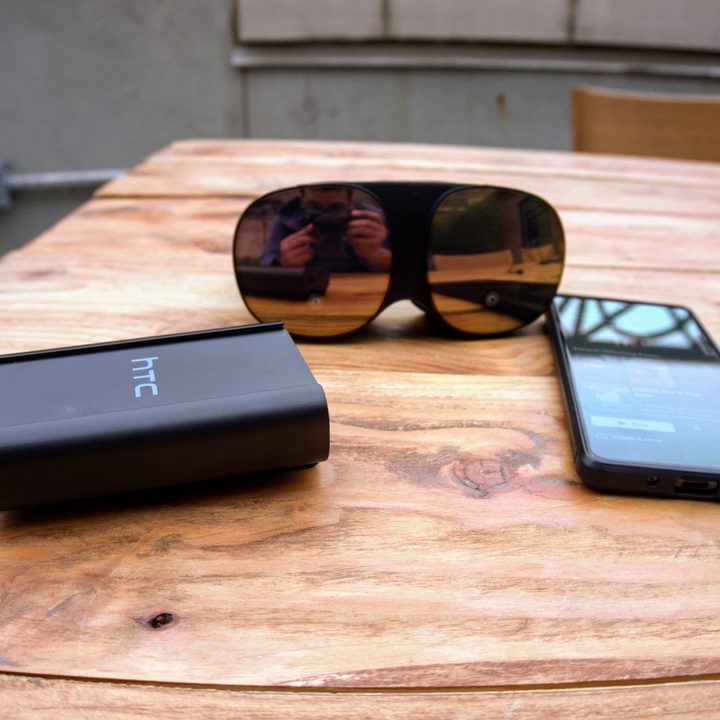
On first look, the HTC Vive Flow looks like a pair of welding goggles, complete with the bug-like mirrored front panel that’s immensely reflective and was quite an ordeal to photograph under the cloudy sky. With its fabric finish, black plastic, and flexible headband, the big selling point here is that it’s compact at 189 grams, looking and feeling more like glasses than the standard top-heavy VR headset.


I found the fit to be comfortable, and I was even able to shed my glasses because there are built-in diopter dials. I could mostly see all text and graphics at the maximum level without blurring despite my very high index. That’s nice to have, and it’s preferable to having to fit my glasses into the headset or getting modified lens attachments.
There’s apparently a cooling system built-in that pulls warm air away from your face. I can’t speak to if any fan noises are noticeable since my testing was in a fairly noisy area.
What’s actually in here?
The hardware on the Vive Flow is a bit vague to me since it’s not entirely a stand-alone headset in the way the Quest 2 is. While it does have a Qualcomm XR chip and runs an Android-based OS, it’s not enough for gaming and mostly serves as a way to get onto the Viveport platform, which will be your main portal for various apps and games. Your phone also doubles as your Bluetooth controller and your main point of interaction with the Flow, so no other remote or controller is included.
Aside from these apps, you’re also able to mirror the screen and run various streaming services and games off your phone, PC, or laptop. I was able to connect to Netflix and start watching Squid Games without any real problem. It essentially just creates a cinema-sized VR screen as most headsets do. I can see it being useful for airplane travel.
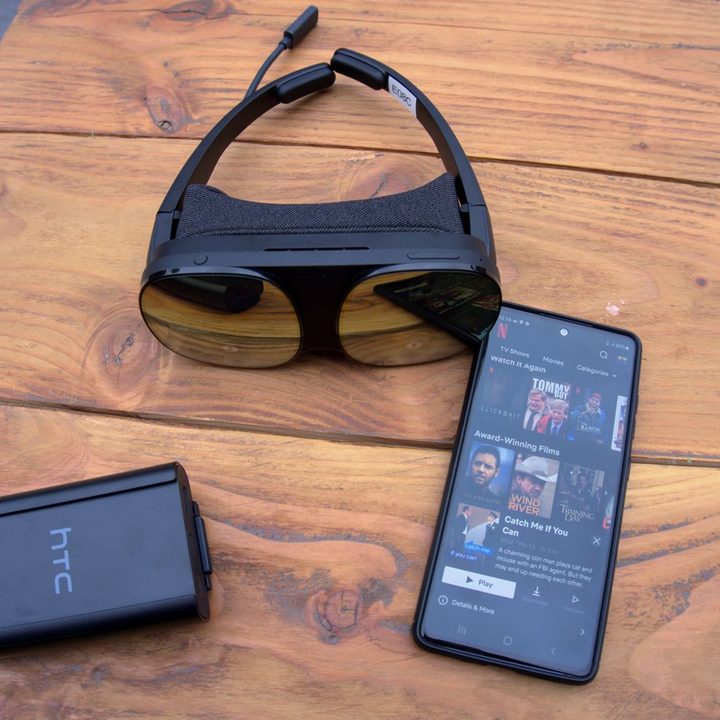
The Flow has a 3.2K display, a 100-degree field of view, and a 75Hz refresh rate. It supports 3D spatial audio and can connect to Bluetooth headphones and earbuds. There are also two front-facing camera sensors for 6DoF head and hand tracking, but you’re not really meant to be playing room-scale games here, and I was only able to test it with Space Slurpies, a VR multiplayer arcade game that has you controlling snakes. Using a phone as the controller was janky at best, but I’ll reserve judgment since I was talking to three people at a time while playing.
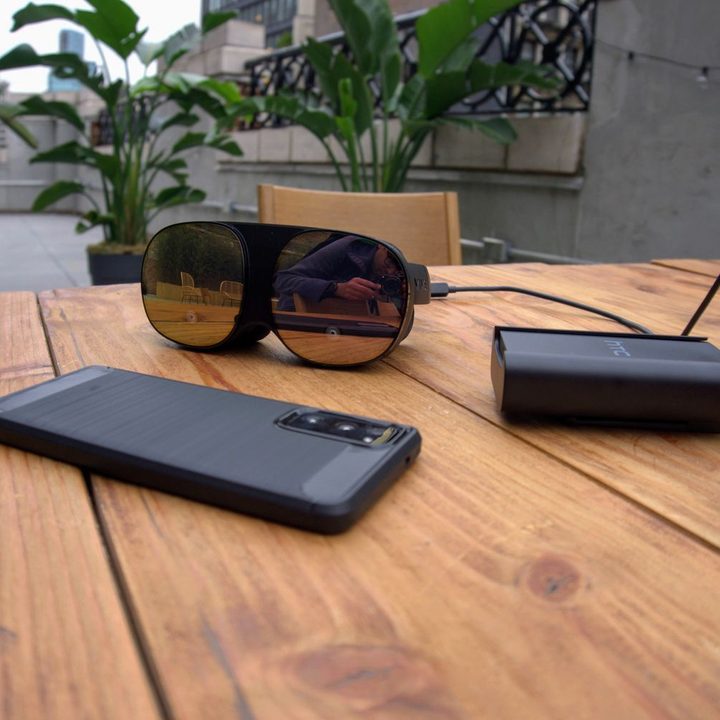
There is an onboard battery, but it’s only meant for hot swapping. The entire time you use it, the Vive Flow needs to connect to an external power source. During my hands-on, I was connected to one of the Vive-branded 10,000mAh power banks the entire time I used it, but it should work with any USB-C compatible battery pack. According to HTC, these should keep you going for 4-5 hours of continuous use, so it’s not what I would consider a wireless headset the way the Quest 2 is since there is no internal cell and you’ll always need to be tethered to something.
Am I supposed to meditate with this thing on?


The other primary function of the Vive Flow is mediation and general wellness. There are meditation apps, brain training apps, conferencing apps, and more. I tested TRIPP, which offers a bunch of psychedelic guided meditation experiences with colorful visual and immersive music. There is a fairly wide range of meditation experiences with plans, though add more. You should be able to do new experiences for a month or two,
I’ve never meditated in my life, and I have no plans to ever do so in the future, so I couldn’t tell you if this is useful or that people who are into that sort of thing actually want. I will say that the experience of wearing what is fundamentally a highly connected piece of technology on your face to relax, unwind, and disconnect from the world seems counterintuitive. But what do I know?
Who’s the HTC Vive Flow for?
The HTC Vive Flow will run you $499, and you’ll be able to buy it directly from Vive and other retailers. Pre-orders start October 14 and will include a carry case and a bundle with seven pieces of content. Open sales start November 2021.
The price seems a bit steep for me, next to the $299 starting price for the 128GB Oculus Quest 2. While the Flow is more comfortable, the Quest 2 comes with a set of physical controllers rather than using your phone making it a better user experience to navigate. It can also connect both wired and wirelessly to your PC in case you want to do some desktop VR gaming, and it’s capable of running games and doing room-scale tracking as a completely standalone device without needing to tether it to anything else.
All of this makes me wonder, why pay more money for the Vive Flow to do less when you can buy the Quest 2 and download as many meditation and wellness apps you want without limiting your options for gaming and multimedia? That’s a question I’ll hopefully be able to answer after reviewing it.