The Samsung Galaxy Tab S8 Plus is a powerful tablet that is centered around creators. The expansive screen and included S Pen with its lowered latency seems to be a perfect fit for a cartoonist, and I just happen to know one. Art Baltazar is a comic book artist (self-described as a “famous cartoonist”), proprietor of Aww Yeah Comics! and my only friend who has his own Wikipedia page. He’s currently working with DC Comics while continuing the stories for his own characters. You probably know him for his work with Tiny Titans, The Cray-Baby Adventures, and Action Cat.
I met up with Art at his comic shop in the Chicagoland area for a Drink and Draw event with a number of local artists, and I handed Art the Samsung Galaxy Tab S8+, and asked him to draw with it for a few hours. I’ll share his thoughts with you, but first I’ll talk a little about his typical setup.
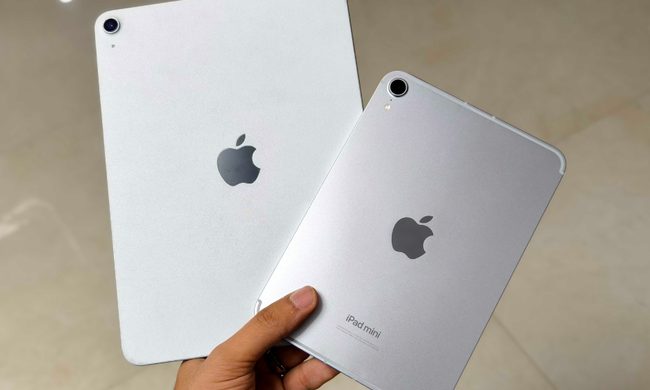
At home, Art typically draws on a Wacom Cintiq with a digital pen. When out and about, he’ll carry a 12.9-inch iPad Pro with a second-generation Apple Pencil. That made it easy to compare it with the 12.4-inch Galaxy Tab S8. In fact, the specifications of both devices are pretty close.
Specifications
| Samsung Galaxy Tab S8 Plus | iPad Air 4 | |
| Size | 284.9 x 184.9 x 5.5.mm (11.22 x 7.28 x 0.22 inches) | 247.6 x 178.5 x 6.1 mm (9.74 x 7.02 x 0.24 inches) |
| Weight | Wi-Fi: 567 grams (1.25 pounds)
Wi-Fi + 5G: 572 grams (1.26 pounds) |
Wi-Fi: 458 grams (1 pound)
Wi-Fi + Cellular: 460 grams (1.01 pounds) |
| Screen size and refresh rate | 12.4-inch Super AMOLED
120Hz |
12.9-inch Liquid Retina XDR mini-LED LCD
120Hz |
| Screen resolution | 2800 x 1752 pixels (266 pixels per inch) | 2048 x 2732 (265 pixels per inch) |
| Operating system | Android 12 with One UI 4.1 | iPadOS 15 |
| Storage | 128GB, 256GB | 128GB, 256GB, 512GB, 1TB, 2TB |
| Processor | Snapdragon 8 Gen 1 | Apple M1 |
| RAM | 8GB | 8GB, 16GB |
| Camera | Rear: 13-megapixel main, 6MP ultrawide
Front: 12MP |
12MP rear, 12MP ultrawide
Front: 12MP Ultrawide |
| Video | 4K | 4K at 24, 30, 60 frames per second, 1080p at 30, 60 fps |
| Battery and charging | 45W wired fast charging support | 10 hours on Wi-Fi, 9 hours on cellular
20W wired charging |
When it comes to a mobile digital art setup, on paper, either tablet should do a pretty respectable job. The power behind both tablets is pretty obvious. Storing the pen on the Tab S8+ is better since the keyboard case has a slot for it on the inside, plus there’s a magnetic area on the back of the tablet. While the magnets on the Apple Pencil and iPad Pro are strong, nothing beats internal storage when transporting the tablet in a bag. Of course, you only got the keyboard case thrown in if you pre-ordered the Tab S8 Plus, so this area is a bit of a push.
Using the S Pen and tablet

When Art picked up the pen, he said it felt good to hold. The Apple Pencil is a bit thicker than the S Pen, but it’s not so much of a difference that it affects his grip. The S Pen on the Samsung Galaxy S22 Ultra I had with me on the other hand is basically unusable. That’s understandable, but he appreciated the fact that the S Pen from the Ultra works on both the phone and the tablet. It’s a step up from the Apple Pencil. On a personal note: Can confirm.
The S Pen on the Tab S8+ is quite responsive on the tablet itself. That’s no surprise since Samsung reduced the latency to one of the lowest in the business. The pressure sensitivity is roughly the same between the Apple Pencil and the S Pen. In some cases, Art found himself accidentally pressing the button on the S Pen, which could be an advantage for Apple.
The screen is spacious and Art specifically noted that palm rejection worked a lot better on the Tab S8 than the iPad Pro. It is easier to scroll around a drawing and easier to pinch to zoom. Art mentioned that often when he zooms in on a drawing on the iPad Pro, there will almost always be marks left where he had his fingers.
Learning the software
The biggest challenge actually came from the software. Art’s preferred drawing app, Procreate, is not available on Android. So we went with Sketchbook, which by all reports seems to be similar. Art spent much of the first hour figuring out what the tools did and how they looked. He also spent some time figuring out how they responded to various levels of pressure.
Eventually, Art got to work, sketching a number of “portraits” of me. If you ask me, he could have chosen a better subject, but who am I to complain? After a few hours, I had no less than five portraits, along with a few Batman sketches and other assorted works of Art (pun intended.)


So from a digital artist’s perspective, the Samsung Galaxy Tab S8 works just as well as the iPad Pro. One area we did not get to test was the use of layer upon layer of digital art that Apple likes to show off at its events. It’s possible that the M1 would perform better under such a load, but that’s speculation on our part. Given more time, it’s possible we may have found a breaking point with the Tab S8 Plus, but we only had a few hours to spend on the task.
One thing lacking
From an artist’s standpoint, there’s a lot to like about this tablet. Of course, Art would like it more if Procreate came to Android, but putting software aside, it’s easy to say that the Samsung Galaxy Tab S8+ can go toe-to-toe with Apple.
But it’s not so easy to put the software aside. Whether you’re drawing with Procreate, editing video with iMovie, or editing a podcast with Garageband, Apple has compelling software options for creation. For as long as I’ve been using Android, I’m not sure I could point to an obvious first choice for any of those applications on Android. But until now, with the exception of Galaxy Tabs of the past, the hardware really hasn’t been there, so it’s no wonder developers haven’t really stepped up.
Samsung has done a great job in building the hardware, but it needs to get over the software hurdle to be truly competitive. The problem is, this isn’t Samsung’s problem to solve. Developers need to get on board, and fortunately, Google seems to be steering them in that direction. Some tools are there, but Apple has such a huge lead, it will be hard to overcome.
But, for the few hours he used it, Art liked the Tab S8+. That’s a win for Samsung. It’s also a win for Art, who may have a new choice to make when it’s time to upgrade. As for me, I got to spend a night tossing back a beer with a bud, making a few new friends, and having several new portraits to hang up on my wall.