  1. Home
  2. Computing
  3. News

A first look at Adobe’s new AI video generation tools

Add as a preferred source on Google
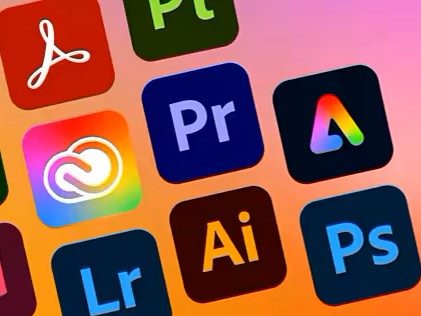
Adobe Creative Cloud Suite apps list
Adobe

Adobe previewed its upcoming video AI tools, part of the Firefly video model the company announced in April, in a newly released YouTube post. The features (and model) are expected to arrive by the end of the year and be available on both the Premiere Pro beta app, as well as on a free website.

Adobe Firefly Video Model Coming Soon | Adobe Video

The company highlighted three new features that are currently in private beta but will be ready for public release later this year: Generative Extend, Text to Video, and Image to Video. Generative Extend will lengthen any input video by up to two seconds, while the Text and Image to Video functions allow users to generate high-definition, five-second-long clips using word and picture prompts.

Recommended Videos

You can then edit and modify those videos, adjusting camera controls to change the camera angles, their motion, and the shooting distance. And unlike Grok, Firefly’s guardrails will block the generation of content that includes nudity, drugs, and alcohol.

Generative Extend will arrive later this year as part of Premiere Pro beta, while Text and Image to Video will be available on Firefly’s website. The latter two should be available to free tier users, though likely with usage limits. The company reportedly plans to eventually integrate the video generation features into the rest of its Creative Cloud, Experience Cloud, and Adobe Express applications.

Adobe bills Firefly’s image and video generations as “commercially safe,” the model having been trained exclusively on licensed, public domain, and Adobe Stock content.

From the teaser video above, Firefly’s upcoming video capabilities appear equivalent to OpenAI’s Sora (itself still unreleased), Kuaishou Technology’s Kling, and Runay’s Gen-3 Alpha model. It certainly looks significantly better, and far less hallucinatory, than what the bevy of free video generators currently available on the internet can produce.

Midjourney is also reportedly working on a text-to-video model. CEO and Founder David Holz, in an “Office Hour” Discord session in December 2023, announced that the model would be released in “a few months,” though no updates have been released since then.


Andrew Tarantola
Former Computing Writer
Andrew Tarantola is a journalist with more than a decade reporting on emerging technologies ranging from robotics and machine…
The refurbished MacBook Neo may be your best way around Apple’s price hike
MacBook Neo has hit Apple’s refurbished store after its price increase
Student using MacBook Neo in classroom.

The MacBook Neo launched in March as Apple’s most affordable notebook, but it has already been caught in the company’s recent price hike. The base model with 8GB of RAM and 256GB of storage now costs $699, while the 512GB version with Touch ID is priced at $799.

Just days later, Apple has already listed refurbished MacBook Neo models on its online store, giving buyers a cheaper official option, though the savings are not as generous as you might expect.

Read more
This cross-device clipboard app solves the copy-paste problem I keep running into on my Mac
ClipboardAI keeps a searchable history of everything you copy
Text, Electronics, Mobile Phone

I have lost count of how many times I have copied something important, copied another thing before pasting it, and then realized the first item was gone. It is a small frustration, but it happens often enough to become annoying. I recently came across ClipboardAI, which caught my attention because it goes beyond Apple’s built-in clipboard by saving copied items into a searchable history.

Instead of replacing the last thing you copied every time, ClipboardAI keeps a searchable record of copied text, links, codes, email addresses, phone numbers, addresses, and images across iPhone, iPad, and Mac. That means an older clip does not disappear just because you copied something new.

Read more
If you miss the feel of paper in the digital age, this app gives your Mac’s screen a textured look
A paper-like screen overlay could make long work sessions feel less harsh.
Advertisement, Poster, Electronics

Most screen-comfort tools work by changing color temperature. Apple’s Night Shift makes the screen warmer, often giving everything an orange tint. Paperman is an interesting alternative because it adds a subtle paper-like texture over the display instead.

The app is available for Mac and Windows, and it is designed to make a screen look closer to paper, matte glass, or an e-ink display. It softens the harsh contrast and reduces the glossy look of modern screens during long reading or writing sessions.

Read more

