1. Home
  2. Computing
  3. News

You can now view all of your ChatGPT-generated images in one place

Add as a preferred source on Google
ChatGPT library promotion video.
OpenAI

OpenAI did text generation and image generation separately for quite a while, but that all changed a couple of weeks ago when it added image capabilities directly into ChatGPT. Now, a small but powerful Quality of Life update gives users access to an image library where they can see all of the insane things they’ve created.

All of your image creations, all in one place.

Introducing the new library for your ChatGPT image creations—rolling out now to all Free, Plus, and Pro users on mobile and https://t.co/nYW5KO1aIg. pic.twitter.com/ADWuf5fPbj

— OpenAI (@OpenAI) April 15, 2025

This means you can easily come back to images you forgot to save without having to search through all of your old chats. It’s an obvious win, and it’s available for all free, Plus, and Pro users on both mobile and desktop.

Recommended Videos

It wouldn’t surprise me if people start posting shots of their image libraries, as the sheer range of random and hilarious images people create with ChatGPT could probably look quite amusing all lined up next to each other. Mine isn’t very exciting at all, but maybe it will grow over time.

There are also some rumors floating around this week about OpenAI potentially developing a social media platform centered around ChatGPT and image generation. Honestly, it could just be another entry in the silly squabbles of billionaires Sam Altman and Elon Musk, but if it’s a real project, image-related features like this could be connected to it.

For now, you can enjoy looking through everything you’ve created so far. When you click on an image in your library, you’ll see a download button in the top right to save it and an “Edit image” button at the bottom where you can type a prompt describing the changes you want.

Once you press send, you’ll jump to the chat where you created the original image. I do not, however, see an option to delete any of the images in your library, so it looks like you won’t be able to clean things up by removing duds. This probably doesn’t matter too much, however, since you’ll download the images you want to save and you can keep your own folders as neat as you want.


Willow Roberts
Willow Roberts has been a Computing Writer at Digital Trends for a year and has been writing for about a decade. She has a…
Apple’s Hide My Email feature has an unfixed bug that leaves email addresses exposed
100% exploitable in limited testing, known since June 2025, and still unfixed as of today.
apple-merging-sign-in-with-apple-hide-my-email-icloud+

Apple has been selling Hide My Email to keep your real email address hidden, but it has a vulnerability that does the exact opposite. The worst part is that the company has known about it for a year. 

Hide My Email, part of Apple’s paid iCloud+ subscription, lets users generate anonymous email addresses for signing up to a website, so that their personal or work email remains free of promotional emails and spam. 

Read more
I hate sharing my Mac, but a face-unlocking app finally cured my privacy paranoia
Someone finally built the app locker every Mac user has been asking for.
FaceGate in action on Mac

If you have ever handed your Mac to a friend, family member, or coworker for "just a minute," you know the mild panic that follows. Sure, your Mac has a lock screen, but once someone is past it, they can open Messages, Photos, Notes, Mail, WhatsApp, and your browser.

iPhones had the same issue, but Apple solved it by adding an app lock feature with the iOS 18 update. Sadly, no such feature exists for macOS. That’s where the new FaceGate app for Mac can help you. It’s a free and open-source app that lets you lock apps on your Mac and even has some novel tricks up its sleeve. So, let’s talk about it, shall we?

Read more
The charm of a tiny Windows tablet is apparently dead at Microsoft. Long live the Surface Go!
Microsoft’s budget Surface era may be over
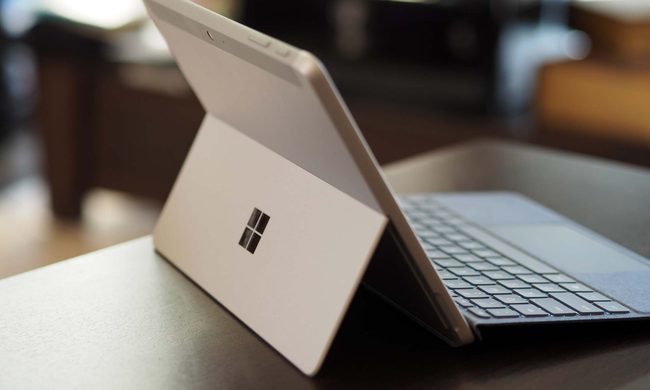
Microsoft Surface Go 3 stand.

Microsoft might be cleaning up its Surface lineup. According to Windows Central, Microsoft has stopped manufacturing the Surface Go and Surface Laptop Go lines, with no successors currently planned. Surface Go 4 and Surface Laptop Go 3 are reportedly out of stock in most places, and once remaining retail stock is gone, that may be it.

If this is true, then we are looking at the end of the brand's budget Surface PCs as Microsoft has plenty of premium Windows hardware.

Read more