

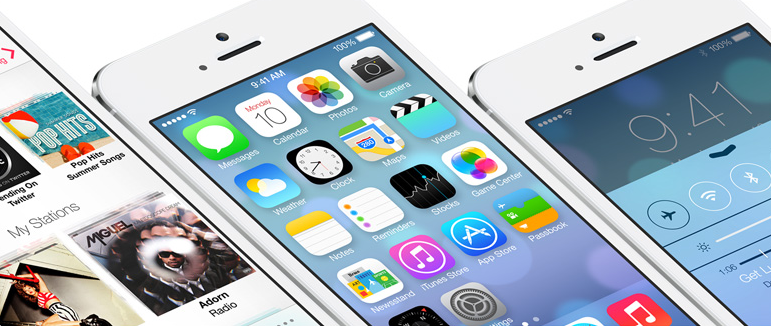
 As expected WWDC kicked off with a revealing keynote and iOS 7.0 was headlining. Jony Ive has certainly gone to town on the aesthetic, with a focus on minimalism and simplicity. Skeuomorphism has been beaten to death, so there’s no more leather or stitching in the calendar and all the wood and green felt is gone from the Game Center. There are a lot new features to get excited about, as well. For a detailed look at the new design and features check out our Everything You Need to Know about iOS 7 guide.
Playing catch up
Apple has shown willingness in the past to accommodate great features from elsewhere. Android fans were quick to point out Notification Center as a rip-off in iOS 5, and no doubt Control Center will be written off as a copy of Quick Settings in Samsung’s TouchWiz UI. The stock Mail app has been beefed up with some features that have proven popular in third-party apps. That’s a hazard for app developers on any platform – if your app is too good then its key features may end up getting baked into the next platform update.
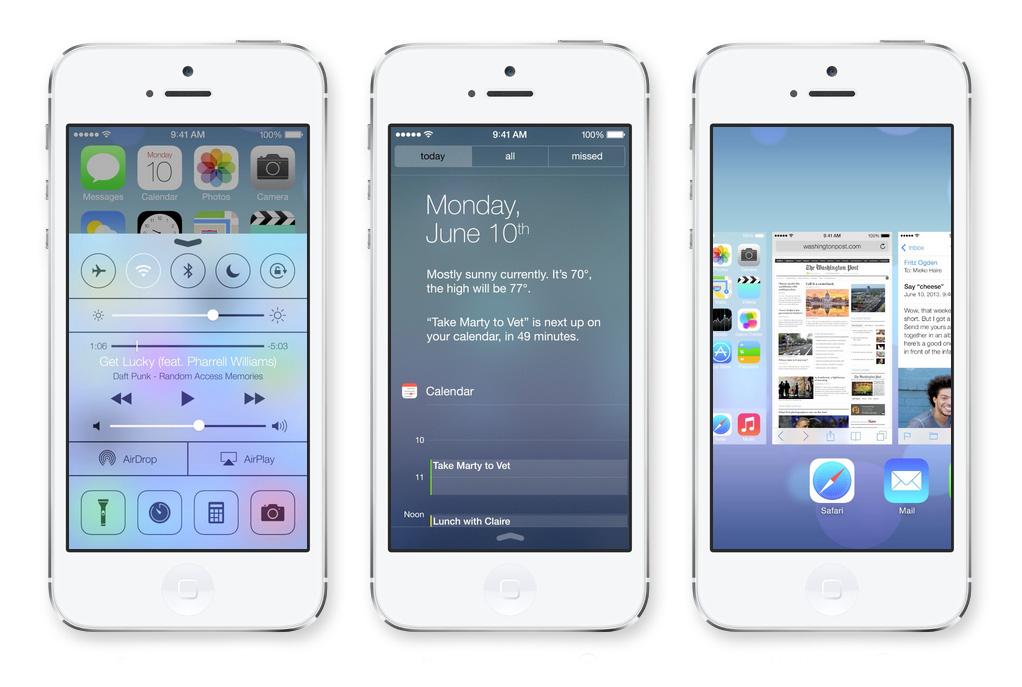
Multitasking was perceived as a great weakness for iOS for a long time, so it’s no surprise that Apple has worked on that. The lock screen, sort of live wallpapers, automatic app updates, and animations in the weather app are all familiar, but it doesn’t really matter if they aren’t original. Most consumers don’t care about who borrowed what from where; they just want awesome devices that do everything that’s expected of them. And that’s the question of the day – does iOS 7 do everything people want?
What’s still missing?
We’ve been trawling the Web to find those iOS wish list items, and after throwing back the ones that have been addressed, and a few of the tiddlers, this is what we’re left with, flopping about forlornly, mouths gaping, on the deck of our imaginary fishing boat.
Set your own defaults
This may be against Apple’s ethos, but you only have to look into the convoluted procedures online for making Google Maps your default navigation app in iOS to realize there is a demand. Some people are jailbreaking and installing Cydia tweaks to try and change the default maps app and it still doesn’t work for every scenario. The ability to choose your default browser, maps app, or any other third-party offering would be welcomed with open arms by many.

The ability to remove bloatware
Any app you don’t want that comes pre-installed on your phone is bloatware. The obvious candidate that immediately springs to mind in iOS is the Stocks app. How about an option to remove it completely? You could always re-install if you ever felt the need, but many people never use it and never will, so why shouldn’t they be able to remove it and free up that space? Same with the Weather app, and others.
Actionable notifications
It’s no longer enough to get an at-a-glance view of incoming notifications, we want to be able to act on those notifications without having to boot up an app. The ability to reveal more detail and act on a notification is creeping into other platforms. A quick reply to a text, or the ability to mass email all the guests at your next appointment, should be available right there. Waiting for the relevant app to load up, so we can send a reply, and then backing out of it again to get back to what we were doing feels like wastefully burning up precious seconds. This feature has found its way into OS X Mavericks. Why not iOS?
More keyboard options

If you’ve ever used a Swype style keyboard, a system which allows you to swipe your finger across the touchscreen to type, then you’ll know it’s tough to go back to a regular keyboard. The pattern recognition and predictive capabilities of Swype keyboards are far superior to the old guard, and it’s easy to use one-handed without dropping your phone. If you want something similar on your iPhone then you have to jailbreak to get it. Come on Apple! Strike a deal with Nuance and bring Swype to iOS.
Multiple user support
This won’t generally be a big deal for the iPhone, but the ability to switch between different accounts on the iPad would be handy. If you have a shared iPad then which Apple ID gets used? Apple’s solution is – buy another iPad, but some people would definitely appreciate the ability to switch between accounts.
Widgets or live tiles
That grid of static app icons on the home screen still feels dated, even if it has been given a makeover. The ability to have some automatically updating windows into your favorite apps is possibly the most obvious omission in iOS when you compare it to the competition. The only solid argument against this seems to be a concern about the impact on battery life, but the potential usefulness outweighs that, and it’s not like it has to be compulsory for users. If Apple introduced a feature like this into iOS, a lot of people would use it.

The ones that got away
There are a few other missing features that obviously made some people’s wish lists. A central file manager might be nice, so there’s no need to go through apps looking for that elusive document (although you can always install a third-party app). How about a download manager for Safari? Maybe you’d like to see better email attachment handling? There’s always room for improvement.
What do you wish had made it into iOS 7? What’s top of your wish list for iOS 8?


