
  1. Home
  2. Computing
  3. Legacy Archives

HP EliteBook laptops get sleek, Apple-like redesign

Add as a preferred source on Google
hp-elitebook-comparison
Image used with permission by copyright holder

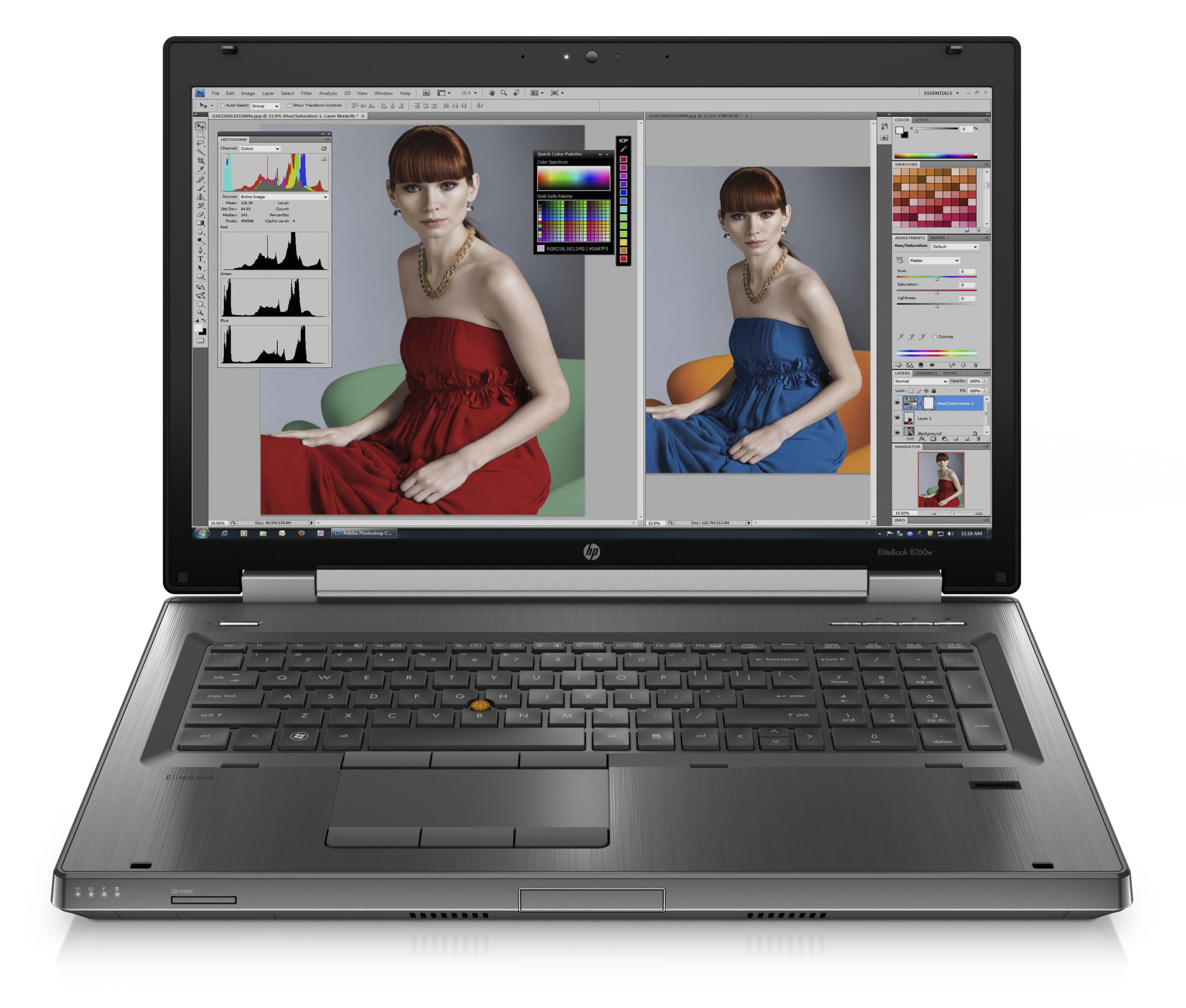
Today, Hewlett Packard revealed a redesigned line of EliteBook laptops that use the “Forge” design framework it introduced on its business notebooks in February. The new designs are meant to be simpler looking, more durable, more reliable, and are built in a more environmentally friendly way. The new EliteBooks feature a gunmetal brushed finish, backlit HP logo, and “orange-colored accents.”

Replacing the EliteBook 8440w, 8540w, and 8740w, will be the EliteBook 8460w, 8560w, and 8760w, which range from 14 inches to 17.3 inches in size.

Recommended Videos

All of the new models have full HD screens and a choice between AMD FirePro or Nvidia Quadro graphics cards. The two larger laptops also feature HP’s new DreamColor display that can “allow for more than 1 billion active color combinations–64 times the capabilities of a traditional display–and uses a 30-bit notebook LCD panel” for brighter, better color. We have yet not seen the EliteBooks or DreamColor display in action.
hp-elitebook-8760w-front-open
Image used with permission by copyright holder

“As the fastest growing segment of the workstation market, mobile workstations continue to provide value to our most demanding design, animation and engineering customers,” said Efrain Rovira, director, Mobile Workstations, Notebook Business Unit, HP. “The new EliteBook mobile workstations announced today combine innovative design with trusted, workstation-class technology to fuel creativity.”

hp-elitebook-8760w-rear-right-open
Image used with permission by copyright holder

The smallest of the three EliteBooks starts at $1,299, while the 17.3-inch model (8760w) begins at $1,899. HP also announced a new entry level desktop today, the Z210 Workstation, which starts at $569.

Jeffrey Van Camp
As DT's Deputy Editor, Jeff helps oversee editorial operations at Digital Trends. Previously, he ran the site's…
Your broken Windows 11 PC no longer needs a USB drive to come back to life
The Windows recovery tool we’ve all been waiting for is finally here.
Windows 11

If your Windows PC has ever refused to boot, you know the panic that follows. You scramble to find another computer, download the Windows installer, and create a bootable USB drive just to get your machine running again. Microsoft wants to end that headache with a new feature called Cloud Rebuild.

As reported by Windows Central, Cloud Rebuild lets you perform a full reinstall of Windows 11 without USB media or a custom image. Better yet, it doesn’t depend on your current installation being healthy, so it can even rescue a PC that won’t start.

Read more
Granola’s new voice typing feature lets you ditch the keyboard
Why type when you can just say it? Granola’s new trick works in any app.
Granola voice typing feature

Granola is an AI notepad for people whose calendars are packed with meetings. It quietly captures your calls using your computer’s audio, which means no awkward bot sitting in your meetings. By the time you hang up, it has already sorted out your notes, to-dos, and follow-ups.

Now, Granola wants to help you outside your meetings too. The company has added a new voice typing feature that lets you speak instead of type in any app you use. Best of all, every Granola user gets it at no cost, and there’s no cap on how many words you can dictate.

Read more
Google Gemini can now create and edit PDFs, documents, and more right inside your chat
No more downloading, editing, and uploading files all over again.
Gemini AI on a phone.

Google has recently released many updates introducing new features to its AI suite, and the latest one could save users dealing with documents a lot of tedious work. The company has added the ability to create, preview, and edit documents, PDFs, presentations, spreadsheets, and code directly within Gemini conversations. Previously, you could generate and download files, but now you can work on them without leaving the chat.

You can now make changes without starting over

Read more