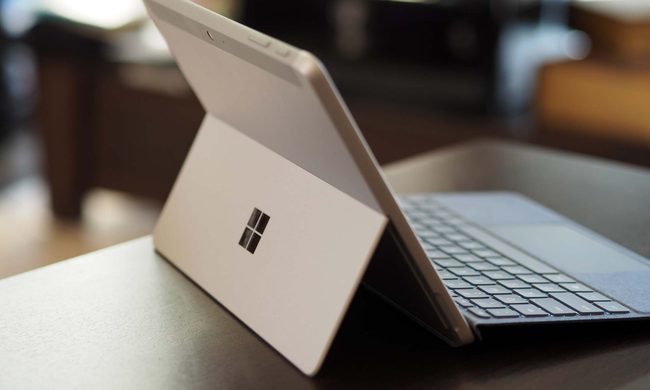
Dell previously announced that its shipments of Windows-based 2-in-1 devices grew 48 percent during the first quarter of 2017. Months later, the company wants to increase that growth by introducing two more devices addressing the professional market: the Dell Latitude 7285 and the Dell Latitude 7389. Packing business-focused features like Intel vPro technology, facial recognition, and storage encryption, they follow the Dell Latitude 5289 2-in-1 convertible released in April with a starting price of $900.
Dell Latitude 7285 Detachable 2-in-1
Promoted as the world’s thinnest and lightest Windows-based detachable 2-in-1 device to date, the Dell Latitude 7285 is a “premium,” commercial product targeting mobile professionals. However, the big selling point with this new Latitude 2-in-1 is the capability to charge its battery without any wires. This is made possible by connecting the company’s optional wireless charging keyboard, and placing the complete 2-in-1 on Dell’s optional wireless charging mat.
“It’s the world’s first wireless charging 2-in-1 destined to modernize today’s workspace by further eliminating wires,” Dell says. “Integrating WiTricity’s magnetic resonance wireless charging technology, the device is built to transform any workspace into a clutter-free environment.”
Outside the wireless charging aspect, the tablet portion measures just 0.28 inches thick while sporting a bright, 12.3-inch screen and seventh-generation processors from Intel. Dell also provides an option for a tri-band wireless component supporting both Wireless AD (up to 4.7Gbps) and Wireless AC (up to 867Mbps) connectivity. Surprisingly, what you won’t find here is USB-based technology, but rather two Thunderbolt 3 ports with a Type-C interface pushing data at up to 40 gigabits per second.
On the software front, the Dell Latitude 7285 ships with the company’s Dell Client Command Suite. However, Dell also provides its optional Dell Data Security and Management Software suite that includes Dell Data Guardian, Dell Threat Defense, VMware Airwatch, and more.
Here are the Dell Latitude 7285 hardware specifications and options:
| Screen size: | 12.3 inches with 10-point multi-touch |
| Screen brightness: | Up to 400 nits |
| Screen resolution: | 2,880 x 1,920 |
| Processor: | Intel Core i5-7Y54 Intel Core i5-7Y57 (vPro) Intel Core i7-7Y75 (vPro) |
| Graphics: | Integrated HD Graphics 615 |
| Memory: | Up to 16GB LPDDR3 memory @ 1,866MHz |
| Storage (primary): |
Up to 512GB M.2 SSD (PCIe/NVMe)* *OPAL SED option in late 2017++ |
| Storage (secondary): |
Up to 512GB M.2 SSD (PCIe/NVMe) in WWAN slot |
| Connectivity: | Wireless AC (2×2) (Up to 867Mbps) Bluetooth 4.2 Intel Tri-Band 17265 (Wireless AD + Wireless AC) |
| Connectivity (mobile broadband): |
Qualcomm Snapdragon X7 LTE-A (AT&T, Version, and Sprint) |
| Ports/Buttons: | 2x Thunderbolt 3 1x uSIM card slot) WWAN only) 1x uSD 3.0 memory card reader 1x Noble Wedge Lock slot 1x Windows Home button 1x I2C for Keyboard connection 1x headphone/microphone combo jack |
| Cameras: | 720p user-facing 8MP world-facing Infrared camera supporting Windows Hello |
| Audio | Integrated array microphones with noise reduction 2x speakers with MaxxAudio Pro |
| Sensors: | Gyroscope Magnetometer Accelerometer Ambient Light Sensor GPS (via WWAN card only) |
| Dimensions (tablet only): |
10.8 (W) x 0.28 (H) x 8.2 (D) inches |
| Weight: | 1.5 pounds tablet only 3.01 pounds with Productivity keyboard |
| Battery: | 34 Watt hour with ExpressCharge 34 Watt hour Long Life Cycle (late 2017) |
| Operating system: | Windows 10 Home 64-bit Windows 10 Pro 64-bit |
| Accessories: | Productivity Keyboard ($250) Wireless Charging Keyboard ($380) Wireless Charging Mat ($200) Dell Active Stylus Pen ($50) |
| Starting price: | $1,200 |
Dell Latitude 7389 Convertible 2-in-1


As the spiritual successor to the Dell Latitude 5289 2-in-1 convertible, this model sports a 360-degree hinge that transitions between four modes: laptop, tablet, stand, and tent. However, it packs a larger screen at 13.3 inches compared to the 12.5-inch screen on the older Latitude 5289 model.
As shown in the hardware specifications below, Dell will sell various configurations spanning four seventh-generation processors from Intel. They’re backed by up to 16GB of system memory, and storage options relying on solid state disks. Note that customers can configure the new convertible with two storage devices if no WWAN card is installed.
On the security front, the Dell Latitude 7389 can be configured with an infrared camera for password-free facial recognition, a fingerprint scanner, a Smart Card reader, and more. There’s even an option for a self-encrypting solid state disk with up to 512GB of storage.
Other notable features offered with the Dell Latitude 7389 include a backlit keyboard, an optional tri-band Wireless AD connectivity component, support or Dell’s Active Pen, and support for Intel’s vPro technology. This model doesn’t arrive until August, so expect Dell to provide pricing details as the launch date approaches.
| Screen size: | 13.3 inches with 10-point multi-touch |
| Screen brightness: | Up to 255 nits |
| Screen resolution: | 1,920 x 1,080 |
| Processor: | Intel Core i3-7100U Intel Core i5-7200U Intel Core i5-7300U (vPro) Intel Core i7-7600U (vPro) |
| Graphics: | Integrated HD Graphics 620 |
| Memory: | Up to 16GB LPDDR3 memory @ 1,866MHz |
| Storage (Primary): | Up to 256GB M.2 SATA SSD Up to 1TB M.2 PCIe NVMe SSD Up to 512GB M.2 PCIe NVMe SSD Self-Encrypting |
| Storage (Secondary): | Up to 256GB M.2 PCIe SSD in WWAN slot |
| Connectivity: | Wireless AC (up to 867Mbps) + Bluetooth 4.1 (adapter) Wireless AC (up to 867Mbps) + Bluetooth 4.2 (card) Intel Tri-Band 18265 (Wireless AD + Wireless AC + Bluetooth 4.2) |
| Connectivity (mobile broadband): | Qualcomm Snapdragon X7 LTE-A (AT&T, Version, and Sprint) |
| Ports/Buttons: | 2x USB 3.1 Gen1 Type-A (one charges) 2x DisplayPort (Type-C) 1x HDMI 1.4 1x uSIM card slot (WWAN only) 1x uSD 4.0 memory card reader 1x Noble Wedge Lock slot 1x Headphone/microphone combo jack |
| Cameras: | 1x 6.5mm HD RGB integrated camera with LED (fixed focus) |
| Audio | 2x stereo speakers with MaxxAudio Pro 4x noise-reducing integrated array microphones |
| Sensors: | Gyroscope Magnetometer Accelerometer Ambient light sensor GPS (via WWAN card) |
| Dimensions (narrow bezel): | 12 (W) x 8.26 (D) x 0.46 to 0.70 (H) inches |
| Dimensions (standard bezel): | 12 (W) x 8.26 (D) x 0.50 to 0,75 (H) inches |
| Starting weight: | 3.11 pounds |
| Battery: | 45 Watt hour ExpressCharge 60 Watt hour ExpressCharge 60 Watt hour Long Life Cycle |
| Operating system: | Windows 10 Pro 64-bit Windows 10 Home 64-bit |
| Keyboard: | Backlit 1.65mm key travel Single-pointing, dual-button touchpad |
| Optional accessories: | Dell Active Pen Dell Dock WD15 Dell Dock with Monitor Stand DS1000 Dell Wireless Dock WLD15 |
| Optional security: | Infrared camera supporting Windows Hello Fingerprint scanner Contacted Smart Card reader Contactless Smart Card / NFC5 reader Control Vault 2.0 Advanced Authentication |
| Starting price: | Unknown |