Passwords: We all have them, and we all hate them. For decades, passwords have been the de facto standard of digital security, protecting our computers, e-mail, documents,social-networking accounts, and mobile devices. They also guard our money by protecting access to accounts with everyone from local utilities to online retailers and banks.
But passwords are also tremendously vulnerable. They’re indiscriminate, granting access to anyone, not just you. Passwords are also tough to manage, so we often keep them simple and re-use them. (Heck, we even forget them.) Advances in computing power mean cracking passwords by brute force gets easier all the time — and security breaches (like Twitter’s) enable attackers to do just that.
With these problems, passwords should be ripe for replacement by better technologies. What might those be, and will passwords ever go away?
Multi-factor identification
Password are a shared secret: you establish your identity by revealing something you know — ideally, something only you know. It’s a form of single-factor authentication, and fails if the shared secret ever gets out (or can be guessed).
One way to improve security is using multiple tests. Multi-factor authentication can mean multiple passwords: attackers and would-be impersonators wouldn’t have to know just one shared secret, but two! (Or three, or four!)
However, multiple passwords suffer the same frailties as traditional passwords — we’re awash in passwords already, adding more won’t help. So multi-factor authentication methods usually rely on something you have or something you are in addition to something you know.
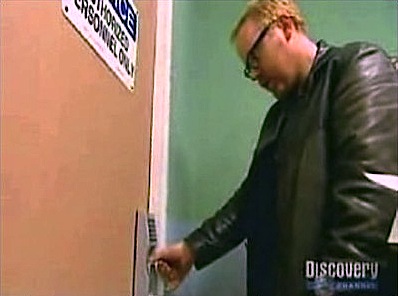
Something you have could be a card, a keyfob, a notebook, or a mobile phone. Something you are is almost always biometric information: your fingerprint, your voice, your face, or perhaps your iris. On their own, these are single-factor authentication: someone could steal your phone or card key, or even lift your fingerprints off a cup or door handle. (A few years ago MythBusters defeated a high-end fingerprint scanner with a photocopied thumbprint and some spit.)
However, combining something you have or something you are with a password can be formidable. An attacker in China might brute-force your email password — but can they also get your phone? Someone might steal your notebook, but will they also be able to crack your password? It’s possible, but usually only for determined attackers: everyday cybercriminals and identity thieves probably move on to easier targets.
Multi-factor for the real world

Right now, Google’s two-step verification may be the best-known multi-factor authentication, requiring a password (something you know) and your phone (something you have). When a user logs in, Google sends a one-time verification code to the phone registered with the account via SMS. (Google Authenticator app can generate codes if you don’t have SMS service.) Users need both their password and the verification code to access their account.
Of course, this only applies to Google accounts: it’s no help for Facebook, Twitter, iTunes, Amazon, banks, or other places we maintain passwords. The same issue impacts other multi-factor security systems: an RSA SecurID token might let you connect to a corporate VPN, but it doesn’t protect anything else. Today there are over 100 proprietary authentication systems, by some industry estimates, and they don’t work with each other.
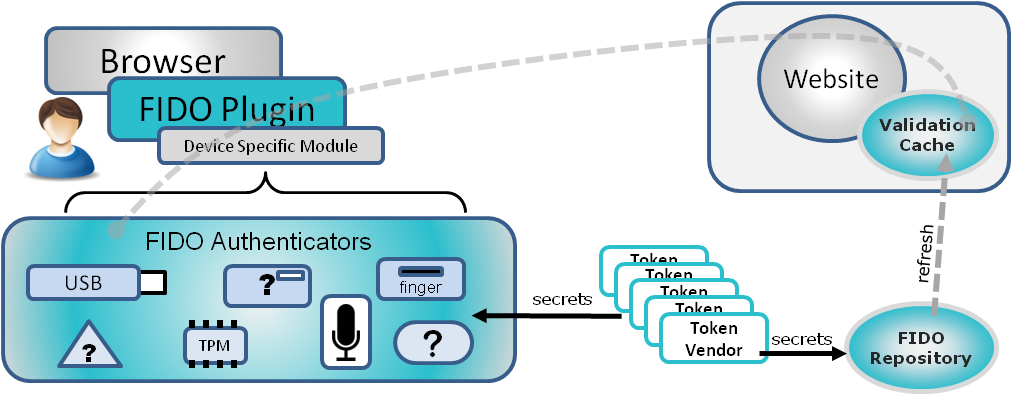
One way forward might be an open system. Last week, the Fast Identity Online Alliance (FIDO) formally launched after more than two years in development — and it has some big names behind it, including PayPal and Lenovo. FIDO hopes to create a system for either single- and multi-factor authentication that anyone can use supporting fingerprint readers, facial recognition, tokens, or new technologies that come along. Moreover, FIDO-enabled authentication doesn’t exchange passwords (or fingerprints!), but non-reusable tokens.
“Within FIDO, security and privacy are preserved, because the user information never leaves home,” wrote Sebastien Taveau of Validity Sensors, on behalf of FIDO. “The FIDO-enabled authenticator or device verifies the user identity locally then communicates back to the Relying Party, such as PayPal, that the user is presenting one of a family of approved technologies capable of verifying identity.”
FIDO-compliant products are at least a year off: the protocol and compliance specs aren’t finished, and then devices and services need to get on board. However, FIDO believes the open technology will gain momentum and spread to consumer services — including Android, iOS, and Windows.
“As demand increases for FIDO-compliant authenticators, more products will appear,” wrote Lenovo’s Clain Anderson, on behalf of FIDO. “Though we would expect enterprise markets to drive initial demand, their rate of adoption will drive price and availability for consumer markets to buy into FIDO.”
The pain factor
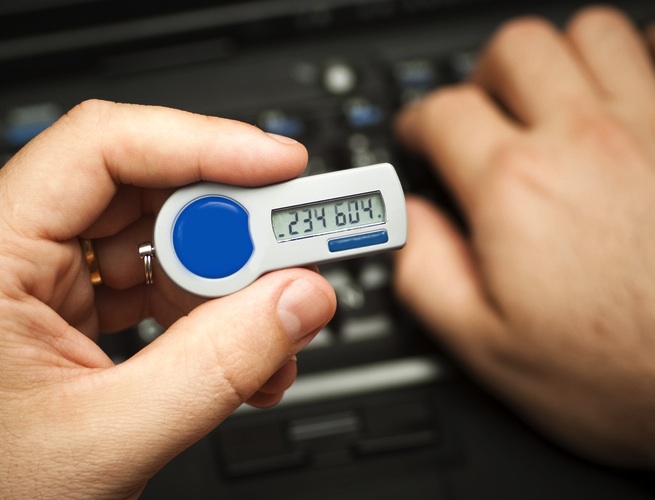
Multi-factor systems provide better security than passwords — but can also create hassles. A lost or broken phone set up for Google’s two-step verification can lead to a days-long account recovery process. With FIDO, a lost or damaged device will mean jumping through hoops to get another device authorized.
“I think passwords are always going to be part of things,” said Rich Mogull, CEO and analyst at Securosis. “Once you get to multiple factors things get much more complex for consumers. Are people really going to walk around with a dozen keyfobs or being only able to log in to accounts from one phone?”
Fixing these hassles can create opportunities for foul play. After all, Wired editor Matt Honan’s digital presence wasn’t famously gutted last year because someone cracked his passwords: instead, his attackers exploited loopholes in password reset regimes. Multi-factor authentication methods may limit back doors, but when they can’t be used users will always need ways to regain access — so there will always be mechanisms outside a user’s control that could be exploited.
“These things work fine in isolation, but it’s very hard to scale them to consumers,” said Mogull. “I havent seen anything that can truly get past the technology and human behavior obstacles.”
Multi-factor security can also be abused. I don’t use Google’s two-step verification, but for months I’ve been receiving verification codes for random Google accounts. I don’t know why, and Google has been no help.
Risk analysis
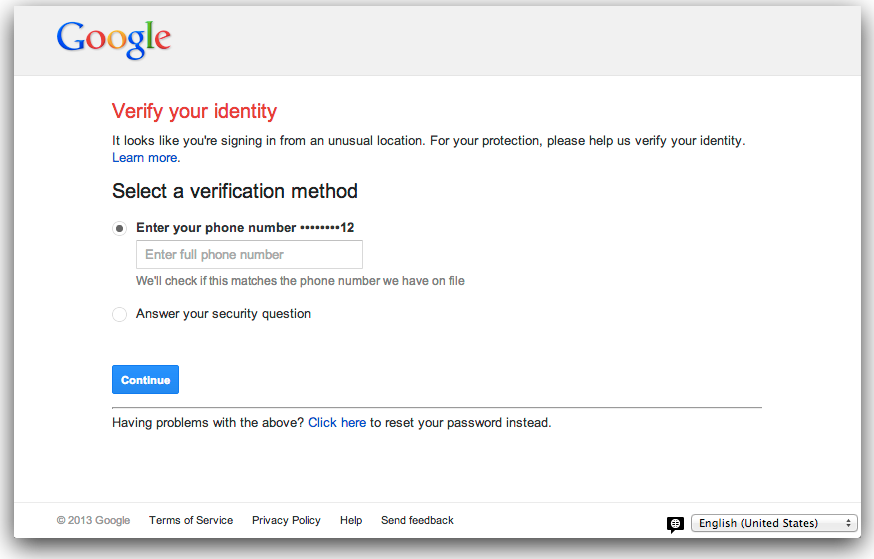
Banks and credit card companies have a lot to lose from compromised accounts, so in addition to a form of two-factor authentication (asking security questions if they don’t recognize your device) they analyze transactions, flagging unusual activity and suspending accounts if they suspect fraud. Online services can use similar approaches — and Google has been moving in this direction.
“Every time you sign in to Google [..] our system performs a complex risk analysis to determine how likely it is that the sign-in really comes from you. In fact, there are more than 120 variables that can factor into how a decision is made,” Google security engineer Mike Hearn wrote in the company blog. “If a sign-in is deemed suspicious or risky for some reason — maybe it’s coming from a country oceans away from your last sign-in — we ask some simple questions about your account.”
These techniques usually require tracking users’ activity — that information has to be stored and may be vulnerable. But risk analysis more commonly locks people out of accounts via false positives: any credit card user who’s account has been suspended when travelling or making an unusual purchase knows the feeling.
The password is dead! Long live the password!
As millions of people embrace online services and cloud platforms, passwords are about the only thing protecting our online lives. They can be augmented by additional security strategies — and systems like FIDO could embrace multiple solutions — but passwords won’t be going away anytime soon.
And, fundamentally, our digital lives are only as secure as the companies to whom we entrust them — and last year a study found one in four Americans was notified that their information had been compromised by a data breach. If high-profile failures at Sony, Facebook, Twitter, Yahoo, LinkedIn, Amazon, Dropbox, Bank of America, and many (many!) others teach us anything, it’s that passwords aren’t the only weak link in the chain.
Images via Shutterstock/Maksim Kabakou & Shutterstock/Dave Clark Digital Photo