
The search for the perfect, fault-free smartphone continues. We like the S4 Active a lot, in fact, as mentioned in our Galaxy S4 Active Review, it would have been nice to see the same dust and water resistance in the standard S4. As great as it is, you may still encounter issues. Based on our research these are the most common Galaxy S4 Active problems being reported and we’ve provided some workarounds and solutions to help you overcome them.
You may also find that some of the issues and fixes in our Galaxy S4 Problems roundup apply to the Active as well. You’ll find lag, overheating, Wi-Fi, and other problems described in detail there along with workarounds and potential solutions.
Problem: Water damage
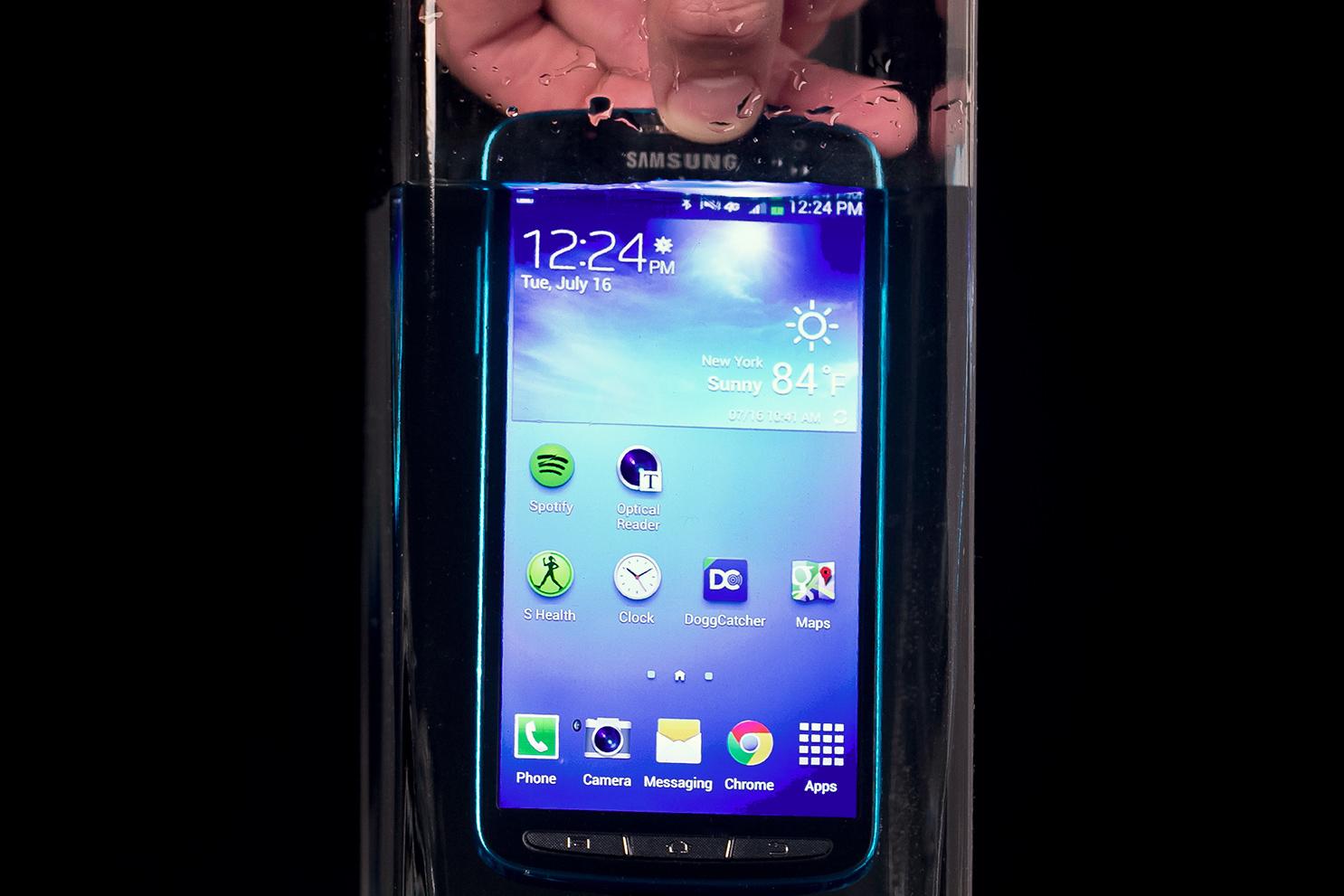
We recently reported on a potential Galaxy S4 Active water damage problem. This came after an alleged AT&T employee posted a warning that the warranty on the S4 Active does not cover water damage. This is going to be a common issue with any device that touts water resistance as a selling point because people naturally want to submerge it in water. If the case and ports are not closed properly, or they are faulty, then the phone is going to suffer.
A lot of people report that the speaker and microphone are significantly quieter and the phone may erroneously think that headphones are plugged in for a while after being submerged. This is normal and it will pass. If you experience other problems such as random actions or the phone becomes unresponsive then you may have water damage.
 Workaround:
- The water resistant feature is really designed to deal with splashes, rain, or accidental drops into puddles, don’t push it if you want to avoid damage. Don’t deliberately submerge the phone. If you must, then make sure the back cover and ports are secure first (especially the USB cover).
Potential solutions:
- If you think the phone has water in it then do not attempt to use it. Towel off any excess water and then open the back and remove the battery. The water damage indicators will turn red if damage has occurred. Try placing the phone in a bowl of dry rice, or try putting it into a bag with some of those silica gel packets, and leave it to dry overnight.
- If it doesn’t work after that then you can try contacting Samsung and sending your phone back to them. There’s a chance they’ll replace it, if they evaluate it and find a fault. If not, you may be stuck with a repair bill. According to most reports, AT&T will not replace it for water damage, so it’s probably best to go straight to Samsung. But try both companies. Demand that they replace it because they encouraged you to take it underwater when they sold it.
Problem: Slow charging
Some people have run into a charging issue with their S4 Active where it takes far longer than it should to charge up the battery. It shouldn’t really take more than a couple of hours to fully charge.
Potential solutions:
- Make sure that you are using the cable and charger that shipped with your S4 Active. If you charge via a computer USB, or using another charger, then you can expect a slower rate.
- Make sure that the charger and cable are properly fitted and secure.
- Try a different charger and see if that makes a difference. You can check the charging rate via Settings > Battery where it will say “Charging (AC)” or “Charging (USB)”. USB is much slower.
- Make sure you don’t have lots of apps and services running, and turn the screen off while it charges. If it doesn’t turn off automatically then go to Settings > More > Developer options and uncheck Stay awake. If you can’t see Developer options then go to Settings > More > About device and tap on Build number at least seven times to unlock it.
Problem: Microphone not working
A lot of people have run into problems with the microphone. During calls they report that the other caller cannot hear them speaking. There’s a good chance this is related to water damage.
Workaround:
- Use the speakerphone function, as it employs a different microphone.
Potential solutions:
- Try drying the phone out – use the water damage instructions above.
- If it still doesn’t work you’ll have to return it and get a replacement from your carrier, the retailer where you bought it, or direct from Samsung.
Problem: Cracked display or other drop damage
There have been a few reports of people suffering scratches, shattered screens, or non-functioning displays after drops. Because the S4 Active has been marketed as a water resistant, dust-proof phone there seems to be an assumption that it is also more rugged than your average smartphone, but it isn’t! Seriously, if you drop this phone it will break just as easily as a standard S4.
Workaround:
- Buy some decent protection. You can check out our best Samsung Galaxy S4 Active cases for some ideas.
Potential solutions:
- It’s worth trying contacting your carrier, the retailer, or Samsung to find out about repair options or replacements.
That’s all for specific Galaxy S4 Active problems and fixes. Again, remember to check our regular Galaxy S4 problems article for tips on fixing Wi-Fi, storage, battery drain, and other common problems. If you know of any other fixes or you’ve encountered another problem then post a comment and share it.


