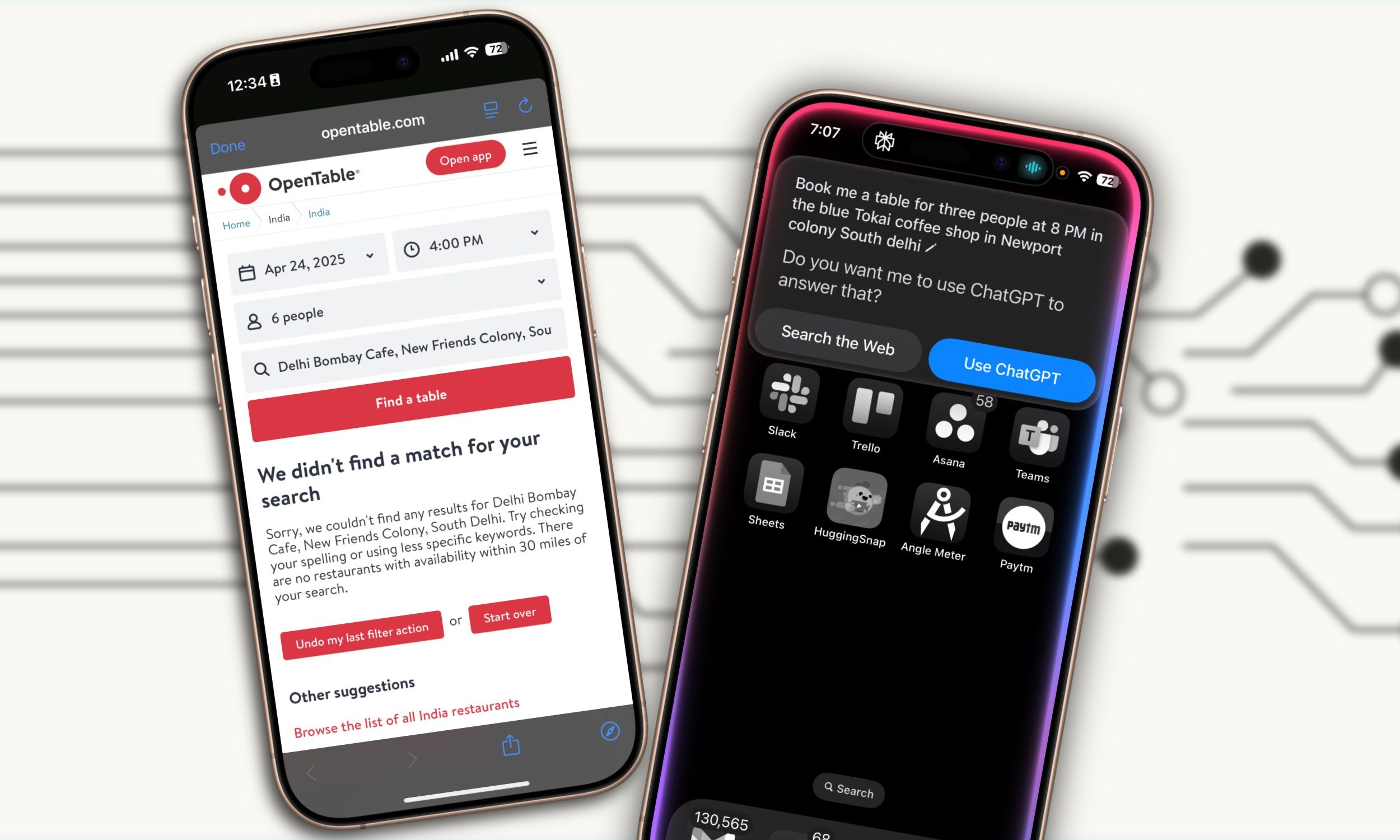
“Hey Siri, book me a table for four people, 7 PM, at Blue Tokai coffee shop in New Friends Colony.”
“Do you want me to use ChatGPT to answer that?”
That’s how my exchange with Siri went an hour ago. I tried again, and Apple’s AI assistant opened a Map overview with directions to a furniture shop, a coaching center, and a dessert shop called Lunch on Table.

None of the responses fulfilled my request. Not even remotely.
Next, I switched to the Perplexity app and uttered the same voice command. It instantly opened a web preview where the desired reservation details were filled, and I only had to confirm the booking to get the job done.
The Perplexity iOS Voice Assistant not only picked up my requirements precisely, but also did all the web browsing, information feeding, and took action on my behalf in one go. You can check out the results below, and wonder how one of the oldest AI assistants failed spectacularly against an upstart.

What is Perplexity Assistant?
In the world of AI assistants such as Google’s Gemini, OpenAI’s ChatGPT, and Microsoft’s Copilot, the Perplexity Assistant is an infant at best. It was introduced in January 2025 for Android devices, making its way to iPhones in April.

Now, Perplexity is not a tech giant. Yet, the AI-powered engine it has created has won it an ardent fan base and for good reason. In the recent weeks it has introduced an impressive set of features, including Deep Research, Spaces, and Pages.
The best part of Perplexity is its knowledge engine, which works somewhat like the answers from a chatbot, but more detailed and with proper sources, alongside follow-up query templates. I was, however, not expecting it to meaningfully surpass Siri at real-world tasks, the kind of stuff that I would expect from a next-gen AI assistant.
Beating Siri in Apple’s backyard
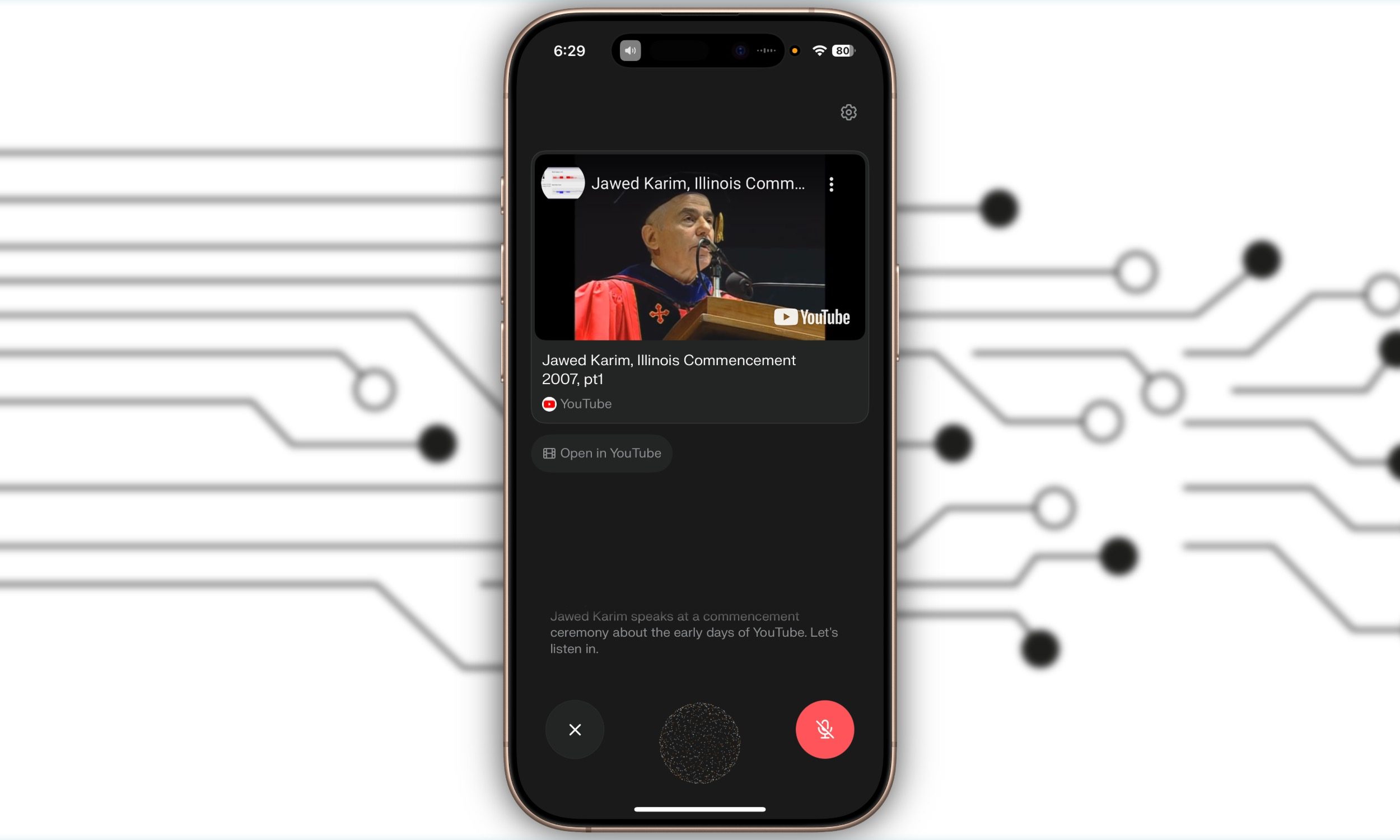
I was utterly surprised when Perplexity Assistant did a better job within Apple’s own ecosystem of products than Siri itself. I asked Siri to play The Caution’s “The a La menthe.” It simply said that it couldn’t find the track on Apple Music.
Despite butchering the French pronunciation of the song, Perplexity Assistant not only understood my voice query, but also instantly started the playback from Apple Music. All this happened within a couple of seconds, and I was listening to the peppy tunes without ever leaving the Perplexity app.
Siri, in fact, can be comically bad. “Find me a decent coffee shop where I can sit and get work done?” I asked. “I’ll need to use ChatGPT to write that,” the Apple assistant coldly responded.

To the same question, Perplexity Assistant instantly opened an Apple Maps overview in the upper half of the screen, narrated some of the nice options near me, and also gave me a list of sources which it pulled the recommendations from.
These recommendations, thankfully, were not AI slop. Some were pulled from Reddit threads discussing the same question, a couple were from Instagram, and one of them was from a widely used dining app.
The rest of the information was collected from TripAdvisor and a few reliable websites. In a nutshell, Perplexity not only got the job done, but also pulled it off by following a path you can see and trust.
It can talk with apps
One of the biggest strengths of Perplexity iOS Voice Assistant is that it can get work done across other apps, which includes Apple’s own and third-party software. Interestingly, it does a far better job than Siri in both scenarios.
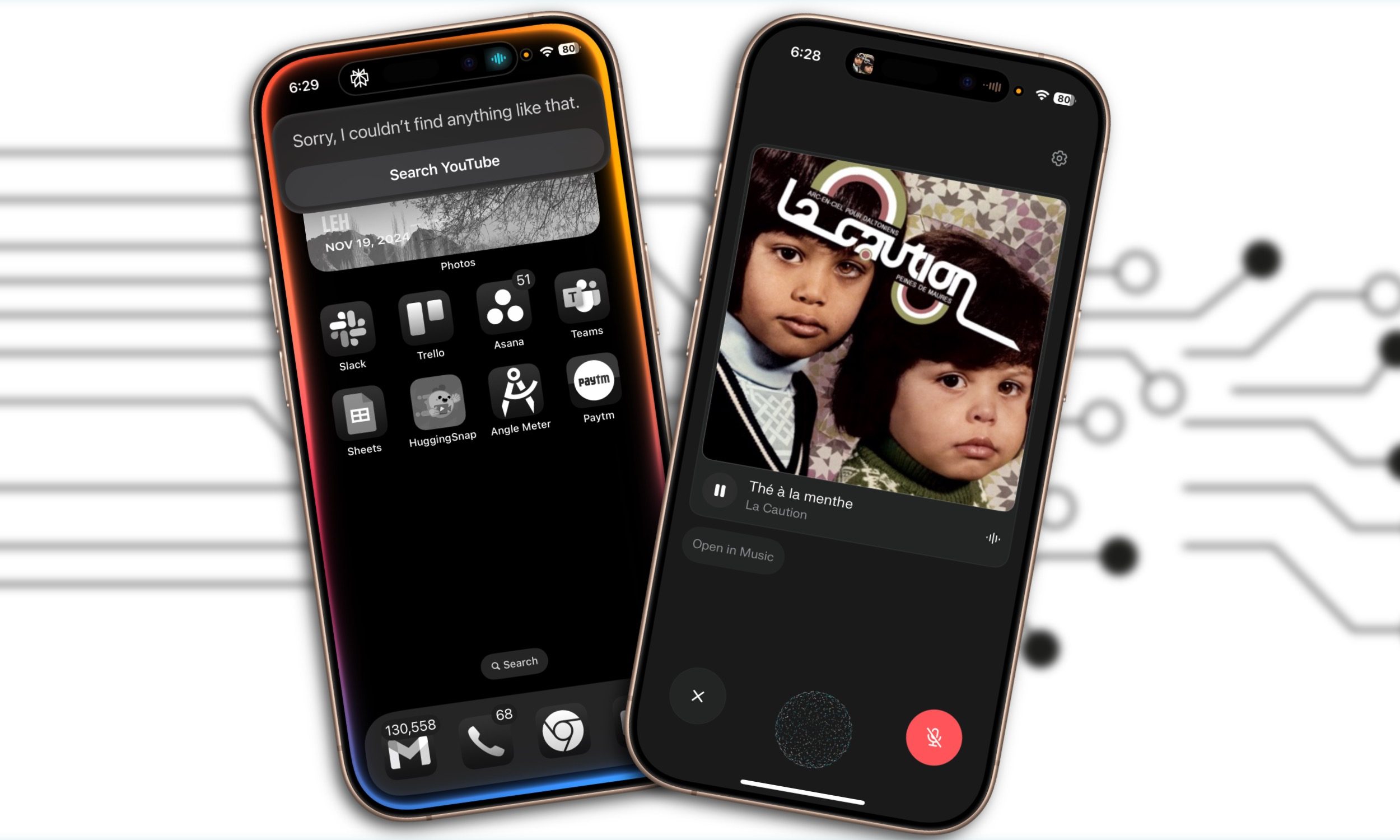
When I asked Siri to play a video where YouTube co-founder, Jawed Karim, was talking about the platform’s early days at a commencement ceremony, it failed poorly. Moreover, it asked me if the query could be offloaded to ChatGPT, where I couldn’t get what I was looking for, either.
When I launched Perplexity Assistant and dictated the same query, it launched YouTube within an in-app preview window and started playing the video I wanted to watch. Notably, it barely ever struggled with pronunciation or wrong spellings, despite English not being my native language.
Perplexity Assistant can handle cross-app workflows, even though the list is not extensive. For now, it can handle platforms such as Mail, Apple Podcast, YouTube, Apple Music, Calendar, Reminder, Maps, Uber, and OpenTable for restaurant reservations.
It does a fantastic job of handling the aforementioned services. When I asked Siri to book me a ride to the Delhi airport, it started looking for transit directions to “Signpost Delhi Airport.” Perplexity Assistant launched Uber, filled in the source and destination, and landed me straight on the booking page.
Of course, I was ready for more frustrations. So, I asked Siri to compose an email and send it to my editor, telling him about an assignment. It copied my voice command, word for word, but instead of opening the “email” app (like I asked), it first had me pick between Mail, Teams, and Messages.
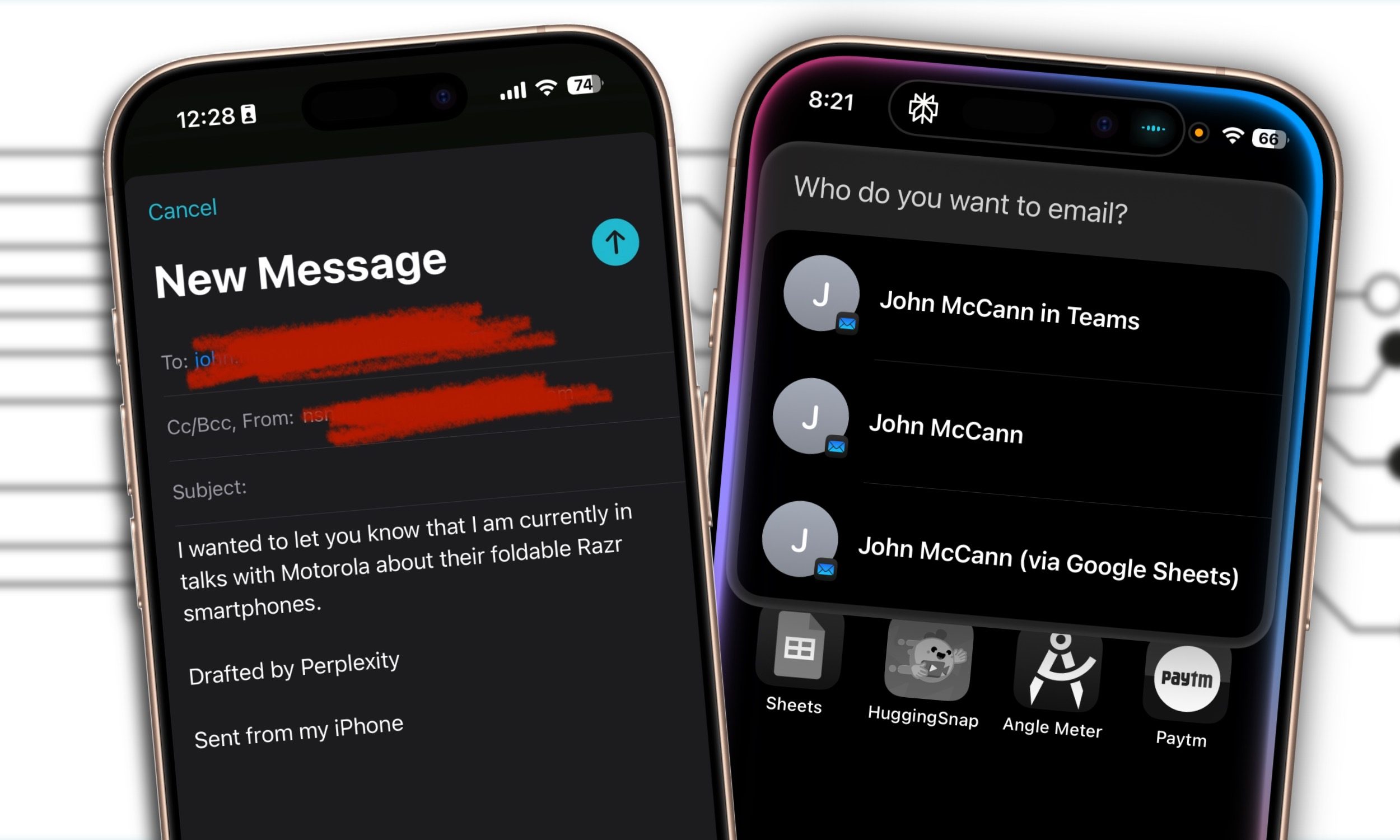
I use Mail for sending emails, Siri. We all do!
When I asked the same of Perplexity iOS Voice Assistant, it drafted a nicely written formal email to my editor and landed me straight to the Mail in-app instance. All I had to do was tap on the send button.
Another area where Perplexity Assistant fares better than Siri is knowledge search. I asked it to look up the launch date of Samsung’s Galaxy S25 Edge, and it gave me an accurate response, alongside the latest sources it pulled the information from.
Siri couldn’t do it directly. Instead, it first asked me whether it could offload the query to ChatGPT. When I consented to it, I was taken to the ChatGPT app where I got my answer. If you don’t have the chatbot app installed, you will be redirected to a browser page.

It’s a lot of unnecessary hassle. I also had a better experience setting up event alerts in Reminders via Perplexity Assistant than Siri. At the end of the day, Apple’s virtual assistant started to feel like a relic in the face of modern AI assistants.
According to some reports, Siri’s rut is not going away anytime soon – although there’s a chance Apple announces improvements at WWDC 2025 in June. Meanwhile, the pace at which Perplexity has evolved is truly astounding.
Personally, I don’t see myself going back to Siri anytime soon. Perplexity iOS Voice Assistant will stay as my daily driver for the foreseeable future. I just wish I could set it as the default voice assistant on my phone.