
  1. Home
  2. Tablets
  3. Mobile
  4. Legacy Archives

Adobe’s Photoshop Touch apps for iPad are now available

Add as a preferred source on Google
adobe-eazel
Image used with permission by copyright holder

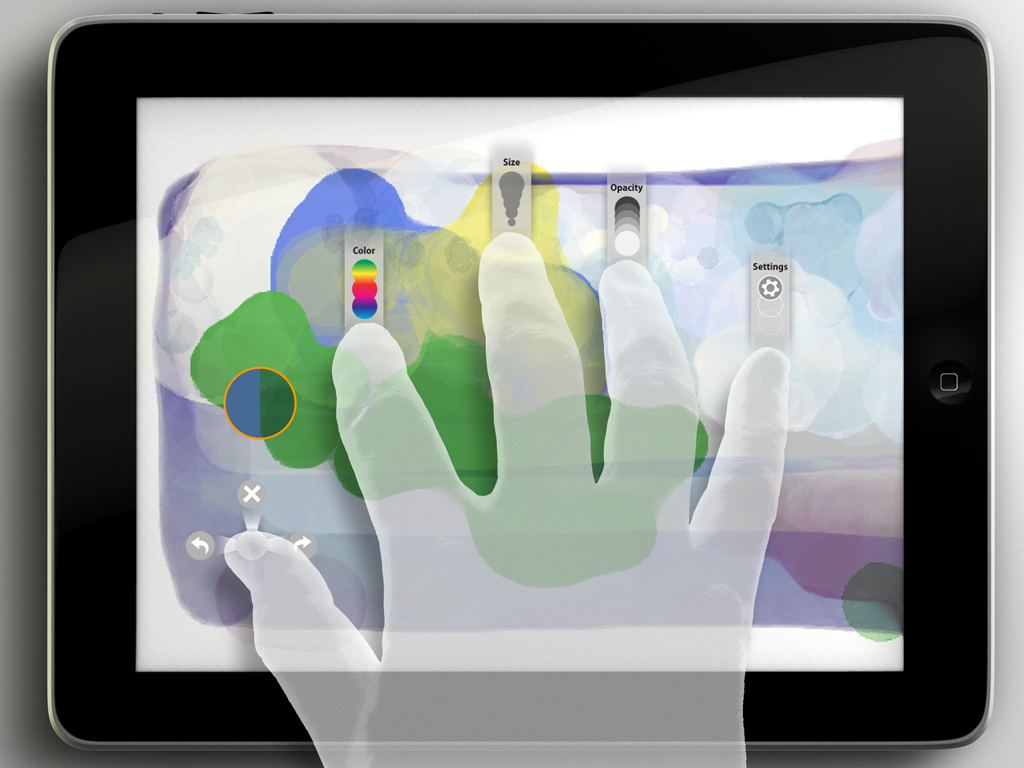
Adobe announced last month that it would be bringing a new set of of Photoshop-connected apps to the iPad App Store, and those apps are now here. Previously, there was only Photoshop Express, a features-light (very light) image editing app that is outclassed by just about every other similar app out there. The new PS apps all offer something a little bit different, but they at least represent a first step toward a properly full-featured tablet treatment of Adobe Photoshop.

There are three apps in this new crop: Adobe Eazel, Adobe Color Lava and Adobe Nav, which sell for $4.99, $2.99 and $1.99, respectively. There’s no package deal for buying the set or trial versions, but each app serves a very specific purpose.

Recommended Videos

Eazel is probably the most “play”-oriented of the three, as it is essentially a finger-painting app. The physics of real-life painting are applied to your creations, with “wet” and “dry” mixtures possible. All three of the new apps are able to connect with Photoshop CS5 in different ways; in the case of Eazel, users can send creations directly to the desktop application and even have them re-rendered at a higher resolution. Color Lava is similarly finger-painting oriented, turning your tablet into a virtual painter’s palette and allowing you to mix different colors to create new ones. Those colors can then be accessed directly within Photoshop CS5.

Nav is the odd app out, as it is designed more to streamline processes and doesn’t serve any purpose if not linked up with Photoshop CS5. The app is best described as a touch-based remote control for the desktop software. Fire up Nav to access a customizable CS5 toolbar and manage open documents (up to 200) on the desktop side. You’ll need to use the mouse and keyboard to do any actual editing, but the app can handle the rest. To connect Nav, or any of the three new apps, with CS5, both the iPad and your computer will need to be on the same network. Connectivity with Photoshop versions CS4 and earlier is not supported.

Adam Rosenberg
Former Gaming/Movies Editor
Previously, Adam worked in the games press as a freelance writer and critic for a range of outlets, including Digital Trends…
The iPhone Duo taught the iPad a much-needed lesson in multitasking. iPadOS 27.2 makes Split View less of a chore.
A small iPad tweak that fixes a big daily annoyance.
Electronics, Mobile Phone, Phone

It’s funny when a brand-new phone teaches an old tablet a lesson. That’s exactly what the iPhone Duo seems to have done for the iPad. I’m genuinely glad somebody at Apple was paying attention, as it was overdue.

iPadOS 27.2 makes setting up side-by-side apps on an iPad much easier, and it is an iPad multitasker’s dream come true if you ask me.

Read more
Affinity’s all-in-one creative app is finally here for iPad, and it costs nothing
You can now sketch, edit photos, and create vector artwork without switching between different apps.
Affinity UI on iPad

Canva has finally released the new Affinity app for iPad, nearly a year after it brought the redesigned creative suite to Mac and Windows. To go with it, the company has also introduced a bunch of new tools that take advantage of Apple Pencil and the iPad's touchscreen. And the good news is that the app is free, at least for the core creative tools.

As we reported last week, Affinity already offered separate Photo, Designer, and Publisher apps for iPad. The new version brings all those capabilities into a single app, allowing users to work on illustrations, photos, vectors, and page layouts without switching between different apps.

Read more
The iPad is finally getting the Affinity app creatives have been asking for
Affinity brings photo editing, vector design, page layout, and sketching together in one free iPad app.
Affinity UI on iPad

Affinity’s new all-in-one creative app is finally coming to the iPad, nearly a year after Canva launched the redesigned desktop version for Mac and Windows. Creatives have been asking for the iPad release ever since, especially because files created in the new Affinity app cannot be opened in the older V2 iPad apps.

Affinity already has Photo, Designer, and Publisher apps on iPad, but the new release combines those tools into the same unified app that Canva launched on desktop last year.

Read more