
After literally months of speculation—the vast majority of it completely uninformed—Apple CEO Steve Jobs has finally taken the stage at San Francisco’s Yerba Buena Center for the Performing Arts to unveil the iPad, Apple’s first entry the nascent mobile tablet market—and at first glance, the iPad seems to have it all: a big touch screen, iPad and iPhone apps, games, Wi-Fi and 3G connectivity, heaps of storage, and Apple’s usual panache for sleek, intuitive interface. But will the iPad live up to the mammoth media hype that has preceded it?
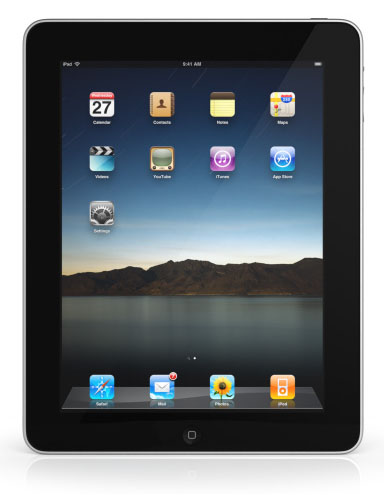
In introducing the iPad, Steve Jobs positioned the device as something between a phone and a laptop: something that’s portable but still packs enough screen real estate and capability to handle browsing the Web, email, games, music, video, and other media-centric uses. Jobs noted that many in the industry believe this device is a netbook, but noted that netbooks “aren’t better than anything,” offering slow processors, small low-quality displays, and limited capabilities.
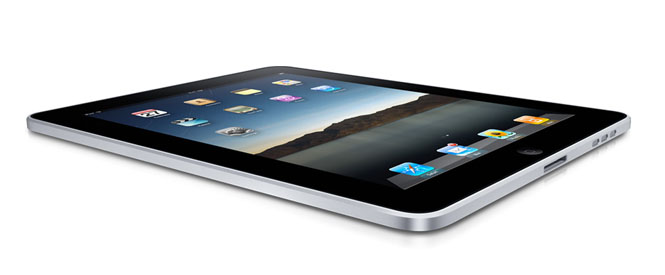
Physically, the iPad weighs 1.5 pounds, measures just half an inch thick, and features a 9.7-inch 1,024 by 768-pixel high-quality display with a wide viewing angle and capacitive multi-touch to support gestures (like pinching and swiping) and outright typing. At the heart of the iPad is a 1 GHz A4 CPU from Apple itself (through its 2008 acquisition of P.A. Semi), which Apple says is the most advanced chip they’ve ever produced: the processor it contains its own I/O systems and graphics processor. The iPad will be available with 16, 32, or 64 GB of flash-based storage, and will sport both Bluetooth 2.1 and 802.11a/b/gn Wi-Fi wireless networking. Other gizmos on board include a speaker and microphone, integrated compass, and accelerometer for detecting shakes, bumps, and tilts, and a 3-pin connector for accessories. Apple claims the iPad will run for 10 hours on a single battery charge, and the device will have a standby time of up to a month—users can charge either via a power adapter or USB. And the iPad is green: Apple says the device is free of mercury, arsenic, brominated flame retardants, and PVC.
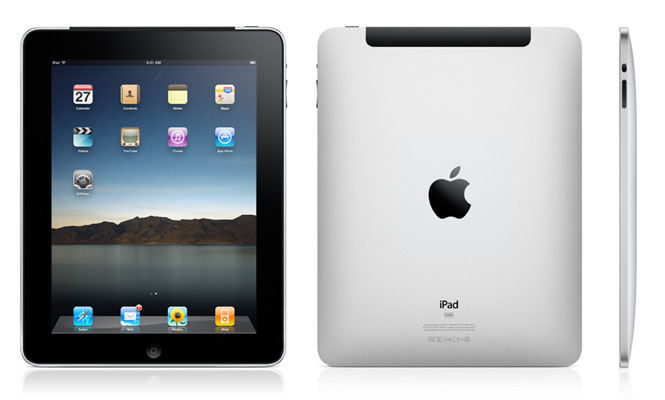
Folks looking for truly mobile connectivity will be thrilled to know Apple plans to offer versions of the iPad with 3G connectivity from AT&T—yes, Apple’s same little-loved partner for the iPhone in the United States. However, Apple has negotiated some interesting pre-paid, contract-free service plans: for $14.99 a month, users can get up to 250 MB a month of 3G data service, and folks who want unlimited data service on an iPad can pay $29.99 per month. In addition to the 3G coverage, 3G iPad customers will also have access to AT&T-managed Wi-Fi hotspots throughout the United States. The 3G iPads will use new GSM micro SIMs, and will be unlocked so users aren’t trapped with AT&T…although the micro-SIMs mean they have very few other places to go, at least in the United States. The 3G model will also feature assisted GPS. Apple says the iPad’s 3G options will be data-only, but with integrated speakers and a microphone, it surely won’t be long before developers try to bring VoIP and other voice applications to the iPad. Apple hopes to have international 3G access deals in place by June 2010.
Overall, the iPad’s user interface is neither the iPhone nor Mac OS X—although it certainly owes a visual debt to both. The iPad’s additional screen real estate means the iPad interface isn’t as cramped and abbreviated as a typical mobile device; however, nor is it as complicated and control-heavy as a notebook or desktop computer that can be controlled with a dedicated keyboard and mouse.
Using the iPad, users will be able to enter text for email and other tasks simply by typing on an onscreen QWERTY keyboard, and the iPad will feature touch-enabled onscreen applications for browsing music, photos, and videos—photos will retain metadata and (of course) integrate with Apple’s iPhoto application to pick up on events, places, and recognized faces. The iPad also sports calendar, email, and contact applications, and can tap into location-aware service like Google Maps…and what would a portable media device be these days without YouTube support? Media fans will like support for H.264 video at up to 720p at 30 frames per second; users will also be able to hook up to displays at 1,024 by 768 (via a dock-to-VGA connector) or to big screens via composite AV cables at 576p or 480i.
What will users do with an iPad? Apple (and third party developers) certainly hope they will shop at the App Store. Apple claims the iPad will be able to run nearly all of the existing 140,000+ iPhone apps—users will be able to run iPhone apps in an iPhone-sized area in the middle of the screen, or double up the pixels to run the applications “full-screen” on the iPad. Jobs demonstrated an unmodified version of ESPN’s XGames SnoCross for the iPhone running on the iPad: the game is based on OpenGL graphics, and ran smoothly at high frame rates.
Developers will be able to create applications specifically for the iPad that take advantage of the device’s larger screen area and interface features via an enhanced iPhone SDK, which Apple has now released. Jobs invited partners to the stage to show off the iPad apps they’re already working on: partners included MLB.com, The New York Times, Electronic Arts, and an innovative art application called Brushes that will be available when the iPad goes on sale.
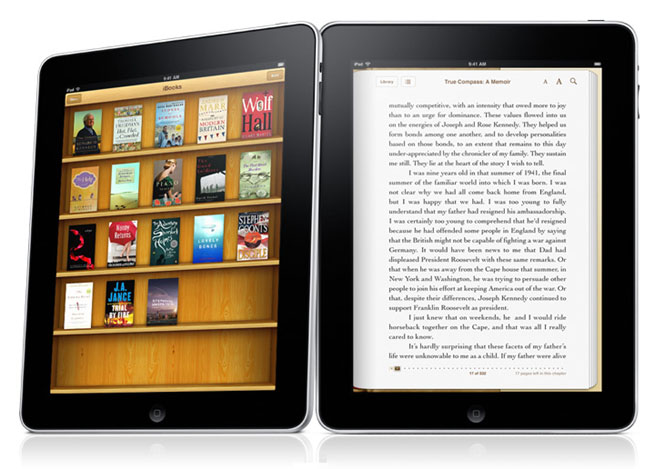
Apple also took time to showcase its own ebook reader application, dubbed “iBooks.” iBooks will enable users to purchase, download, and read books from top publishers including Simon & Schuster, Macmillan, Hachette, HarperCollins, and Penguin—but Apple will be running its own iBook store rather than partnering with Amazon, Barnes & Noble, Sony, or any other electronic bookseller. (Of course, if iPhone apps work out of the box, Amazon’s Kindle reader for iPhone will work on the iPad, and nothing would seem to be stopping Amazon from making an iPad-specific Kindle application). Apple’s iBooks are built using the open ePub format; however, unlike the Kindle and other e-Ink based readers, the iPad offers a full-color reading experience, all driven by a touch-screen interface. And, of course, users, can change font size and even presentation fonts of their books. Pricing for books appears to range from $8 to $15.
Apple also shows a version of its iWork productivity suite for the iPad…lest we somehow got the impression the iPad was all for fun and games. The iPad version of iWork will feature versions of Keynote (Apple’s presentation app), Pages (Apple’s word processing and page layout application) and Numbers (Apple’s own spreadsheet program). Offering versions of productivity applications may go some distance towards convincing customers the iPad can take the place of a netbook computer—or, for some people, maybe even a traditional notebook. The iWork applications will produce files compatible with the Mac OS X version of iWork; however, compatibility with Microsoft Office applications and services will be an important factor: it won’t be enough to merely be able to put words and numbers in a row, iPad users will have to seamlessly be able to share documents with mainstream Microsoft Office users. Apple will also have to answer key questions on document sharing and synchronization as users try to integrate iPads into their existing computing setups. One detail Apple did share: the iWork applications will be available from the App Store for $9.99 each.
How much will iPads cost? Apple plans to launch the 16 GB base model for $499; the 32 GB model will cost $599 and the 64 GB model will run $699. Customers who want 3G connectivity will need to add an additional $130 to aech of those figures, which means 3G enabled iPads will run $629, $729, and $829 for 16, 32, and 64 GB units, respectively. Pre-orders are available now.
And when will iPads be available? Apple says the non-3G units will begin shipping in 60 days (that put them hitting shelves at the end of March 2010), with the 3G-enabled units following about a month later.
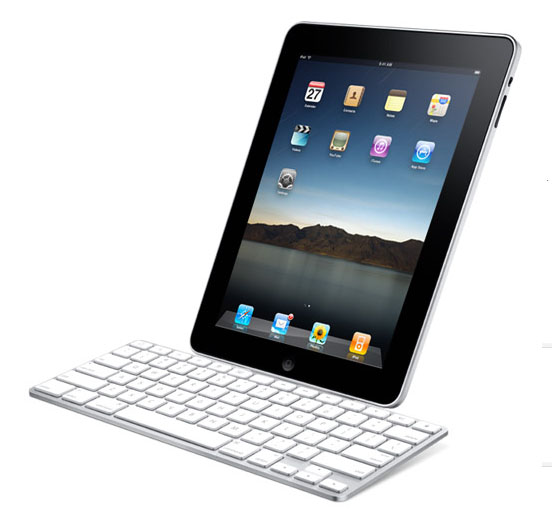
Of course, Apple also plans to ship iPad accessories: perhaps the most interesting to folks who plan to be iPad power users will be a dock with a keyboard, enabling users to do prop up the iPad like a screen and do some serious text input and data entry without using the touch-screen QWERTY keyboard. A separate dock will enable users to set up the iPad as a slideshow-viewing photoframe while charging up the unit, and a separate case can also double as a convenient stand for viewing photos or video. If the market for iPhone and iPod accessories is any indication, third party accessory makers will have their own iPad add-ons ready to go by the time the iPad hits the streets.
This item was written live during Apple’s iPad announcement.


