“The BX200 performs well most of the time, but has problems transferring large files.”
- Reasonable performance in general use
- Massively slows down while transferring large files
- Not cheap enough to offset that slowdown
“Why you can trust Digital Trends – We have a 20-year history of testing, reviewing, and rating products, services and apps to help you make a sound buying decision. Find out more about how we test and score products.“
If you want to speed up your computer, switching from a conventional hard drive to a solid state drive is the single biggest upgrade you can make. Booting up your computer is dramatically faster, and things like opening programs and even saving files become close to instant.
But speed isn’t cheap. Prices go down every year, but for the most part if you want a solid state drive you’re going to pay a lot more per gigabyte of capacity than you would for a mechanical disk.
The BX200 is positioned as Crucial’s answer to the price point problem. The product’s website doesn’t attempt to compare its speeds to other solid state drives, explaining only that it’s faster than conventional hard drives. It does, however, claim to offer “better value” than the typical SSD, stating that “the price per gigabyte makes it a great time to ditch your hard drive.” The BX200 comes in 240GB, 480GB and 960GB flavors. We received the largest of the trio for review.
Is this drive really a great value for the average home user? And might power users looking for a deal also be interested? We gave the drive a spin to find out.
Sticking with what works
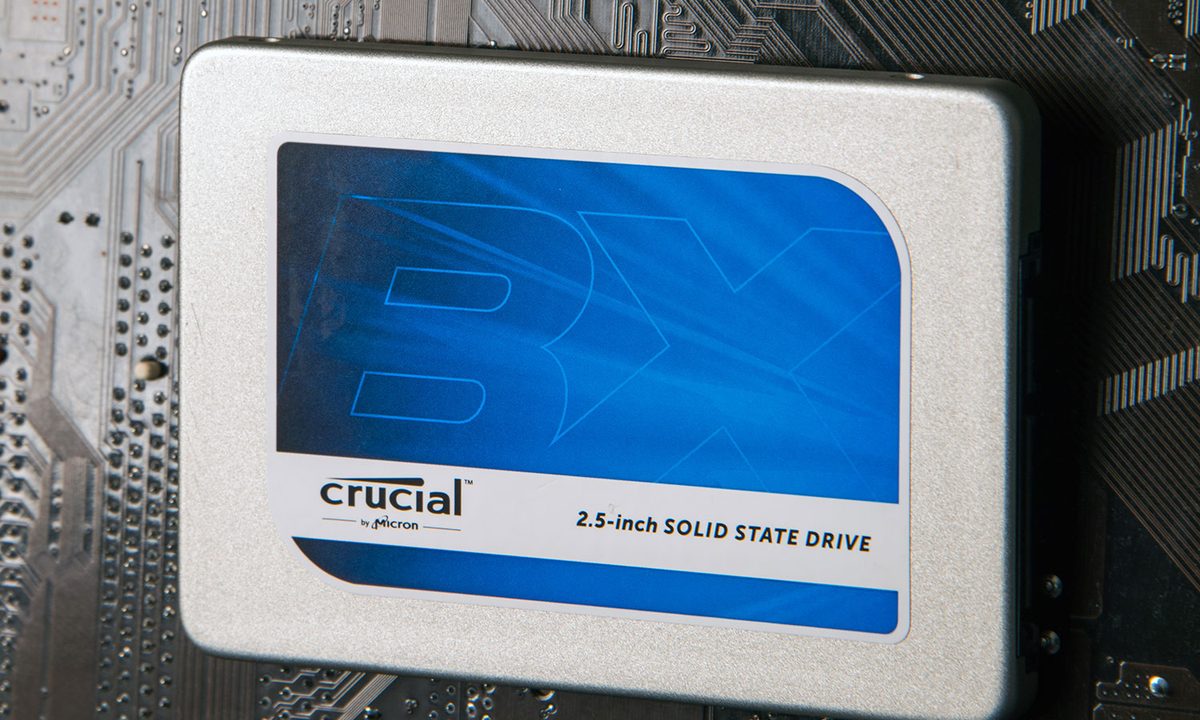
The Crucial BX200 is a 2.5 inch drive, meaning it’s the same form factor as the hard drive in most laptops. That makes it an easy replacement, and if you end up with a little extra space (some 2.5 inch drives are taller than this one), there’s a spacer included. Screw holes on the sides and bottoms mean desktop users shouldn’t have a problem attaching it somewhere on their rig, either.

The drive itself is enclosed in an aluminum case that exposes none of its internal components. If you’ve ever seen a Crucial SSD before, this one looks the same. I actually briefly confused it with the Crucial M500 already installed in my test machine, and could only tell the two apart by reading the label on the drive itself.
Looks good in benchmarks, but there’s a catch
Replacing your hard drive with this SSD will give you a speed boost, but how much? To find out, we fired up Crystal DiskMark, the hard drive benchmark we use every time we review a computer.
The results were promising. The read speed was 513 megabytes per second, and write speed was 453MB/s. That’s a middle-of-the-road result for 2015, but strong for a budget SATA solid state drive and a lot faster than any mechanical disk.
Transfers started quickly, but slowed down to speeds below conventional hard drives after a couple of gigabytes.
And that’s where things would have stood, if we hadn’t also run the HD Tune benchmark as well. This test, which cranks through a longer test cycle, showed us there’s a drop-off in write speeds for large files. This meant an average write speed of just 105MB/s, which is close to conventional hard drive territory. The read speed was considerably better at 371MB/s.
The low write speeds caught our attention, so we thought we’d transfer some large video files to the BX200. The pattern repeated consistently. Transfers started with speeds of around 450MB/s, but after a couple of gigabytes was transferred the speed would drop to 70MB/s, and remain there for the rest of the transfer.
For files smaller than 2GB, you’ll see write speeds around 500MB/s – as promised. But that speed will drop off when you exceed that. Many users will never notice this, but if you plan on using this SSD primarily for things like storing and editing video files, it’s going to be a problem.

We think anyone upgrading from a conventional hard drive will be delighted with the performance increase at a low price, but if you’re a longtime solid state user who depends on fast write speeds this drive will leave you disappointed, and there are competitors that don’t suffer this issue.
Comes with free cloning software
Upgrading to an SSD is a great time to do a fresh install of Windows, but if you’d rather transfer your data, the Crucial BX200 comes with free cloning software for Windows computers — Acronis True Image HD 2014, which typically retails for $50. Use the included product key to register the software, and you’ve got a tool that makes it easier to clone your current hard drive to your brand new solid state.
Three-year standard warranty
The Crucial BX200 comes with a limited three-year warranty when purchased new, and one year when purchased refurbished.
Spending a little more can get you something much better
The DT Accessory Pack
Up your game and the get the most out of your gear with the following extras, hand-picked by our editors:
StarTech USB 3.0 SATA III hard drive adapter cable ($13)
If you’re planning on replacing your laptop hard drive, you’ll need a way to copy everything to your new SSD. This will get the job done.
Cable Matters 18” 6.0 Gbps SATA III cable, 3pk ($7)
If you’re installing the drive in a desktop computer, you’re going to need one of these to connect it.
Sabrent 2.5” SATA hard drive USB 3.0 enclosure ($13)
Use your new SSD as an external hard drive with this enclosure.
If you’re using a conventional hard drive in your computer right now, buying this drive and using it to run your operating system is going to give you a considerable performance boost. But while the drive is competitively priced, the drop-off in write speeds for longer transfers is a major downside.
Power users shouldn’t consider this drive. And even if you’re a home user, we can’t really recommend it with enthusiasm. The speed drop-off for large files might not affect you often, but the drive simply isn’t cheap enough compared to justify this problem.
Strangely, the BX200 isn’t much cheaper than other Crucial drives without this performance issue. Even if you buy the biggest drive offered, you’ll save just $30 by downgrading to the BX200. With smaller drives, it’s more like $10. It honestly makes us wonder why this line of “affordable” drives exists in the first place. Users should look elsewhere unless you really, really don’t care how long it takes to transfer large files (and really want to keep that $30).
Highs
- Reasonable performance in general use
Lows
- Massively slows down while transferring large files
- Not cheap enough to offset that slowdown