Ahhhh Loopcam, an app born from the Internet’s love for GIFs, has now found its rightful place in this world. Originally, the GIF-making machine was a mobile-only app that simultaneously predated and looked a lot like the now-wildly popular Vine. Still, Loopcam wasn’t an inherently social app. Why? Well it was missing some critical features – profile pages, comments, and mentions, specifically. But the Loopcam 2.0 upgrade is reintroducing the GIF-focused app, with plenty of new social-friendly features in tow.
First impressions
While the color scheme hasn’t changed, the new design is enjoyable. The tabs themselves haven’t been altered either. Like many apps before it, Loopcam has taken cues from Instagram. At the far left is the Home tab, then the News feed, Camera, profile page, and the content discovery page. There’s nothing really groundbreaking here.
How Loopcam embraced social
While you were always able to share Loopcam videos with your friends via social networks like Facebook and Twitter as well as like other users’ GIFS, that was as much as the app was capable of, social-wise. In the latest update these features haven’t changed. What Loopcam has done to take its app to the next level (while catching up with its competitors) is introduce commenting and mentions. We’ll get into profile pages later.
So as you’d expect with just about every media sharing app, the like, comment, and share buttons are found inline below the GIF. Accessing any one of these features is but a tap away. And the number of people who “LOL’D” the GIF (meaning that these folks liked it) along with their account handles are still listed below the GIF.
Playing a GIF just requires you to tap the still image.
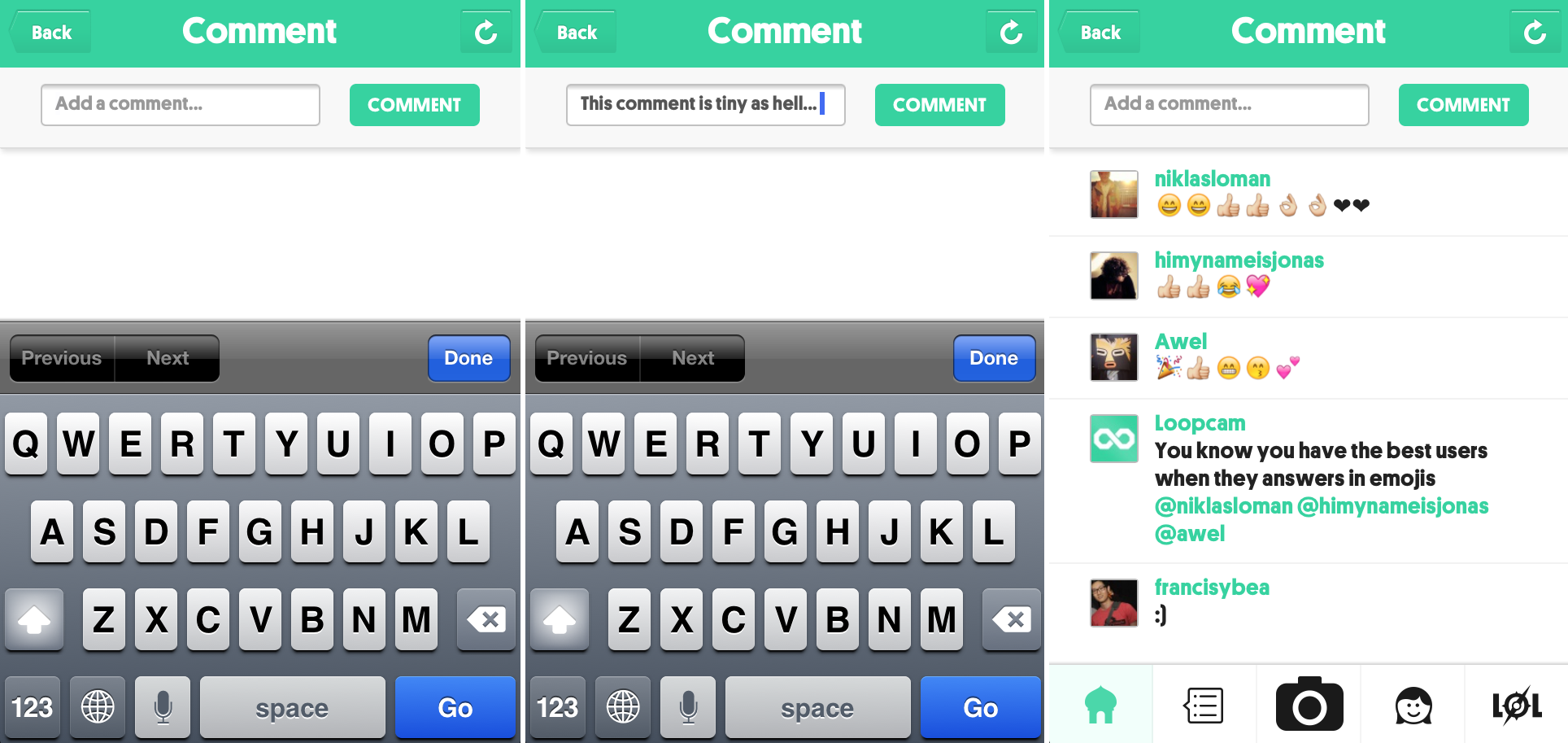
What we found a bit silly was the size of the comment box. When you tap on “Comment” a new page opens up and you’ll be able to read other user’s comments and add your own. The box itself is oddly small. It forces the font to shrink, and the comment box is on one line.
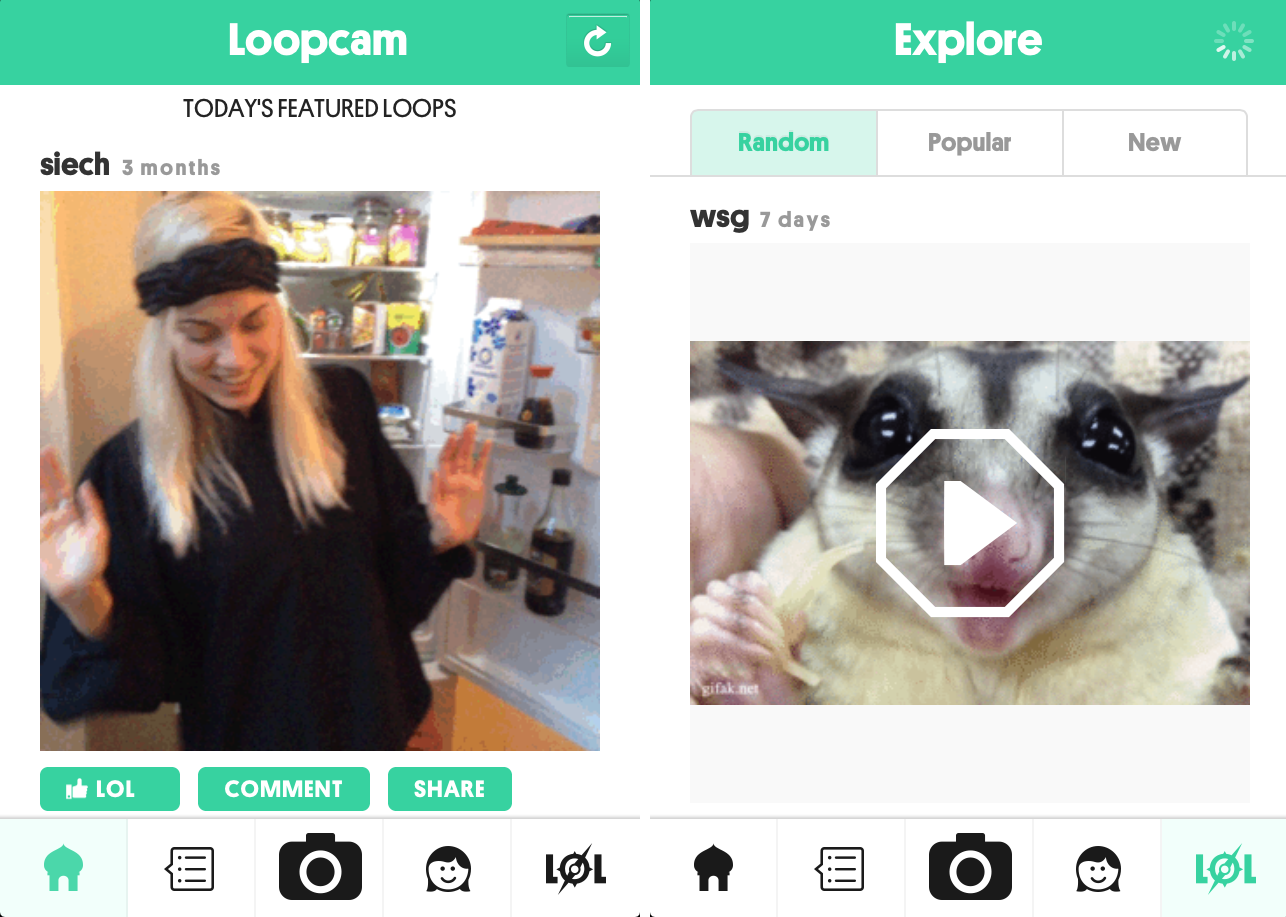
Like most media apps (video, photo), you’ll find a section called “LOL” that’s devoted to discovering what else people are sharing around the community or what your friends are sharing.
Profile page
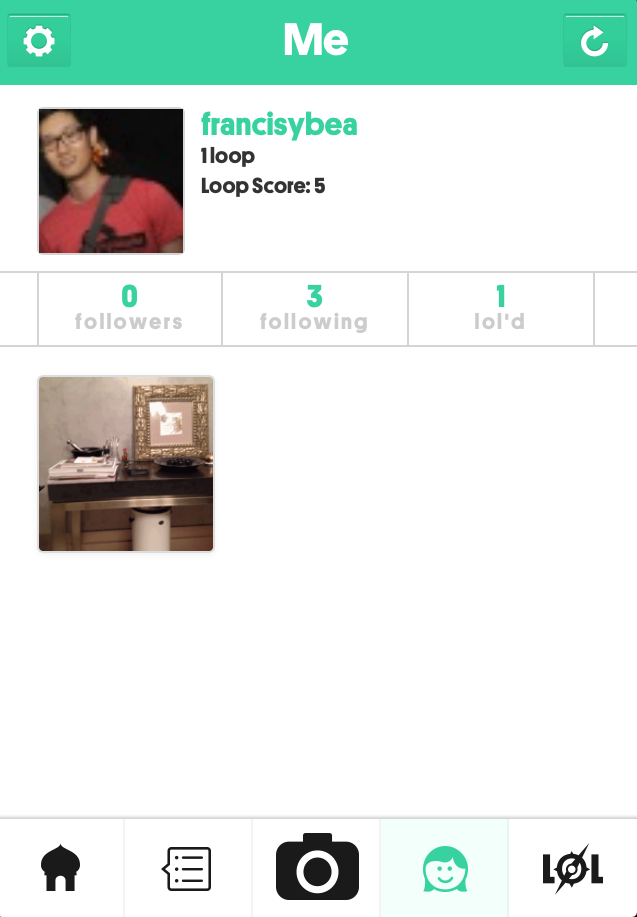
The profile pages complete Loopcam’s completion as a mobile social network. If you click on the fourth tab with the caricature of a girl’s head it opens up a rather rudimentary page that has a profile photo enclosed, user name, Loop Score, and the number of followers, following, and GIFs lol’d. There’s a thumbnail of the media that’s been shared by the user as well.
Making a GIF
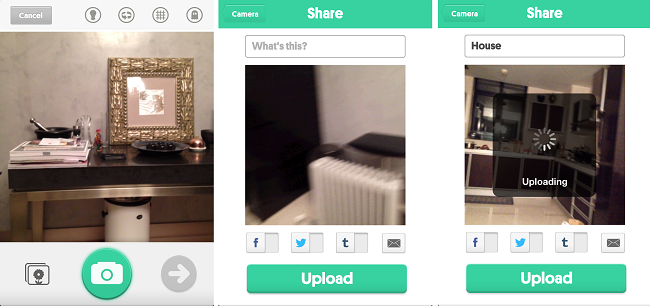
This part is really just to recap how to make a GIF. Tap on the camera icon and point your camera at whatever it is you’re interested in shooting. Before you jump the gun and start tapping on that big green button, here’s a trick: Tap the button once to snap a still and you’ll snap just one frame (or two if your finger isn’t quick enough). If you want to snap longer stills just hold onto the green button and record away. There’s a few other features that you might find useful. A button in the shape of a light bulb at the top flips on your phone’s “flash,” you can switch to the back-facing camera, overlay a grid, and switch on “ghost mode” so that the GIF’s playback isn’t as jumpy as it would be otherwise. You’ll know what I mean when you play around with the app.
Once you’re done and satisfied, you can share the image to other social networks.
Parting thoughts
Making GIFs is fun. There’s no doubt about that, not to mention that GIFs are known to be viral forms of media that’s a core part of sites like Reddit, 4Chan, 9Gag and others. But there’s the one shortcoming with GIFs that true MP4 playback apps make up for and make it the go-to choice for video apps. Since Loopcam is competing with Vine, we can safely say that Loopcam’s technical inability to offer audio is a major hindrance. While Loopcam is a great way to make media for artsy or casual purposes, citizen journalism or auditory events like concerts are out of the question. However if you want to create the stuff that Tumblr, Reddit, and Imgur are made of, then Loopcam away.