Microsoft surprised everyone with its dramatic unveiling of the Surface Studio all-in-one aimed at creative professionals. The introduction video included animated exploded views of the machine’s interior, showing how its many-layered 28-inch high-resolution display is put together and highlighting the complexity of the base PC and its innovative hinge mechanism.
Putting such a complex machine together takes some serious design that is perhaps best demonstrated by tearing the thing apart. In predictable fashion, that’s precisely what the repair experts at iFixit have done, and the effort revealed that the Surface Studio is relatively repairable and even somewhat capable of being upgraded despite its complex design.
More: Designer or scribbler, you’ll fall in love with Microsoft’s Surface Studio
Overall, iFixit gives the Surface Studio a five out of ten for repairability. Compared to today’s thin-and-light notebooks, such as the 2016 15-inch MacBook Pro with Touch Bar and the Surface Book, both of which received one out of ten scores, the Surface Studio is a repairman’s dream — although as we’ll see, some components aren’t repairable at all.
To begin with, the Surface Studio is rather hefty at 21 pounds, and as an AIO device, it takes some work to move it around. Apparently, the machine’s balance is excellent, as iFixit notes that transitioning the screen to its 20-degree orientation — a popular angle for drawing and drafting — is a matter of just a finger push. At the same time, the display assembly can be replaced as a single component and doesn’t require taking apart the screen or the machine’s base.
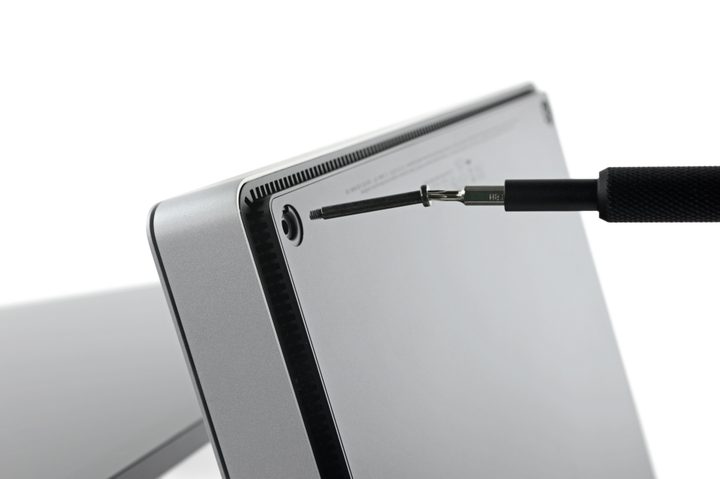
Once the iFixiteers attacked the base unit, they found the presence of Torx screws that allowed for easy access rather than glue that would make getting inside the base far more difficult. Inside, things are as complex as might be imagined when so much technology is jammed into such a tight space. The cooling assembly, made up of heat pipes and dual fans, looks sufficient to keep things cool, which is a positive. Overall, while many components are integrated, as expected, getting at them and replacing them shouldn’t be an issue for Microsoft repair staff.

On a highly positive note, the machine’s assembly should make upgrading the storage a possibility. A standard and removable SanDisk 64GB Z400s M.2 SSD is one half of the equation, and a standard SATA drive is the other. Both can be replaced, which is a particularly good thing given that Microsoft put a SATA II and not SATA III drive into the unit, possible explaining the poor drive performance we noted in our review. Whether or not this unit can be replaced with a SATA III drive for improved performance remains to be seen.

iFixit uncovered no other major surprises. The Surface Studio is not only an innovative machine that incorporates some components that are optimized for its creative professional market. It’s also a relatively easy machine to repair, and is to some degree capable of being upgraded for good measure. And, the hinge mechanism is a thing of beauty that iFixit rightly calls the “crown jewel” of the Surface Studio’s design.