1. Home
  2. Computing
  3. Mobile
  4. News

Apple made iMovie and a bunch of its other apps free for everyone

Add as a preferred source on Google

Apple has just cut the cost of a number of its Mac and iOS apps to the princely sum of zero.

The free apps are iMovie, Pages, Numbers, Keynote, and GarageBand, and each can be downloaded now from the Mac and iOS App Stores.

Recommended Videos

It’s worth noting that the software has been available for free to anyone who purchased a Mac computer or iOS mobile device after August 2013. Therefore, the move to stop charging for it will particularly benefit anyone with an older piece of Apple kit who never purchased the software, which used to cost between $5 and $20 apiece.

Of course, if you’re a Mac and/or iOS user without any of these apps, you’ve probably been using alternatives for a while. But if you’re unhappy with any of them, now’s surely the time to try out Apple’s software.

Pages, Numbers, and Keynote, which used to cost $20 each, are Apple’s word processing, spreadsheet, and presentation offerings, respectively. GarageBand, meanwhile, is a music creation software aimed at musicians or even non-musicians who fancy tinkering about in their own digital studio.

However, with so many folks whipping out their smartphones to shoot video these days, it’s iMovie that may prove to be of most interest. Powerful though not so complex to befuddle everyday users, Apple’s consumer-level video editing software lets you select from your library of clips before adding studio-quality titles, music, and special effects. A fun feature is the ability to quickly create Hollywood-style movie trailers from a bunch of short sequences and images, with the software doing the brunt of the work, often to great effect.

And like all of Apple’s software, iMovie lets you work on the same project across multiple devices, so you can begin a project on your iPhone and continue with it on your iPad, “then take advantage of additional features on your Mac to add finishing touches like color correction, green-screen effects, and animated maps.”

If you own an older Apple device and never felt compelled to purchase any of the company’s software, now’s the time to take a closer look. You’ll find all of the offerings in Apple’s Mac and iOS App Stores.

Trevor Mogg
Contributing Editor
Not so many moons ago, Trevor moved from one tea-loving island nation that drives on the left (Britain) to another (Japan)…
A broken Galaxy Fold 5 just became the Pixel desktop future I want Google to steal
A broken Galaxy Fold 5 became a tiny PC because Samsung already built the desktop mode Google keeps treating like a side quest.
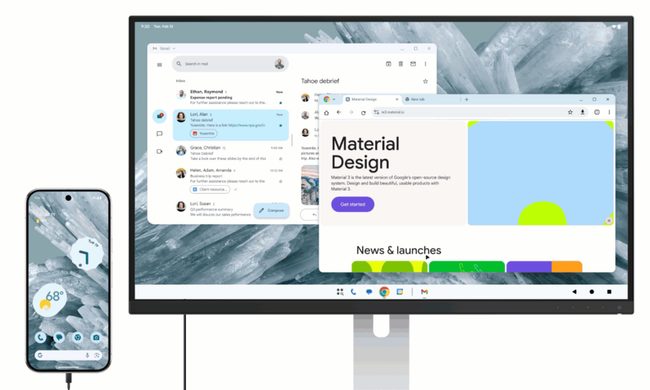
Desktop mode within Android 16.

A broken Galaxy Fold 5 should be a sad little monument to modern gadget math. One busted outer display, one repair bill nobody wants to inspect too closely, and suddenly a powerful foldable starts heading toward a drawer. Instead, a Redditor turned one into a glowing acrylic DeX box with spare parts, fans, a USB hub, and the kind of LED lighting that makes every homebrew computer look mildly illegal.

https://www.reddit.com/r/SamsungDex/comments/1upica7/fold_5_dexbox/

Read more
You’ll finally be able to try OpenAI’s GPT-5.6 Sol, Terra, and Luna models this week
The GPT-5.6 family will become publicly available on July 9, ending the restricted preview that lasted nearly two weeks.
OpenAI Sol Terra Luna featured

OpenAI is ready to expand access to its latest GPT-5.6 model family. In a recent post on X, the company confirmed that GPT-5.6 Sol, Terra, and Luna will become publicly available on Thursday, July 9. If you've been itching to try the new models since the limited preview began in late June, you won't have to wait much longer.

Why the rollout took longer than expected

Read more
A Windows 11 bug may be quietly eating hundreds of gigabytes of your storage
Windows 11’s storage-eating bug now has a fix from Microsoft
Windows 11 suffering from RAM crisis

If your Windows 11 PC suddenly looks low on storage, your downloads folder or game library may not be the problem. According to Windows Latest, a bug tied to a Windows system file can silently consume tens or even hundreds of gigabytes on the system drive.

The file in question is called CapabilityAccessManager.db-wal, and it sits inside Windows’ Capability Access Manager folder. Windows Latest says the issue may appear as unusually high “System files” usage in Windows 11’s storage breakdown, even though the Settings app does not clearly identify the exact file responsible. In some reported cases, users saw it grow to 200GB, and even more.

Read more