1. Home
  2. Social Media
  3. Computing
  4. Web
  5. News

Twitter Night Mode for desktop is already live for some users

Add as a preferred source on Google

We don’t imagine for a moment that any of you climb into bed with your desktop at the end of a long day, fumbling about with all the wires and massive monitor as you try to get comfortable for a quick pre-slumber web session.

But if you do — or if you use a more conveniently sized laptop in bed instead — and firing up Twitter is part of your nightly routine, then the upcoming Night Mode for its desktop site is likely to be extremely welcome, enabling a more relaxing experience as you peruse your timeline and tap out a few tweets before nodding off.

Recommended Videos

The microblogging service is yet to make any official announcement about the new feature, but a number of users are already seeing the option when they’re logged into their account. To find out if you’re one of those, click on your profile image top right and see if it’s showing at the bottom of the drop down list that appears, below “log out.” Not showing yet? Then be patient, there’s a good chance you’ll see it soon.

Ideal for a deliberately darkened workspace, or in the evening when you can’t be bothered to reach for the light switch, Twitter’s Night Mode for desktop will be a whole lot easier on the eyes, transforming as it does all the white space into a mainly dark blue interface, with the text switching from black to white.

Bright monitors can seem really bright at night, prompting many people to fiddle with their machine’s brightness button to dim the display. But that doesn’t always offer the best experience, and so if you’re a Twitter that likes to dip into it on desktop from time to time, this feature is likely to be warmly welcomed.

Twitter introduced its Night Mode for iOS and Android last year, so it’s not a major surprise that it’s now testing the same feature for its desktop site, though some people might be wondering why it’s taken so long to happen.

If you’re particularly keen to have a dark-display option on the desktop version of Twitter and discover you’re not part of the test group, then the Chrome Web Store has some extensions that offer the same effect. Firefox users can also find the same option here.

Trevor Mogg
Contributing Editor
Not so many moons ago, Trevor moved from one tea-loving island nation that drives on the left (Britain) to another (Japan)…
Instagram lands on Samsung TVs, with episodic series and live TV coming to your screen soon
Instagram for TV adds new features for group watching.
instagram-samsung-tv

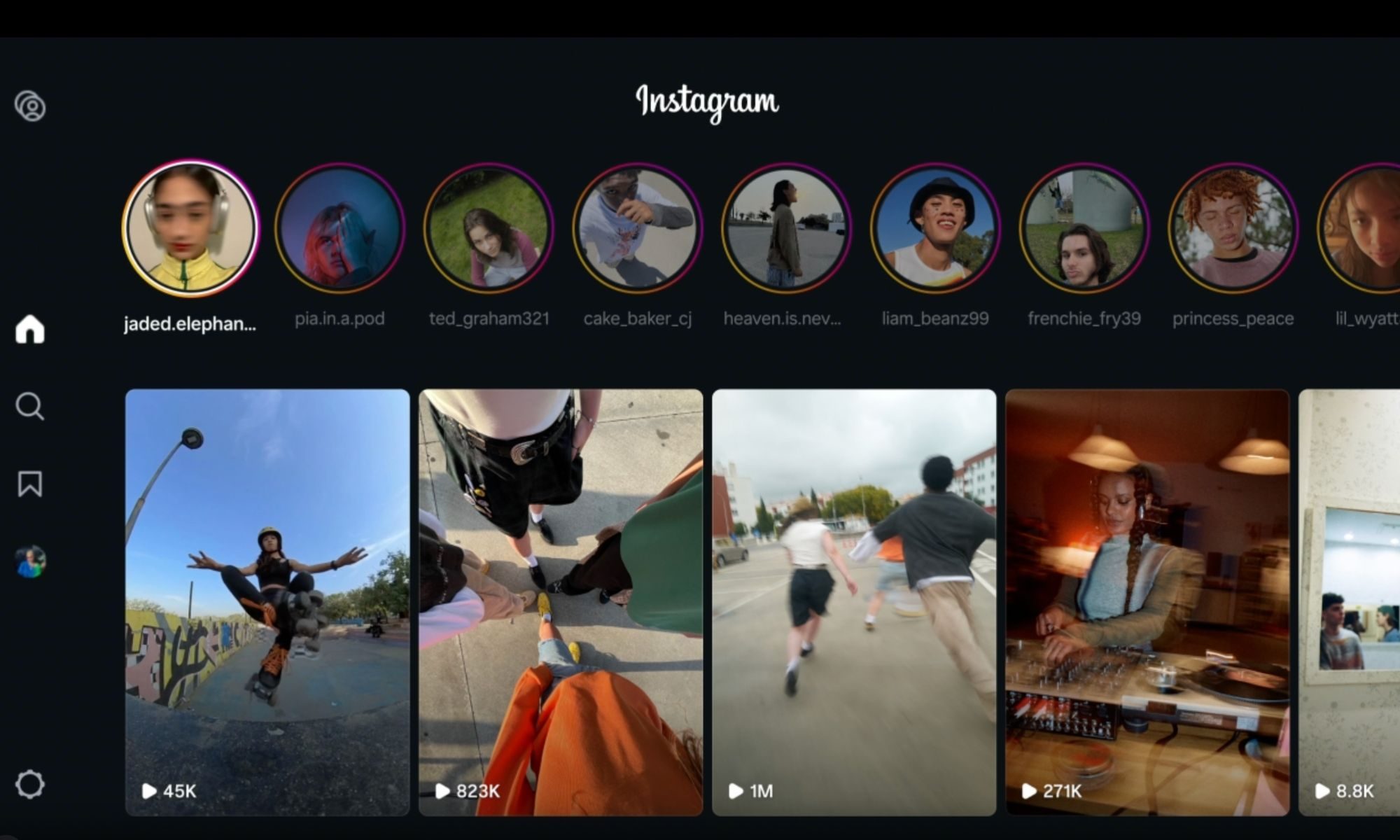
Meta just expanded Instagram for TV to Samsung Smart TVs across the US, rolling out a bunch of new features built for group viewing. With Samsung now on board, Instagram for TV has officially landed on the three biggest connected TV platforms in the country.

https://twitter.com/metanewsroom/status/2069062429821026732?s=46

Read more
TikTok’s AI slop problem is worse than you think — and kids are seeing the most of it
TikTok

TikTok has spent years perfecting the art of knowing exactly what you want to watch next. Open the app, scroll a few times, and suddenly it’s serving videos that feel uncannily tailored to your interests. But what happens before TikTok learns who you are? According to new research from video editing platform Kapwing, the answer is increasingly AI slop.

The study found that nearly 60% of the videos shown to a brand-new TikTok account were low-quality AI-generated content. That’s not a niche problem buried in obscure corners of the platform. It’s the first impression TikTok is making on new users before the algorithm even begins personalizing their feed. And if that sounds concerning, the findings around children’s content are even harder to ignore.

Read more
Your Instagram photo dumps just got a caption for every single slide
One toggle, up to 20 captions, and finally a reason to write something for every slide.
Clothing, Hardhat, Helmet

Instagram just made one of its most popular post formats significantly more useful. 

Starting today, you can add a unique caption to every single slide in a carousel post. So, instead of one caption trying to explain up to 20 different photos, each slide gets its own text underneath. It is the kind of addition that makes me wonder why it took this long.

Read more