
When choosing a slim, light, and portable laptop, there are two major brands everyone thinks about — Microsoft and Apple.
Microsoft’s Surface Laptop used to just come in 15-inch and 13-inch versions, but with the arrival of the 12.5 inch Surface Laptop Go, there’s now even more reason to compare it to Apple’s cheapest MacBook, the MacBook Air.
Priced starting at $550, the new Surface Laptop Go offers a lot of value. Not only is it slim and light, but it comes in the same premium design as its bigger siblings, and with some very good internal specs, too.
On paper, that makes it feel a lot similar to what Apple has done with the MacBook Air. In this side-by-side specs comparison, we’ll delve into the design, performance, and portability of these devices to help you decide which one is best for the price.
Design
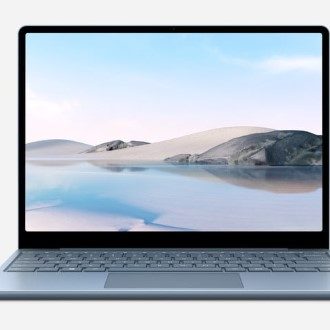
Both the Surface Laptop Go and the MacBook Air are made of aluminum. It should be noted that the Surface Laptop Go doesn’t have the controversial Alcantara keyboard fabric that has presented staining issues in the past. It’s a more premium-feeling device, just like its 13-inch and 15-inch siblings — and the MacBook Air.
The MacBook Air measures 11.97 inches x 8.36 inches x 0.63 inches, and weighs in at 2.8 pounds. That’s almost the same as the Surface Laptop Go, which comes in at 10.95 inches x 8.10 inches x 0.62 inches and 2.45 pounds.
The Surface Laptop Go wins out here. It’s just a bit shorter, thinner, and lighter than the MacBook Air.
Both devices are clamshell laptops. But, as with all Surface devices, there is the added benefit of a 10-point multitouch screen and support for the Surface Pen on the Surface Laptop Go. Its screen comes in at 12.45 inches with a 1,536 x 1,024 resolution (148 pixels per inch.) The screen is also has a 3:2 aspect ratio, allowing for more vertical room for multitasking.
Apple’s MacBook Air, meanwhile, sports a 13.3-inch Retina LED-backlit display. This screen is larger, but there is no touch support. It comes in at 2,560 x 1,600 resolution (227 pixels per inch.) The screen has a 16:10 aspect ratio, which is more suited for content creation and media consumption.
It’s hard to pick a winner here as the differences will come down to your preferred aspect ratio, and if you need a touchscreen or support for inking. Both devices still have slim bezels, with the exception of the bigger bottom bezel on the Surface Laptop Go.
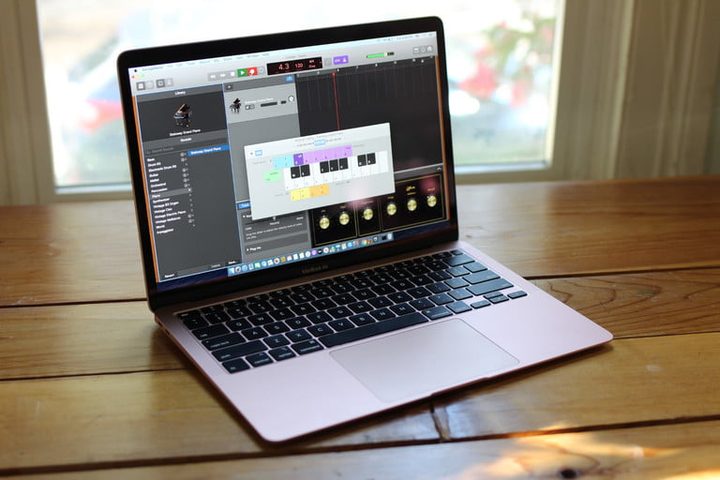
Other design elements worth considering are keyboards and trackpads. The MacBook Air features Apple’s new Magic Keyboard and not the controversial butterfly keyboard, which has been known to break down over time. It also has a force touch trackpad. And, there’s a fingerprint reader embedded next to the keyboard for logins. We really enjoyed the feel of the keyboard and found it to be one of the best on a laptop today.
The Surface Laptop Go, meanwhile, sports a full-size keyboard with a soft-touch feel. It also has 1.3 mm of key travel. Its Precision trackpad is also made of glass, and is about the same size as Apple’s trackpad. There’s even Windows Hello fingerprint reader built into the power button on some models. We haven’t tested it yet, but your choice might come down to personal preferences here.
Winner: Tie
Performance
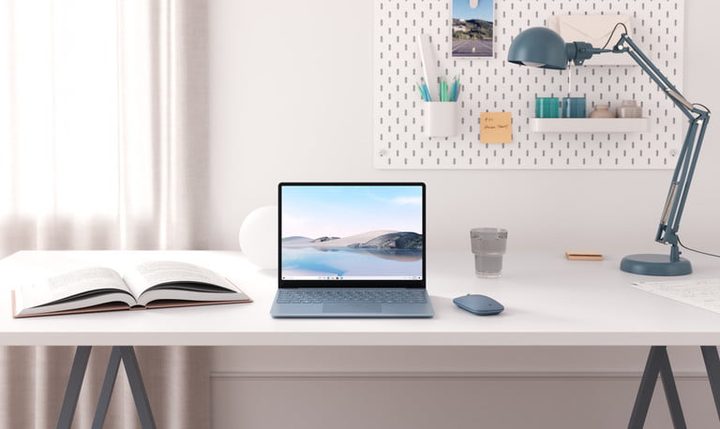
Asides from the MacOS versus Windows operating system differences, these two devices feature very disparate processors under the hood. The MacBook Air’s chipset options are part of Intel’s 10th-gen Ice Lake family, but not the same as the one found in the Surface Laptop Go. Instead, these are variations of the Y-series chips that Intel partnered with Apple with. The Surface Laptop Go, meanwhile, sports only one option, a standard Intel Core i5-1035G1 processor.
In terms of configurations, there’s more choice with Apple. The cheapest $1,000 MacBook Air comes with the Core i3-1000NG4, a 9-watt dual-core chip. The more expensive $1,300 model, meanwhile, comes with the quad-core Core i5-1030NG7. RAM can be configured up to 16GB, but 8GB is standard. Storage comes in at 256GB or 512GB and can be pushed up to 2TB.
We found that in comparison to Windows laptops, these processors on the MacBook Air don’t quite measure up well and were just adequate, mainly because of their 9-watt limit. That means the best bet may be the Surface Laptop Go if you’re looking for more raw performance and productivity power.

Unlike MacBook Air, the Surface Laptop Go comes configured in just one quad-core Intel Core i5 option. It’s the same 15-watt processor that you can find on similar laptops like the Dell Inspiron 15 4000. RAM comes standard at 4GB and can only be pushed up to 8GB for consumers, and 16GB in commercial SKUs. Storage comes in at 64GB of eMMC on the budget model and 128GB or 256GB on the higher-end models.
This configuration should hold up well. When we reviewed the Inspiron 15 Laptop with the same processor, we found that it “gets the job done in productivity tasks, web browsing, media consumption, and the like.”
However, it should be noted this Intel processor doesn’t have the same advantages of Intel’s Iris Plus graphics that the MacBook Air does. This means the MacBook might be better for entry-level gaming, as the Laptop Go is stuck on Intel’s HD graphics.
In the end, you might be better off with a MacBook if you want to play Fortnite. But in terms of raw power for the price, the Surface Laptop Go offers the benefits quad-core processing for considerably less than half the price of the MacBook Air, which costs $1,300.
Winner: Microsoft Surface Laptop Go
Portability
With portability, there are a few things to take into account. That includes Wi-Fi, Bluetooth, webcam, battery life, and the ports. On this front, the MacBook Air and the Surface Laptop Go are a bit different. Here’s why.
When we tested it, we found that the MacBook Air’s battery only lasted nine and a half hours for web browsing and 10 hours for video playback. Microsoft is claiming that rthe Surface Laptop Go can last for 13 hours, but as with most Windows laptops, it could be on par with what we see with the MacBook Air. More testing is needed. The Surface also supports fast charging, achieving an 80% charge in just one hour.
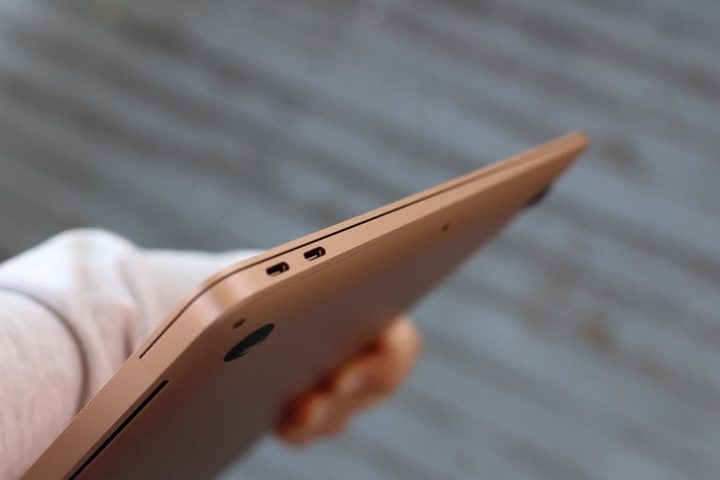
For ports, the differences will be astounding for most. The MacBook Air only sports two Thunderbolt 3 USB-C ports and an audio jack. You’ll need a dongle to attach displays and other USB accessories. The Surface Laptop Go, meanwhile, comes with both USB-C and USB-A, an audio jack, and the proprietary Surface Connect port.
If you’re hoping to live a dongle-less life, then the Surface is the way to go. Just be aware, there’s no Thunderbolt 3, which Microsoft omits from Surface due to security reasons.

Looking at Wi-Fi and Bluetooth, meanwhile, the MacBook Air supports 802.11ac Wi-Fi wireless networking and up to Bluetooth 5. The Surface Laptop Go is Wi-Fi 6 compatible and supports up to 802.11ax and Bluetooth 5. For faster Wi-Fi, the Surface is your best bet.
And finally, there are the webcams. Both devices feature 720p HD webcams. The Surface has studio microphones next to that webcam and the MacBook has a three-mic array with directional beamforming. Here, the devices are on par.
Winner: Microsoft Surface Laptop Go
Surface Laptop Go wins it for now
Right now, the Surface Laptop Go offers better value for the price when compared to the MacBook Air. Not only does it offer more quad-core processing power for half the price of the MacBook Air, but it also comes with the added benefits of a touchscreen and support for a Surface Pen. It also offers more choices in ports. Plus, the design is almost the same as what you can find on the 15-inch and 13-inch models.



