Ten years ago to this date, the computing world was forever changed. But it wasn’t because of something that was done by Apple or Microsoft. Rather, it was Google.
On June 15, 2011, the first public version of Chrome OS was released. It was initially foreign to a lot of technology journalists, but it ended up ushering in a new type of operating system that is now entrenched in schools, businesses, and even your home.
In the 10 years since its debut, ChromeOS has really evolved. It’s moved past just running a web browser as your operating system to becoming something with features that rival MacOS and even Windows 10. Happy birthday, Google Chrome OS! Here’s a little look at your journey to celebrate.
Born from a web browser
When Chrome OS was first released to the public in 2011, (following its preview as Chromium OS in 2009), Google banked on the success it saw with the Chrome web browser. Chrome OS was literally designed as an extension of Chrome. It was a full-on OS that consisted of a web browser and a web browser only. It wasn’t your traditional operating system.
There were no programs to download or constant updates to check for. Everything in Chrome OS was based on the web, with “links” to your content, known as web apps. The Chrome user interface provided you to access the web.
Google had introduced its own take on cloud computing to consumers. That is a system where most of your content lives online, away from an actual device running the OS. That might have sounded foreign, but that was part of what made Chrome OS unique. It meant that devices with Chrome OS, which we’ve come to know as Chromebooks, booted in seconds.
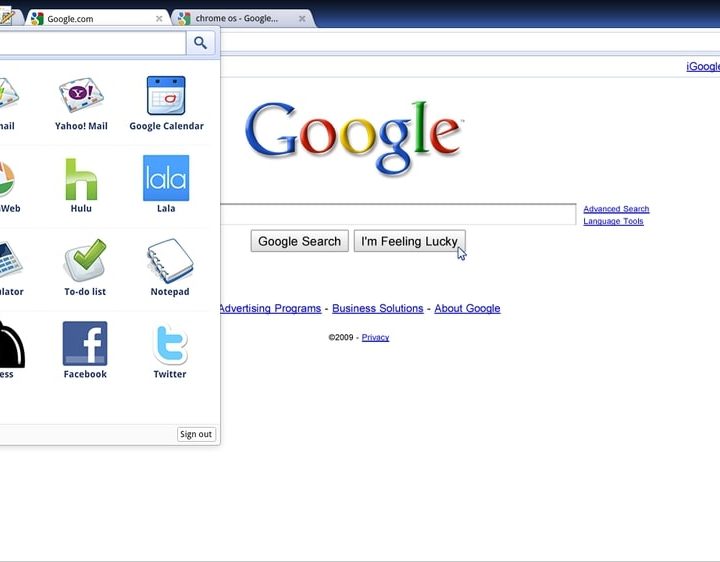
Unlike the extensive setup required on Windows PCs, it also meant Chrome OS devices were also completely shareable in seconds with a guest mode. Chrome Web Apps, extensions, and all of your content depended on access to Wi-F, the web, and your Google account. Sign in on any Chromebook, and you’ll find all your stuff there.
Chrome OS was secure, without the need for antivirus. You didn’t have to deal with the typical hassles of computing, Nothing but the web, as Google would say.
Google even ended up partnering with laptop makers you’d only see work with Microsoft and Windows to expand the reach of Chrome OS. It was a change for the industry.
Google got manufacturers to buy in on its grand vision of computing, and in July 2011, Samsung and Acer revealed their first Chromebooks. This was a massive leap for Chrome OS, getting the platform off the CR-48 Google device that only select influencers held, away from something that you can install on existing PCs, and into the hands of more consumers via dedicated hardware.
Evolving beyond the web browser
With Chromebooks garnering public interest, as well as criticism from tech reviewers, Google worked hard to push Chrome OS further. Each new Chrome OS release delivered new features and design overhauls of the underlying user interface. The first of those came in 2012 with Chrome OS version 19, known as Aura. This release moved Chrome closer to looking like Windows, pushing it past just a browser with tabs. It introduced a window manager, overlapping windows, a Taskbar, and a launcher for you to access your cloud-based apps. This is the basis for how we know Chrome OS today.
Like Microsoft did with Surface, Google even ended up doing something new. It introduced its own Chrome OS device with the Chromebook Pixel. That was then followed by a shift for the OS in 2016 when Google announced it would bring Android Google Play to select Chrome OS devices. Prior to that, in 2013, Google introduced the ability to run Linux apps through the Crouton utility. Google topped things off with the announcement of the ability to run native Linux apps in 2018. 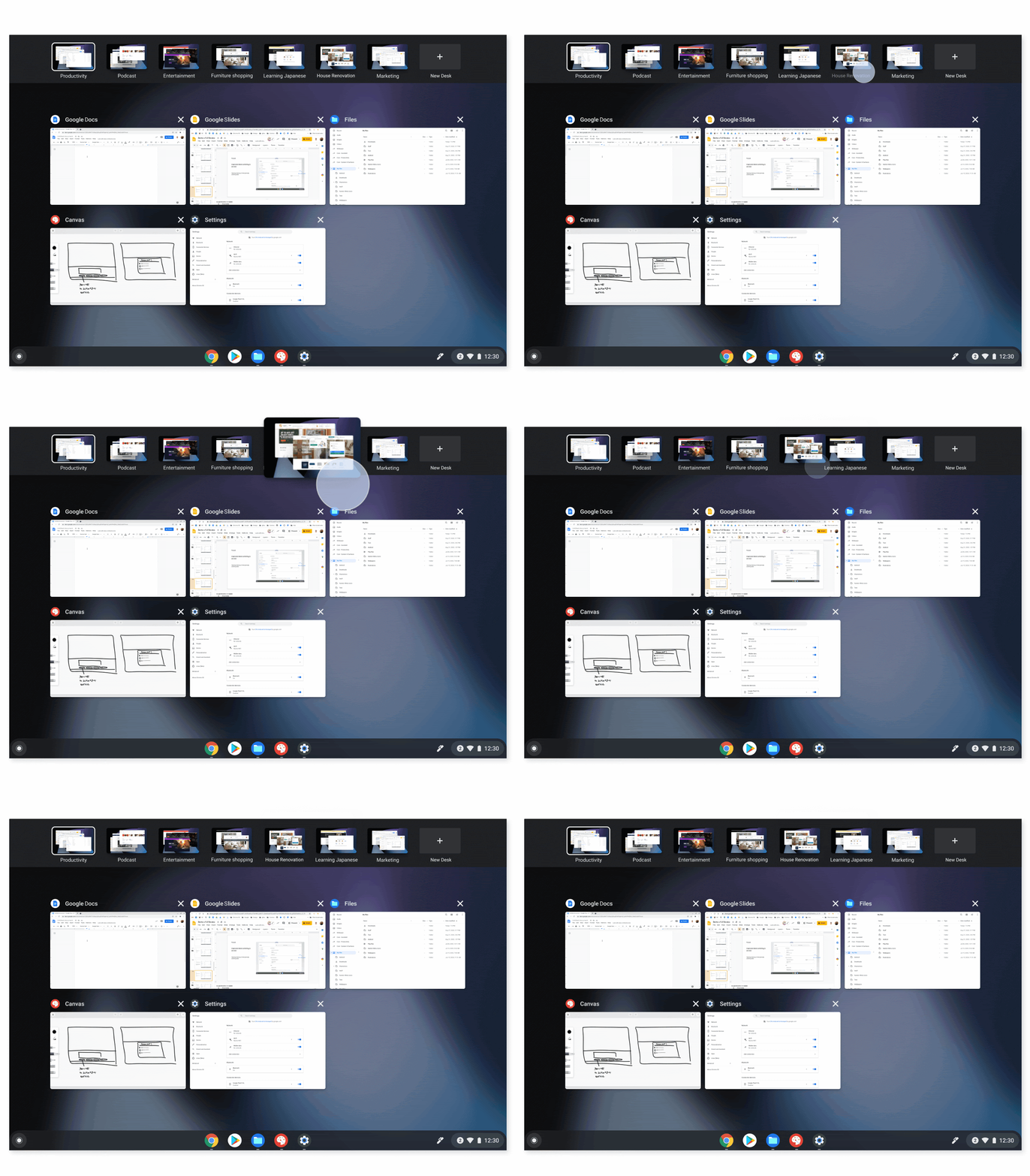
With popularity up, ChromeOS was becoming much more than just a web browser that runs on top of a device. It was evolving into a full-blown MacOS- and Windows-like operating system.
Clearly, Google needed special hardware for it, so Google went on to launch its own Chrome OS device, the Google Pixelbook, in 2018. That was followed by the Pixel Slate, as well as the Pixelbook Go.
To pair up hardware with software, Google added touch-friendly features, a tablet mode, and many other things to Chrome OS, getting it to the point where we are today. It even brought over the Google Assistant to Chromebooks in late 2019, unlocking the power of Google’s A.I. on all Chrome OS devices.
And what about Windows? Well, Google worked with its partners at Parallels to bring Windows apps to select Chromebooks, even when offline. What a journey!
Taking on Windows and MacOS
Over 10 years, Google has had a lot of success with Chrome OS. A report from the International Data Corporation finds that Chromebooks make up more than 26% of all computer sales in the U.S. Another study finds that Chromebooks feature the second-most popular user-oriented OS, ahead of MacOS and only behind Windows.
A lot of that is largely due to the pandemic and Chromebooks being affordable, but there’s no doubt that Chrome OS and Chromebooks are on their way to the top eventually. Microsoft even attempted to mimic Chrome OS with a lightweight web-based OS known as Windows 10X, but the project was canned. And Google is even learning from Microsoft and Apple. Google introduced features like Phone Hub, which aims to bring your Android phone closer to your Chromebook.
There are even rumors that Google might separate Chrome out of Chrome OS, morphing the OS into its own entity. No doubt, Chrome OS is growing big, and off to new places for the next 10 years.