Dell has just announced the release of its new workstation, the Precision 7865 Tower. Powered by AMD’s latest Ryzen Threadripper PRO 5000 WX-series processors and either Nvidia or AMD graphics, it’s a powerhouse made for professionals in need of next-level performance.
Aside from massive core counts, the workstation brings various improvements ranging from heavy-duty cooling to intense amounts of RAM that reach as high as 1TB.

Dell’s Precision line consists of many well-received workstations, spread across both mobile and desktop variants. Today, the company revealed the next iteration of the lineup, made to push the performance limits currently set by its predecessors. Set to arrive at an undisclosed date this summer, the Precision 7865 Tower comes in many flavors, and all of them were made for professionals.
Dell advertises this PC as the go-to for architects, content creators, designers, engineers, and other users who can’t simply settle for one of the best desktop PCs made for regular consumers. Its powerful insides should breeze through various resource-heavy tasks, be it artificial intelligence, virtual reality, rendering, or data science. Let’s take a closer look at the components that are housed inside the seemingly well-cooled, but also unassuming chassis.
The crown jewel of the new workstation undoubtedly lies in its beastly CPU. Equipped with the latest range of AMD Ryzen Threadripper PRO, the Precision Tower should turn out to be a true multitasking fiend. The processor options start with the Ryzen Threadripper PRO 5945WX with a 64MB cache, 12 cores, 24 threads, and clock speeds reaching as high as 4.5GHz. The top CPU available is the PRO 5995WX with a 256MB cache, as well as a whopping 64 cores and 128 threads. A total of five AMD CPUs are available, and although they vary in terms of specs, they each have the same 280-watt power requirements.
Dell paired the stellar CPUs with some equally impressive graphics cards, and this time customers can choose between AMD Radeon Pro and Nvidia. Nvidia options range from the Nvidia RTX A6000 with 48GB of GDDR6 memory, followed by lesser RTX options, two Nvidia T-series GPUs (T1000 and T400 with just 2GB of memory), and lastly, the Nvidia Quadro GV100. Those who want to stick to AMD can choose between the Pro W6800 with 32GB GDDR6 memory, the W6600 with 8GB, and the W6400 with 4GB.
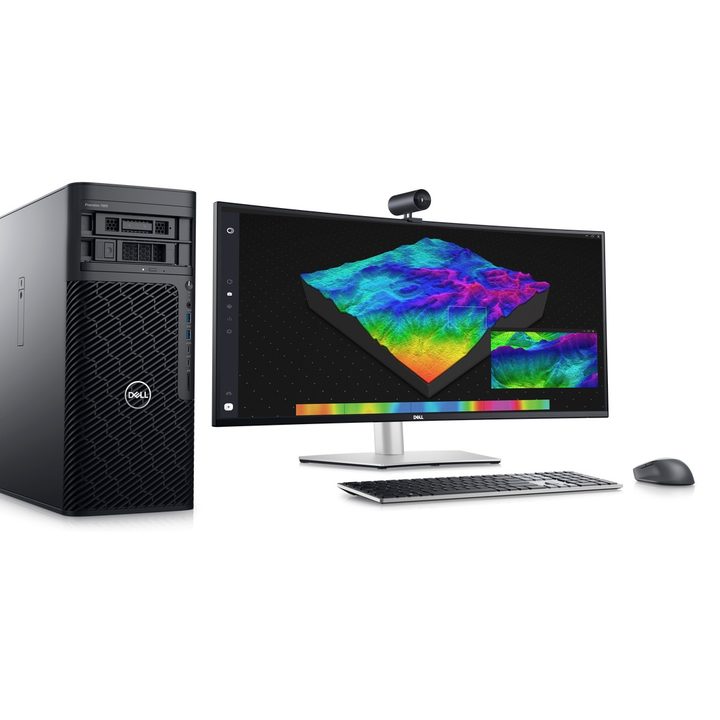
The Precision 7865 Tower also delivers plenty of memory and storage. In terms of memory, it still sticks to DDR4 territory, but the capacity is impressive, capping out at 1TB clocked at 3,200MHz. It comes with 8 DIMM slots with up to 128GB per slot. Users will be able to choose between an SSD and an HDD for their storage picks, and while the HDD maxes out at 8TB, the SSD goes as high as 4TB. In total, you can get 56TB of storage. There are also self-encrypting options for those who want extra security.
Dell clearly emphasizes safety in its announcement of the Precision 7865 Tower, and the SSD choices are just one of the several points it brings up. Aside from the self-encrypting drives, the workstation comes with TPM 2.0, a lockable chassis that detects intruders, and onlooker detection. Plenty of ports and fast connection speeds (1Gb and 10Gb native) round out what seems to be one of the best workstations to hit the market this year.
With all of these next-level components, you might be wondering — how much is this thing going to cost? Unfortunately, we don’t know just yet. Dell promises to lift the veil of mystery closer to the release date, which, as mentioned, is set to happen in the summer. The top variants are likely going to cost a small (or big) fortune, but then, most users will never need the kind of power the Precision 7865 Tower can provide — and those who need it will probably be willing to pay for it.