  1. Home
  2. Computing
  3. News

The Windows 11 taskbar is getting an important new update

Add as a preferred source on Google

Microsoft is working on new experiences for Windows that will allow developers to enable pinning for third-party applications, as well as enable pinning to the Taskbar.

Microsoft recently announced the details of these upcoming functions in a blog post. This is the brand’s attempt to universalize its pinning process across all apps used on Windows. In practice, it will be similar to how pinning works on the Edge browser, with the Windows 11 users being notified by the Action Center about a request for pinning to the Taskbar by the app in question.
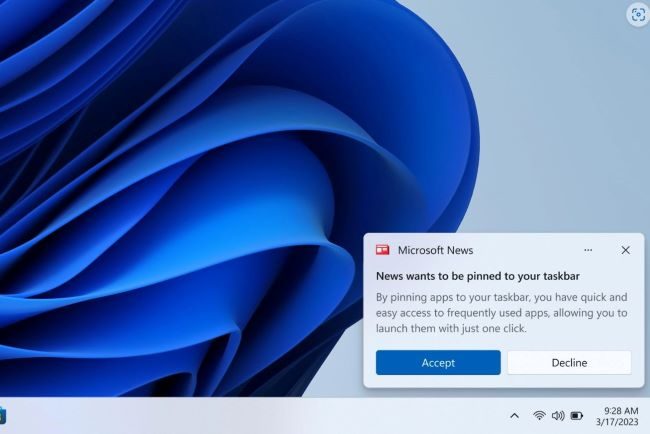
Image used with permission by copyright holder

Microsoft said this optimization of Windows will “empower developers to take advantage of our open platform.”

Recommended Videos

The company laid out three commitments it aims to achieve in allowing developers to explore this Windows support of third-party apps.

  • We will ensure people who use Windows are in control of changes to their pins and their defaults.
  • We will provide a common supported way for application developers to offer the ability to make their app the default or pin their app to the taskbar. This will provide users a consistent experience across all apps.
  • Microsoft apps will use the same common supported methods for pinning and defaults.

Microsoft will provide developers with the “deep link URI for applications” required to extend pinning support to applications outside the Windows ecosystem. Windows Insiders on the Dev Channel will also receive updates for these functions in the coming months.

Microsoft has experimented with many Taskbar features for Windows 11, including testing out the search bar in the Taskbar in Windows 11 Insider Preview (Build 25158), and the task overflow bar in Windows 11 Insider Preview Build 25163. These features ultimately didn’t make it into the final build of Windows 11, which was released in late 2022. However, those who were a part of the Windows Insiders Dev Channel did get a first look at some of Microsoft’s interesting ideas.

Fionna Agomuoh
Fionna Agomuoh is a Computing Writer at Digital Trends. She covers a range of topics in the computing space, including…
As iPads get pricier, Motorola’s Pad 70 Pro arrives as a solid option… just not for US buyers yet
Great specs, a stylus in the box, and no US launch date: the Moto Pad 70 Pro sounds both impressive and disappointing.
Computer, Electronics, Laptop

If you don’t know about Apple’s recent price hike, which affected all the products in its lineup except the iPhone and Apple Watch (for now), you’ve got to be living under some sort of a rock. The revision made all the iPads much more expensive. 

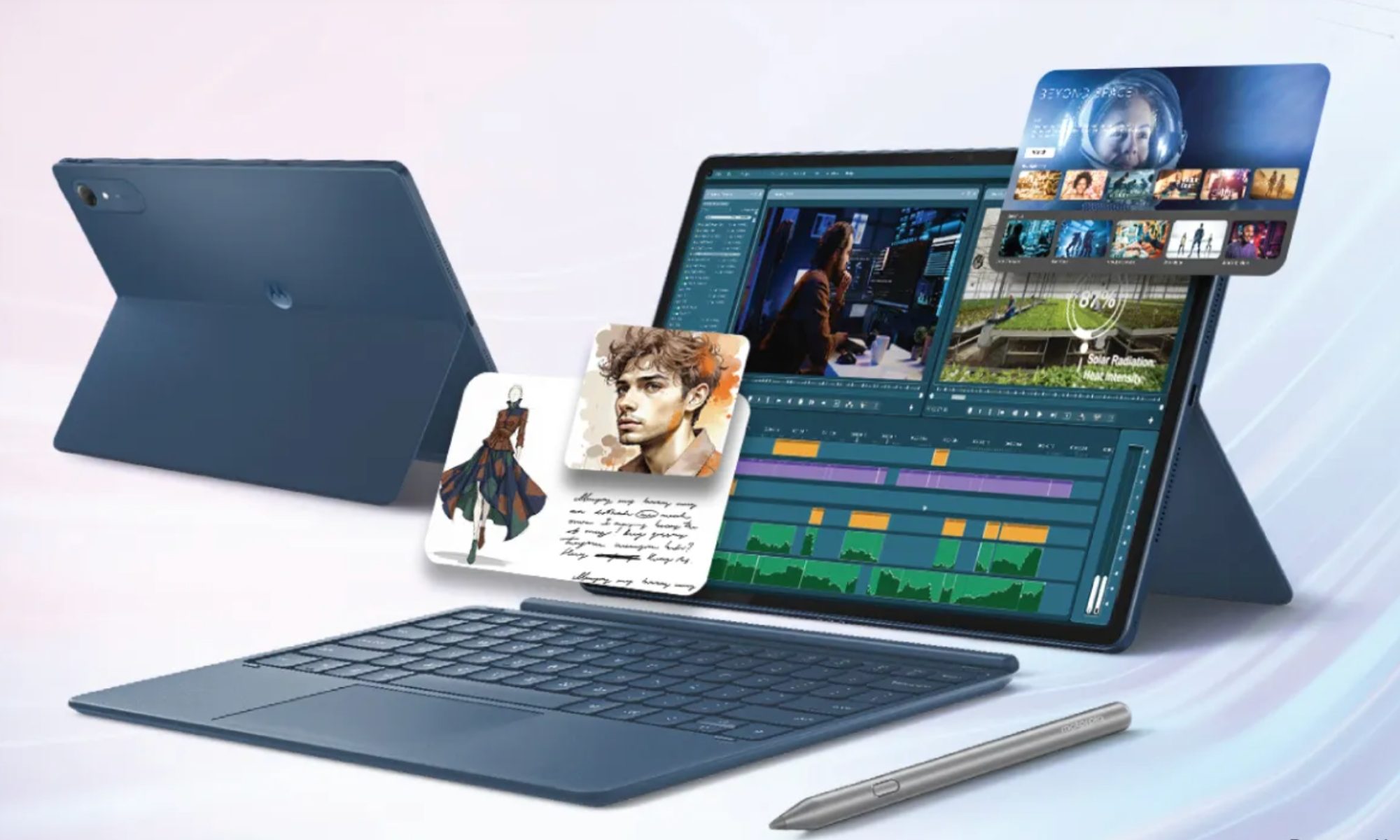
Motorola, however, has just launched a 13-inch tablet that actually sounds good on paper. It’s called the Moto Pad 70 Pro, and it costs around $440 for the baseline model. The catch, however, is that the device isn’t available in the US yet. 

Read more
The refurbished MacBook Neo may be your best way around Apple’s price hike
MacBook Neo has hit Apple’s refurbished store after its price increase
Student using MacBook Neo in classroom.

The MacBook Neo launched in March as Apple’s most affordable notebook, but it has already been caught in the company’s recent price hike. The base model with 8GB of RAM and 256GB of storage now costs $699, while the 512GB version with Touch ID is priced at $799.

Just days later, Apple has already listed refurbished MacBook Neo models on its online store, giving buyers a cheaper official option, though the savings are not as generous as you might expect.

Read more
This cross-device clipboard app solves the copy-paste problem I keep running into on my Mac
ClipboardAI keeps a searchable history of everything you copy
Text, Electronics, Mobile Phone

I have lost count of how many times I have copied something important, copied another thing before pasting it, and then realized the first item was gone. It is a small frustration, but it happens often enough to become annoying. I recently came across ClipboardAI, which caught my attention because it goes beyond Apple’s built-in clipboard by saving copied items into a searchable history.

Instead of replacing the last thing you copied every time, ClipboardAI keeps a searchable record of copied text, links, codes, email addresses, phone numbers, addresses, and images across iPhone, iPad, and Mac. That means an older clip does not disappear just because you copied something new.

Read more

