

The way Intel tells it, Ultrabooks have always been a budget proposition designed to reach as many buyers as possible. But you might not have noticed it from the first wave — a spendy batch of ultraportables which seemed to consistently carry quadruple-digit price tags. With its new Envy Ultrabooks, announced Wednesday, HP is targeting a fatter chunk of the market with both larger screens and lower prics, two factors that should hook mainstream consumers who found previous options too tiny or expensive for their tastes.
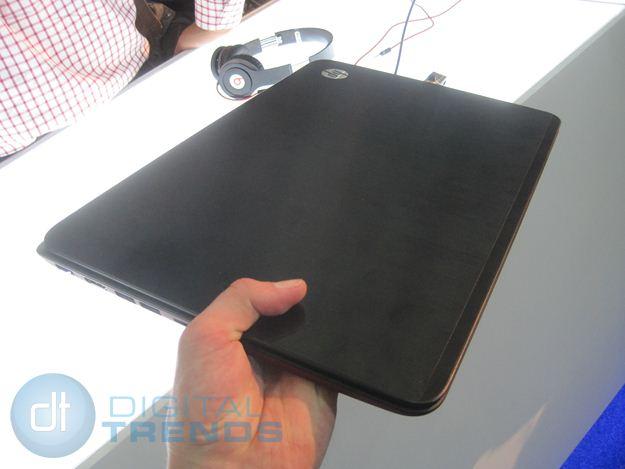 The new 14- and 15.6-inch Envy Ultrabooks retail at $800 and $750, respectively, which puts them squarely below even the cheapest first-gen Ultrabooks. Those sizes are no accident: HP’s research shows that 15.6-inch notebooks are the most popular size in the U.S. and Europe, and 14-inch notebooks are the most popular in China, one of HP’s growing markets.
While they use Intel Core series processors, take note that this is still Sandy Bridge hardware, not Ivy Bridge – one of a few possible concessions to reach these prices. Measuring “as thin as” 19.8mm and just under 4 pounds, they’re also far from the lightest or thinnest Ultrabooks. Battery life remains a standard eight to nine hours.
When you first pop the 15.6-inch model open, you’ll notice another hardware concession: Despite the larger size, both models still use 1366 x 768 resolution screens, which start to look course scaled up to these sizes. Less discerning customers who just want a larger screen that’s easier on the eyes won’t mind, but anyone looking for more pixels to throw windows around will be disappointed.
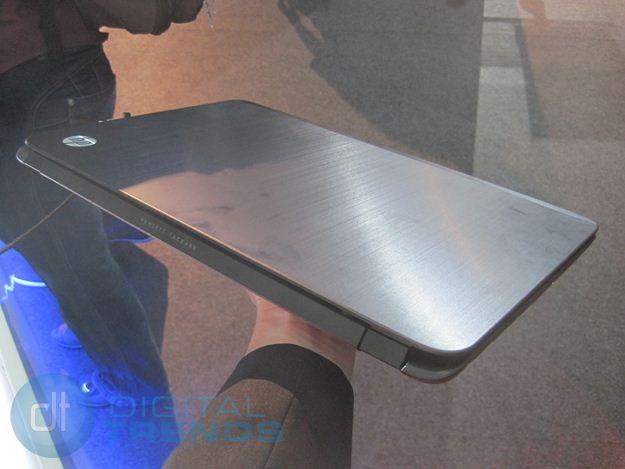
Build quality remains high thanks to a firm aluminum chassis without the excessive flex or loose springy hinges we’ve spotted in cheaper HP models like the DV series. The brushed-aluminum lid and deck won’t win any awards for originality, but the metal feels nice and has the practical benefit of smudge resistance. In an intentional stylistic departure, these actually have “Hewlett Packard” stamped across the back in an almost automotive-like fashion, a cash-in on some of the historic credibility of the full name.
As on the Folio 13, the Envy Ultrabooks use square Chiclet-style keys, which feel soft and offer exceptionally quiet operation, even if they do sacrifice a bit of key travel to get there.
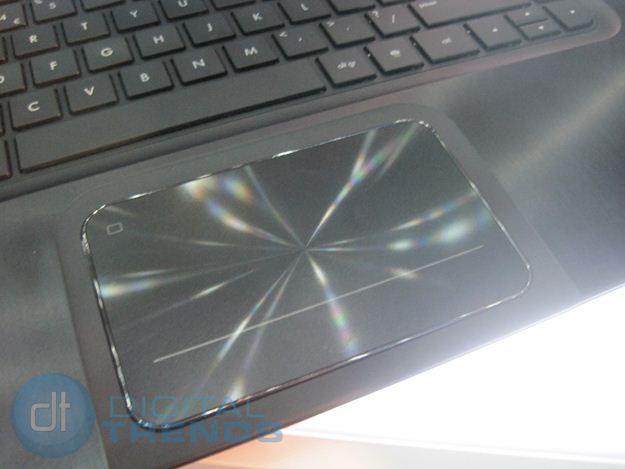
Unlike the flush touchpad on its Folio 13, the Envy Ultrabooks use a new touchpad design that puts it on a literal plateau, surrounded by a routed-out “moat” in the deck lid. The design provides more tactile feedback to indicate the edges of the pad, but the clicking motion still felt a little soggy to us. The gesture surface has a “spun” texture formed from concentric circles, giving it a ridged feel as you drag a finger across. We liked it, but it does tend to slow down fast motions, like flicking the cursor from one corner of the screen to another.
As the Beats branding would suggest, these Ultrabooks are packing a little more than the average laptop thanks to stereo speakers and a built-in “subwoofer.” We weren’t able to give it a fair shake at HP’s conference, but if past experience is any indication, they should offer better sound quality even if they won’t quite rock you out of the room.
While the Envy Ultrabooks aren’t lighter, thinner or faster than anything we’ve seen before, the lower prices and larger size should go a long way in putting Ultrabooks into the hands of more than just the travelling elite. And that’s music to Intel’s ears.


