  1. Home
  2. Computing
  3. News

Digital Trends may earn a commission when you buy through links on our site. Why trust us?

Apple’s Vision Pro to get bespoke Microsoft 365 apps at launch

Add as a preferred source on Google
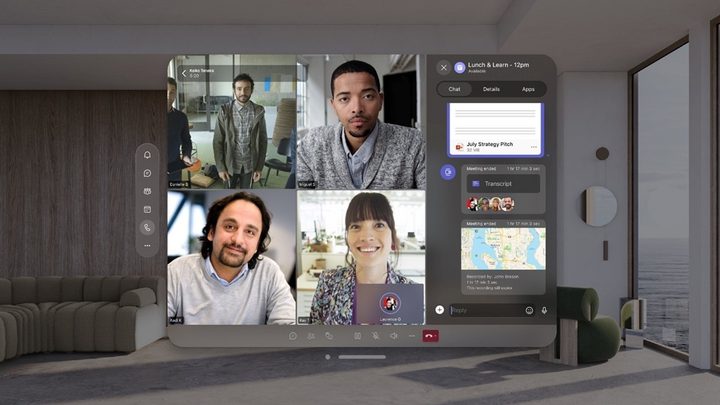
Microsoft Teams on Apple's Vision Pro headset.
Microsoft

Apple’s Vision Pro is just a couple of days from landing on people’s heads, with many speculating how much of a success — or not — the tech giant can make of its most important product launch in years.

A key factor is expected to be the level of interest developers show in creating custom-made apps for the mixed-reality headset, with some major platforms such as Netflix, Spotify, and YouTube deciding to hold back from offering bespoke apps.

Recommended Videos

A big boost, however, came on Wednesday when Microsoft announced that its productivity-focused 365 apps, including Word, Excel, PowerPoint, Outlook, OneNote, and Loop, along with its AI companion Copilot, will be available on Friday in the Vision Pro App Store.

It’s important to note that these are not simple ports of existing apps; rather, they’ve been designed from the ground up to take advantage of some of the features offered by Apple’s Vision Pro headset.

For example, PowerPoint’s custom Immersive Environment lets you practice presentation as if you’re in front of an audience.

Microsoft's PowerPoint on the Vision Pro.
Microsoft

Excel, on the other hand, can be used with the Vision Pro’s so-called “infinite canvas,” which moves digital content away from a traditional 2D setting and lets you handle it as if it were part of your physical space.
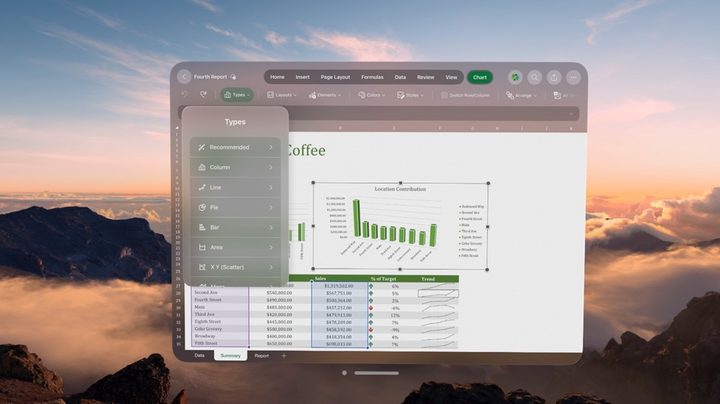
Microsoft's PowerPoint on the Vision Pro.
Microsoft

When it comes to Word, the Vision Pro’s Immersive Environments and Word’s focus mode let you block out distractions to immerse yourself properly in the document you’re working on.
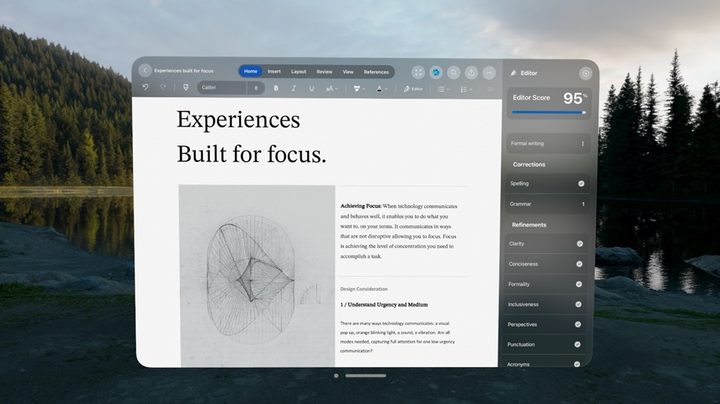
Microsoft Word on the Vision Pro.
Image used with permission by copyright holder

Similar to Zoom for the Vision Pro, you can make video calls in Teams while wearing the Vision Pro headset. Others in the call will see a digital avatar of your whole face based on a scan, a feature made possible by the Vision Pro’s “persona” tool.

You can also access AI-powered Copilot services via Apple’s headset, using natural voice commands to create drafts of documents, perform edits and summaries, and more.

“At Microsoft, we are committed to providing our customers with great Microsoft 365 experiences across their favorite platforms and devices,” Microsoft’s Gabriel Valdez Malpartida wrote in a post announcing the news. “We have worked closely with Apple for many years to bring these experiences to iPhone, iPad, and Mac. Now, with Apple Vision Pro, these apps make use of the infinite canvas of spatial computing and can appear side by side at any scale for incredible multitasking.”

To learn more about the Vision Pro’s app situation at launch, check out this informative Digital Trends article.

Trevor Mogg
Contributing Editor
Not so many moons ago, Trevor moved from one tea-loving island nation that drives on the left (Britain) to another (Japan)…
Asus ExpertBook Ultra review: A dreamy ultra-thin machine that surprised me with raw power
If thin and light is what you value the most, this one will serve you perfectly, without the obvious performance compromises.
Asus ExpertBook Ultra laptop

See at Amazon

Quick Review

Read more
I found a free Mac diagnostic app that tells you what Apple’s tools don’t
It can check your Mac’s storage, memory, battery, and network
Techtool Lite UI screenshot

Macs have a strong reputation for being smooth and reliable, and Apple’s tight control over hardware and software is a big reason for that. Use one long enough, however, and you may still run into slowdowns, freezes, strange behavior, or that familiar feeling that something is simply off.

Apple’s own tools can help, but only to a point. Disk Utility is useful for storage-related checks, but it does not give you a wider picture of your Mac’s overall health. I recently came across Techtool Lite, a free diagnostic and maintenance app from Micromat that looks at more than just your drive.

Read more
Claude redefined my bond with Macs. I am building my own apps and it’s a bliss.
I talk to Claude. It builds me apps. It's as simple as that!
Claude AI on Mac.

A few days ago, one of my colleagues asked me a favor. They wanted a few iOS and macOS screenshots turned into a mockup image where the UI is rendered on an iPhone and a MacBook. The problem? It was 3 am PST, which meant asking one of my design team colleagues was out of the question. 

Now, there are plenty of online tools that will do it, but you either have to pay for a subscription (as in Canva), or sign up to buy usage credits after a few free trials. Moreover, these editors limit you to a handful of design presets. I turned to Anthropic’s Claude, and within half an hour, I had a screenshot-to-mockup editor built for the entire team to use. Take a look:

Read more

