The Google I/O 2024 developer conference is underway, and that’s where all of Google’s products are getting a healthy infusion of features based on artificial intelligence (or AI). Many of these features are headed to mobile devices, including the ability to get more improved search results for longer and more complex queries, and Google Lens now using instantaneous video clips for searching. Much of this is powered by different versions of Google’s Gemini large language model (LLM), which now also revolutionizes one of Google’s oldest — and still surviving — products: Gmail.
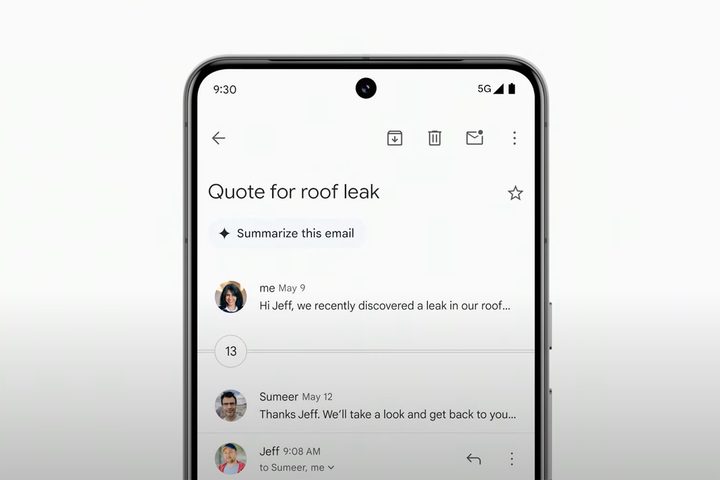
As part of a larger overhaul to Gmail, Google is announcing changes that will be available for the mobile apps on Android as well as iOS, specifically using Gemini 1.5 Pro. Similar to the improvements heading to the web version, Gmail for mobile will soon be able to clean up your inbox with the option to summarize long email threads.
Gmail Q&A and Contextual Smart Reply
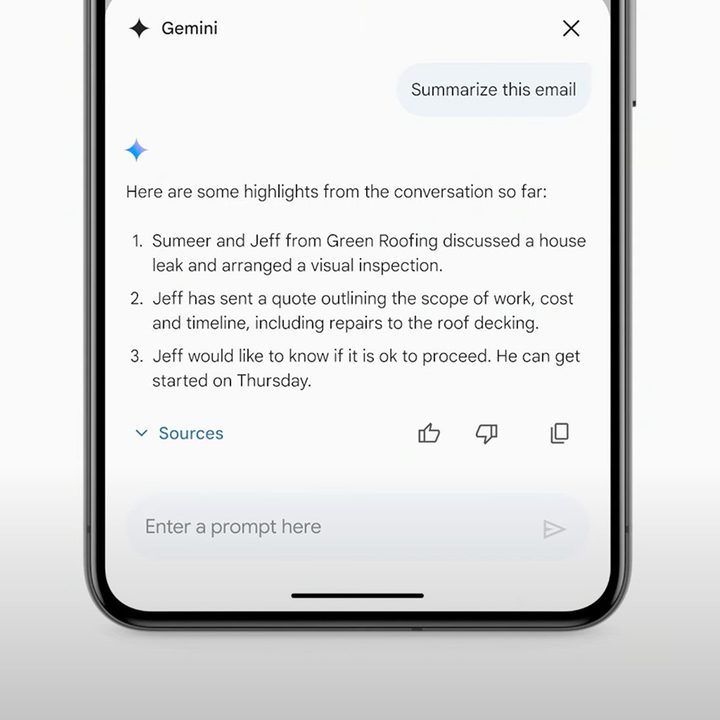
In a demo, Google’s Aparna Pappu detailed how the new email summaries organize information in a condensed format that appears in an overlay card on top of the Gmail app. That’s not where it ends. The overlay gets a chatbot interface where you can ask follow-up questions related to the email thread and receive a precise answer without having to scour through each message.
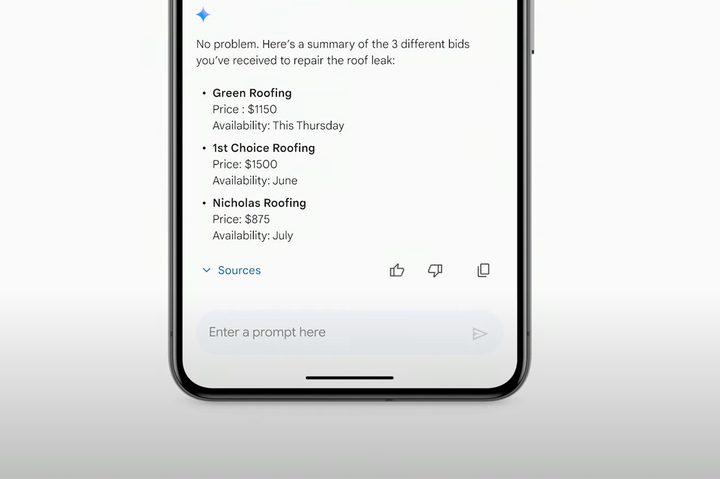
Google’s demo also shows that the Gemini-based chatbot interface will be able to search for contextual cues beyond that specific email thread. Instead, it can search for information from other email threads and present it in one place. Pretty convenient, right?
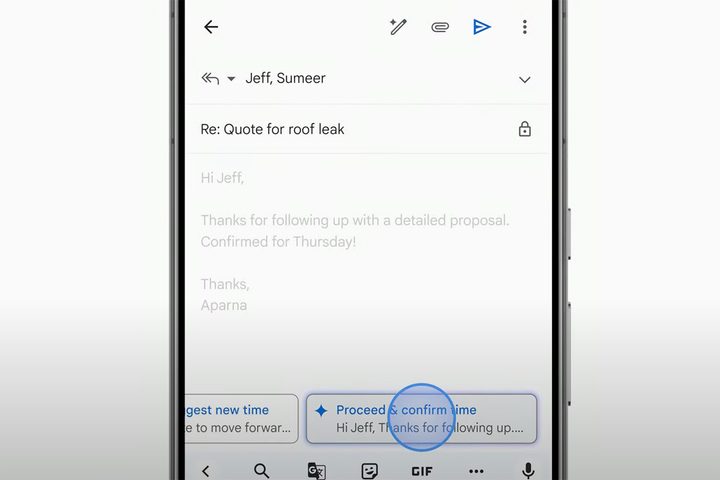
To top that, the new Gmail will now also offer more detailed and contextual responses beyond the rudimentary smart replies available presently. It will offer multiple options for you to choose from; you just need to tap and hold a response to preview it or tap it to import it to the main typing area.
Availability and concerns
Gmail summaries will begin to roll out to Google Workspace Labs users this month, whereas the Q&A and Smart Reply features will be available starting July 2024. A broader release should follow in the later months. While we also expect these features to be available for free to Gmail users, there is no update from Google yet.
Similar improvements, in addition to integration with other Google Workspace apps such as Tasks or Calendar, will also be available for Gmail’s web client.
These improvements appear groundbreaking, but we can’t overlook the privacy concerns. The new, smarter Gmail is running off Gemini 1.5 Pro somewhere in Google’s sophisticated cloud servers. Google does not explicitly clarify whether it is also using existing Gmail conversations to train the AI model, but there’s a reasonable chance it does and, unfortunately, there’s nothing we can do about it.