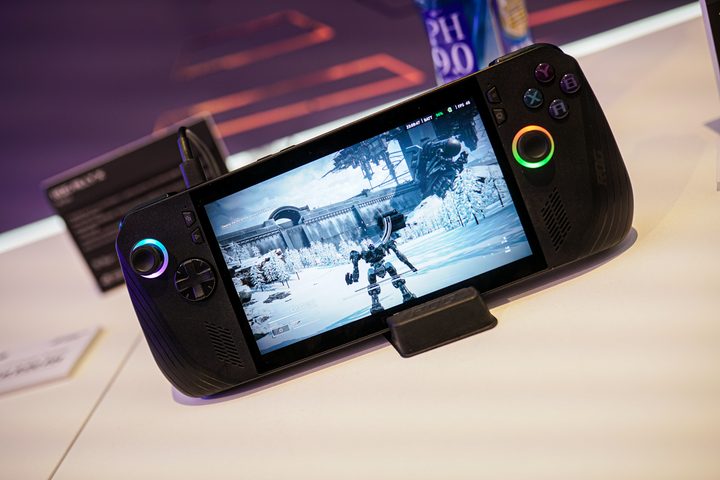

We’ve known for a couple of weeks now what the ROG Ally X entails. It’s using the same Ryzen Z1 Extreme chip under the hood, the same 7-inch 1080p display upfront, and an overall build that’s similar to the original model. It comes with some spec bumps, but this is a refresh, not a new generation. After using the ROG Ally X at Computex 2024, however, I can’t wait to pick up the handheld for myself.
In the same way that the Steam Deck OLED is the definitive edition of the Steam Deck, the ROG Ally X is the definitive edition of the ROG Ally. But Asus goes further. There’s a massive increase in battery life that could make this the longest-lasting handheld on the market, a suite of software fixes, and even a little extra performance.
Yes, a performance bump
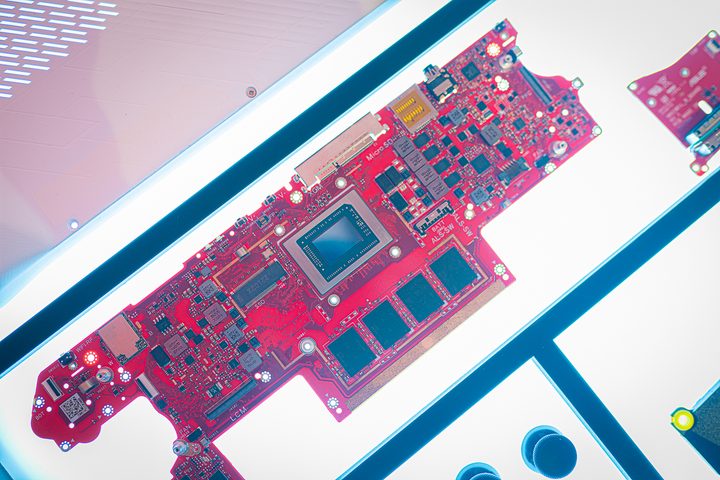
Let’s talk about that extra performance because it’s an aspect of the ROG Ally X that hasn’t gotten much attention. You’re getting the Ryzen Z1 Extreme chip. just like the original model, but there’s still extra performance potential here. That comes down to the RAM. You’re now getting 24GB of LPDDR5x, and it’s faster at 7,500 MT/s. That has some big implications.
The Ryzen Z1 Extreme is a system-on-a-chip (SoC), and both the CPU and GPU share a memory pool. On the original model, dedicating more of the memory to the GPU could improve performance in some titles, particularly those that stress VRAM. With more and faster RAM, the ROG Ally X has a lot more room. You can allocate a full 8GB to the GPU now, all while keeping 16GB reserved for the system.
Asus isn’t claiming better performance with the ROG Ally X, but I wouldn’t be surprised if that’s what we see in games like Forza Horizon 5, Hogwarts Legacy, and Resident Evil 4. I wasn’t able to properly benchmark these games in my hands-on time with the device, but it shouldn’t be long before I have a device in my hands for proper testing.
More than a black finish
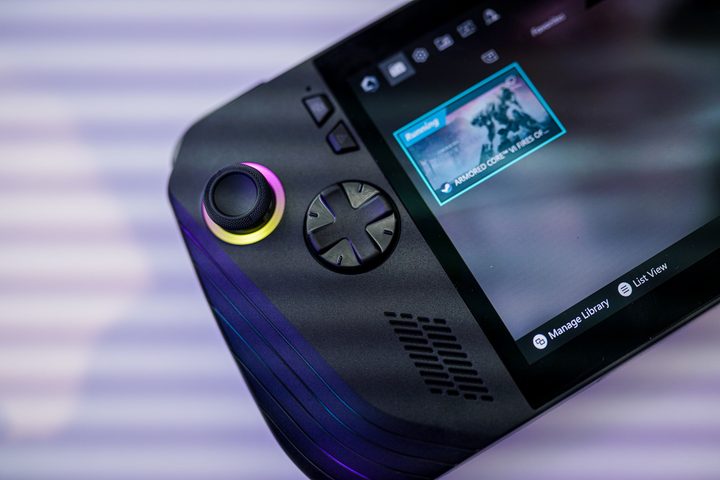
Externally, the ROG Ally X looks very similar to the original model, but that undersells just how much is new. The chassis design is completely different, with more rounded corners. Asus also angled the buttons and triggers for a more comfortable feel in the hands, and it replaced both the joysticks and D-pad, which were two points of contention on the original model.
It feels much better, and that’s particularly true of teh triggers. On the original Ally, the triggers are flat and align with the bumpers, but now they have a slight curve to them. In addition, Asus tweaked the angle at which the joysticks and buttons are set apart from each other, making it feel more like a controller. By far the biggest upgrade is the placement of the macros. They’re cleanly out of your way, and you’re free to forget about them if you wish.
The biggest upgrade
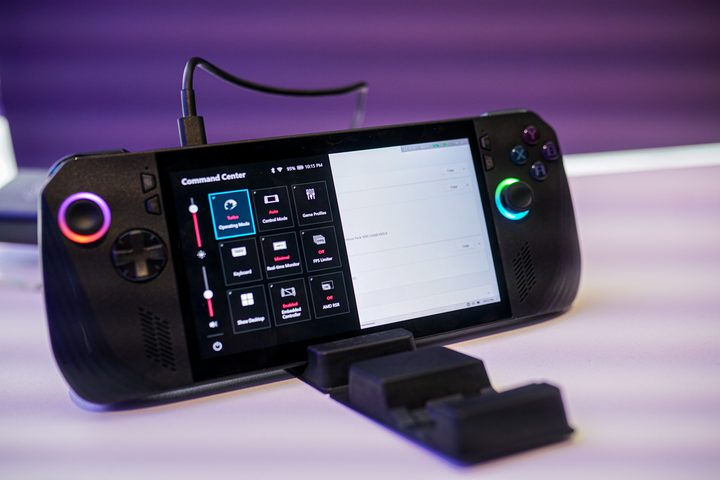
Although the feel in the hands and performance boost are upsides, there’s no doubt that the star of the show is the battery. The ROG Ally X comes with an 80 watt-hour battery, which is double the size of the original model’s. The handheld is only slightly heavier as a result, too — it’s 678 grams instead of 607 grams and you wouldn’t be able to tell without a side-by-side comparison.
It’s hard to test battery life in a short hands-on time, but I noticed the battery lasting much longer in demanding games than I’m used to. In Armored Core VI, I depleted about 10% of the battery in 20 minutes of gameplay — and that was on the Turbo mode that draws 25 watts. If you extrapolate that out, you’re getting just over three hours in a demanding AAA game with the highest power mode. That’s about double what the base ROG Ally is capable of, so that wouldn’t be surprising.
Battery life is such a critical component with a handheld, and it goes beyond just capacity (I’m looking at you, MSI Claw). However, we already have a foundation with the ROG Ally X. The extra RAM will consume a bit more power, but from the screen to the Ryzen Z1 Extreme chip, we know how much power the handheld requires. I wouldn’t be surprised if we end up seeing upwards of a 40% increase in battery life in real use, which is huge.
For now, though, we just have the capacity and my short hands-on time to go on. Once the ROG Ally X is here, we’ll be able to run it through our battery benchmarks to see how much that extra capacity is really doing.
The definitive version of the ROG Ally
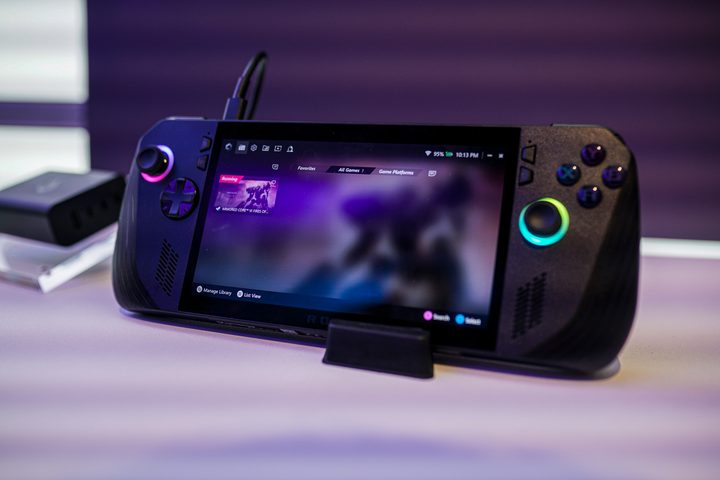
The redesigned shell, extra RAM, and larger battery take center stage, but Asus made other improvements, as well. You’re getting a 1TB SSD, for example, and it’s an M.2 2280 SSD, so upgrades should be easier and cheaper. Asus also replaced the proprietary XG Mobile connection with dual USB-C ports, one of which supports USB 4 for external GPUs.
I’m confident saying now that if you’re in the market for the ROG Ally, it’s worth waiting for the ROG Ally X. You’re getting a big upgrade, and I don’t need a suite of benchmarks to tell you that. The more interesting question, and the one I’ll be focusing on once I have a device in my hands, is if it’s worth upgrading from another handheld. The Steam Deck OLED still provides stiff competition at a lower price, and if the price drops on the original ROG Ally, it might be a better buy. From my first look, though, those handhelds have an uphill battle against the ROG Ally X.