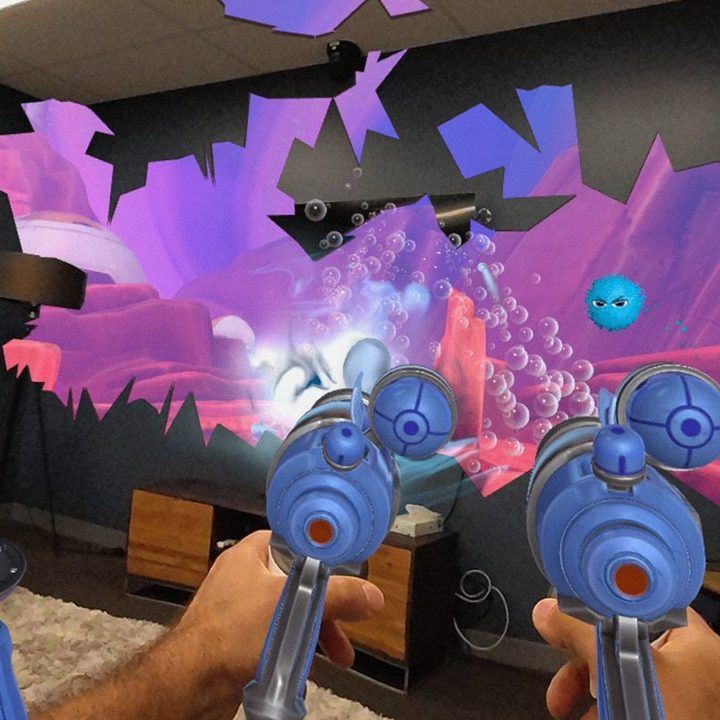
The Meta Quest 3 was already one of the best VR headsets for mixed reality, while keeping costs affordable. Soon Quest 3 owners will see a big upgrade that removes the distortion that sometimes broke the immersive feeling, simply by updating their headsets.
Meta has announced the v66 software update that, among many things, comes with improvements to the Quest 3’s passthrough cameras. Since the Quest 3’s passthrough cameras are located a couple of inches in front of your eyes, the headset must adjust the image to match your true perspective. Otherwise, everything would seem slightly zoomed in. Distant objects are easy, but nearby hands hide a portion of the background, presenting a challenge.
Meta has continued to tweak the quality of the passthrough, with a big update having happened in v64. Meta’s Horizon OS v65 did a good job of minimizing rendering errors where hands move over the background. The v66 update, which is rolling out now, appears to make warping almost imperceptible.
Check out Meta’s video that demonstrates the difference between v65 and v66 passthrough distortion.
This is an important update when considering the Quest 3’s competition and value proposition. To get anything better in terms of passthrough quality, you’d need to spend $3,500 or more to purchase an Apple Vision Pro or a Varjo XR-4. It’s incredible that a low-cost headset like the Meta Quest 3 can achieve this degree of fidelity in mixed reality, and I’m eager to test out the update for myself to see just how good it is.
More v66 features
While the passthrough update only applies to the Quest 3, Quest 2 and Quest Pro owners will also receive some nice new features with v66.
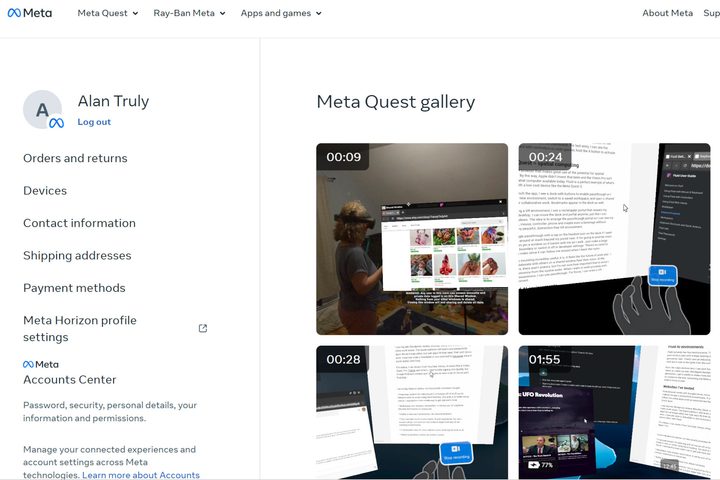
First off, screenshots and recordings are about to become easier to access. Your Meta Quest gallery is now online, so just log into your Meta account to see all your VR content. This feature is already live for me now, as seen in the photo above.
Another mixed reality upgrade will automatically label furniture when doing room setup. Previously, you had to select from a list of objects. The new method should speed up the process.
Meta also announced new hand-tracking upgrades. Wrist buttons will appear when you turn your palm upward. This is an experimental feature you must enable in Horizon OS v66 and could provide quicker, more reliable access to menus. The previous method required holding an upside-down pinch for about a second.
If you like playing background music or listening to podcasts while playing games, hanging out in social apps, or working, you might have noticed that wasn’t always possible in VR. It worked for 2D apps, but the sound stopped when launching an immersive app.
The v66 update lets you continue listening to music or videos playing in 2D apps while playing VR games and apps. Playback controls will appear in the quick menu.
Meta keeps improving its VR headsets and adding features, even for older devices. While Meta will continue to support the 2020 Quest 2 for years, it seems likely we’ll see a low-cost Meta Quest 3s take its place at Meta connect in September. There’s a chance that a Quest Pro 2 is coming as well, but it probably won’t launch until sometime in 2025.