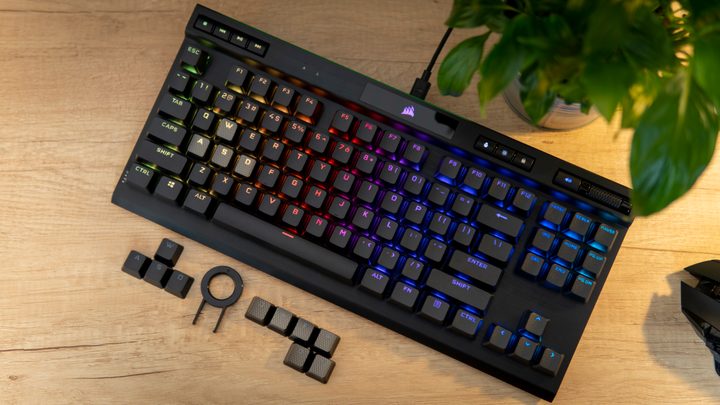
The Corsair K70 is a legendary gaming keyboard. It brought mechanical keyboards to the mainstream market in a premium package and more affordable price, but recent versions like the Corsair K70 RGB Pro have lost their edge. As competing brands release their own keyboards, the K70 doesn’t fill the niche it once did. Thankfully, there are some excellent alternatives.
At around $170, there are far better options than the K70 Pro RGB, including some from Corsair itself. Here are five gaming keyboards you should pick up instead of Corsair’s classic.
Asus ROG Strix Scope II 96

The Asus ROG Strix Scope II 96 has no business being as good as it is. There’s a reason we’re recommending it here over the wildly popular ROG Azoth, and that comes down to price. You can pick it up for $150, which is less than the Corsair K70 Pro RGB, and Asus’ keyboard definitely wins out when it comes to the typing and gaming experience.
That comes down to two factors. Asus is using silicon foam under the PCB of the keyboard to dampen the sound and feel, so you don’t get the hollow pinging and crunchy response that’s common on most gaming keyboards. The Asus NX Snow switches are also excellent, offering a similar feel to a Cherry MX Red but with factory lubrication. The Strix Scope II 96 can’t rival some of the more expensive enthusiast options later on this list, but it gets shockingly close.
In addition to the excellent feel, the Strix Scope II 96 is packed with features. It includes hot-swappable switches, as well as three connection modes. You get wired, as well as Bluetooth and Asus’ 2.4GHz low latency wireless. There’s also per-key RGB lighting and a volume wheel.
The format is a big deal here, too. The K70 is a full-sized keyboard, while the Strix Scope II 96 is, as you might have guessed, a 96% layout. It doesn’t sound like a big difference, but Asus is able to trim down on the size of the keyboard while still squeezing in every key. On your desk, the Strix Scope II 96 feels far more manageable than other full-sized keyboards.
HyperX Alloy Rise
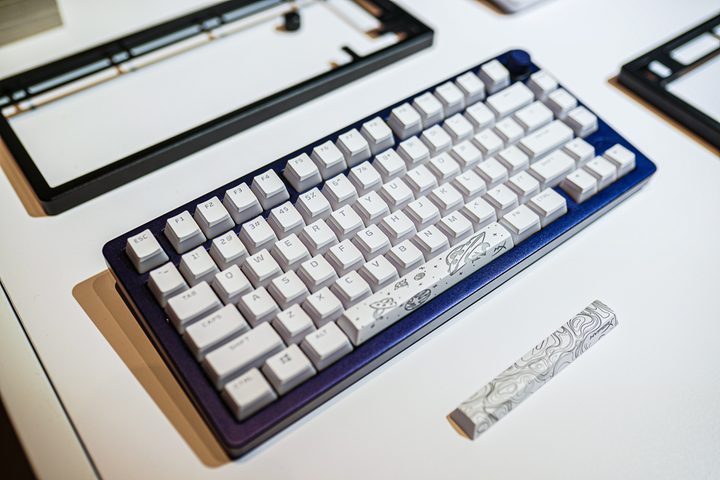
HyperX has made some excellent budget gaming keyboards, but it’s not a name that usually comes up when you’re spending north of $100. The Alloy Rise changes that. It’s a true enthusiast-grade keyboard with a sound and feel to match, and it comes in at a shockingly low price. You can pick up the 75% version for $170 or the full size version for $200, putting it in close proximity of the Corsair K70.
The thing that separates the Alloy Rise is its gasket mount. This places the switch plate between sets of gaskets, allowing it to move as you type. It provides some give while you’re flying across the keyboard, and it makes the typing experience sound and feel much better. It’s hard to overstate just how big of a difference a gasket mount makes.
There are some other unique features here, too. You get hot-swappable switches and dedicated media controls, but HyperX stands out with swappable shells and an ambient light sensor. The metal housing on top of the keyboard is magnetic, and you can swap it out with a different shell in a few seconds to change up the look of your keyboard. The ambient light sensor is great, too, automatically adjusting the per-key RGB lighting depending on the lighting conditions in your room.
The HyperX Alloy Rise is fantastic, but it comes with one downside — it’s wired only. That’s par for the course with enthusiast-grade options, but it’s something to keep in mind if you plan on dropping $200 on a keyboard.
Corsair K65 Plus

The Corsair K65 Plus shocked me. Corsair has rested on its laurels a bit when it comes to its keyboards, but the K65 Plus throws the brand back into the ring in a big way. It’s easily the best Corsair keyboard you can buy, and it goes toe-to-toe with options like the Asus ROG Azoth and HyperX Alloy Rise, just for a lower price. If you want to stay in the Corsair ecosystem with utilities like iCue, the K65 Plus is definitely the keyboard to pick up.
Sound and feel are the winners here, and it comes down to two pieces of foam. Really. The K65 Plus includes a layer between the top plate and PCB, as well as another between the PCB and bottom frame. It may not seem like much, but those two layers of dampening completely transform the K65 Plus. It knocks out all of the nasty pinging you get from keyboards without sound dampening and instantly makes the typing experience feel premium.
You don’t get a gasket mount here, but it’s hard to ask for one considering everything else Corsair is offering. You get tri-mode wireless, as well as hot-swappable switches. It also works with both Windows and Mac, fits with different legends on the key caps and a toggle on the back of the keyboard, and there’s even a metal volume wheel.
The K65 Plus truly shows Corsair keyboards at their best, and it’s a massive step forward from something like the K70 Pro RGB.
Keychron Q1 HE

The Keychron Q1 HE is the first big step up in price compared to the K70. It’s $220, and although it’s worth every penny of that price, it’s certainly in a different class than the K70. If you’re willing to save up your pennies, you’re in for a treat.
This is a premium keyboard from top to bottom. It includes board foam, as you’d expect for this price, as well as a double gasket mount that provides one of the best feels you can get out of a gaming keyboard. It feels lavish to type on. Beyond nailing the feel, the keyboard also supports wireless through Bluetooth or a low-latency 2.4GHz connection, as well as per-key RGB lighting and platform support for Windows and Mac.
What really sets the Keychron Q1 HE apart, however, is the “HE” part of the name. It uses Hall Effect, or magnetic, switches. In particular, it uses Gateron’s Double-Rail Magnetic Nebula switches, which feel great to type and game on. Instead of a traditional mechanical switch, HE switches uses two opposing magnets. That allows you to change the actuation point for rapid presses, as well as bind commands to different points while depressing and releasing a key.
Magnetic switches aren’t the sole reason to buy the Keychron Q1 HE, but they’re a great addition to an already excellent foundation of a keyboard. This is an expensive keyboard at $220, but the fact that Keychron was able to manage this quality at that price is astounding.
Meletrix BOOG75
Let’s throw budget out the window. You want the best keyboard you can buy, regardless of the price. If you fall in that camp, pick up the Meletrix BOOG75. It’s $230, making it the most expensive keyboard on this list, but it justifies that price the moment you take it out of the box and press a key.
The high-level specs here aren’t surprising. You get a gasket mount for an exceptional sound and feel, as well as magnetic switches fit with all of the features you find on the Keychron Q1 HE. Compared to the Keychron, you don’t get wireless here. It’s all wired, all while Meletrix is asking for more money.
That extra cost is put right back into the quality of the keyboard. The keyboard weighs nearly 7 pounds, entirely due to its thick aluminum shell. It can be tough to swallow $230 up front, but the moment you touch the BOOG75, you’ll know exactly where the money went.
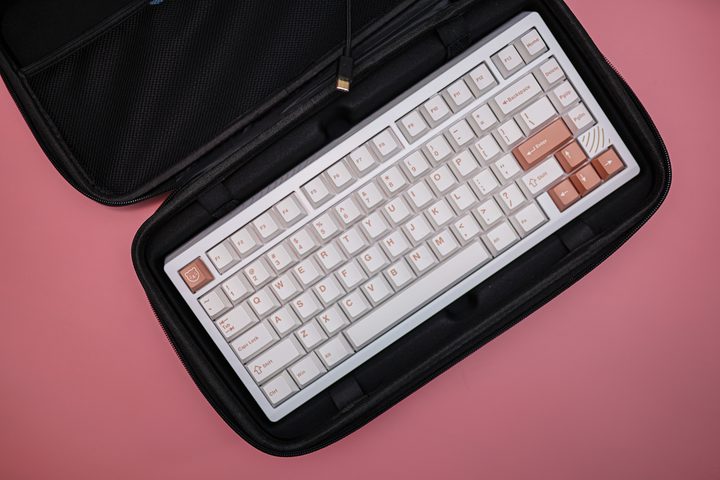
Meletrix also sells the keyboard in two unique designs, both fit with their own engraved shell and custom key caps. Shockwave is a black and teal option with cyberpunk-esque trimmings etched along the edges of the keyboard, while Induction Coil (pictured above) is white and beige with a wispy line design that carries throughout the bottom plate. The BOOG75 is truly a work of art — and it feels damn good to type on.